



|
1 Risposta Punteggio 0 |
How do I replace the keyboard? |
|
Nessuna Risposta Punteggio 0 |
How do I replace the type-c connector? |
Informazioni generali
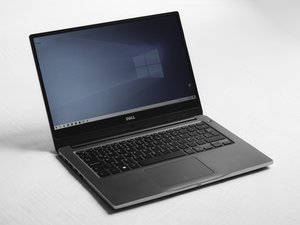
Il Dell Latitude 7300 è stato rilasciato nel 2019 come parte della serie Latitude 7000 di Dell, dedicata ai portatili aziendali. È dotato di un display da 13,3 pollici e di un telaio costruito in fibra di carbonio e lega di magnesio. Il dispositivo è equipaggiato con processori Intel Core i5 o i7 di ottava generazione, supporta fino a 32 GB di RAM DDR4 tramite due slot SODIMM e utilizza unità a stato solido M.2 PCIe NVMe per l'archiviazione. Le opzioni di connettività includono Thunderbolt 3 (USB Type-C), USB 3.1, HDMI e un lettore di schede microSD. Il portatile è disponibile con una batteria agli ioni di litio a 3 o 4 celle con funzionalità ExpressCharge.
Dell ha emesso un richiamo di sicurezza per l'alimentatore, poiché l'involucro dell'adattatore può staccarsi o rompersi, esponendo i componenti metallici interni e creando un pericolo di scossa elettrica.
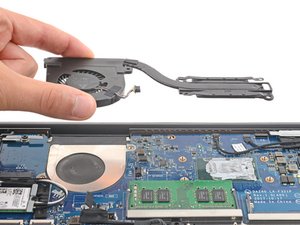
I problemi comuni segnalati dagli utenti includono il rigonfiamento della batteria nel tempo a causa dell'età o del calore, malfunzionamenti della tastiera e intasamento o guasto della ventola di raffreddamento.
Identificazione
Per verificare se questo è il tuo dispositivo, guarda gli angoli inferiori della cornice dello schermo, dove solitamente è stampato "Latitude 7300". Se non è presente, capovolgi il portatile e cerca un adesivo nero o del testo sulla base che elenchi il nome del modello e un "Service Tag". Se hai già effettuato l'accesso a Windows, puoi premere il tasto Windows + R, digitare msinfo32 e premere invio per cercare la riga relativa al modello di sistema, che indicherà specificamente 'Latitude 7300.'
Specifiche tecniche
- Processore: Intel Core i5 o i7 di ottava generazione.
- Memoria (RAM): 2 slot che supportano fino a 32 GB DDR4 (2400 MHz).
- Archiviazione: unità a stato solido (SSD) M.2 PCIe NVMe.
- Display: schermo antiriflesso da 13,3 pollici
- Grafica: Intel UHD Graphics integrata.
- Batteria: a 3 o 4 celle con funzionalità ExpressCharge.
- Porte: 1x Thunderbolt 3 (USB Type-C)
- 2x USB 3.1
- 1x HDMI
- 1x lettore di schede microSD
- 1x jack audio