Salta al contenuto principale
Unisciti alla Community delle riparazioni - Crea un account

Valve Index Headset Eye Tube Replacement

Cosa ti serve

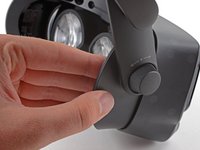
  1. Valve Index Headset Eye Tube Replacement, Adjust the eye tube relief: passo 1, immagine 1 di 1
    • Twist the eye tube relief knob clockwise to fully extend it.

    Chiedi a FixBot

    Aggiungi Commento

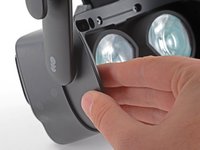
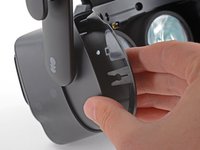
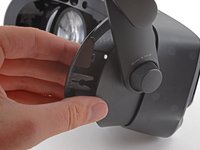
  2. Valve Index Headset Eye Tube Replacement, Remove the face gasket: passo 2, immagine 1 di 2 Valve Index Headset Eye Tube Replacement, Remove the face gasket: passo 2, immagine 2 di 2
    • Use your hand to gently pull the face gasket straight off of the headset.

    • The face gasket is held in place by four magnets that secure to screws in the face bezel.

    • Before installing a face gasket, ensure the four screws securing the face gasket bezel are installed. Otherwise, the face gasket will not stay in place.

    Chiedi a FixBot

    Aggiungi Commento

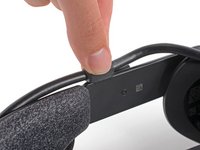
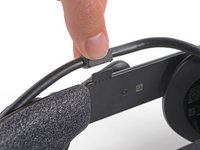
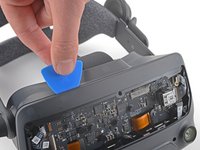
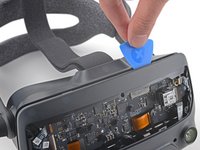
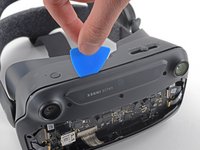
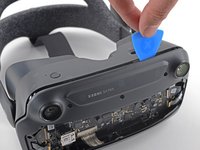
  3. Valve Index Headset Eye Tube Replacement, Remove the head strap clip: passo 3, immagine 1 di 3 Valve Index Headset Eye Tube Replacement, Remove the head strap clip: passo 3, immagine 2 di 3 Valve Index Headset Eye Tube Replacement, Remove the head strap clip: passo 3, immagine 3 di 3
    • Insert the flat end of a spudger in between the bottom of the head strap clip and the head strap padding.

    • Pry up on the head strap clip until it is unclipped from the head strap.

    • To reinstall, first locate the recesses on the head strap for mounting the clip. Next, align the clip with the recesses, verify the tether cable is threaded through the clip, then simply press the clip back into place.

    Chiedi a FixBot

    Aggiungi Commento

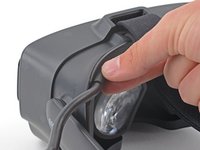
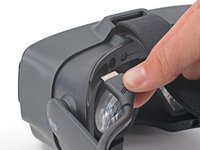
  4. Valve Index Headset Eye Tube Replacement, Separate the cable from the head strap guide: passo 4, immagine 1 di 2 Valve Index Headset Eye Tube Replacement, Separate the cable from the head strap guide: passo 4, immagine 2 di 2
    • Use your fingers to pull the tether cable straight up off of the head strap cable guide.

    Chiedi a FixBot

    Aggiungi Commento

  5. Valve Index Headset Eye Tube Replacement, Disconnect the tether cable: passo 5, immagine 1 di 2 Valve Index Headset Eye Tube Replacement, Disconnect the tether cable: passo 5, immagine 2 di 2
    • Pull the tether cable straight back out of the headset.

    Chiedi a FixBot

    Aggiungi Commento

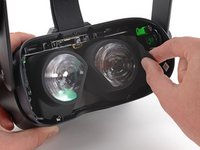
  6. Valve Index Headset Eye Tube Replacement, Remove the face gasket bezel: passo 6, immagine 1 di 1
    • Use a T5 Torx screwdriver to remove the four 6.0 mm screws securing the face gasket bezel to the headset.

    Chiedi a FixBot

    Aggiungi Commento

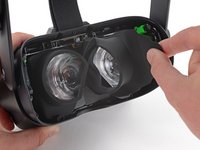
  7. Valve Index Headset Eye Tube Replacement: passo 7, immagine 1 di 2 Valve Index Headset Eye Tube Replacement: passo 7, immagine 2 di 2
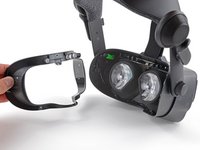
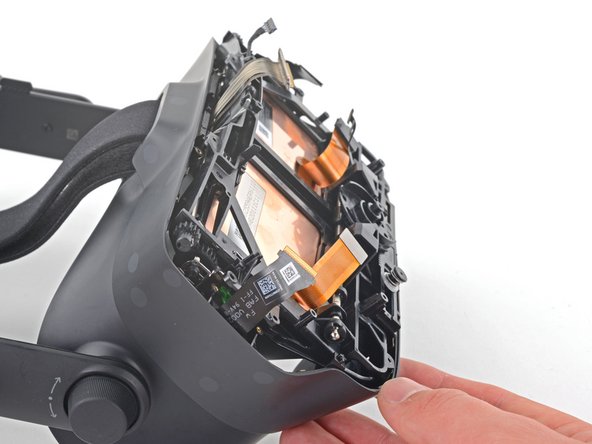
    • Do not try and pry the face gasket bezel off, or you will damage the headset.

    • Grab the left edge of the face gasket bezel with your hand and slide it off of the headset.

    • During reassembly, visually verify the clips on the face gasket bezel are aligned with the headset before sliding it into place.

    Chiedi a FixBot

    Aggiungi Commento

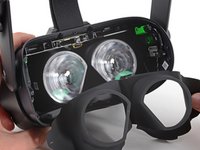
  8. Valve Index Headset Eye Tube Replacement: passo 8, immagine 1 di 3 Valve Index Headset Eye Tube Replacement: passo 8, immagine 2 di 3 Valve Index Headset Eye Tube Replacement: passo 8, immagine 3 di 3
    • Repeat the previous step for the right side of the face gasket bezel.

    • Remove the face gasket bezel.

    Chiedi a FixBot

    Aggiungi Commento

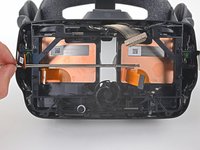
  9. Valve Index Headset Eye Tube Replacement, Remove the eye tube gasket: passo 9, immagine 1 di 3 Valve Index Headset Eye Tube Replacement, Remove the eye tube gasket: passo 9, immagine 2 di 3 Valve Index Headset Eye Tube Replacement, Remove the eye tube gasket: passo 9, immagine 3 di 3
    Strumento utilizzato in questo passaggio:
    Tweezers
    $4.99
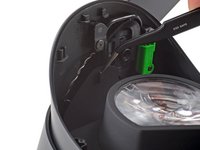
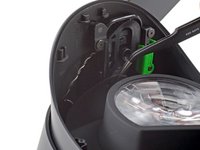
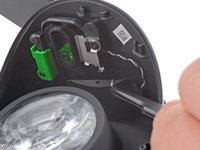
    • Use a pair of tweezers to separate the left edge of the eye tube gasket from the headset.

    • Repeat the process for the right edge of the gasket.

    • During reassembly, make sure these holes are secured to the pegs on the headset before continuing.

    Chiedi a FixBot

    Aggiungi Commento

  10. Valve Index Headset Eye Tube Replacement: passo 10, immagine 1 di 3 Valve Index Headset Eye Tube Replacement: passo 10, immagine 2 di 3 Valve Index Headset Eye Tube Replacement: passo 10, immagine 3 di 3
    • Gently peel the eye tube gasket out of the headset.

    • The eye tube gasket is lightly adhered to the perimeter of the lenses. It should pull off easily.

    Chiedi a FixBot

    Aggiungi Commento

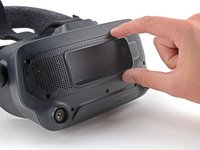
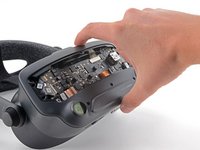
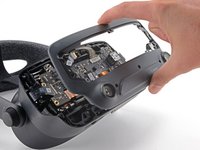
  11. Valve Index Headset Eye Tube Replacement, Remove the front cover: passo 11, immagine 1 di 2 Valve Index Headset Eye Tube Replacement, Remove the front cover: passo 11, immagine 2 di 2
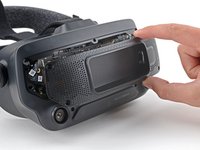
    • Use your hand to pull the front cover straight off of the front of the headset.

    • The front cover is held in place by four magnets that secure to screws in the motherboard cover.

    • Before installing a front cover, ensure the four screws securing the motherboard cover are installed. Otherwise, the front cover will not stay in place.

    Chiedi a FixBot

    Aggiungi Commento

  12. Valve Index Headset Eye Tube Replacement, Remove the motherboard cover: passo 12, immagine 1 di 1
    • Use a T5 Torx screwdriver to remove the four 5.4 mm screws securing the motherboard cover to the headset.

    Chiedi a FixBot

    Aggiungi Commento

  13. Valve Index Headset Eye Tube Replacement: passo 13, immagine 1 di 2 Valve Index Headset Eye Tube Replacement: passo 13, immagine 2 di 2
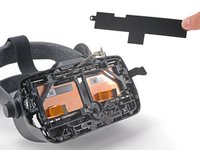
    • Remove the motherboard cover from the headset.

    Chiedi a FixBot

    Aggiungi Commento

  14. Valve Index Headset Eye Tube Replacement, Remove the front fascia: passo 14, immagine 1 di 1
    • Use a T5 Torx screwdriver to remove the following eight screws from the front fascia:

    • Four 6.3 mm screws with fine threads

    • Four 6.0 mm screws with coarse threads

    Chiedi a FixBot

    Aggiungi Commento

  15. Valve Index Headset Eye Tube Replacement: passo 15, immagine 1 di 3 Valve Index Headset Eye Tube Replacement: passo 15, immagine 2 di 3 Valve Index Headset Eye Tube Replacement: passo 15, immagine 3 di 3
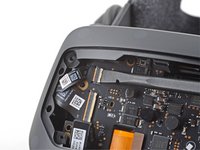
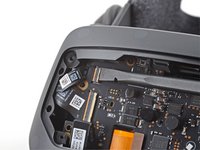
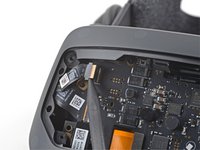
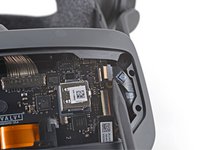
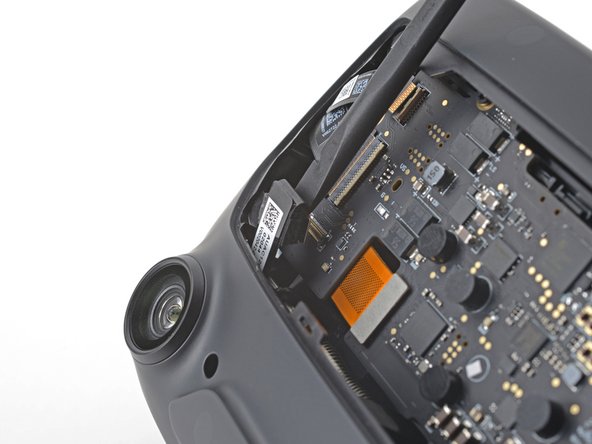
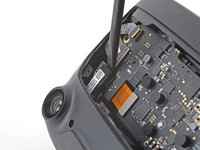
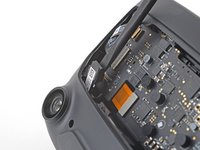
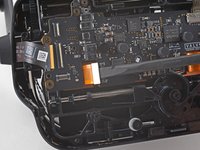
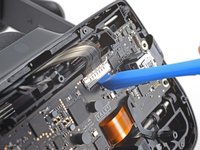
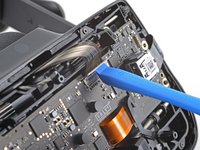
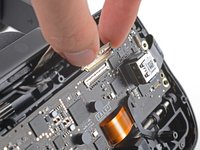
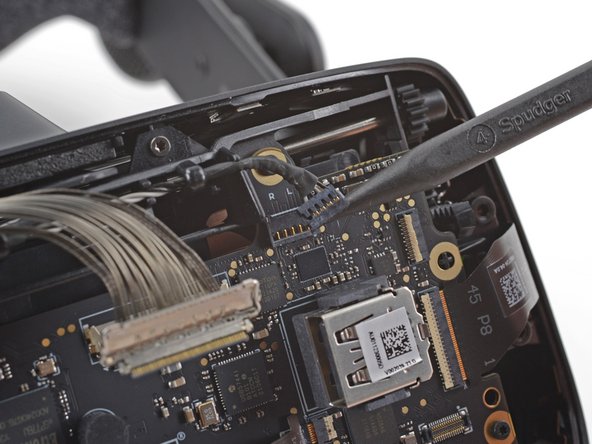
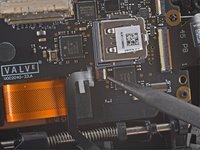
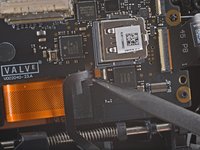
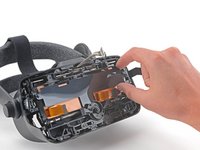
    • Use a spudger to unlock the ZIF connector at the top-left corner of the motherboard.

    • Disconnect the FPC ribbon cable from the motherboard.

    Chiedi a FixBot

    Aggiungi Commento

  16. Valve Index Headset Eye Tube Replacement: passo 16, immagine 1 di 3 Valve Index Headset Eye Tube Replacement: passo 16, immagine 2 di 3 Valve Index Headset Eye Tube Replacement: passo 16, immagine 3 di 3
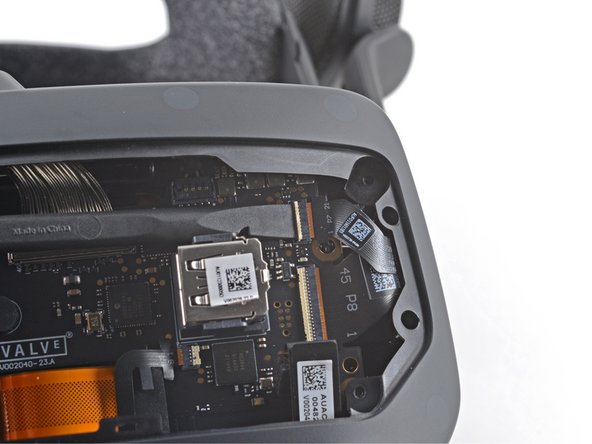
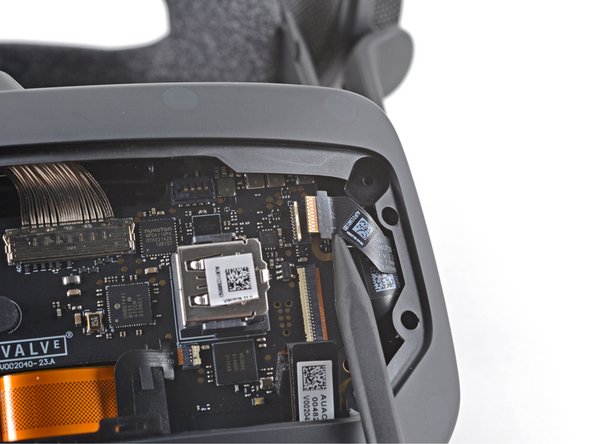
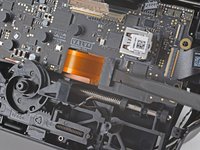
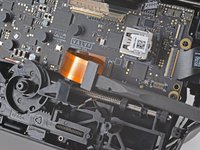
    • Use a spudger to unlock the ZIF connector at the top-right corner of the motherboard.

    • Disconnect the FPC ribbon cable.

    Chiedi a FixBot

    Aggiungi Commento

  17. Valve Index Headset Eye Tube Replacement: passo 17, immagine 1 di 2 Valve Index Headset Eye Tube Replacement: passo 17, immagine 2 di 2
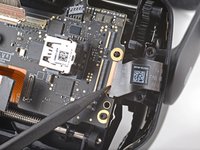
    • Use the flat end of a spudger to disconnect the press connector from the bottom-left corner of the motherboard.

    • To re-attach press connectors like this one, carefully align and press down on one side until it clicks into place, then repeat on the other side. Do not press down on the middle. If the connector is misaligned, the pins can bend, causing permanent damage.

    Chiedi a FixBot

    Aggiungi Commento

  18. Valve Index Headset Eye Tube Replacement: passo 18, immagine 1 di 2 Valve Index Headset Eye Tube Replacement: passo 18, immagine 2 di 2
    • Use the flat end of a spudger to disconnect the press connector from the bottom-right corner of the motherboard.

    Chiedi a FixBot

    Aggiungi Commento

  19. Valve Index Headset Eye Tube Replacement: passo 19, immagine 1 di 2 Valve Index Headset Eye Tube Replacement: passo 19, immagine 2 di 2
    • Insert an opening pick in between the front fascia and the headset.

    • Slide the opening pick over to separate the front fascia from the headset.

    Chiedi a FixBot

    Aggiungi Commento

  20. Valve Index Headset Eye Tube Replacement: passo 20, immagine 1 di 2 Valve Index Headset Eye Tube Replacement: passo 20, immagine 2 di 2
    • Continue sliding the opening pick along the perimeter of the front fascia until all edges are free.

    Chiedi a FixBot

    Aggiungi Commento

  21. Valve Index Headset Eye Tube Replacement: passo 21, immagine 1 di 2 Valve Index Headset Eye Tube Replacement: passo 21, immagine 2 di 2
    • Remove the front fascia.

    Chiedi a FixBot

    Aggiungi Commento

  22. Valve Index Headset Eye Tube Replacement, Remove the motherboard: passo 22, immagine 1 di 1
    • Note the seven cables that must be disconnected in the following steps before the motherboard can be removed.

    Chiedi a FixBot

    Aggiungi Commento

  23. Valve Index Headset Eye Tube Replacement: passo 23, immagine 1 di 3 Valve Index Headset Eye Tube Replacement: passo 23, immagine 2 di 3 Valve Index Headset Eye Tube Replacement: passo 23, immagine 3 di 3
    • Use the flat end of a spudger to unlock the wide ZIF connector on the left side of the motherboard.

    • Disconnect the FPC ribbon cable from the motherboard.

    Chiedi a FixBot

    Aggiungi Commento

  24. Valve Index Headset Eye Tube Replacement: passo 24, immagine 1 di 2 Valve Index Headset Eye Tube Replacement: passo 24, immagine 2 di 2
    • Use the flat end of a spudger to disconnect the press connector near the bottom-left edge of the motherboard.

    • During reassembly, be sure this cable is not trapped underneath the motherboard.

    Chiedi a FixBot

    Aggiungi Commento

  25. Valve Index Headset Eye Tube Replacement: passo 25, immagine 1 di 3 Valve Index Headset Eye Tube Replacement: passo 25, immagine 2 di 3 Valve Index Headset Eye Tube Replacement: passo 25, immagine 3 di 3
    • Use your finger or an opening tool to unlock the display cable connector at the top of the motherboard.

    • Carefully disconnect the display cable connector.

    Chiedi a FixBot

    Aggiungi Commento

  26. Valve Index Headset Eye Tube Replacement: passo 26, immagine 1 di 2 Valve Index Headset Eye Tube Replacement: passo 26, immagine 2 di 2
    • Use the pointed end of a spudger to gently disconnect the bundled cable connector from the top-right corner of the motherboard.

    Chiedi a FixBot

    Aggiungi Commento

  27. Valve Index Headset Eye Tube Replacement: passo 27, immagine 1 di 3 Valve Index Headset Eye Tube Replacement: passo 27, immagine 2 di 3 Valve Index Headset Eye Tube Replacement: passo 27, immagine 3 di 3
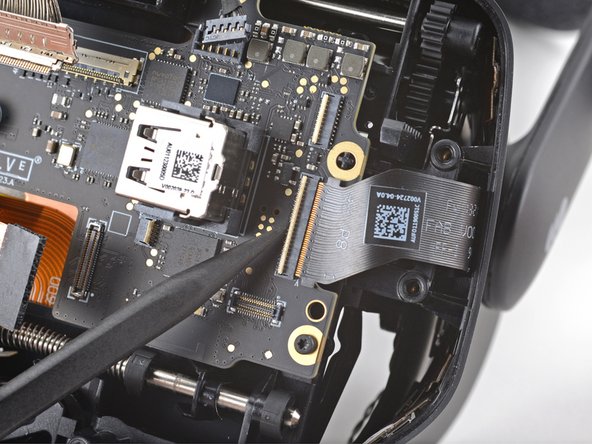
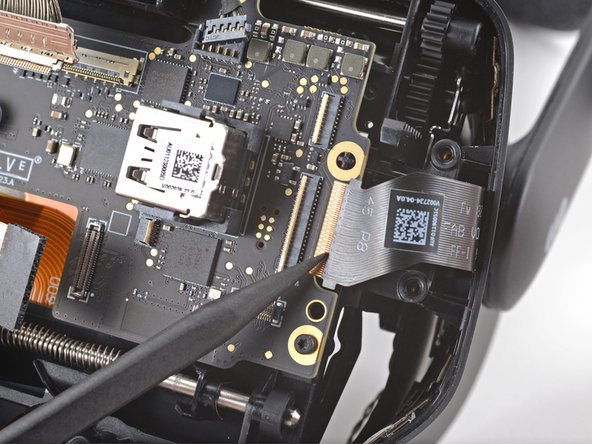
    • Use the pointed end of a spudger to unlock the ZIF connector next to the USB port on the motherboard.

    • Disconnect the FPC cable from the motherboard.

    • During reassembly, make sure this ribbon cable is not trapped under the motherboard.

    Chiedi a FixBot

    Aggiungi Commento

  28. Valve Index Headset Eye Tube Replacement: passo 28, immagine 1 di 2 Valve Index Headset Eye Tube Replacement: passo 28, immagine 2 di 2
    • Use the flat end of a spudger to disconnect the press connector below the USB port on the motherboard.

    • During reassembly, make sure this cable is not trapped under the motherboard.

    Chiedi a FixBot

    Aggiungi Commento

  29. Valve Index Headset Eye Tube Replacement: passo 29, immagine 1 di 3 Valve Index Headset Eye Tube Replacement: passo 29, immagine 2 di 3 Valve Index Headset Eye Tube Replacement: passo 29, immagine 3 di 3
    • Use a spudger to unlock the wide ZIF connector near the right edge of the motherboard.

    • Disconnect the FPC ribbon cable from the motherboard.

    Chiedi a FixBot

    Aggiungi Commento

  30. Valve Index Headset Eye Tube Replacement: passo 30, immagine 1 di 1
    • Use a T5 Torx screwdriver to remove the five 6.0 mm screws securing the motherboard to the headset.

    Chiedi a FixBot

    Aggiungi Commento

  31. Valve Index Headset Eye Tube Replacement: passo 31, immagine 1 di 2 Valve Index Headset Eye Tube Replacement: passo 31, immagine 2 di 2
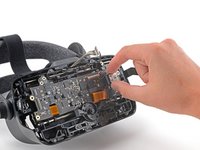
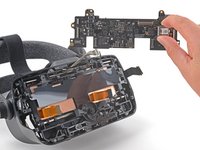
    • Grab the motherboard by the USB port and carefully remove it from the headset.

    • During reassembly, be very careful not to trap any of the previously disconnected cables under the motherboard.

    Chiedi a FixBot

    Aggiungi Commento

  32. Valve Index Headset Eye Tube Replacement, Remove the motherboard shield: passo 32, immagine 1 di 2 Valve Index Headset Eye Tube Replacement, Remove the motherboard shield: passo 32, immagine 2 di 2
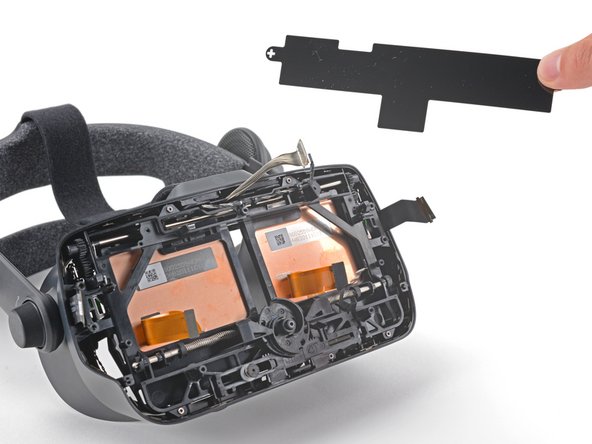
    • Lift the motherboard shield off of the two cross-shaped alignment pegs.

    Chiedi a FixBot

    Aggiungi Commento

  33. Valve Index Headset Eye Tube Replacement, Remove the IPD screw: passo 33, immagine 1 di 2 Valve Index Headset Eye Tube Replacement, Remove the IPD screw: passo 33, immagine 2 di 2
    Strumento utilizzato in questo passaggio:
    Tweezers
    $4.99
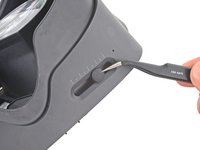
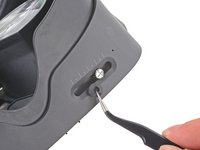
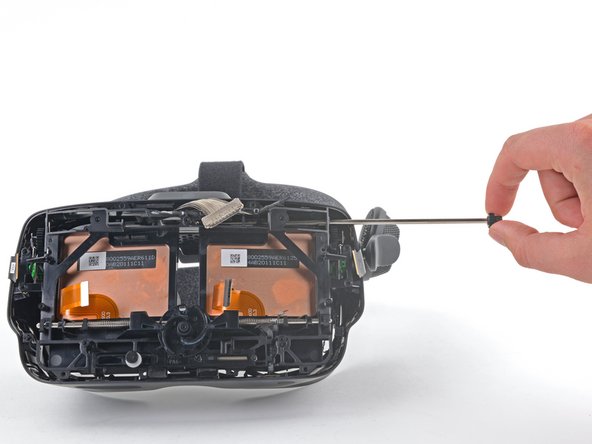
    • Use your tweezers to remove the rubber boot covering the IPD adjustment screw.

    Chiedi a FixBot

    Aggiungi Commento

  34. Valve Index Headset Eye Tube Replacement: passo 34, immagine 1 di 1
    • Use a 2.5 mm (3/32 in) flathead screwdriver to remove the 6.5 mm IPD screw from the headset.

    Chiedi a FixBot

    Aggiungi Commento

  35. Valve Index Headset Eye Tube Replacement, Remove the upper eye tube rail: passo 35, immagine 1 di 1
    • Use a T5 Torx screwdriver to remove the five 4.5 mm screws securing the midframe.

    Chiedi a FixBot

    Aggiungi Commento

  36. Valve Index Headset Eye Tube Replacement: passo 36, immagine 1 di 2 Valve Index Headset Eye Tube Replacement: passo 36, immagine 2 di 2
    • With the midframe loose, slide the case towards the back of the headset to expose the eye tube rails.

    Chiedi a FixBot

    Aggiungi Commento

  37. Valve Index Headset Eye Tube Replacement: passo 37, immagine 1 di 1
    • Use a T5 Torx screwdriver to remove the 4.4 mm screw securing the left end gear to the eye tube rail.

    • If the screw is not accessible, turn the eye relief knob to rotate the gear until it faces outward.

    Chiedi a FixBot

    Aggiungi Commento

  38. Valve Index Headset Eye Tube Replacement: passo 38, immagine 1 di 1
    • Remove the left end gear from the eye tube rail.

    Chiedi a FixBot

    Aggiungi Commento

  39. Valve Index Headset Eye Tube Replacement: passo 39, immagine 1 di 3 Valve Index Headset Eye Tube Replacement: passo 39, immagine 2 di 3 Valve Index Headset Eye Tube Replacement: passo 39, immagine 3 di 3
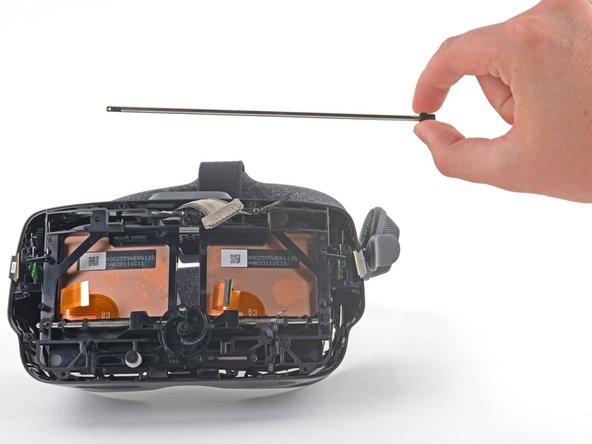
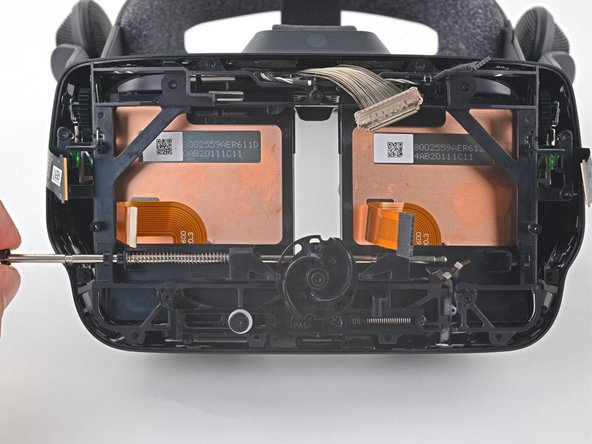
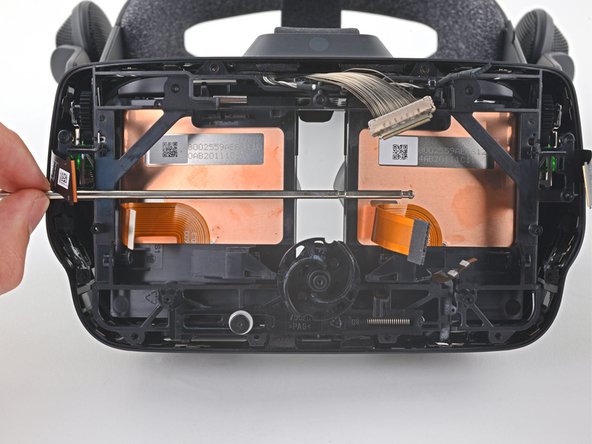
    • Grab the gear on the opposite side and slide the eye tube rail out of the headset.

    • When removing the upper eye tube rail, two plastic bushing will fall out and two metal springs may fall out. Keep track of these parts.

    • During reassembly, slide the bushings back on to the eye tube rail and use a pair of tweezers to align the springs to their original positions.

    Chiedi a FixBot

    Aggiungi Commento

  40. Valve Index Headset Eye Tube Replacement, Remove the lower eye tube: passo 40, immagine 1 di 3 Valve Index Headset Eye Tube Replacement, Remove the lower eye tube: passo 40, immagine 2 di 3 Valve Index Headset Eye Tube Replacement, Remove the lower eye tube: passo 40, immagine 3 di 3
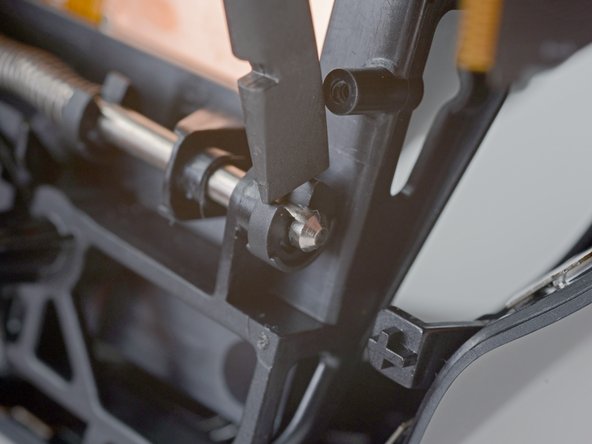
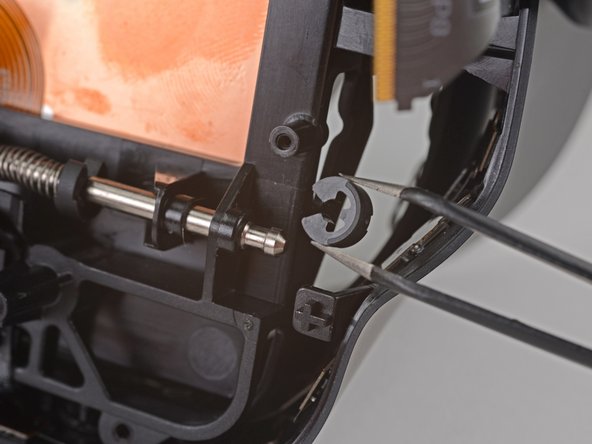
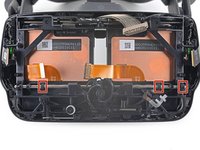
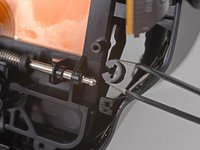
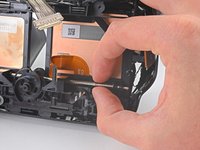
    • Use a spudger or your fingers to remove three of the four clips from the lower eye tube rail.

    • Hold the clips steady with one finger to prevent them from ejecting.

    • To reinstall these clips, place the open end on the groove in the rail and press them into place.

    • Two of the clips require holding the spring back to install them.

    Chiedi a FixBot

    Aggiungi Commento

  41. Valve Index Headset Eye Tube Replacement: passo 41, immagine 1 di 2 Valve Index Headset Eye Tube Replacement: passo 41, immagine 2 di 2
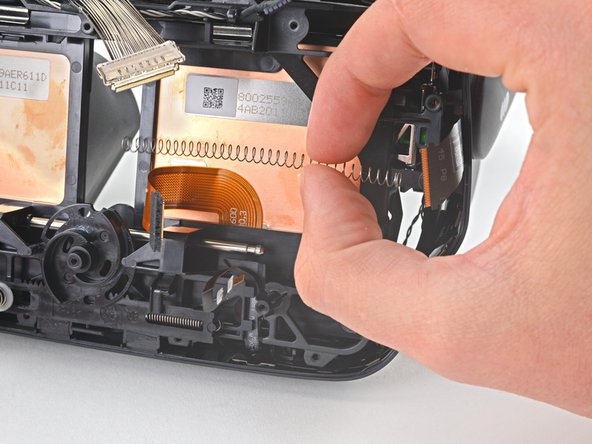
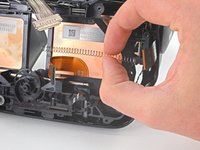
    • Hold each spring with one hand to prevent them from ejecting as you slide the lower eye tube rail out.

    • During reassembly, slide the springs on to the rail and carefully "walk" them back with your fingers until they are entirely on the rail.

    Chiedi a FixBot

    Aggiungi Commento

  42. Valve Index Headset Eye Tube Replacement: passo 42, immagine 1 di 3 Valve Index Headset Eye Tube Replacement: passo 42, immagine 2 di 3 Valve Index Headset Eye Tube Replacement: passo 42, immagine 3 di 3
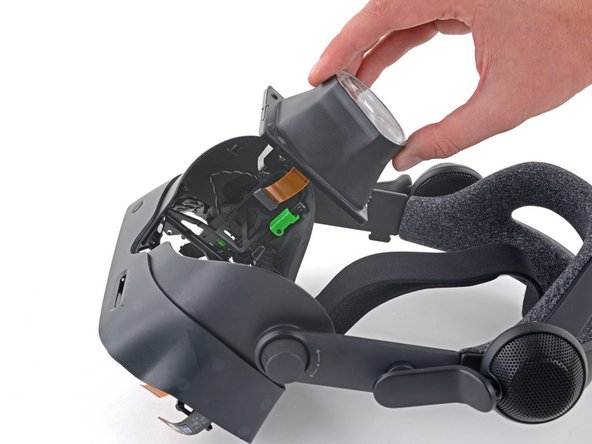
    • Remove the lower eye tube rail.

    • The eye tubes are now loose and can fall out.

    Chiedi a FixBot

    Aggiungi Commento

  43. Valve Index Headset Eye Tube Replacement, Remove the eye tube(s): passo 43, immagine 1 di 2 Valve Index Headset Eye Tube Replacement, Remove the eye tube(s): passo 43, immagine 2 di 2
    • Remove the eye tube(s).

    • The eye tubes are a tight fit and can be tricky to remove and install. Try different orientations as you work them in or out; do not force them.

    Chiedi a FixBot

    Aggiungi Commento

Conclusione

Compare your new replacement part to the original part—you may need to transfer remaining components or remove adhesive backings from the new part before installing.

To reassemble your device, follow the above steps in reverse order.

Take your e-waste to an R2 or e-Stewards certified recycler.

Repair didn’t go as planned? Try some basic troubleshooting, or ask our Valve Index Answers community for help.

Annulla: non ho completato questa guida.

Altre 22 persone hanno completato questa guida.

Sam Omiotek

Membro da: 02/25/19

98.796 Reputazione

290 guide realizzate

20Commenti sulla guida

I gained two extra small pieces not mentioned, I think when removing the top rail, they just dropped out into the housing. Looks like they go next to the eye tubes and are not included with the replacement so make sure you don't lose them!

https://imgur.com/a/AW4dHOW

Fizz - Rispondi Condividi

I believe those are suppose to add tension to the top rail. I lost mine but it should be for a small metal spring tensioner (I think).

Gabe - Rispondi Condividi

Great guide. Thanks so much!

David S - Rispondi Condividi

Hey, you guys forgot to mention anything about 2small pieces of bent metal no thicker then a staple that looks pretty important. Might want to include every piece that may be affected when assembling/disassembling the headset, Especially in the later stages.

Jesse the Dragon (Dragon) - Rispondi Condividi

wtf are these??? I also had them fall out and don't know what they are!

Patrick Hartge - Rispondi Condividi

Aggiungi Commento

Visualizza statistiche:

Ultime 24 ore: 7

Ultimi 7 giorni: 56

Ultimi 30 giorni: 298

Tutti i Tempi: 34,193