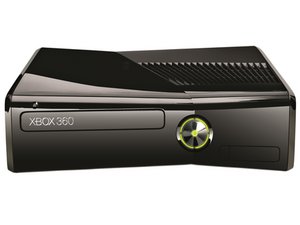
Before trying to troubleshoot your Xbox 360's problems, try resetting the console by turning it off and back on. Additionally, check the connections for the power and A/V cables to ensure that they are probably seated.
Xbox 360 S non si accende
Nessuna porta USB rilevata
Controlla le porte USB nella parte anteriore (2) e posteriore (1) della console. Se i contatti della porta USB sono piegati e toccano l'involucro della porta, si verificherà un cortocircuito che impedirà alla Xbox di accendersi.
Alimentatore rotto o difettoso
Se il dispositivo è collegato correttamente, ma l'alimentatore è caldo, scollega tutti i cavi e lascia raffreddare i componenti per almeno un'ora. Se il problema persiste dopo il raffreddamento dell'alimentatore, potrebbe essere necessario sostituire o riparare l'alimentatore.
Scheda modulo RF incrinata
Se l'alimentatore funziona correttamente, il problema potrebbe essere la scheda del modulo RF. Se è danneggiata, dovrai sostituirla.
Scheda madre bruciata
Se il problema persiste dopo aver eseguito i controlli precedenti, potresti avere un problema con la scheda madre. È un problema comune che le connessioni saldate sulla scheda madre si incrinino. In questo caso, è possibile saldare o rifare le connessioni.
L'unità disco non si apre/chiude
Sporcizia nell'unità disco
Se il vassoio dell'unità disco è bloccato e non si apre o non si chiude, devi espellere il disco manualmente. Segui queste istruzioni per rimuovere il frontalino ed espellere l'unità manualmente. Rimuovi eventuali ostruzioni e ricollega la console. Se il pulsante di espulsione continua a non funzionare, contatta XBOX o potrebbe essere necessario sostituire l'unità disco.
Xbox 360 S non legge i dischi
Disco graffiato
I dischi molto graffiati non vengono letti dalla console. Inserisci un disco pulito e non graffiato nell'unità. Se la tua Xbox 360 S riproduce il disco senza problemi, allora il problema erano i dischi graffiati.
Polvere o lente laser sporca
Se il problema non è dovuto a un disco graffiato, potrebbe esserci polvere sulla lente dell'unità ottica che ne impedisce la lettura dei dischi. Rimuovi l'unità ottica dalla console e puliscila a fondo.
Contatta XBOX per riparare l'unità ottica difettosa
Se la Xbox 360 continua a non leggere i dischi dopo aver pulito l'unità ottica, è probabile che l'unità ottica sia difettosa. Contattare il supporto telefonico Xbox e sostituire un'unità DVD difettosa con una sostitutiva non funziona, poiché quella sostitutiva ha una chiave diversa, che la console non accetterà.
Scheda madre bruciata
Se il problema persiste dopo aver eseguito i controlli precedenti, potresti avere un problema con la scheda madre. È un problema comune che le connessioni saldate sulla scheda madre si incrinino. In questo caso, è possibile saldare o rifare le connessioni.
Impossibile salvare i dati di gioco
Per quanto tu ci provi, la tua Xbox 360 S non salva i tuoi progressi di gioco.
Hard drive bloccato
Se la tua Xbox 360 S non salva i dati di gioco, è molto probabile che l'hard drive sia pieno o bloccato. Assicurati che l'hard drive sia collegato correttamente, verifica che ci sia abbastanza spazio libero per il salvataggio e poi riprova a salvare. Se non funziona, potrebbe essere necessario sostituire l'hard drive bloccato.
Scheda madre bruciata
Se il problema persiste dopo aver eseguito i controlli precedenti, potresti avere un problema con la scheda madre. È un problema comune che le connessioni saldate sulla scheda madre si incrinino. In questo caso, è possibile saldare o rifare le connessioni.
Spie di errore rosse
Determinare quale componente della tua Xbox 360 non funziona correttamente dipende da quante spie rosse attorno al pulsante di accensione stanno lampeggiando.
Una spia rossa
Se la spia rossa in basso a destra lampeggia sulla tua Xbox 360, la console sta riscontrando un errore hardware. La console si accenderà comunque e dovrebbe visualizzare un codice di errore sullo schermo a cui è collegata. Il codice inizierà con una E, seguita da due cifre. Alcuni dei codici di errore più comuni si possono trovare in questa pagina, ma informazioni più approfondite sono disponibili presso il database dei codici di errore di Xbox-Experts.
Due spie rosse
Quando le due spie a sinistra lampeggiano in rosso sulla console, significa che un componente si sta surriscaldando. È probabile che la ventola sia molto rumorosa. Spegni la console e lasciala raffreddare per un paio d'ore. Per evitare che ciò accada in futuro, assicurati che la tua Xbox 360 sia in un'area ben ventilata e lontana dalla vicinanza immediata di pareti, termosifoni o altri elettrodomestici.
Tre spie rosse (noto anche come "Red Ring of Death")
Il "Red Ring of Death" si verifica quando tutte le luci dell'anello lampeggiano in rosso, tranne quella in alto a destra. Si è verificato un malfunzionamento hardware generale che interessa uno o più componenti. Il messaggio di errore non viene visualizzato direttamente, poiché la console non si accende, ma è possibile ottenere il codice di errore secondario dalla Xbox.
La maggior parte, se non tutti, gli errori a tre spie nelle console Xbox 360 S sono legati al surriscaldamento. Il problema più comune è una connessione saldata incrinata o fredda sotto la GPU sulla scheda madre. Un difetto nel design del dissipatore di calore permette alla scheda madre di deformarsi nell'area attorno al chip, il che causa la perdita di contatto del chip con la scheda. Esistono varie soluzioni per il RROD, che includono la sostituzione dell'x-clamp ad alta sollecitazione, il riflusso della connessione saldata della GPU e anche la sostituzione del dissipatore di calore nei modelli più vecchi con il dissipatore Zephyr aggiornato di Microsoft.
Per evitare che la tua Xbox 360 S venga colpita dal RROD, tienila in un'area ben ventilata e assicurati che le prese d'aria siano libere da ostruzioni. Se la tua Xbox inizia a surriscaldarsi, spegnila e lasciala raffreddare per almeno un'ora prima di continuare a giocare. In alternativa, usa una ventola esterna per aiutare a far circolare l'aria attorno al dispositivo.
Se il RROD sta già affliggendo la tua Xbox e la tua console non è più coperta dalla garanzia Microsoft, c'è ancora speranza. Anche se la console non si accende, puoi ottenere un codice di errore secondario. Dopo aver individuato la causa del RROD della tua Xbox, puoi intraprendere le azioni necessarie per rimuovere il problema. Gli errori "Red Ring" causati dalla CPU o dalla GPU vengono solitamente risolti installando il nostro kit di riparazione Red Ring of Death.
Potresti avere un problema con la scheda madre. È un problema comune che le connessioni saldate sulla scheda madre si incrinino. In questo caso, è possibile saldare o rifare le connessioni.
Quattro spie rosse
Se tutte e quattro le spie rosse lampeggiano, il cavo A/V della Xbox 360 non è collegato. Ricollega il cavo alla console o al display che stai utilizzando.
Potresti avere un problema con la scheda madre. È un problema comune che le connessioni saldate sulla scheda madre si incrinino. In questo caso, è possibile saldare o rifare le connessioni.
Codici di errore comuni
Some of the information below is taken from a collaborative effort by users on Xbox-Scene forums. The discussione completa contains more information on diagnosing and repairing error codes.
- E64: *** DVD Drive Error - Drive timeout or incorrect firmware. There are multiple causes to this error, but the most common is frequent use of scratched discs.
- E65: *** DVD Drive Error - Often due to a disc tray that is not completely closed.
- E66: *** DVD Drive Error - The disc drive version doesn't match the expected version by the console. Make sure the DVD drive is of the same version originally included with the console, and that it is using either the original firmware included with the console, or more recent firmware. If the drive can eject, read, and write discs in Windows, but causes an error code on the console, replacing original firmware should fix the issue.
- E67: *** Hard Drive Error - Hard drive timed out during reset. Error is likely caused by a faulty hard drive. Remove the drive from the console, and attempt to login. If your Xbox 360 works without error when the hard drive is removed, then you can ascertain that the hard drive is bad.
- E68: *** Voltage Error - Additional accessories are drawing too much power. Attempt to remove unnecessary accessories first, and then necessary components such as the hard drive and USB devices. Any modifications to the Xbox case can also cause this error. In some cases, this error has accompanied a hard drive that is not DMA configured.
- E69: *** Hard Drive Error - Reading the hard drive security sector failed. This error could be caused by a bad hard drive or hard drive connection. Try removing the hard drive and playing without it to determine if it is faulty.
- E70: *** Hard Drive Error - Hard drive not found by console. Make sure your hard drive is properly seated and connected.
- E71: *** Dashboard Error - Possibly a dashboard update error. Attempt to clear the dashboard by holding the sync button while booting the Xbox. Any failed updates should be cleared during booting. If this does not fix the error, then the console must be serviced by Microsoft.
- E72: *** Dashboard Error - Error is usually caused by a loose pin connector or missing NAND chip. The common solution has been reflowing the Southbridge.
- E73: *** I/O Hardware Error - Caused by a cold solder joint on the Southbridge or ethernet chip. Usually, reflowing the ethernet chip or Southbridge area will fix this.
- E74: *** I/O Hardware Error - Common cause of this error is a cold or cracked solder joint underneath the GPU. Reflowing the GPU usually fixes this error message. In some cases, the problem is alleviated by replacing the X-clamp and thermal paste on the GPU.
- E75: *** Ethernet Error - Couldn't read ethernet PHY vendor. Oddly, this error is occasionally caused by the DVD drive not being connected properly.
- E76: *** Ethernet Error - Your Xbox 360 has a dead network chip. This can happen when the chip has seen a high surge in voltage. The network chip must be replaced.
- E77: *** Ethernet Error - Similar to E76, this error is caused by a bad network chip. It might also be caused by a short between the heat sink and resistors, or by more serious problems with the RAM. Attempt to reflow the area around the network chip.
- E78: *** Dashboard Error - ASICID check failed. There are no known fixes to this problem.
- E79: *** Dashboard Error - Couldn't start xam.xex due to a hard drive malfunction. Attempt to start the console again without the hard drive in to verify that this is the problem.
- E80: *** Dashboard Error - This error occurs when your Xbox 360 dashboard has been upgraded, but you are missing the resistor R3T6. The easiest way to fix this error is to downgrade to the old dashboard, solder the resistor, and then upgrade the Xbox.
A full list of known error codes and their causes is provided by Xbox-Experts on their website.
Codici di errore secondari
Una Xbox 360 con tre spie rosse lampeggianti non si accenderà, quindi il messaggio di errore deve essere ottenuto con un metodo alternativo.
Ottenere codici di errore secondari
Accendi la console in modo che le tre spie rosse lampeggino. Mentre tieni premuto il tasto di sincronizzazione sulla parte anteriore della console, premi e rilascia il pulsante di espulsione del disco. Le spie inizieranno a lampeggiare con un modello diverso. Il numero di spie lampeggianti in questo nuovo modello determina la prima cifra del codice di errore secondario, che va da 0 a 3, con tutte e quattro le spie lampeggianti che indicano uno 0. Continua a tenere premuto il tasto di sincronizzazione e premi e rilascia il pulsante di espulsione altre tre volte per ottenere la seconda, la terza e la quarta cifra del codice di errore secondario nello stesso modo. Premendo il pulsante di espulsione una quinta volta, le luci lampeggianti dovrebbero tornare al modello originale del Red Ring of Death. Ora hai ottenuto il tuo codice di errore secondario a 4 cifre.
Codici di errore corrispondenti
Per determinare quale messaggio di errore corrisponde al tuo codice di errore secondario, utilizza il database dei codici di errore fornito da Xbox-Experts.
Codici colore dell'alimentatore
No light No power - The power supply isn't receiving power from the mains supply (not plugged into mains supply).
Green light Working and Xbox on - The power supply is receiving power from the mains supply and is operating correctly, with the Xbox on.
Orange light Standby - The power supply is receiving power from the mains supply, with the Xbox off.
Red light Power supply fault - The power supply is receiving power from the mains supply, but isn't supplying power to the Xbox. The possible courses are:
- Incorrect mains voltage - If the power supply is plugged into a mains supply, that is at a different voltage to what the power supply is rated for (Xbox 360 power supply's are rated for 220-240 VAC or 110-127 VAC), this will cause the power supply to not operate properly and can cause damage to the power supply. This problem can also occur if your mains supply has issues, e.g. a brown out.
- Overheating - This is most commonly caused by a lack of ventilation. This can be diagnosed by feeling how warm/hot the power supply is. Check/insure that there is a lot of open space around the power supply, that the temperature in the room is cool (not excessively high) and that the ventilation vents on the power supply, are free from dust and debris. If the power supply is well in a well ventilated space and the vents are free of dust and debris, check that the fan in the power supply is still functioning properly.
- Too much current draw - This means that the console is drawing too much power from the power supply. This is most commonly found in modified Xbox's, due to hardware additions (such as excessive LED's, fans etc) and/or modifications being incorrectly done. If the Xbox is non-modified, this most likely caused by short-circuit somewhere in the Xbox. The most common short-circuit, is the USB ports being damaged and the pins inside the port are shorting out on each other.


9 Commenti
Still looking for a reason or solution or some troubleshooting advice to check my disc reader is seems to want to work but it doesn't go through the process
Sean Theriault - Rispondi Condividi
My xbox 360 will power on for a a few seconds then turn off what could be causing it?
Willard Stark - Rispondi Condividi
The "Orange Light" thing will really help me on turning on my XBOX after 3 years. Thanks!
Ethan Sellers - Rispondi Condividi
Hello, I had a problem with my xbox 360 slim So that one red light was on and I took the device to the rigor center and fixed it Then I played with it for a few days, then one day it stopped working. I restarted several times and fought all possible ways, but when it works, the screen does not appear at all, Although I checked the wires, the TV and everything, although the screen does not show anything And it does not show me any error and does not show any red color for what is the reason. Knowing that the problem is not in the charger connection or USB connection
jean Luc - Rispondi Condividi
my xbox 360 runs for some time and turns off by it self I've repasted, I've checked power, I've cleaned the xbox but still the same what could be causing it? and how can I fix it?
Simon Okolonma - Rispondi Condividi