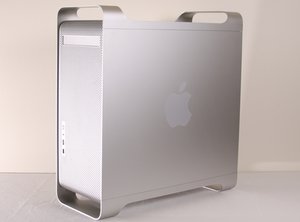
Il PowerMac G5 è un computer desktop prodotto per la prima volta nel 2003 dalla Apple Corporation. Questa guida esaminerà il processo di riparazione di un Apple PowerMac G5, numero di modello A1047 EMC 2061 del 2004.
È stato fuori produzione dal 2006 come parte del passaggio a Intel, prima per gli sviluppatori e poi per i consumatori.
Scorri questo thread per trovare il posto appropriato per questo commento. Quindi, fai clic su "Allega commento a questo post" per spostarlo.
2 Commenti:
Since my original answer I to have installed a SSD in a G5. As Tsutomu states I found it to be a very easy process and I also used CCC to clone the drive. Worked like a charm. +
It's probably formatted GUID which the Intel will recognize but the G5 won't. The G5 Power PC processor will see the Apple Partition Map type of format.
Added PNY XLR8 120GB SSD in second drive bay of my Power Mac G5 Dual Core 2.3GHz. Works perfectly and can boot from it. Boot time is marginally faster (7 seconds faster) than the original 7200 RPM HD, but apps and files load incredibly faster than the stock HD. With 3.5 adapter came to $65. Breathed new life into an old workhorse.
Can you please let me know which SSD you used, as I wanted to do the same and the G5 does not recognize it after several tries - but my mac book pro 2006 recognizes it easily and also installation no problem! it is a SanDisk Extreme SSD with 120 GB
So far I would say it's not possible, I've tried using a Kingston 240GB SV30037A SSD and 240GB Crucial CT250BX100SSD1 SSD on a Power Mac G5 A1177 G5 Dual Core 2GHz and so far it's not seeing either drive.
I tried cloning Leopard 10.5.6 from a Toshiba ( Apple ) 250GB MK2555GSFX to the 240GB Crucial and the G5 didn't see the drive - Now cloning to the Kingston 240GB to see it if works.
I tried this a few months ago with a G4 iMac ( can't remember the exact model ) using a Crucial SSD and some how was able to make it work - It may be because I'm doing this on a Intel MacBook ? I partitioned both drives using Apple Partition Map so in a while I'll try the Kingston to see if it boots.

 2
2  2
2 
 162
162