Introduzione
Use this guide to remove or replace the logic board in your iPhone 15.
You'll need replacement back glass and screen adhesive to complete this repair.
If your battery is swollen, take appropriate precautions and consider replacing your battery.
Due to Apple's parts pairing restrictions, much of your iPhone's functionality depends on the logic board—and without Apple's proprietary calibration process, even a genuine replacement logic board won't work. To retain full functionality, you must also replace the following parts with ones that are paired to your replacement logic board:
- Screen (to retain True Tone and Auto-Brightness)
- Front Camera and Sensors (most functionality)
- Battery (to retain battery health data)
Cosa ti serve
-
-
Unplug any cables from your phone.
-
Hold the power and either volume buttons and slide to power off your phone.
-
-
-
If your screen or back glass is badly cracked, lay overlapping strips of packing tape over the glass to protect yourself and make disassembly easier.
-
-
-
Measure 3 mm from the tip and mark the opening pick with a permanent marker.
-
-
-
Use a P2 pentalobe driver to remove the two 7.7 mm-long screws on either side of the charging port.
-
-
Attrezzo utilizzato in questo passaggio:Microfiber Cleaning Cloths$3.99
-
Flip your phone over and lay it on a soft surface, such as a microfiber cloth, to protect its internals as you work.
-
-
-
Use a hair dryer or heat gun to heat the bottom edge of the back glass until it's hot to the touch.
-
-
-
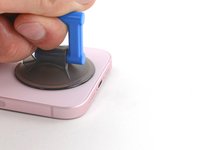
Apply a suction handle to the bottom edge of the back glass.
-
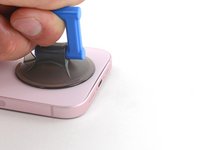
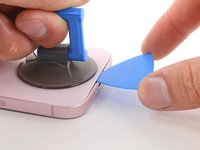
Pull up on the handle with a strong, steady force to create a gap between the back glass and the frame.
-
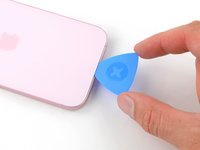
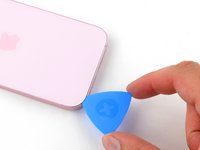
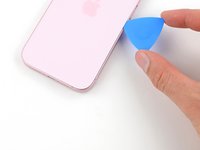
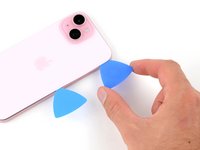
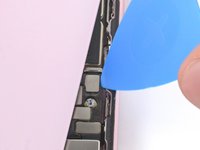
Insert the tip of an opening pick into the gap.
-
-
-
There's a delicate cable connecting the back glass to the phone, right next to the volume down button. Don't insert your pick here to avoid slicing the cable.
-
There are multiple spring contacts around the perimeter of the phone. Be extra careful not to insert your pick deeper than suggested in each step to avoid bending these contacts.
-
-
-
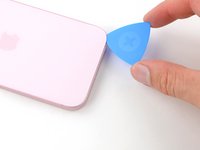
Slide your pick back and forth along the bottom edge to separate the adhesive.
-
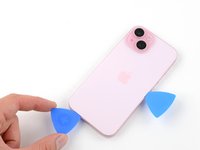
Leave your pick inserted in the bottom right corner to prevent the adhesive from re-sealing.
-
-
-
Heat the right edge of the back glass until it's hot to the touch.
-
-
-
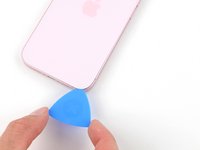
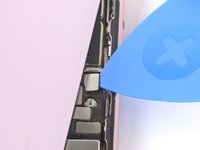
Rotate your pick around the bottom right corner and slide it to the volume down button or until you feel a hard stop at a large clip securing the back glass.
-
Leave this pick inserted to prevent the adhesive from resealing.
-
-
-
-
Heat the left edge of the back glass until it's hot to the touch.
-
-
-
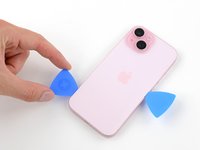
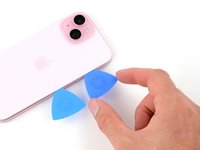
Insert a second opening pick at the bottom edge.
-
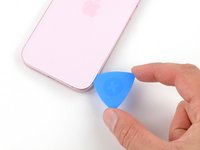
Rotate the second pick around the bottom left corner.
-
Slide this pick up to the top left corner to separate the adhesive.
-
Leave this pick inserted to prevent the adhesive from resealing.
-
-
-
Heat the top edge of the back glass until it's hot to the touch.
-
-
-
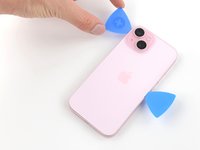
Rotate your second opening pick around the top left corner and slide it to the top right corner to separate the adhesive.
-
Leave this pick in place to prevent the adhesive from resealing.
-
-
-
Heat the top right corner of the back glass until it's hot to the touch.
-
-
-
Rotate the second opening pick around the top right corner and slide it to the volume up button to separate the adhesive.
-
-
-
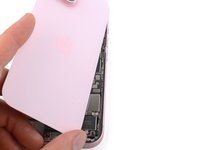
Gently swing open the back glass to the right of the phone.
-
Rest the back glass against a raised surface so it doesn't strain the cable.
-
-
Attrezzo utilizzato in questo passaggio:FixMat$31.41
-
Use a tri-point Y000 driver to remove the two 1.3 mm-long screws securing the lower connector cover.
-
-
Attrezzo utilizzato in questo passaggio:Tweezers$4.99
-
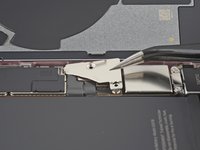
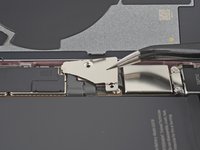
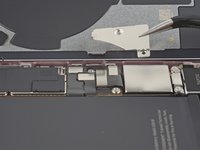
Use tweezers to slide the cover toward the top of the phone to unlatch it from the logic board.
-
Remove the cover.
-
-
-
Hold the back glass upright with one hand and rotate it just enough to reveal the battery press connector just below the volume buttons.
-
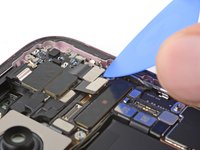
Use the tip of an opening pick to pry up and disconnect the battery press connector from the logic board.
-
-
-
Use the tip of an opening pick to pry up and disconnect the earpiece speaker press connector.
-
-
-
Use a Phillips #000 driver to remove the five screws securing the earpiece speaker:
-
Two 1.1 mm‑long screws
-
Three 1.6 mm‑long screws
-
-
Attrezzo utilizzato in questo passaggio:Tweezers$4.99
-
Use tweezers or your fingers to lift and pull the earpiece speaker away from the top of the phone to free the gasket from the frame.
-
Remove the earpiece speaker.
-
-
-
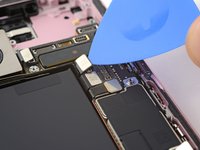
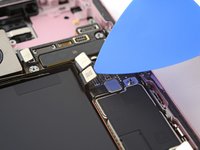
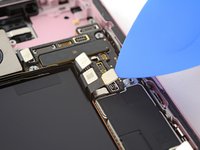
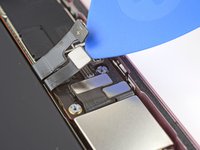
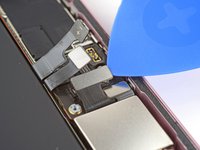
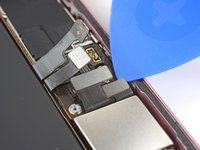
Slide an opening pick under the battery cable to separate it from the logic board.
-
-
-
Use the tip of an opening pick to pry up and disconnect the volume buttons press connector.
-
-
-
Disconnect the rear cameras and antenna press connectors (three connectors in total).
-
-
-
Disconnect the eSIM, Taptic Engine, and charging port press connectors (three connectors in total).
-
-
Attrezzo utilizzato in questo passaggio:Standoff Screwdriver for iPhones$5.49
-
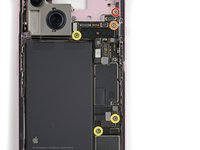
Use your standoff driver to remove the five standoff screws securing the logic board:
-
One 2.9 mm screw
-
One 3.9 mm screw
-
Three 3.5 mm screws
-
-
-
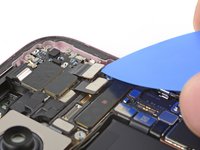
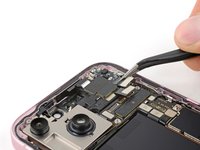
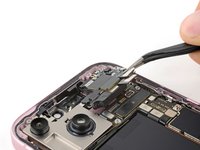
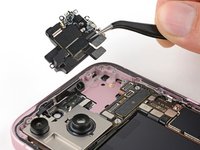
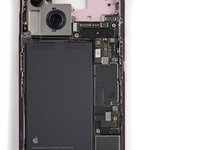
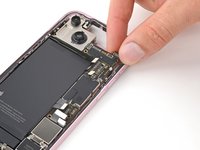
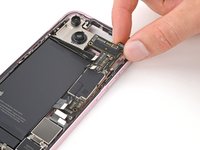
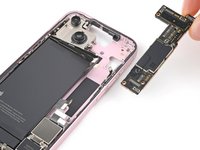
Grip the top edge of the logic board and gently pull it out from under the cables.
-
Remove the logic board.
-










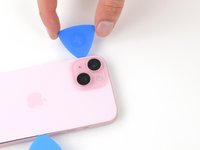
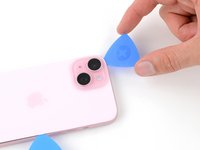
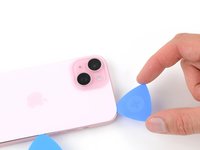


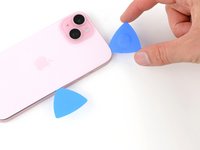


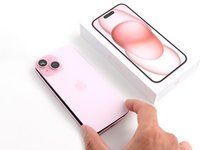
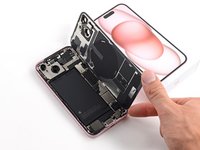
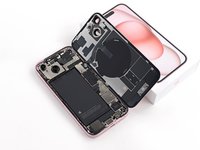










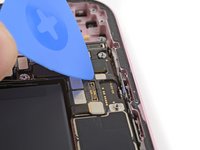
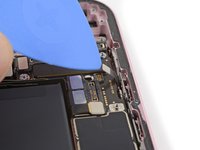


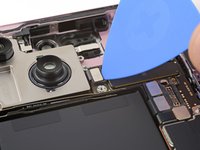
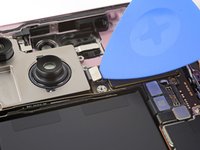








To reassemble your phone, follow these instructions in reverse order.
Take your e-waste to an R2 or e-Stewards certified recycler.
Repair didn’t go as planned? Try some basic troubleshooting, or ask our Answers community for help.
Annulla: non ho completato questa guida.
Altre 2 persone hanno completato questa guida.


Team

1Commento della guida
You can remove the logic board without removing the screen if you carefully flip the logic board over during removal.
