Salta al contenuto principale
Unisciti alla Community delle riparazioni - Crea un account

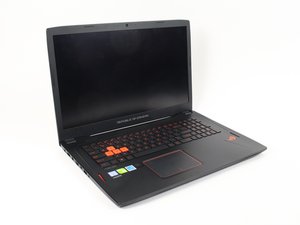
L'Asus ROG Strix GL702VM-BHI7N09 è un computer da gaming rilasciato da Asus nel gennaio 2017.

Replace broken internal speakers?

I bought new parts for the internal speakers, but I'm not sure how to install them. I have updated the audio drivers several times previously but to no avail. My guess is an acquaintance of mine accidentally blown the speakers resulting the problem.

Update (04/01/2018)

The audio worked fine when I was using my earphones.

Rispondi a questa domanda Anch'io ho questo problema

Questa è una buona domanda?

Punteggio 0

Aggiungi un commento

1 Risposta

Risposta più utile

Hi,

Is the audio OK when using headphones?

If not then perhaps the speakers are not the problem and you may have a problem with the audio controller.

As it is most probably mounted on the motherboard, the simple way to get around the problem would be to use a USB sound card.

Update (04/01/2018)

Hi,

Just covering all bases. ;-)

Cannot find a speaker replacement guide for your laptop but here is a link to the ifixit Sostituzione hard drive Asus ROG Strix GL702VM-BHI7N09 guide, which should get you access to the motherboard. Hopefully it will be easy to see how to replace the speakers once you have got that far.

Questa risposta è stata utile?

Punteggio 1
Aggiungi un commento

Aggiungi la tua risposta

Faiz Zailani sarà eternamente grato.
Visualizza statistiche:

Ultime 24 ore: 0

Ultimi 7 giorni: 2

Ultimi 30 giorni: 12

Tutti i Tempi: 1,066