Salta al contenuto principale
Unisciti alla Community delle riparazioni - Crea un account

Informazioni sul dispositivo e sulla riparazione per i portatili Dell XPS 13 modelli 9343 e 9350, entrambi rilasciati nel 2015.

Cursor behaves erratically after Spill.

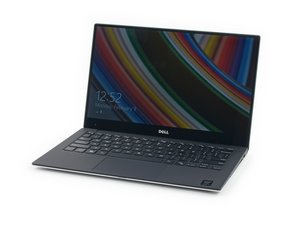
Dell XPS 13 (9350)

I have spilled some soup on my keyboard but I suspect that when I drained it by placeing it upside down that some of the liquid got into the trackpad as well. So after I rinsed everything down (after taking out motherboard battery and main battery) with distilled water and isopropyl alcohol and waited I day everything is now working fine except every once in a while the cursor stops responding and occasionally moves erratically on it's own. Pretty freaky.

Is my trackpad toast? Where can I buy a replacement part

Or is there hope? What do you recommend me doing?

Risposto! Visualizza la risposta Anch'io ho questo problema

Questa è una buona domanda?

Punteggio 0

Aggiungi un commento

1 Risposta

Soluzione prescelta

Hi,

Here is a link to the service manual for your laptop. (Although by the sounds of it you don't need it).

http://topics-cdn.dell.com/pdf/xps-13-93...

Scroll to p.40 to see how to remove/replace the touchpad.

I suggest that you carefully inspect both sides of it (with a magnifying glass and a strong light) for any liquid damage that you may have missed cleaning off before, also check the ribbon cable ends and the connector where it plugs into.

The manual unfortunately does not give part numbers for any of the parts but perhaps there is a board number printed on the touchpad board. If you search online using just that number (if there is one) you may get suppliers of the part.

Questa risposta è stata utile?

Punteggio 2

1 Commento:

Thanks for the tip! I'll look for the board number.

da

Aggiungi un commento

Aggiungi la tua risposta

James Tran sarà eternamente grato.
Visualizza statistiche:

Ultime 24 ore: 0

Ultimi 7 giorni: 1

Ultimi 30 giorni: 9

Tutti i Tempi: 1,663