Introduzione
Quando piove (gadget), diluvia (gadget). Abbiamo visto uscire molti dispositivi interessanti nelle ultime settimane e siamo riusciti a mettere le mani sulla risposta di B&N al Kindle Fire: il Nook Tablet. Unisciti a noi mentre scaviamo a fondo per vedere cosa ha in serbo per noi il nuovissimo tablet.
Hai difficoltà a stare al passo con la raffica di nuovi gadget? Saremo felici di aiutarti, seguici su Twitter!
Cosa ti serve
-
-
-
Vi presentiamo il Nook Tablet, l'unico tablet (oltre al Nook Color) abbastanza fantastico da avere un moschettone integrato. Ma cos'è questo? Ha anche altre caratteristiche interessanti:
-
Processore dual-core da 1 GHz
-
1 GB di RAM
-
Fino a 48 GB di spazio di archiviazione (16 GB interno)
-
Connettività Wi-Fi 802.11b/g/n
-
Sistema operativo personalizzato (basato su Android)
-
Moschettone (non è una specifica, ma dai... è un moschettone!)
 Chiedi a FixBot
-
-
-
Esaminando i lati del Nook, riusciamo a individuare il jack cuffie nella parte superiore e i pulsanti volume sul lato... dov'è il tuo, Fire?
-
Il Nook ha lo slot microSD nascosto sotto una copertura magnetica vicino al gancio a moschettone. Questo potrebbe rendere un po' difficile sostituire la scheda SD durante un'arrampicata, se stai usando il Nook come punto di ancoraggio.
-
I due piccoli cerchi vicino allo slot microSD possono sembrare innocui elementi estetici, o persino pulsanti, ma in realtà ospitano delle insidiose viti.
-
-
-
Mettendo il Kindle Fire e il Nook Tablet fianco a fianco, vediamo che il Nook è lungo circa 1,3 cm in più rispetto al Fire. Forse è il risultato di un case più voluminoso per ospitare lo straordinario gancio a moschettone? O magari per far entrare quei 512 MB di RAM in più?
-
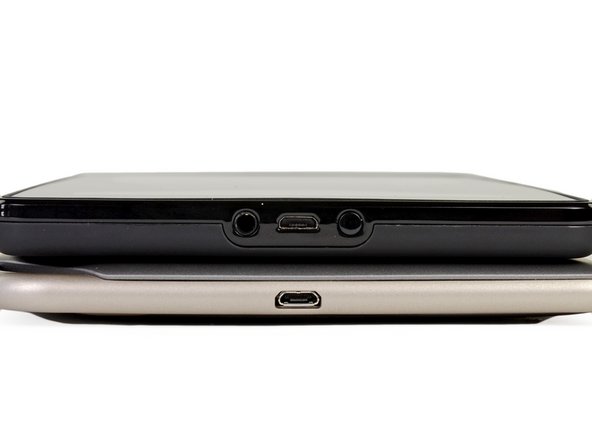
Il Nook ha scelto di avere la sua porta micro-USB da sola sulla parte inferiore, a differenza del Fire, che ha posizionato anche il suo tasto tuttofare e il jack per le cuffie accanto alla porta.
-
Fermi così, ragazzi. Sì, esattamente quello che pensavamo: i lati arrotondati del Nook ingannano. Anche se sembra più sottile del Fire, in realtà è un pelo più paffuto. Il Fire misura 1,14 cm, ma il Nook è più spesso di 0,08 cm, con ben 1,22 cm!
-
-
-
Il Nook Tablet e il Kindle Fire sembrano entrambi delle "tabula rasa" al confronto del BlackBerry PlayBook con tutte le sue porte e i suoi loghi.
-
Nonostante sia uscito ad aprile, il PlayBook vanta lo stesso processore e la stessa RAM del Nook Tablet in un pacchetto simile (display multi-touch da 7", sistema operativo personalizzato, app store nativo). A differenza del Kindle e del Nook, però, BlackBerry ha promesso un'esperienza tablet più completa e ha incluso una fotocamera frontale e una fotocamera posteriore sul PlayBook. Inutile dire che il dispositivo non ha mai realmente fatto presa sui consumatori.
-
La domanda sorge spontanea: BlackBerry è arrivata con sette mesi di anticipo alla festa, o il Kindle Fire e il Nook Tablet sono destinati a subire lo stesso destino del PlayBook?
-
-
-
-
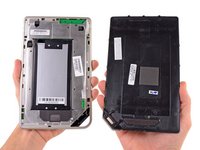
La rimozione di quelle viti insidiose e un po' di leva consentono di separare le due metà del case, rivelando la batteria e un grande schermo EMI.
-
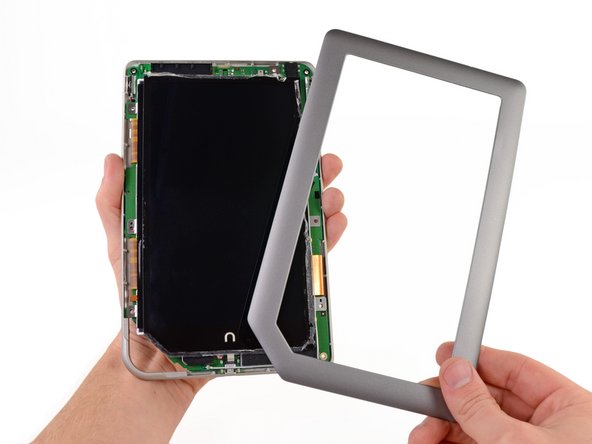
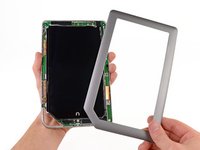
Qualche giro della nostra Torx T5 e un altro po' di leva liberano la cornice anteriore da una situazione appiccicosa.
-
-
-
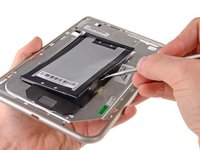
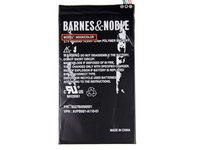
Una coppia di strisce adesive si ostina a trattenere la batteria. Fortunatamente, noi di iFixit siamo maestri nella rimozione.
-
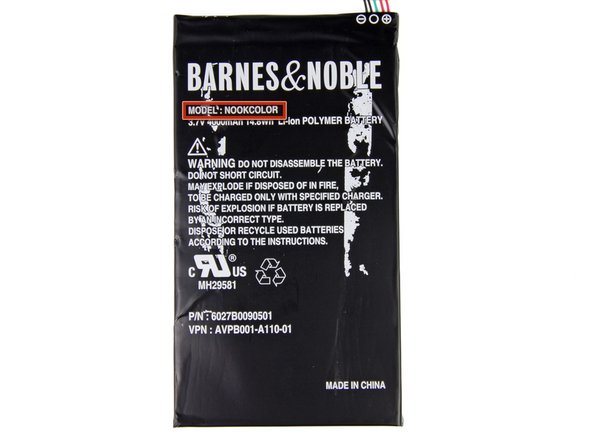
La batteria da 3,7 V e 4000 mAh offre un'autonomia della batteria dichiarata di 11,5 ore di lettura, superando facilmente le 8 ore del Kindle Fire.
-
-
-
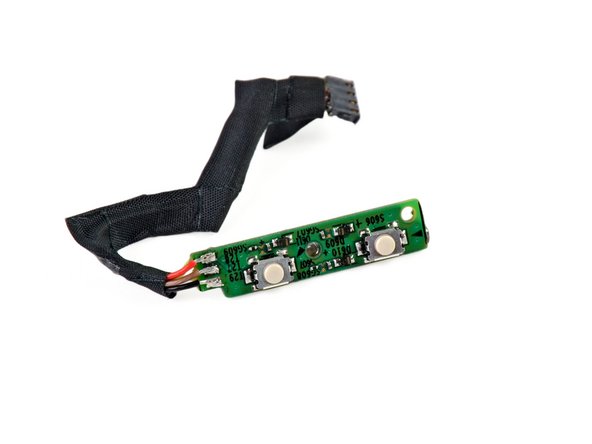
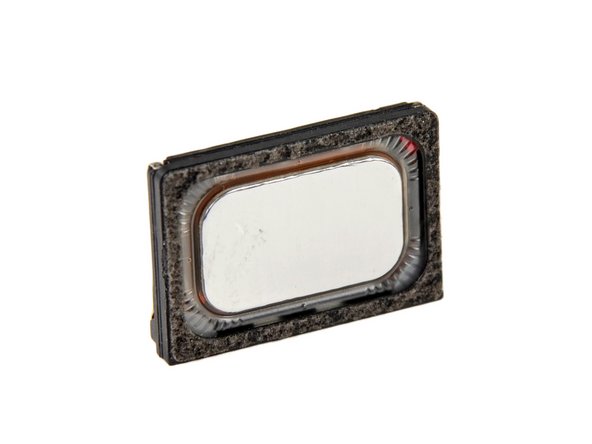
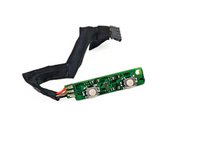
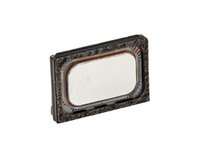
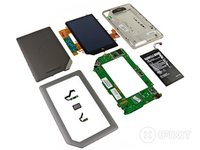
Scavando un po' più a fondo, siamo riusciti a riportare alla luce i seguenti componenti:
-
Gruppo pulsante di accensione
-
Gruppo pulsante volume
-
Un isolato gruppo altoparlante
-
-
-
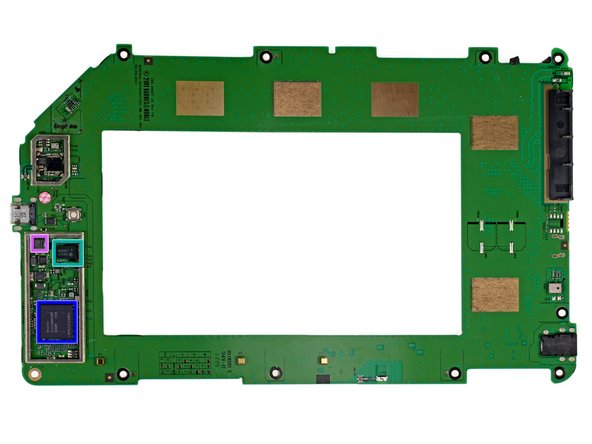
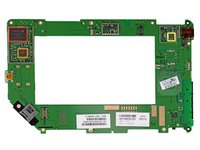
Con un po' di movimento, ecco che esce la
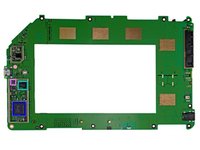
cornicescheda madre. Vediamo con chi abbiamo a che fare: -
Memoria flash SanDisk SDIN5C1-16G da 16 GB
-
Circuito integrato di gestione dell'alimentazione 6030B107 di Texas Instruments
-
Codec audio a basso consumo AIC3100 di Texas Instruments con amplificatore per altoparlanti stereo in classe D da 1,3 W
-
Trasmettitore FlatLink 10-135 MHz LVDS83B di Texas Instruments
-
RAM Hynix H9TKNNN8P da 1 GB
-
Questo chip probabilmente copre il processore dual-core Texas Instruments OMAP4 da 1 GHz, proprio come nel Kindle Fire.
-
Accelerometro triassiale KXTF9 di Kionix
-
-
-
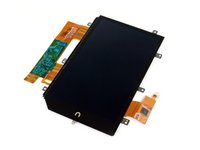
Il display in tutto il suo splendore simile a un calamaro. Tuttavia, solo uno dei suoi tentacoli cattura la nostra attenzione.
-
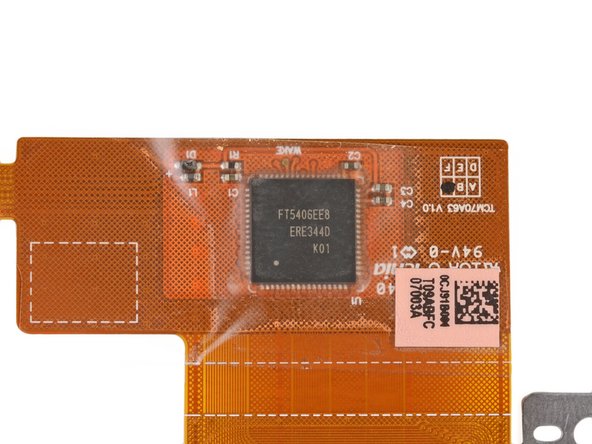
Un'occhiata più da vicino a uno dei cavi a nastro rivela un controller del pannello touch capacitivo FocalTech FT5406EE8.
-
-
-
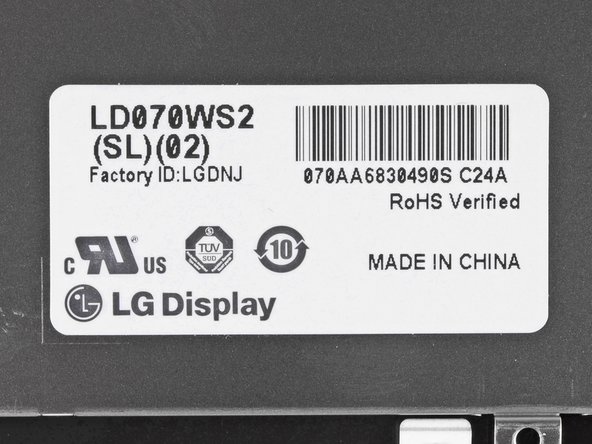
L'etichetta sui cavi a nastro del display e sul retro del display indica che è stato prodotto da LG.
-
Il display IPS da 7" del Nook Tablet ha una risoluzione di 1024 x 600 pixel e riproduce 16 milioni di colori, proprio come il Kindle Fire.
-
-
-
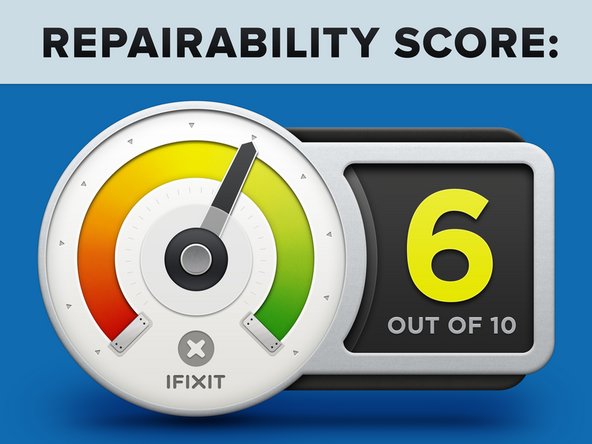
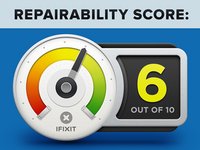
Punteggio di riparabilità del Nook Tablet: 6 su 10 (10 è il più facile da riparare).
-
L'LCD non è fuso al gruppo pannello frontale, rendendo la sostituzione semplice, se necessario.
-
Viti nascoste impediscono la rimozione del pannello posteriore.
-
Una quantità eccessiva di adesivo e di strisce adesive rende lo smontaggio un processo terribilmente noioso.
-
La sostituzione della batteria richiede la rimozione della scheda madre, oltre a una notevole dose di leva.
-
Componenti come il jack cuffie, lo slot microSD, ecc. sono saldati alla scheda madre.
-
-











6Commenti sulla guida
The Nook Color has Bluetooth hardware that isn't enabled. (A TI WL1271 combo WiFi/Bluetooth chip, according to: http://www.androidtablets.net/forum/nook...) What sort of wireless hardware does the Nook Tablet have? Is there a chance of Bluetooth being enabled by the modding community someday?
I love your site and especially the teardown of the new Nook Tablet. If I may, I would like to correct a statement in your opening of this teardown. You state the Nook Tablet is, “B&N’s response to the Kindle Fire.” Actually, the Kindle Fire is Amazon’s response to the Nook Color which BN release in December 2010.
BN has been driving the market in e-readers since December 2009 when it released its first Nook. At that time, the original Kindle cost $300. Two weeks before the first Nook was released, Amazon lowered the price of the Kindle to $259 to match the price of the first Nook. The first Nook used the standard format for eBooks, EPUB -- which has been around longer than Amazon even knew about e-readers -- and allowed for the side loading of public library books. Kindle didn’t allow for any of that.
In June 2009, BN released the Wi-Fi only Nook priced at $199. By then, BN was having a much larger impact on the sales of Kindle than the media wished to report. Amazon was feeling the heat so the day after the second Nook released, it lowered the price on its Kindles by $10 of the Nooks.
In November 2010, BN released the Nook Color for $249 – again; it used EPUB and allowed public library books to be side loaded. Amazon had nothing like the Nook Color and still required its Kindle owners to only shop and load from the Amazon store.
Sales for BN Nooks continued to soar even more because of its Nook Color, but the media still reported as if everyone was buying Kindle only. Amazon continued to try to make us believe such, yet it was feeling the competition. So, it announced in early 2011 that customers will be able to put public library books on its Kindles later in the year. I wondered how that would work; would Amazon start using EPUB?
In the fall of 2011, Amazon announced this new change for its Kindles but they still would not use the EPUB format. The announcement made it appear that any public library book could be side loaded to a Kindle. Not true. Kindle can only access books from public libraries that use Overdrive! And, the customer still has to get the library books on the Kindle via the Amazon store. Control is everything in Amazon’s world.
In August 2011, Consumer Reports did a new study for e-readers. It rated the then new Nook Simple Touch ($139) number one in e-readers. The ST is a touch screen e-ink reader. There was still no Kindle on the market that had a touch screen.
Continuing to feel the heat, Amazon finally announced the Kindle Fire in November 2011 (does not support EPUB). And, they announced the Kindle touch screen e-ink reader (they also get rid of their ugly external keyboard).
I hope now you understand why I claim that BN is driving the market in e-reader tablets. And, Amazon continues its frantic race to catch-up to BN. Amazon’s Kindle Fire is an attempt to answer BN’s Nook Color. But, still a year too late, Amazon has to play catch-up to BN’s Nook Tablet.
The Nook tablet replacement screens are available at bcdelectrostore and thanks ifixit for this repair guide
my Nook(original Nook Tablet) won't recharge I am almost certain it is the USB ports fault within the unit. Even if I get it apart successfully, would that be a surface mount part?(if I could find it) At this point I would not mind having a cord attached inside the Nook and hanging out. I have gone through three cord that brok and just bought a Gormadic cord that is suppose to work, but doesn't work.
Thanks, replaced my battery!
