Salta al contenuto principale

OnePlus 9 Pro Charging Port Replacement

Cosa ti serve

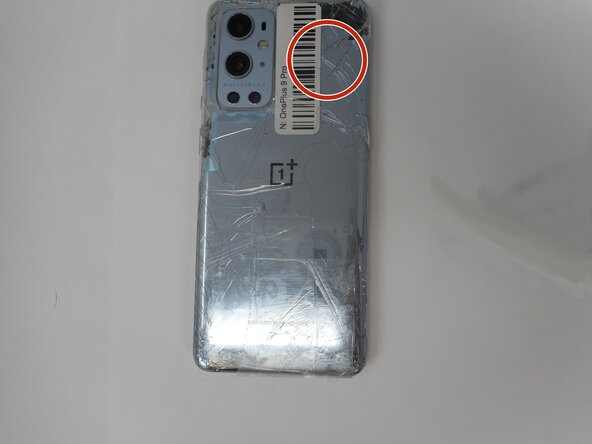
  1. OnePlus 9 Pro Charging Port Replacement, Rear Glass: passo 1, immagine 1 di 1
    • For your safety, discharge your battery below 25% before disassembling your phone. This reduces the risk of a dangerous thermal event if the battery is accidentally damaged during the repair. If your battery is swollen, take appropriate precautions.

    • Unplug any chargers/peripheries and power off your phone.

  2. OnePlus 9 Pro Charging Port Replacement: passo 2, immagine 1 di 1
  3. OnePlus 9 Pro Charging Port Replacement: passo 3, immagine 1 di 2 OnePlus 9 Pro Charging Port Replacement: passo 3, immagine 2 di 2
    • Use a hair dryer to lightly heat the perimeter of the rear glass.

    • Additionally, heat the top-right corner, as there is adhesive further inside of phone in that one spot.

    • Do not hold the hair dryer in one spot on the phone for too long to prevent damage to internal parts of the phone.

  4. OnePlus 9 Pro Charging Port Replacement: passo 4, immagine 1 di 1
    • Apply a suction handle as close to the bottom edge as possible.

    • Pull up on the suction handle with strong, steady force to create a gap between the glass and the frame.

    • If you have trouble creating a gap, apply more heat to further soften the adhesive.

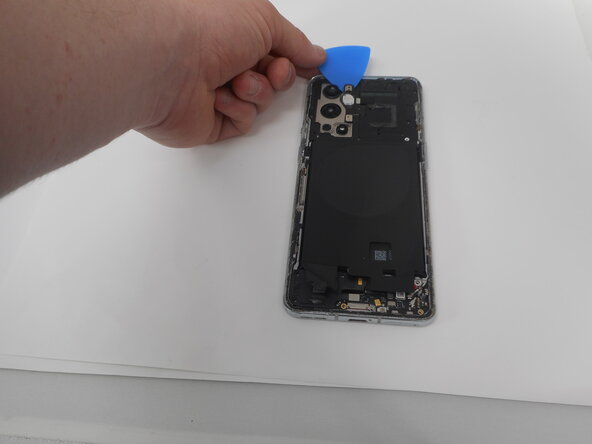
    • Insert an opening pick into the gap.

  5. OnePlus 9 Pro Charging Port Replacement: passo 5, immagine 1 di 1
    • Slide the opening pick around the perimeter of the rear glass to slice the adhesive.

    • Insert additional opening picks as you slice the adhesive to prevent the adhesive from resealing.

    • If the adhesive becomes hard to cut, it has most likely cooled down. Use your hair dryer to reheat it.

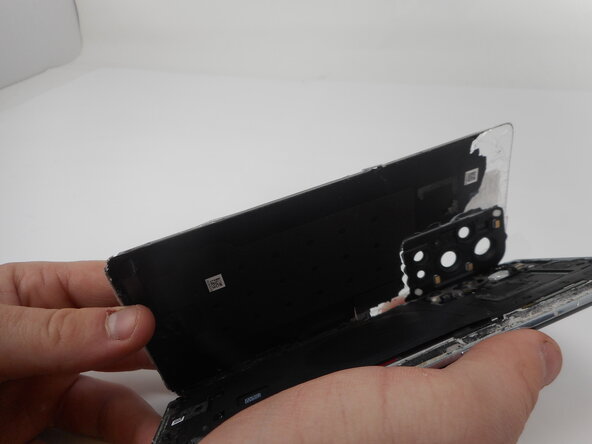
  6. OnePlus 9 Pro Charging Port Replacement: passo 6, immagine 1 di 2 OnePlus 9 Pro Charging Port Replacement: passo 6, immagine 2 di 2
    • Carefully lift the rear glass up and off of the phone.

    • During reassembly secure the rear glass with pre-cut adhesive or double-sided adhesive tape. After installing the rear glass, apply strong, steady pressure to your phone for several minutes to help the adhesive form a good bond—a stack of heavy books works well.

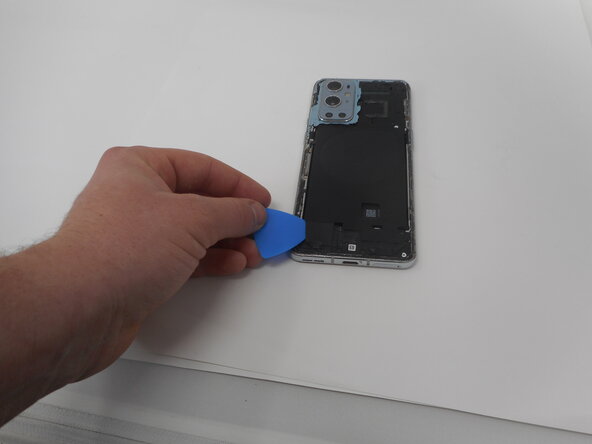
  7. OnePlus 9 Pro Charging Port Replacement, Bottom Loudspeaker: passo 7, immagine 1 di 2 OnePlus 9 Pro Charging Port Replacement, Bottom Loudspeaker: passo 7, immagine 2 di 2
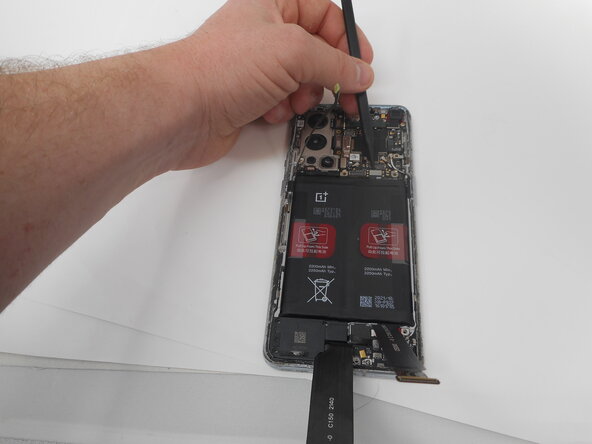
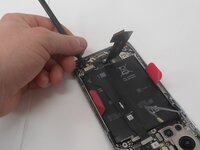
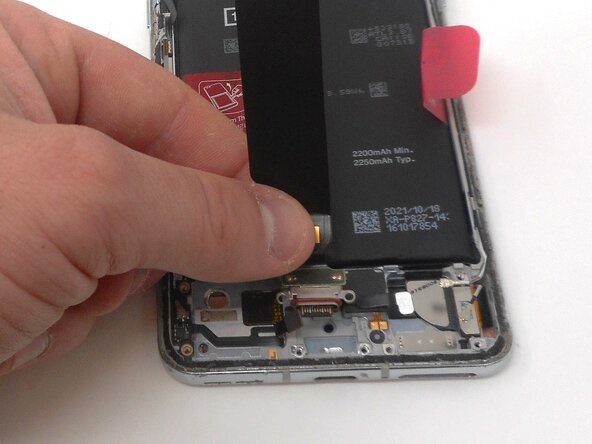
    • Use one of the opening picks to remove the adhesive on the lower part of the wireless charging cable

  8. OnePlus 9 Pro Charging Port Replacement: passo 8, immagine 1 di 3 OnePlus 9 Pro Charging Port Replacement: passo 8, immagine 2 di 3 OnePlus 9 Pro Charging Port Replacement: passo 8, immagine 3 di 3
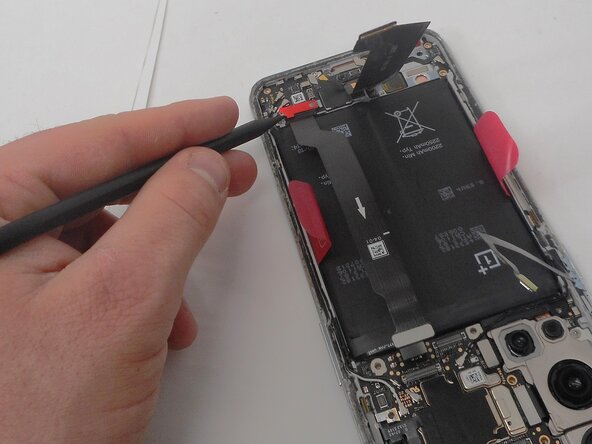
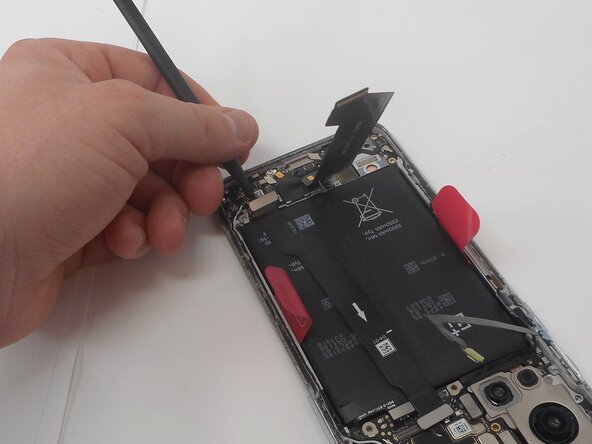
    • Unplug the press connector ribbon cable attached to the flash module by inserting a spudger under the bottom edge and prying straight up.

    • Use an opening pick to remove the flash module by the camera.

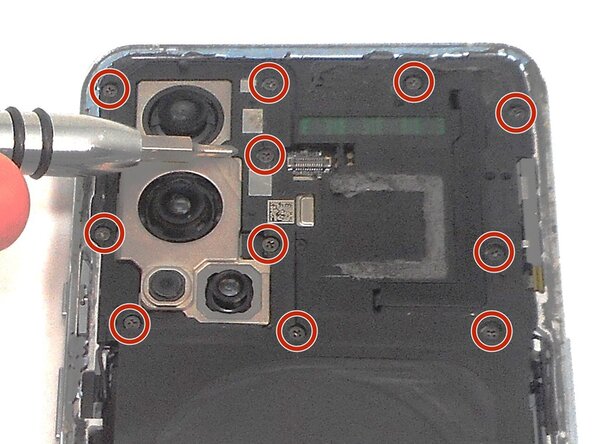
    • Use a Phillips #000 screwdriver to remove the eleven 4.9 mm-long screws holding the motherboard cover to the phone.

    • Use an opening pick to pry off the motherboard cover.

  9. OnePlus 9 Pro Charging Port Replacement: passo 9, immagine 1 di 1
    • Use a Phillips #000 screwdriver to remove five screws that secure the lower daughterboard cover.

    • Two of the screws have a white head and are 4.8 mm-long. They go in the bottom right corner of the daughter and mother board.

    • The other three screws are black and are also 4.8 mm-long.

  10. OnePlus 9 Pro Charging Port Replacement: passo 10, immagine 1 di 2 OnePlus 9 Pro Charging Port Replacement: passo 10, immagine 2 di 2
    • Disconnect the two interconnect cables by inserting a spudger under each lip and prying straight up.

  11. OnePlus 9 Pro Charging Port Replacement: passo 11, immagine 1 di 1
    • Remove the three screws from the loudspeaker using a Phillips #000 screwdriver.

  12. OnePlus 9 Pro Charging Port Replacement: passo 12, immagine 1 di 1
    • Use the spudger to pry up and remove the loudspeaker.

  13. OnePlus 9 Pro Charging Port Replacement, Charging Port: passo 13, immagine 1 di 3 OnePlus 9 Pro Charging Port Replacement, Charging Port: passo 13, immagine 2 di 3 OnePlus 9 Pro Charging Port Replacement, Charging Port: passo 13, immagine 3 di 3
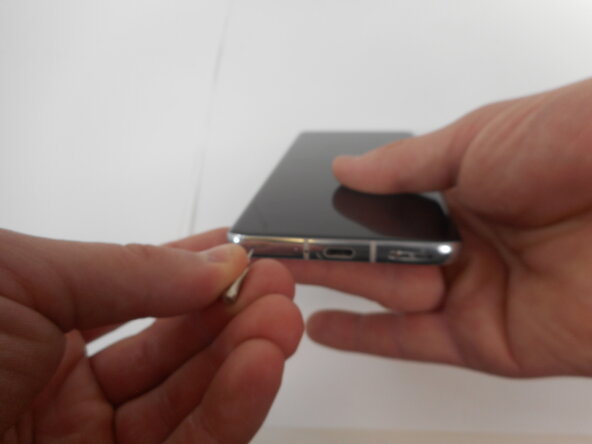
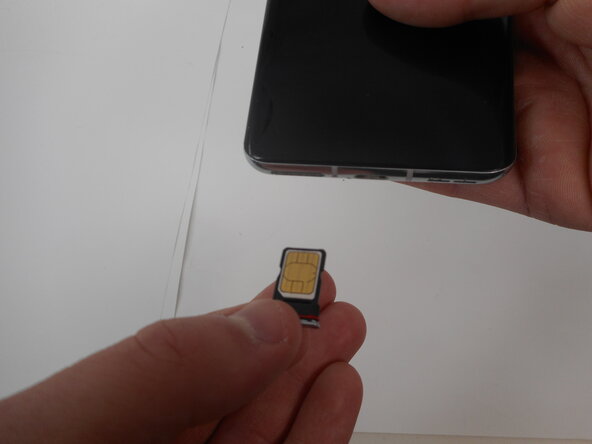
    • Insert a SIM eject tool, bit, or straightened paper clip into the SIM card tray hole on the bottom edge of the phone.

    • Press firmly to eject the tray.

    • Remove the SIM card tray.

  14. OnePlus 9 Pro Charging Port Replacement: passo 14, immagine 1 di 1
    • Insert a spudger under the lip of the charging port press connector and pry it straight up to disconnect it.

  15. OnePlus 9 Pro Charging Port Replacement: passo 15, immagine 1 di 3 OnePlus 9 Pro Charging Port Replacement: passo 15, immagine 2 di 3 OnePlus 9 Pro Charging Port Replacement: passo 15, immagine 3 di 3
    • Unclip the ribbon cable on bottom left side of the daughter board, using the spudger.

    • Insert a spudger under the lip of the upper-left interconnect cable press connector and pry it straight up to disconnect it.

  16. OnePlus 9 Pro Charging Port Replacement: passo 16, immagine 1 di 1
    • Use a spudger to pry the coaxial network cables straight up to disconnect them.

    • Everything should be fully disconnected from the daughterboard.

  17. OnePlus 9 Pro Charging Port Replacement: passo 17, immagine 1 di 1
    • Pry out the daughter board out from the top using the spudger.

  18. OnePlus 9 Pro Charging Port Replacement: passo 18, immagine 1 di 2 OnePlus 9 Pro Charging Port Replacement: passo 18, immagine 2 di 2
    • Pry off the USB charging port and the ribbon cable with the spudger by prying it on the right side.

    • Remove the charging port.

Conclusione

To reassemble your device, follow the above steps in reverse order.
Take your e-waste to an R2 or e-Stewards certified recycler.
Repair didn’t go as planned? Try some basic troubleshooting or ask our Answers community for help.

Un'altra persona ha completato questa guida.

0Commenti sulla guida

Aggiungi Commento

Visualizza Statistiche:

Ultime 24 Ore: 6

Ultimi 7 Giorni: 26

Ultimi 30 Giorni: 126

Tutti i Tempi: 667