Salta al contenuto principale
Unisciti alla Community delle riparazioni - Crea un account
Meta Quest 2 Controller Front Trigger Replacement

Cosa ti serve

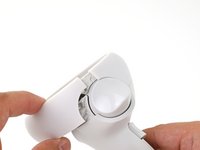
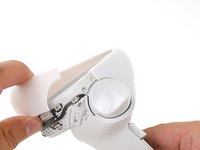
  1. Meta Quest 2 Controller Front Trigger Replacement, Remove the battery cover: passo 1, immagine 1 di 3 Meta Quest 2 Controller Front Trigger Replacement, Remove the battery cover: passo 1, immagine 2 di 3 Meta Quest 2 Controller Front Trigger Replacement, Remove the battery cover: passo 1, immagine 3 di 3
    • Use your fingers to slide the battery cover down towards the strap end of the controller.

    • Remove the battery cover.

    • If you're taking the controller apart for repairs, remove the batteries in the controller.

    Chiedi a FixBot

    Aggiungi Commento

  2. Meta Quest 2 Controller Front Trigger Replacement, Remove the wrist strap: passo 2, immagine 1 di 2 Meta Quest 2 Controller Front Trigger Replacement, Remove the wrist strap: passo 2, immagine 2 di 2
    • Use your fingers to grasp the wrist strap near the anchor peg.

    • Lift the wrist strap anchor peg straight out of its recess.

    • Remove the wrist strap.

    Chiedi a FixBot

    Aggiungi Commento

  3. Meta Quest 2 Controller Front Trigger Replacement, Loosen the faceplate adhesive: passo 3, immagine 1 di 1
    • Heat an iOpener and apply it to the bottom edge of the controller faceplate for a minute.

    Chiedi a FixBot

    Aggiungi Commento

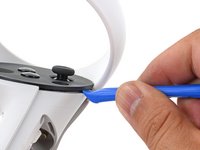
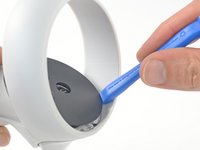
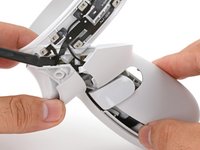
  4. Meta Quest 2 Controller Front Trigger Replacement, Loosen the controller faceplate: passo 4, immagine 1 di 3 Meta Quest 2 Controller Front Trigger Replacement, Loosen the controller faceplate: passo 4, immagine 2 di 3 Meta Quest 2 Controller Front Trigger Replacement, Loosen the controller faceplate: passo 4, immagine 3 di 3
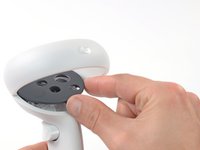
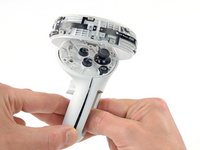
    • The controller faceplate is secured with adhesive and three friction pegs.

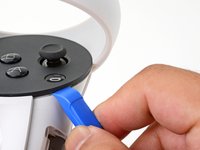
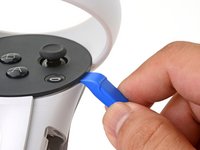
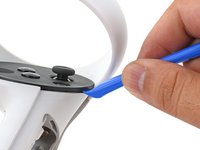
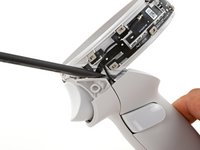
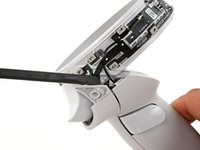
    • Press the edge of an opening tool into the seam between the controller faceplate and shell, near the Oculus button.

    • If you can’t get the opening tool into the seam, heat the area with an iOpener for a minute and try again.

    • Slide the opening tool to the base of the ring shell to loosen the adhesive.

    Chiedi a FixBot

    Aggiungi Commento

  5. Meta Quest 2 Controller Front Trigger Replacement: passo 5, immagine 1 di 2 Meta Quest 2 Controller Front Trigger Replacement: passo 5, immagine 2 di 2
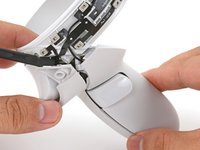
    • Use an opening tool to pry up on the seam to loosen the first friction peg.

    Chiedi a FixBot

    Aggiungi Commento

  6. Meta Quest 2 Controller Front Trigger Replacement: passo 6, immagine 1 di 2 Meta Quest 2 Controller Front Trigger Replacement: passo 6, immagine 2 di 2
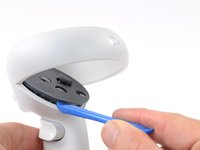
    • Continue prying around the entire faceplate to separate the remaining friction pegs and adhesive.

    • If you're having trouble, apply a heated iOpener to the faceplate for a minute and try again.

    Chiedi a FixBot

    Aggiungi Commento

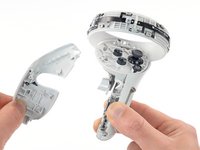
  7. Meta Quest 2 Controller Front Trigger Replacement, Remove the faceplate: passo 7, immagine 1 di 3 Meta Quest 2 Controller Front Trigger Replacement, Remove the faceplate: passo 7, immagine 2 di 3 Meta Quest 2 Controller Front Trigger Replacement, Remove the faceplate: passo 7, immagine 3 di 3
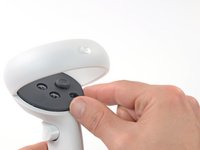
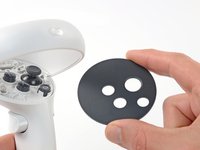
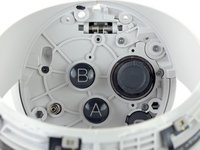
    • Remove the controller faceplate.

    • The three friction pegs should hold the faceplate securely, so you don’t need to replace the adhesive during reassembly. Be sure to firmly press the faceplate onto the controller so that all friction pegs fully engage.

    Chiedi a FixBot

    Aggiungi Commento

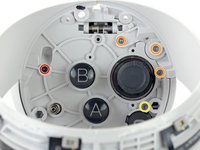
  8. Meta Quest 2 Controller Front Trigger Replacement, Loosen the controller ring shell: passo 8, immagine 1 di 2 Meta Quest 2 Controller Front Trigger Replacement, Loosen the controller ring shell: passo 8, immagine 2 di 2
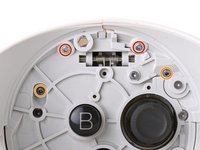
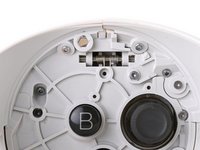
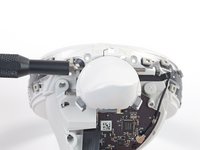
    • Use a Torx T5 driver to remove the four screws securing the controller ring shell to the controller:

    • Two 4.7 mm‑long screws

    • Two 5.9 mm‑long screws

    Chiedi a FixBot

    Aggiungi Commento

  9. Meta Quest 2 Controller Front Trigger Replacement: passo 9, immagine 1 di 2 Meta Quest 2 Controller Front Trigger Replacement: passo 9, immagine 2 di 2
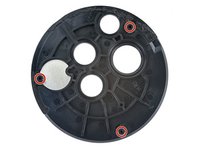
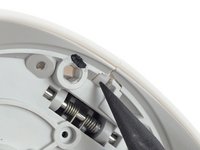
    • Press the point of a spudger firmly against the white alignment square to release the ring shell.

    Chiedi a FixBot

    Aggiungi Commento

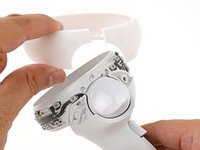
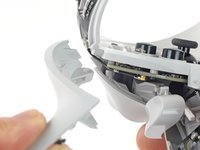
  10. Meta Quest 2 Controller Front Trigger Replacement, Remove the controller ring shell: passo 10, immagine 1 di 3 Meta Quest 2 Controller Front Trigger Replacement, Remove the controller ring shell: passo 10, immagine 2 di 3 Meta Quest 2 Controller Front Trigger Replacement, Remove the controller ring shell: passo 10, immagine 3 di 3
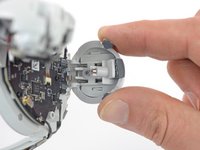
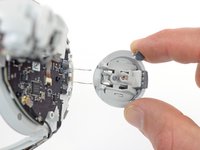
    • Use your fingers to grab the end of the ring shell that doesn’t have the white alignment square.

    • Gently lift the ring shell up and away from the controller to unclip it from the controller.

    • Remove the controller ring shell.

    Chiedi a FixBot

    Aggiungi Commento

  11. Meta Quest 2 Controller Front Trigger Replacement, Loosen the side shell: passo 11, immagine 1 di 2 Meta Quest 2 Controller Front Trigger Replacement, Loosen the side shell: passo 11, immagine 2 di 2
    • Use a Torx T5 driver to remove the five screws:

    • One 11.5 mm‑long screw

    • Three 5.9 mm‑long screws

    • One 18.2 mm‑long screw

    Chiedi a FixBot

    Aggiungi Commento

  12. Meta Quest 2 Controller Front Trigger Replacement, Remove the battery label: passo 12, immagine 1 di 1
    Strumento utilizzato in questo passaggio:
    Tweezers
    $4.99
    • Use tweezers and your fingers to peel the battery information label out from the battery compartment.

    • If you want to reuse this sticker, be careful not to tear it. If it’s difficult to peel, apply a heated iOpener to it for a minute to soften the label adhesive.

    Chiedi a FixBot

    Aggiungi Commento

  13. Meta Quest 2 Controller Front Trigger Replacement, Loosen the side shell: passo 13, immagine 1 di 2 Meta Quest 2 Controller Front Trigger Replacement, Loosen the side shell: passo 13, immagine 2 di 2
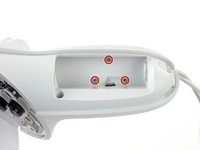
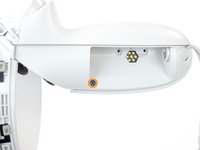
    • Use a Torx T5 driver to remove the four 5.9 mm‑long screws securing the side shell to the controller:

    • Three screws inside the battery compartment

    • One screw near the corner of the battery compartment

    Chiedi a FixBot

    Aggiungi Commento

  14. Meta Quest 2 Controller Front Trigger Replacement: passo 14, immagine 1 di 2 Meta Quest 2 Controller Front Trigger Replacement: passo 14, immagine 2 di 2
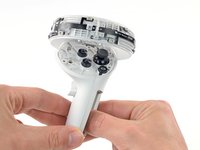
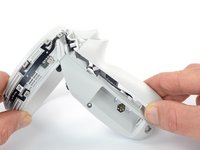
    • Pull the bottom of the side shell slightly away from the controller to loosen the shell.

    • You may hear a few clicks as the clips release. This is normal.

    Chiedi a FixBot

    Aggiungi Commento

  15. Meta Quest 2 Controller Front Trigger Replacement: passo 15, immagine 1 di 2 Meta Quest 2 Controller Front Trigger Replacement: passo 15, immagine 2 di 2
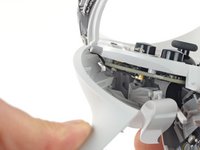
    • Part of the side shell is looped around a screw post. In this step, you’ll spread the screw post apart enough to slip the shell out.

    • Insert the flat end of a spudger into the gap between the controller ring and the front shell.

    • The front shell is the plastic frame part below the front trigger.

    • Twist the spudger to widen the gap between the front shell and the controller.

    • Position the spudger so that it can stay in place without you holding the tool.

    Chiedi a FixBot

    Aggiungi Commento

  16. Meta Quest 2 Controller Front Trigger Replacement, Remove the side shell: passo 16, immagine 1 di 3 Meta Quest 2 Controller Front Trigger Replacement, Remove the side shell: passo 16, immagine 2 di 3 Meta Quest 2 Controller Front Trigger Replacement, Remove the side shell: passo 16, immagine 3 di 3
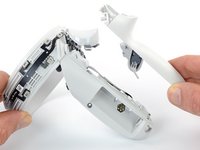
    • Guide the looped part of the side shell through the screw post gap.

    • Remove the side shell.

    Chiedi a FixBot

    Aggiungi Commento

  17. Meta Quest 2 Controller Front Trigger Replacement, Reassembly note: passo 17, immagine 1 di 3 Meta Quest 2 Controller Front Trigger Replacement, Reassembly note: passo 17, immagine 2 di 3 Meta Quest 2 Controller Front Trigger Replacement, Reassembly note: passo 17, immagine 3 di 3
    • During reassembly:

    • Spread the screw post wide enough to loop the side shell back around it.

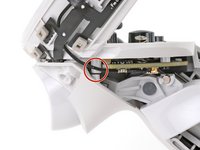
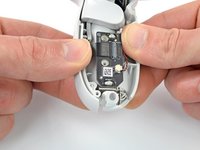
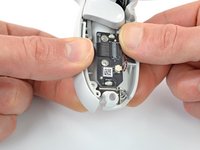
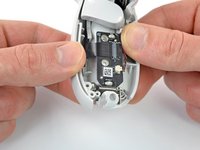
    • Be careful not to pinch the antenna cable or the tracking flex cable as you reposition the side shell.

    Chiedi a FixBot

    Aggiungi Commento

  18. Meta Quest 2 Controller Front Trigger Replacement, Remove the Controller Front Shell: passo 18, immagine 1 di 1
    • Use a spudger or an opening pick to gently pry the shell from the battery compartment side first.

    • Once it pops open, turn the controller over to remove the front shell.

    • If you have trouble, move to the next step.

    Chiedi a FixBot

    Aggiungi Commento

  19. Meta Quest 2 Controller Front Trigger Replacement: passo 19, immagine 1 di 3 Meta Quest 2 Controller Front Trigger Replacement: passo 19, immagine 2 di 3 Meta Quest 2 Controller Front Trigger Replacement: passo 19, immagine 3 di 3
    • If you successfully removed the front shell, skip this step.

    • Grasp the front shell near the bottom of the controller.

    • Lift and pull the bottom edge of the front shell outwards slightly to clear the plastic alignment peg.

    • The alignment peg breaks easily. Make sure you lift the shell enough to clear it.

    Chiedi a FixBot

    Aggiungi Commento

  20. Meta Quest 2 Controller Front Trigger Replacement: passo 20, immagine 1 di 2 Meta Quest 2 Controller Front Trigger Replacement: passo 20, immagine 2 di 2
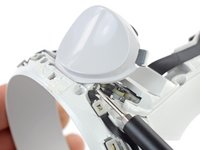
    • Pull the front shell away from the controller and remove it.

    Chiedi a FixBot

    Aggiungi Commento

  21. Meta Quest 2 Controller Front Trigger Replacement, Remove the front trigger pin: passo 21, immagine 1 di 3 Meta Quest 2 Controller Front Trigger Replacement, Remove the front trigger pin: passo 21, immagine 2 di 3 Meta Quest 2 Controller Front Trigger Replacement, Remove the front trigger pin: passo 21, immagine 3 di 3
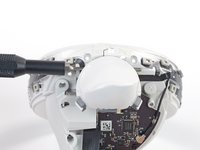
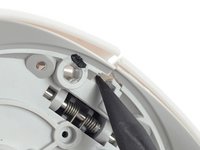
    • Use a driver bit (such as the Torx T5) or the point of a spudger to push the front trigger pin out from the side shown. Pushing from the opposite side can cause the pin to rip the sensor cable.

    • For better reach, you can also use a straightened paper clip or the point of your tweezers.

    Chiedi a FixBot

    Aggiungi Commento

  22. Meta Quest 2 Controller Front Trigger Replacement: passo 22, immagine 1 di 1
    Strumento utilizzato in questo passaggio:
    Tweezers
    $4.99
    • Hold the front trigger with your finger to prevent the trigger from flying out.

    • Use tweezers or your fingers to pull the trigger pin out.

    Chiedi a FixBot

    Aggiungi Commento

  23. Meta Quest 2 Controller Front Trigger Replacement, Remove the front trigger: passo 23, immagine 1 di 2 Meta Quest 2 Controller Front Trigger Replacement, Remove the front trigger: passo 23, immagine 2 di 2
    Chiedi a FixBot

    Aggiungi Commento

Conclusione

To reassemble your device, follow these instructions in reverse order.

Take your e-waste to an R2 or e-Stewards certified recycler.

Repair didn’t go as planned? Try some basic troubleshooting, or ask our Answers community for help.

Annulla: non ho completato questa guida.

Arthur Shi

Membro da: 01/03/18

336.759 Reputazione

849 guide realizzate

Team

iFixit Membro di iFixit

Staff

122 Membri

25.842 guide realizzate

2Commenti sulla guida

Mi gatillo anda pero no reconoce el solo apoyar del dedo.

Lean - Rispondi Condividi
Me ha pasado lo mismo, no encuentro motivo ni solución.

Vicente Corbí - Rispondi Condividi

Aggiungi Commento

Visualizza statistiche:

Ultime 24 ore: 7

Ultimi 7 giorni: 62

Ultimi 30 giorni: 213

Tutti i Tempi: 5,573