Hard drive not installed message?
When I start up my laptop it says
Warning message
Hard drive- Not installed
Questa è una buona domanda?
Punteggio
0
Guide di riparazione
Impara ad aggiustare praticamente qualsiasi cosa con le nostre guide passo-passo.
App
Il tuo aiutante tascabile per le riparazioni.
FixBot
L'amichevole assistente di riparazione IA.
Riparabilità
Scopri perché è importante che un prodotto sia riparabile.
Smontaggi
Dai una sbirciata all'interno degli ultimi dispositivi.
Forum Risposte
Condividi le tue soluzioni e fatti aiutare da un amico.
Trova la tua comunità
Trova team, eventi e colleghi riparatori.
Aiutaci
Contribuisci a rendere la conoscenza della riparazione gratuita e accessibile a tutti.
Diritto alla Riparazione
Scopri il movimento del "Diritto alla riparazione" e come sostenerlo.
In evidenza
Componenti e strumenti di qualità supportati dalla nostra garanzia a vita.
Strumenti
Fai acquisti nella nostra vasta selezione di strumenti di precisione.
Ricambi
Acquista componenti supportati dalla nostra garanzia di qualità.
Batterie per iPhone
Batterie testate e garantite e un kit con tutto il necessario.
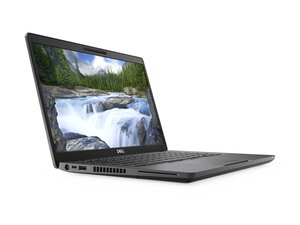
Il Dell Latitude 5400 è un portatile aziendale da 14 pollici progettato per l'uso in ambito professionale e scolastico, che offre una gamma di processori Intel di ottava generazione e componenti aggiornabili.

Nomqibelo Meme Mbele @nomqibelom21456
Reputazione: 1
When I start up my laptop it says
Warning message
Hard drive- Not installed

Press F12 and check what boot devices are available to make sure the storage drives do not say none - if you see "none" in the BIOS and nothing in the boot menu, the SSD has failed. That said, a lot of the time Dell's diagnostics interprets a bad OS install as a hardware failure on a lot of these older machines, so it tends to come up from time to time. The exception is if you bought it used and the HD was stripped with minimal disclosure in the listing you got the machine from.
Anyway what I do is I run a 2 testing check on these knowing it happens: I will check in BIOS (F2 or F12) and make sure primary storage does not say none, if it does I know it's too far gone -- note a garbage name might show up and the machine may treat it as a missing drive as it won't know what to do with it, so it's not definitive. The other test I do is check in Linux with a copy of Debian and I check under Disks to see -- if I only see the USB drive, the SSD is missing or totally dead.
Ultime 24 ore: 1
Ultimi 7 giorni: 6
Ultimi 30 giorni: 29
Tutti i Tempi: 56

 462
462  350
350  191
191