Guide di riparazione
Impara ad aggiustare praticamente qualsiasi cosa con le nostre guide passo-passo.
App
Il tuo aiutante tascabile per le riparazioni.
FixBot
L'amichevole assistente di riparazione IA.
Riparabilità
Scopri perché è importante che un prodotto sia riparabile.
Smontaggi
Dai una sbirciata all'interno degli ultimi dispositivi.
Forum Risposte
Condividi le tue soluzioni e fatti aiutare da un amico.
Trova la tua comunità
Trova team, eventi e colleghi riparatori.
Aiutaci
Contribuisci a rendere la conoscenza della riparazione gratuita e accessibile a tutti.
Diritto alla Riparazione
Scopri il movimento del "Diritto alla riparazione" e come sostenerlo.
In evidenza
Componenti e strumenti di qualità supportati dalla nostra garanzia di qualità.
Strumenti
Fai acquisti nella nostra vasta selezione di strumenti di precisione.
Ricambi
Acquista componenti supportati dalla nostra garanzia di qualità.
Batterie per iPhone
Batterie testate e garantite e un kit con tutto il necessario.
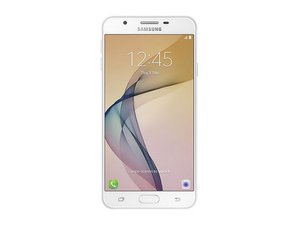
Rilasciato a settembre 2016. Identificato dal numero di modello SM-G610
J7 prime @j7prime41875
Reputazione: 1
Postato: 1 set 2025
My phone does not detecting SIM
Questa è una buona domanda?
1 Commento:
Basic troubleshooting for a Samsung Galaxy J7 Prime not detecting SIM:
1. Test the SIM card in another phone – if it works there, the issue is with your phone.
2. Clean the SIM card and tray – use a dry cloth or a cotton swab with isopropyl alcohol.
3. Restart the phone – sometimes the SIM is detected only after reboot.
4. Check SIM settings – go to Settings → Connections → SIM card manager.
5. Try another SIM card – to rule out a faulty SIM.
6. Software – update the phone, or perform a factory reset (back up data first).
7. Hardware – if none of the above works, the SIM reader may be worn out or defective. Fixing it requires replacing the SIM slot or motherboard.
1 set 2025 da Markus Norstrøm
Ultime 24 ore: 1
Ultimi 7 giorni: 8
Ultimi 30 giorni: 16
Tutti i Tempi: 131


Basic troubleshooting for a Samsung Galaxy J7 Prime not detecting SIM:
1. Test the SIM card in another phone – if it works there, the issue is with your phone.
2. Clean the SIM card and tray – use a dry cloth or a cotton swab with isopropyl alcohol.
3. Restart the phone – sometimes the SIM is detected only after reboot.
4. Check SIM settings – go to Settings → Connections → SIM card manager.
5. Try another SIM card – to rule out a faulty SIM.
6. Software – update the phone, or perform a factory reset (back up data first).
7. Hardware – if none of the above works, the SIM reader may be worn out or defective. Fixing it requires replacing the SIM slot or motherboard.
da Markus Norstrøm