
Salta al contenuto principale
Unisciti alla Community delle riparazioni - Crea un account

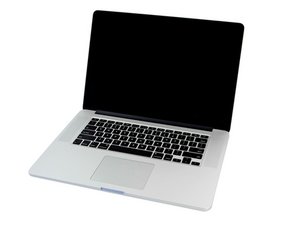
Processore dual core Intel i7 da 2,2 GHz (Turbo Boost fino a 3,1 GHz) o quad core Intel Core i7 da 2,5 GHz (Turbo Boost fino a 3,7 GHz) con 6 MB di cache L3 condivisa.

Touchpad not found after replacement

Hi all -

Original symptoms were short battery life and touchpad physical clicking not working. I bought a replacement battery and touchpad.

Battery was definitely bulging and putting pressure on the touchpad. I swapped out both and when booted back up - no mouse movement or clicking at all from the touchpad. External mouse works fine, so I went into system preferences and then Touchpad. It said "Touchpad not detected" or something along those lines and had a spinning circle indicating that it was searching for bluetooth touchpads.

So I opened it back up and swapped in the original touchpad - mouse movement but no clicking. But still, system preferences says it doesn't detect a touchpad (I was hoping to at least turn on tap to click.)

So, what am I missing? Is there some extra step to set up the touchpad with the OS? Does the lack of movement on the replacement pad mean that it's DOA?

Thanks for any help!

Rispondi a questa domanda Anch'io ho questo problema

Questa è una buona domanda?

Punteggio 0
Aggiungi un commento

2 Risposte

Have a look at the MacBook Pro 15" Retina Display Mid 2014 Logic Board Replacement & check step 25 for the touchpad connection to see if it is correctly seated. This maybe your issue.

Questa risposta è stata utile?

Punteggio 0

2 Commenti:

Well, that was the first thing I tried, reseating the connector. Still no change. Then I reinstalled the original pad and got mouse movement, but it still doesn't show up in preferences. Then I switched back to the new pad and it's still no movement and not showing up in preferences

da

@agitatedgopher Hmmmm.... Maybe @danj can give some thoughts....

da

Aggiungi un commento

Did you also replace the trackpad cable with the trackpad MacBook Pro 15" Trackpad Cable (13/14) the cable holds the interface chip which can get damaged.

Questa risposta è stata utile?

Punteggio 0

2 Commenti:

Yes, the new trackpad came with a new cable. I haven't removed the cable from either pad, just disconnected from the logic board

da

@agitatedgopher - Try replacing the cable with a fresh one. I’ve hit a few bad ones as I suspect the chip is a bit static sensitive (ESD).

da

Aggiungi un commento

Aggiungi la tua risposta

AgitatedGopher sarà eternamente grato.
Visualizza Statistiche:

Ultime 24 Ore: 0

Ultimi 7 Giorni: 2

Ultimi 30 Giorni: 14

Tutti i Tempi: 156
