
Salta al contenuto principale
Unisciti alla Community delle riparazioni - Crea un account

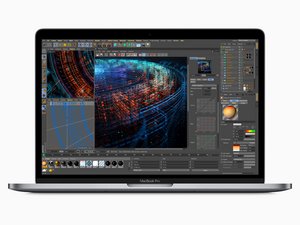
Rilasciato a luglio 2018, il MacBook Pro da 15", modello A1989, adotta uno schermo retroilluminato a LED da 15,4" con tecnologia True tone, Touch ID e processore fino a esa-core Intel Core i9.

Need help diagnosing display issues

My 2018 MacBook Pro display is shpwing flickering green and red lines, and occaionally blacks out or has a block pattern. I cannot locate any cracks in the screen, and the laptop has not been dropped since I have owned it. Graphics display perfectly when using Airplay to cast to my TV. Does this seem to indicate a display cable issue, or should I be looking at replacing the screen? Thanks in advance for the help.

Risposto! Visualizza la risposta Anch'io ho questo problema

Questa è una buona domanda?

Punteggio 0
Aggiungi un commento

2 Risposte

Soluzione prescelta

This is most likely due to a failing display flex cable, which unfortunately is integrated into the display assembly. This is a common design problem with these models (2016-2018ish Pros). Unfortunately you'll need to replace the display assembly to repair the device. Sorry!

Questa risposta è stata utile?

Punteggio 1

1 Commento:

That’s what I thought originally, I just needed some confirmation before I under the process. I already bought a replacement display as simply, I just had not installed it. If there was any other options, I wanted to explore that first. Thanks a bunch!

da

Aggiungi un commento
Block Image

Saludos que me recomienda MacBook Pro 2018 15 pulgadas modelo a1990

Questa risposta è stata utile?

Punteggio 0
Aggiungi un commento

Aggiungi la tua risposta

Tanya Robinson sarà eternamente grato.
Visualizza Statistiche:

Ultime 24 Ore: 1

Ultimi 7 Giorni: 10

Ultimi 30 Giorni: 27

Tutti i Tempi: 166