Salta al contenuto principale
Unisciti alla Community delle riparazioni - Crea un account

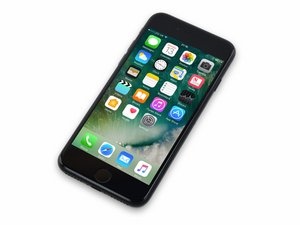
Rilasciato il 16 settembre 2016. Modello 1660, 1778. Disponibile come GSM o CDMA / 32, 128 o 256 GB / Rose gold, gold, silver, black e jet black.

Reason for boot looping

I did a battery and a charge port replacement on this iPhone 7. Prior to the repair the device was working just fine, image displaying, touch was working, etc. I finish the repair and then the device turns on and then every 3-5 minutes it starts boot looping. So then I assumed that it may be boot looping due to receiving a bad charge port replacement so I replaced it with a new one. That does not help at all. The device is still boot looping.

So then I checked out the Panic log and got two different panic logs. 1.) "Missing sensor(s) TG0B \nservice. and then 2.) "i2c1::_runinterruptmode timed out waiting for interrupt, last read status 10210118 int shadow00290100 Ofer 00000000 fifo 00000004 for device pmu"

So now how do I go about this? Is this going to be a battery issue or a motherboard issue?

I mean as of right now I am leaning towards testing another battery. to see if that may fix the problem.

Any bit of knowledge would be helpful!! Thank you for your time I really appreciate it!!

Rispondi a questa domanda Anch'io ho questo problema

Questa è una buona domanda?

Punteggio 0
Aggiungi un commento

3 Risposte

Risposta Più Utile

Richard Hocking, Is there any chance you could have knocked a component when removing the old battery or charge port?

Open the phone back up and disconnect the battery and the charge assembly. Inspect the surrounding area to the connectors VERY closely using at least a powerful magnifying glass. If there’s anything that looks to be knocked loose or off, take a good quality and up close picture, the update your question. Adding images to existing questions.

Questa risposta è stata utile?

Punteggio 1
Aggiungi un commento

Try another charge port. Genuine preferably. Are they cheap aftermarket ones you have?

Questa risposta è stata utile?

Punteggio 1
Aggiungi un commento

Charge your phone for at least 30 minutes. Press and hold the power button for a few seconds. On your screen, tap Restart , or press and hold the power button for about 30 seconds, until your phone restarts.

Regards,

Will

Questa risposta è stata utile?

Punteggio 0
Aggiungi un commento

Aggiungi la tua risposta

Richard Hocking sarà eternamente grato.
Visualizza Statistiche:

Ultime 24 Ore: 0

Ultimi 7 Giorni: 2

Ultimi 30 Giorni: 12

Tutti i Tempi: 162

