Salta al contenuto principale
Unisciti alla Community delle riparazioni - Crea un account

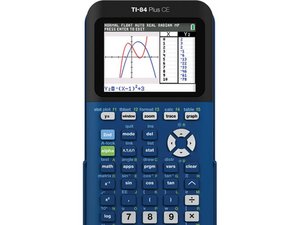
The TI-84 Plus CE is a graphing calculator released in Spring 2015 by Texas Instruments. It includes a 2.8 inch color screen, USB port, apps, storage, and a 1200 mAh battery.

How can I fix my flashing screen (TI-84+CE)

My calculator seems to have decided to no longer likes me, and is having startup issues.

It is stuck on a flickering white screen. I can’t turn it off. It doesn’t seem to be turning off on its own. I’d prefer to not have to completely wait for it to drain considering that I just finished charging it yesterday. The calculator does not seem to fully load at all and does not appear in the TI Connect CE program when plugged in to the computer. This is my personal calculator and I’d really like to have it fully working again, and if possible, salvage the programs I have on it. Is there anything I can do, short of buying a new calculator? Or is there a factory reset feature available anywhere I can use?

Risposto! Visualizza la risposta Anch'io ho questo problema

Questa è una buona domanda?

Punteggio 3
2 Commenti

Try a quick reset first. On the back of your **TI-84 Plus CE**, press the small reset button using a paperclip. This often fixes the flickering screen.

If that doesn’t work, hold **2nd + DEL** and press reset again to force a deeper restart. If it’s still stuck, connect it to your computer and reinstall the OS using TI Connect CE.

If the calculator isn’t detected at all, try plugging it in while holding the DEL key to enter recovery mode. If none of these steps work, it may be a hardware issue.

da

@codyrhodes do not post AI generated spam.

da

Aggiungi un commento

1 Risposta

Soluzione Prescelta

Try doing the recovery techniques listed on the guide I have linked to below. Hopefully one of those techniques will work for you.

Tecniche di recupero TI-84 Plus CE

Questa risposta è stata utile?

Punteggio 10

4 Commenti:

@thelastmill This problem was solved compliments to your wonderful guide, thank you!

da

Performed a hard reset on the calculator by clearing the ram using the button on the back and just redownloaded my programs. The slideshow above is also extremely helpful. Thanks!

da

@ahvey Glad it was helpful! Happy fixing!

da

I'm glad it was useful! :D

da

Aggiungi un commento

Aggiungi la tua risposta

Matt sarà eternamente grato.
Visualizza Statistiche:

Ultime 24 Ore: 14

Ultimi 7 Giorni: 128

Ultimi 30 Giorni: 453

Tutti i Tempi: 59,107