Questa traduzione è stata generata automaticamente e non è stata ancora revisionata da una persona. Parli questa lingua? Dai un’occhiata.
Introduzione
Aggiorna i moduli RAM per un aumento immediato della velocità.
Cosa ti serve
-
-
-
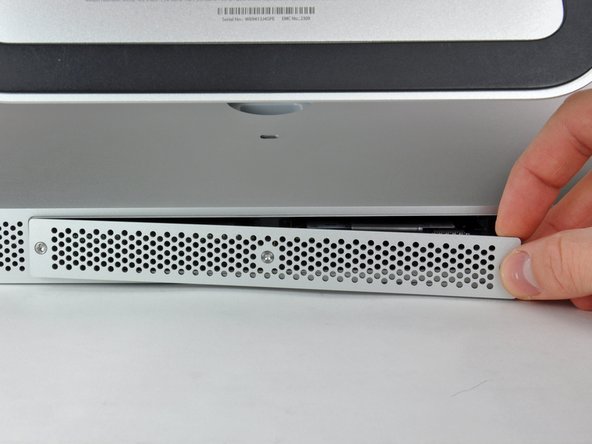
Allentare le tre viti con testa a croce che fissano lo sportello di accesso al bordo inferiore dell'iMac.
-
Rimuovere lo sportello di accesso dall'iMac.
 Chiedi a FixBot
-
-
-
-
-
-
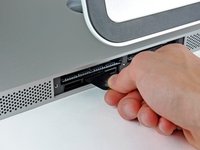
Mediante le dita o la punta di un inseritore, far scorrere la linguetta del vassoio della memoria RAM di plastica nera fuori dall'apposito slot.
-
-
-
Tirare la linguetta di plastica nera dall'iMac per estrarre il modulo RAM dal suo alloggiamento.
-
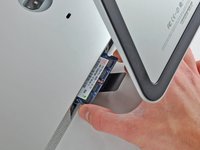
Mediante le dita, far scorrere il modulo RAM fuori dall'alloggiamento.
-
-



Per rimontare il dispositivo, segui queste istruzioni in ordine inverso.
Annulla: non ho completato questa guida.
Altre 55 persone hanno completato questa guida.

6Commenti sulla guida
My wife's ageing iMac currently has 4x2GB, and it is creaking under even light use (on Mavericks... haven't dared upgrade any further yet).
I want to initially upgrade it to 2x8GB, which seems nice and easy. My question is is it then possible to add one more 8GB for a total of 24GB, or would I need to add 2x8GB for a total of 32GB? Will the iMac see and use 3 RAM modules, or does it need to be an even number, like in the old PC days?
Thanks!
Maximum memory: 16384MB. See crucial for more information :
Easy mode. Note that the bits is called PZ1 most screwdriver sets. Also known as Japanese Phillips, the bid comes to a + instead of to a point. A 2.0 flathead will also turn the screw.
Oh and, don't forget to check your black flats back in. Otherwise you'll get too funny little appendages sticking out the bottom when you reattach your access door :)
2 Comments:
* firstly you may have to pull twice on the tab to release both RAMs as sometimes the first slot gets a little stuck.
* secondly - I've been having some trouble with different RAM chips - can anyone please tell me the definitive answer for how much RAM each slot will take, and what speed and latency? My iMac seems "finicky" about brands too!!!
