Introduzione
This guide demonstrates the steps necessary to remove and replace the battery in your Roborock S5 robot vacuum.
Replacing the battery may be necessary if your Roborock S5 will not power on or accept a charge.
Before you begin, take a look at the Roborock S5 Troubleshooting page for other fixes before replacing the battery. You may be able to avoid an unnecessary repair.
Once you've established it's time to replace the battery, be sure to power off your vacuum before you begin.
Cosa ti serve
-
-
-
Power down your Roborock S5 vacuum.
-
Place it on a flat work surface with the wheels facing up.
-
Use a Phillips #2 screwdriver to remove the seven 14 mm screws holding the bottom cover in place.
-
Use the Phillips #2 screwdriver to loosen one captive screw holding the side brush in place.
-
Remove the side brush and set it aside for now.
-
Gently remove the bottom panel.
 Chiedi a FixBot
-
-
-
-
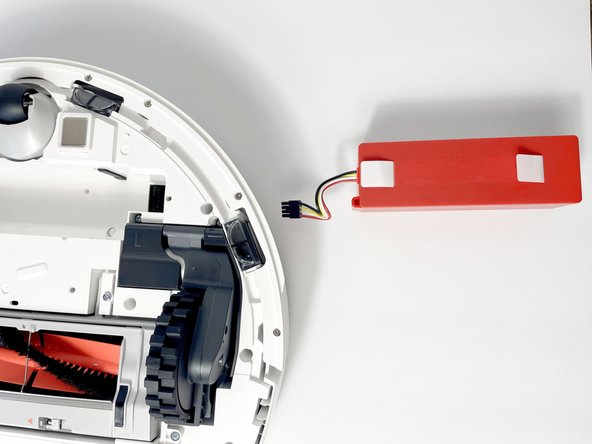
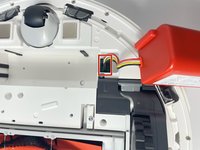
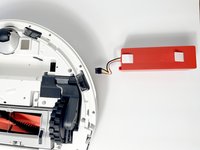
Lift the battery out by the two tabs on top and set it beside the robot vacuum.
-
-
-
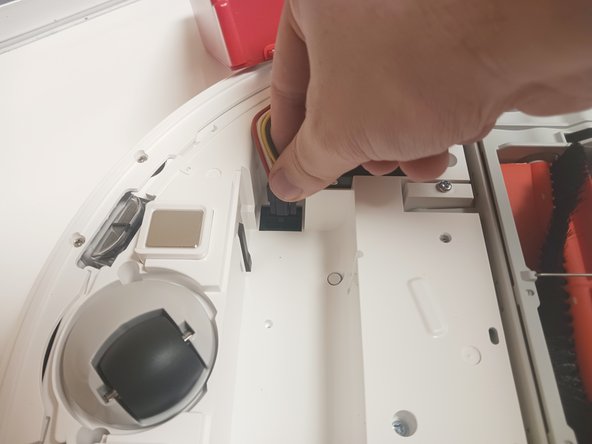
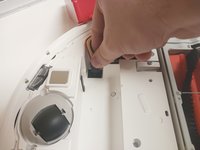
Disconnect the battery from the robot vacuum by squeezing and pulling the plug connector from the board.
-
-


To reassemble your device, follow these instructions in reverse order.
Annulla: non ho completato questa guida.
Altre 11 persone hanno completato questa guida.

Team

Western Carolina University, Team 1-1, Virtue Fall 2023 Membro di Western Carolina University, Team 1-1, Virtue Fall 2023
WCU-VIRTUE-F23S1G1
5 Membri
17 guide realizzate
