Questa traduzione è stata generata automaticamente e non è stata ancora revisionata da una persona. Parli questa lingua? Dai un’occhiata.
Introduzione
Usa questa guida per sostituire la ventola destra.
Cosa ti serve
-
-
-
Rimuovi le seguenti viti Pentalobe P5 che fissano il case inferiore del MacBook Pro:
-
Otto viti da 3,0 mm
-
Due viti da 2,3 mm
 Chiedi a FixBot
-
-
-
Alzando il bordo vicino al profilo di copertura, solleva il case inferiore dal MacBook Pro.
-
Metti da una parte il case inferiore.
-
-
-
-
-
Stacca lo sticker di avviso che copre il connettore batteria.
-
-
-
Usando l'estremità piatta di uno spudger, stacca con cautela il connettore della batteria dal suo zoccolo sulla scheda logica.
-
Piega indietro il cavo della batteria per evitare che il connettore possa fare contatto accidentalmente con la scheda logica.
-
-
-
-
Strumento utilizzato in questo passaggio:Tweezers$4.99
-
Usa uno spudger o delle pinzette per staccare i tre cavi dell'antenna AirPort dalle loro sedi sulla scheda AirPort.
-
Per ricollegarlo, allinea attentamente il connettore con la presa e premilo con decisione con la parte piatta della spudger.
-
-
-
-
Usa la punta di uno spudger per spingere via dalla sua sede sulla scheda logica il connettore del cavo della fotocamera.
-
-
-
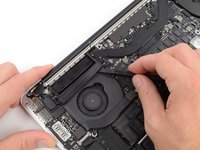
Inserisci l'estremità piatta di uno spudger sotto la copertura in gomma del dissipatore sulla ventola di destra.
-
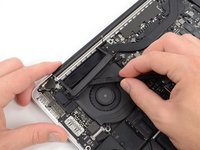
Fai scorrere lo spudger sotto tutta la lunghezza la copertura per staccare l'adesivo.
-
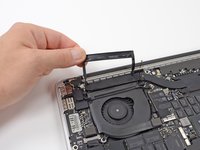
Solleva la copertura e ripiegala in modo da avere accesso ai cavi sottostanti.
-
-
-
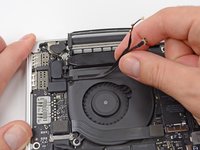
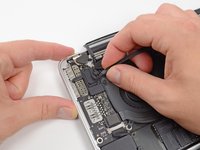
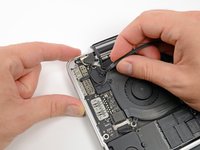
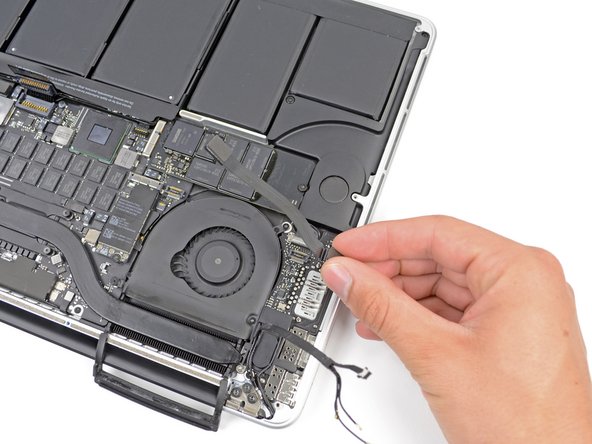
Usa le dita per tirare via dalla ventola i cavi AirPort/fotocamera.
-
Sfila con attenzione i cavi dal passacavo in plastica.
-
-
-
-
-
Usando l'estremità piatta di uno spudger, solleva dal suo zoccolo sulla scheda logica il cavo della scheda I/O.
-
Con una procedura simile, rimuovi il cavo del connettore della scheda I/O dal suo zoccolo sulla scheda I/O.
-
Rimuovi il cavo della scheda I/O dal MacBook Pro.
-
-
-
-
-
Rimuovi la singola vite Torx T5 da 2,9 mm che fissa la scheda AirPort alla scheda logica.
-
-
-
Afferra dai suoi lati la scheda AirPort e ruotala di poco (5-10°) per separare il leggero adesivo che la fissa sulla scheda madre.
-
Tira la scheda AirPort fuori dalla sua presa parallelamente alla scheda madre per rimuoverla.
-
-
-
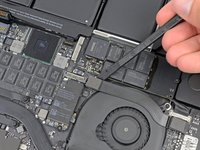
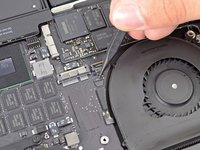
Usa la punta di uno spudger per far scattare la linguetta di bloccaggio su lo zoccolo ZIF del cavo piatto della ventola destra.
-
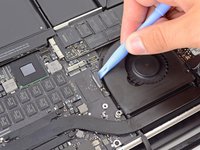
Iniziando dalla cima del cavo, fai scorrere un attrezzo di apertura in plastica sotto il cavo della ventola destra per liberarlo dalla scheda logica.
-
-
-
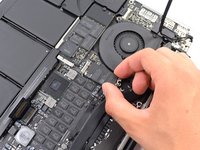
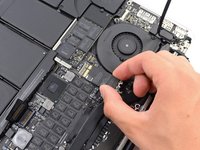
Rimuovi le seguenti tre viti che fissano la ventola di destra alla scheda logica:
-
Una vite Torx T5 da 4,4 mm
-
Una vite Torx T5 da 3,9 mm a testa larga
-
Una vite Torx T5 da 5,0 mm con una parte cilindrica lunga 2 mm
-
-












Per rimontare il dispositivo, segui queste istruzioni in ordine inverso.
Annulla: non ho completato questa guida.
Altre 14 persone hanno completato questa guida.

4Commenti sulla guida
The killer info in this is which way the connectors come out. It's not that apparent when you are looking at them. Using this guide I cleaned the dust out of both fans which should make my mac run cooler. I'm also trying to figure out why my base is all bowed out.
My base did the exact same thing >:( did you find any solution?
sorry I didn’t see this sooner. Yes the batteries had bulged. I wound up taking it in on the last day (very lucky) of apple care and they took care of it. Had to replace the entire top of the computer
What is the serial number for the fan? Is it the same fan as in earlier models?
