Salta al contenuto principale
Unisciti alla Community delle riparazioni - Crea un account

HTC Vive XR Elite Depth Sensor Replacement

Cosa ti serve

  1. HTC Vive XR Elite Depth Sensor Replacement, Prepare your Vive XR Elite for disassembly: passo 1, immagine 1 di 1
    • Before starting this repair, discharge the batteries in your headset below 25%. A charged battery may leak dangerous chemicals or catch fire if damaged.

    • Playing Half Life: Alyx will do the trick!

    • The Vive XR Elite has a proximity sensor that puts the headset in standby mode to save battery when it isn't in use. To drain the battery faster you'll need to use the headset.

    Chiedi a FixBot
    Aggiungi Commento

  2. HTC Vive XR Elite Depth Sensor Replacement, Disconnect the USB-C power cable: passo 2, immagine 1 di 2 HTC Vive XR Elite Depth Sensor Replacement, Disconnect the USB-C power cable: passo 2, immagine 2 di 2
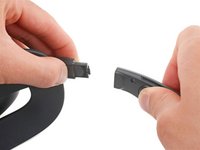
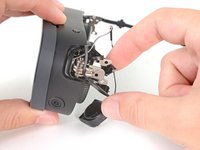
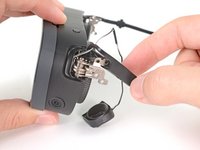
    • Disconnect the USB-C power cable.

    Chiedi a FixBot

    Aggiungi Commento

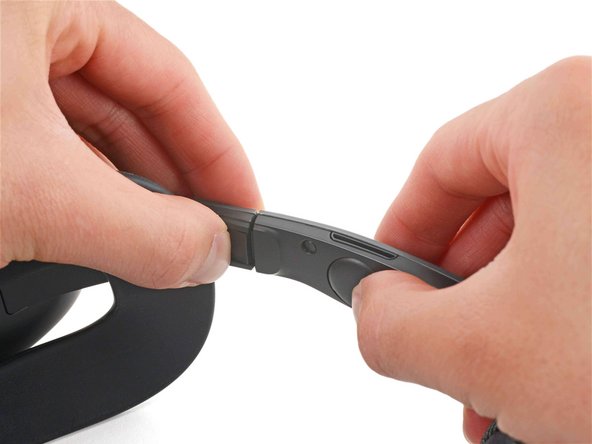
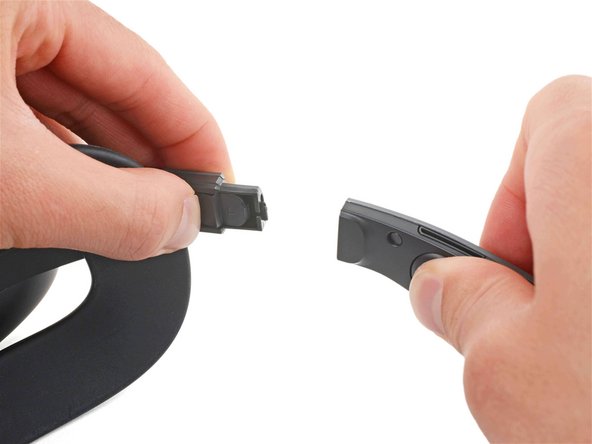
  3. HTC Vive XR Elite Depth Sensor Replacement, Disconnect the battery cradle: passo 3, immagine 1 di 3 HTC Vive XR Elite Depth Sensor Replacement, Disconnect the battery cradle: passo 3, immagine 2 di 3 HTC Vive XR Elite Depth Sensor Replacement, Disconnect the battery cradle: passo 3, immagine 3 di 3
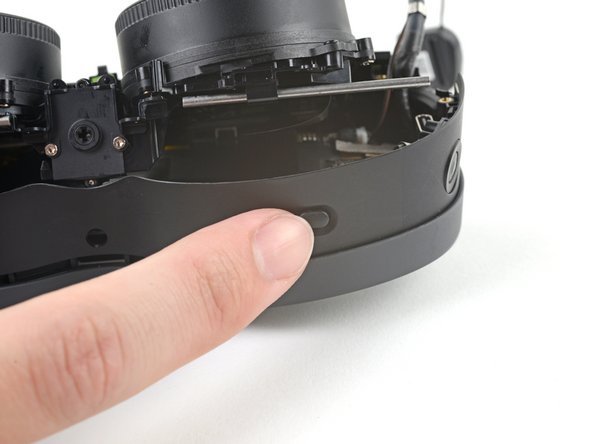
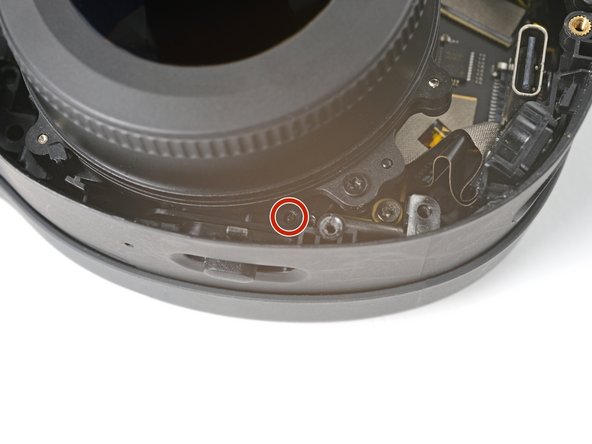
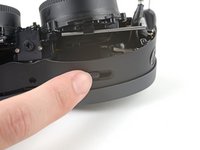
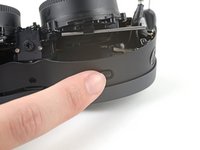
    • Press the release button on the right battery cradle temple slot.

    • Pull the battery cradle away from the right temple slot to disconnect it.

    Chiedi a FixBot

    Aggiungi Commento

  4. HTC Vive XR Elite Depth Sensor Replacement: passo 4, immagine 1 di 3 HTC Vive XR Elite Depth Sensor Replacement: passo 4, immagine 2 di 3 HTC Vive XR Elite Depth Sensor Replacement: passo 4, immagine 3 di 3
    • Repeat the previous step for the left temple slot.

    Chiedi a FixBot

    Aggiungi Commento

  5. HTC Vive XR Elite Depth Sensor Replacement, Separate the headset and battery cradle: passo 5, immagine 1 di 1
    • Separate the headset and battery cradle.

    Chiedi a FixBot

    Aggiungi Commento

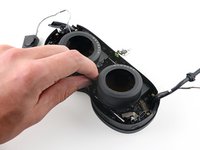
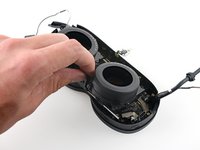
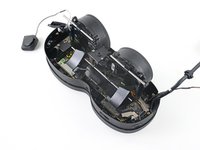
  6. HTC Vive XR Elite Depth Sensor Replacement, Remove the face cushion: passo 6, immagine 1 di 3 HTC Vive XR Elite Depth Sensor Replacement, Remove the face cushion: passo 6, immagine 2 di 3 HTC Vive XR Elite Depth Sensor Replacement, Remove the face cushion: passo 6, immagine 3 di 3
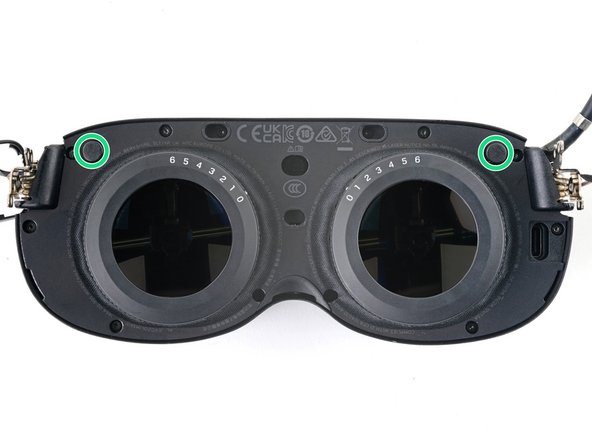
    • The face cushion is attached to the headset with two magnets. You'll feel the pull of the magnets as you remove it.

    • Grip the middle of the face cushion with your fingers and pull back to remove it.

    Chiedi a FixBot

    Aggiungi Commento

  7. HTC Vive XR Elite Depth Sensor Replacement, Remove the screw covers: passo 7, immagine 1 di 2 HTC Vive XR Elite Depth Sensor Replacement, Remove the screw covers: passo 7, immagine 2 di 2
    Strumento utilizzato in questo passaggio:
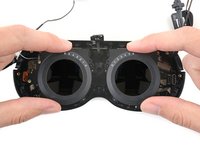
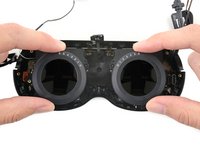
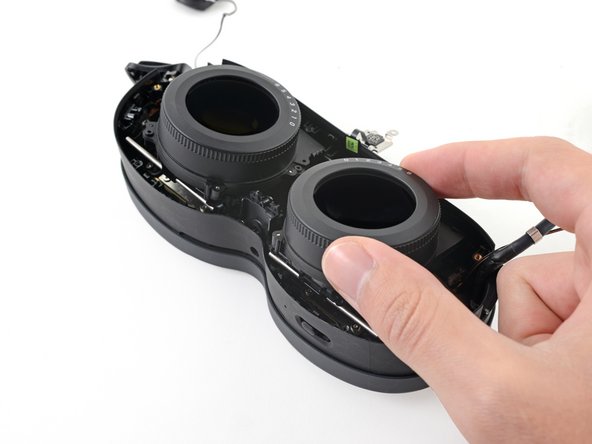
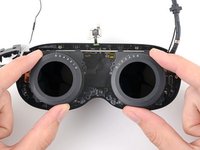
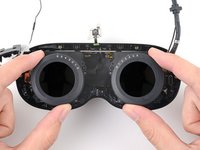
    Tweezers
    $4.99
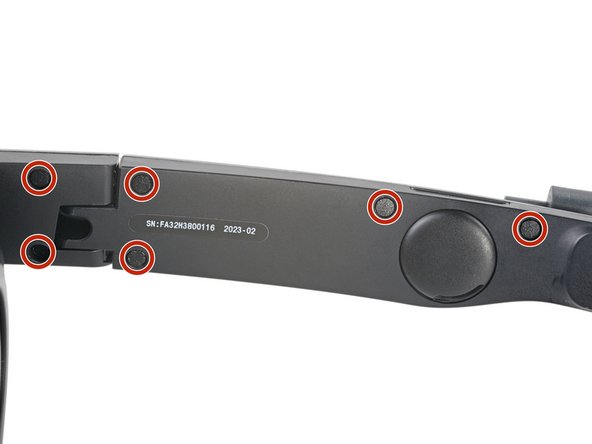
    • Use tweezers to remove the six screw covers from the right temple.

    Chiedi a FixBot
    Aggiungi Commento

  8. HTC Vive XR Elite Depth Sensor Replacement, Unfasten the right temple: passo 8, immagine 1 di 2 HTC Vive XR Elite Depth Sensor Replacement, Unfasten the right temple: passo 8, immagine 2 di 2
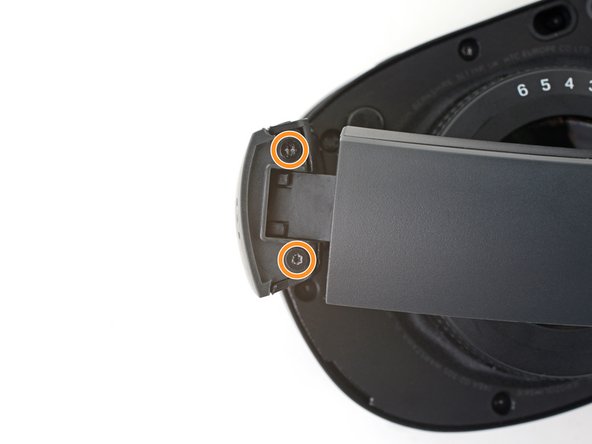
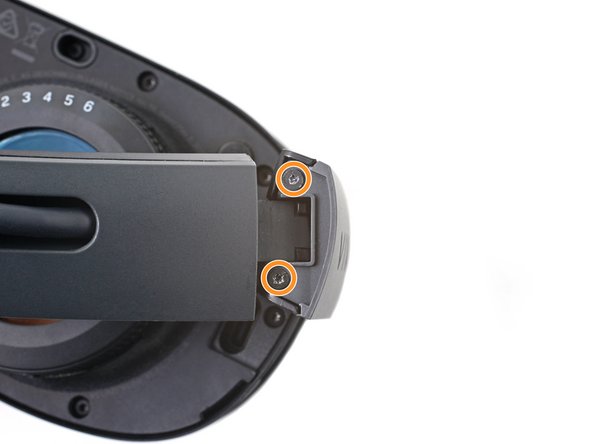
    • Use a T5 Torx screwdriver to remove the six 4.9 mm‑long screws securing the two right temple halves.

    • Use a T5 Torx screwdriver to remove the two 3.5 mm‑long screws securing the right hinge cover.

    Chiedi a FixBot

    Aggiungi Commento

  9. HTC Vive XR Elite Depth Sensor Replacement, Remove the outer hinge cover: passo 9, immagine 1 di 3 HTC Vive XR Elite Depth Sensor Replacement, Remove the outer hinge cover: passo 9, immagine 2 di 3 HTC Vive XR Elite Depth Sensor Replacement, Remove the outer hinge cover: passo 9, immagine 3 di 3
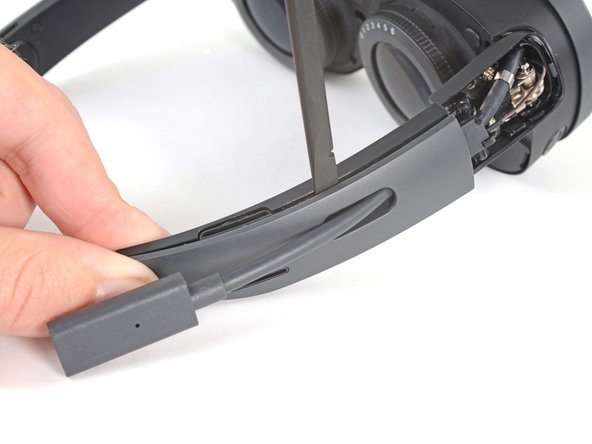
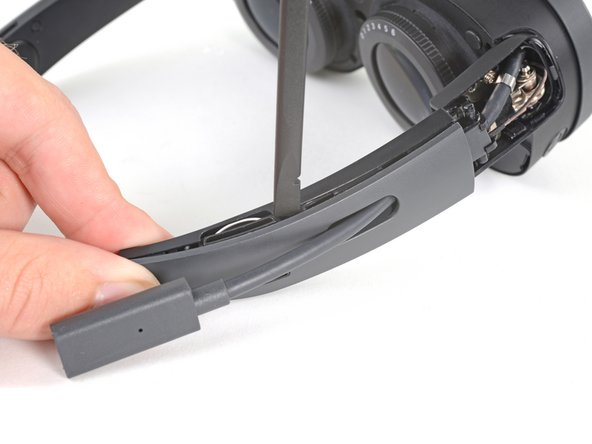
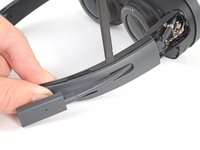
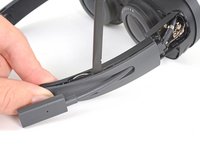
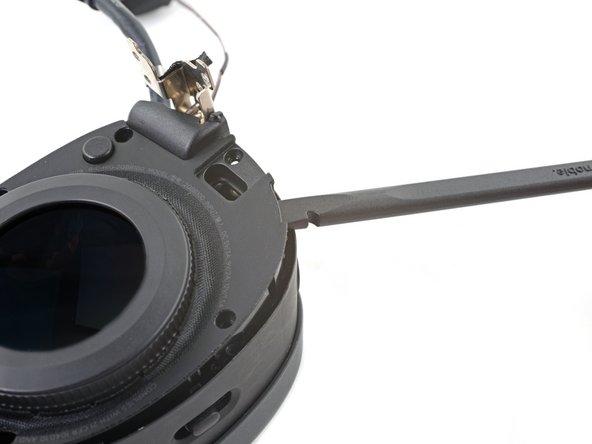
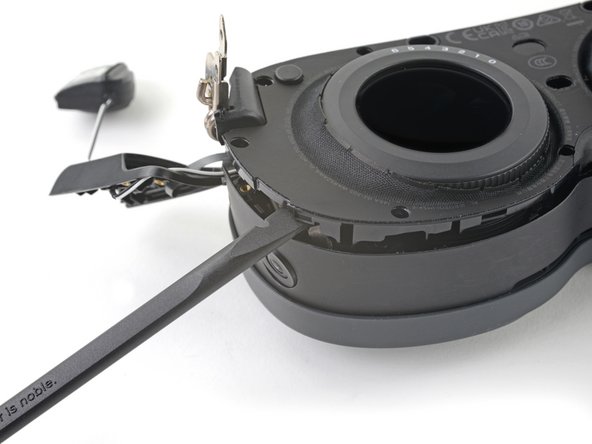
    • Insert the flat end of a spudger in the gap between the right outer and inner hinge covers.

    • Slide the spudger along the gap to separate the clips securing the outer hinge cover.

    • Remove the outer hinge cover.

    Chiedi a FixBot

    Aggiungi Commento

  10. HTC Vive XR Elite Depth Sensor Replacement, Remove the outer temple: passo 10, immagine 1 di 3 HTC Vive XR Elite Depth Sensor Replacement, Remove the outer temple: passo 10, immagine 2 di 3 HTC Vive XR Elite Depth Sensor Replacement, Remove the outer temple: passo 10, immagine 3 di 3
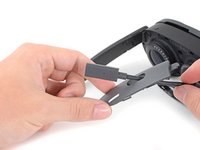
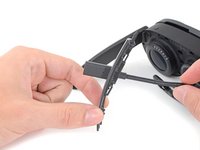
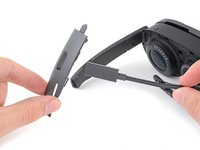
    • Insert the flat end of a spudger in the gap between the outer and inner temple.

    • Slide the spudger along the gap to separate the clips securing the outer temple.

    Chiedi a FixBot

    Aggiungi Commento

  11. HTC Vive XR Elite Depth Sensor Replacement: passo 11, immagine 1 di 3 HTC Vive XR Elite Depth Sensor Replacement: passo 11, immagine 2 di 3 HTC Vive XR Elite Depth Sensor Replacement: passo 11, immagine 3 di 3
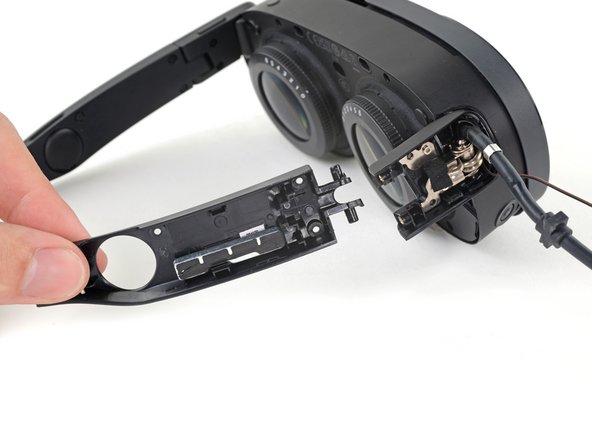
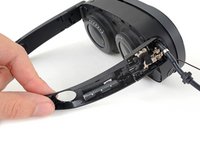
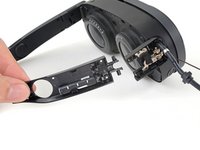
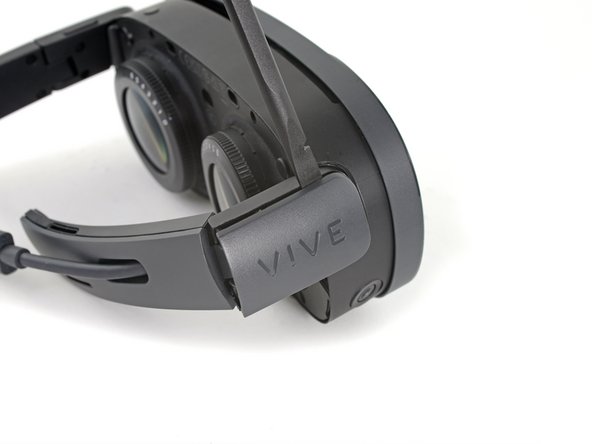
    • Slide the top of the outer temple out of its slot in the hinge.

    Chiedi a FixBot
    Aggiungi Commento

  12. HTC Vive XR Elite Depth Sensor Replacement: passo 12, immagine 1 di 2 HTC Vive XR Elite Depth Sensor Replacement: passo 12, immagine 2 di 2
    Strumento utilizzato in questo passaggio:
    Tesa 61395 Tape
    $10.95
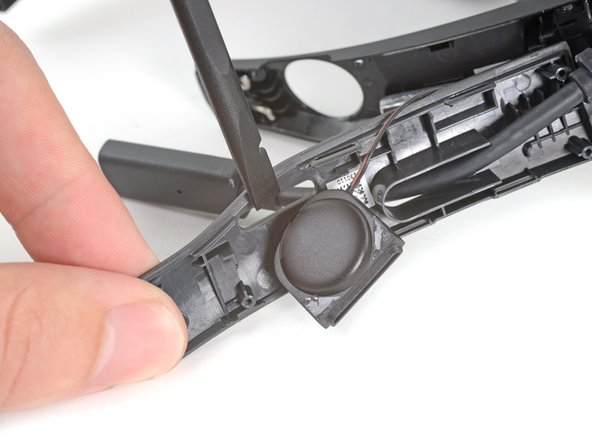
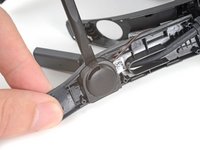
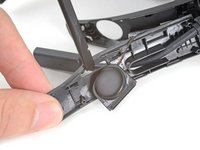
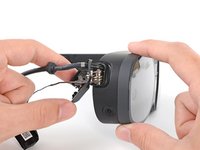
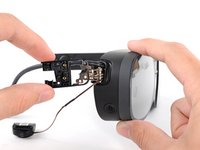
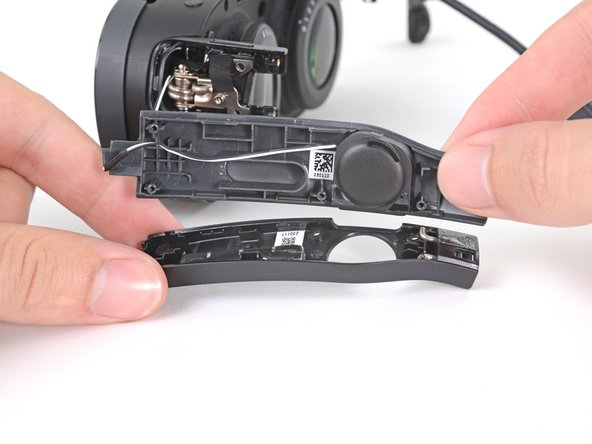
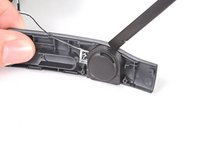
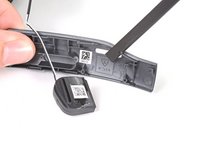
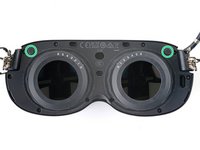
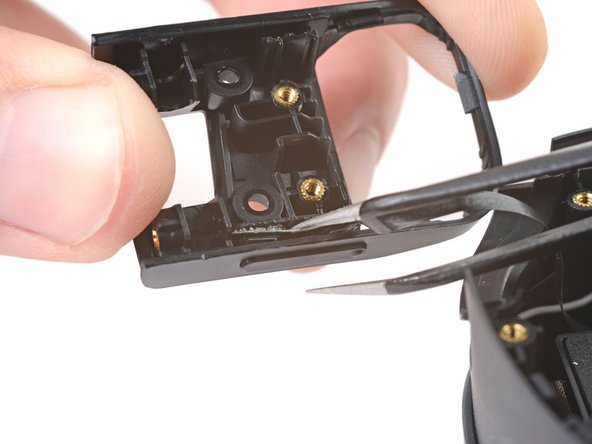
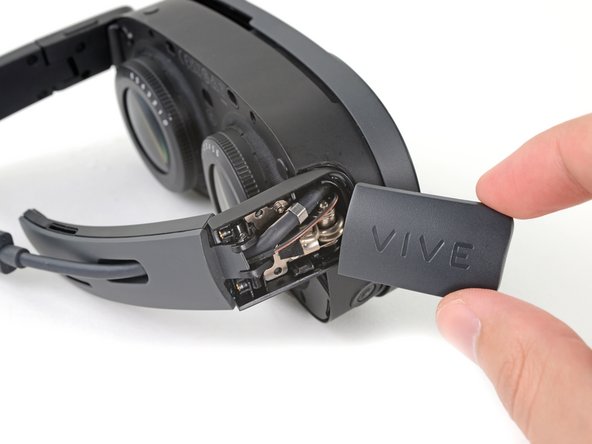
    • The speaker is lightly adhered to the outer temple.

    • Rotate the outer temple towards you to access the speaker.

    • Slide the flat end of a spudger under the speaker to separate its adhesive.

    • During reassembly, if your speaker adhesive isn't sticky, use double-sided tape to re-adhere the speaker to the outer temple.

    Chiedi a FixBot
    Aggiungi Commento

  13. HTC Vive XR Elite Depth Sensor Replacement: passo 13, immagine 1 di 3 HTC Vive XR Elite Depth Sensor Replacement: passo 13, immagine 2 di 3 HTC Vive XR Elite Depth Sensor Replacement: passo 13, immagine 3 di 3
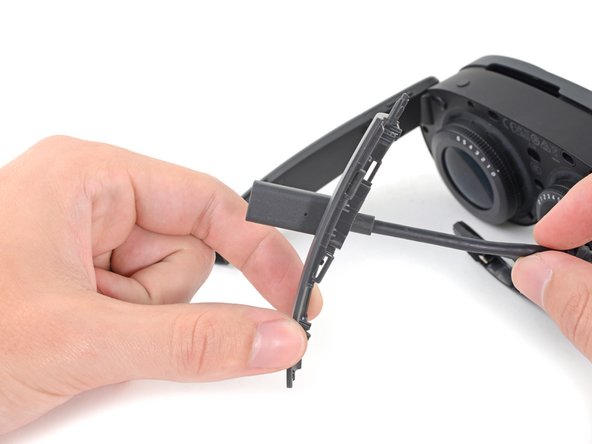
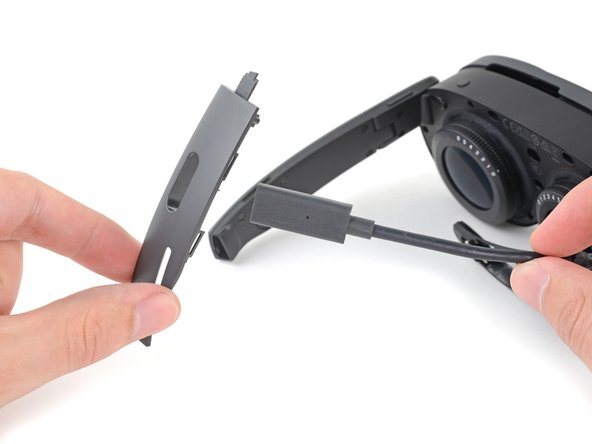
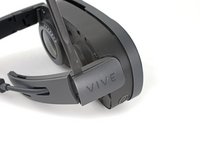
    • Thread the outer temple off of the USB‑C cable and remove it.

    Chiedi a FixBot
    Aggiungi Commento

  14. HTC Vive XR Elite Depth Sensor Replacement: passo 14, immagine 1 di 2 HTC Vive XR Elite Depth Sensor Replacement: passo 14, immagine 2 di 2
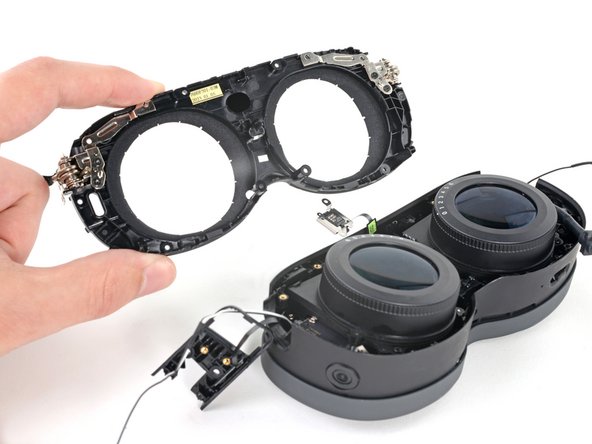
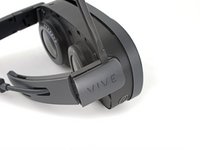
    • Pull the inner temple out of its slot in the hinge and remove it.

    Chiedi a FixBot
    Aggiungi Commento

  15. HTC Vive XR Elite Depth Sensor Replacement, Peel the hinge tape: passo 15, immagine 1 di 2 HTC Vive XR Elite Depth Sensor Replacement, Peel the hinge tape: passo 15, immagine 2 di 2
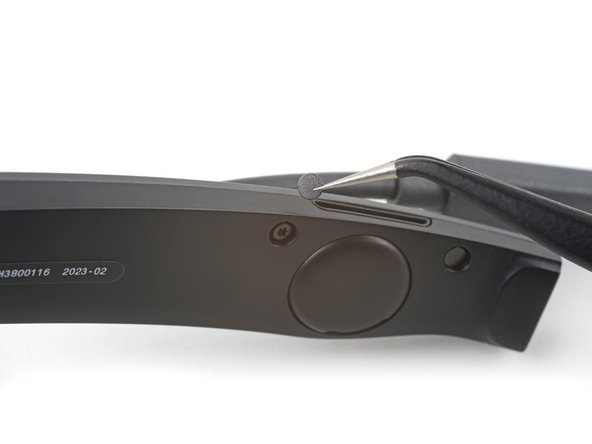
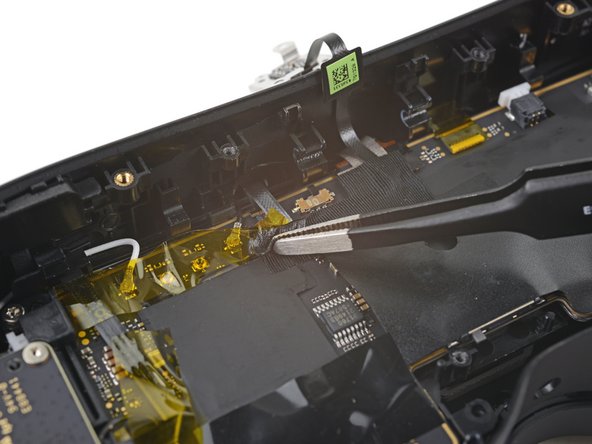
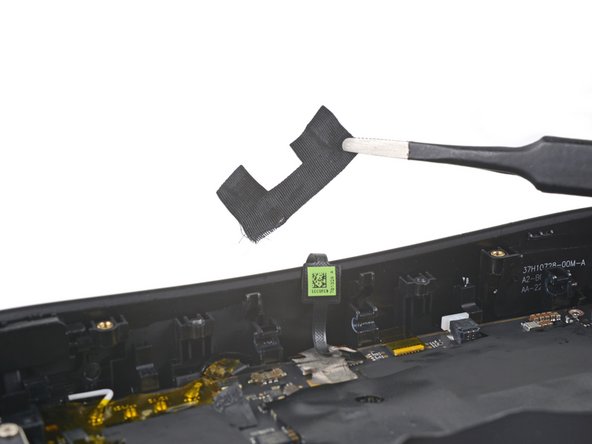
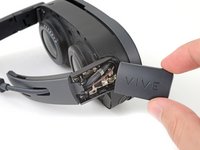
    • Use tweezers to peel back the black tape covering one of the inner hinge cover screws.

    Chiedi a FixBot
    Aggiungi Commento

  16. HTC Vive XR Elite Depth Sensor Replacement, Unfasten the inner hinge cover: passo 16, immagine 1 di 1
    • Use a T5 Torx screwdriver to remove the two screws securing the inner hinge cover:

    • One 3.1 mm‑long screw

    • One 4.9 mm‑long screw

    Chiedi a FixBot

    Aggiungi Commento

  17. HTC Vive XR Elite Depth Sensor Replacement, Remove the inner hinge cover: passo 17, immagine 1 di 3 HTC Vive XR Elite Depth Sensor Replacement, Remove the inner hinge cover: passo 17, immagine 2 di 3 HTC Vive XR Elite Depth Sensor Replacement, Remove the inner hinge cover: passo 17, immagine 3 di 3
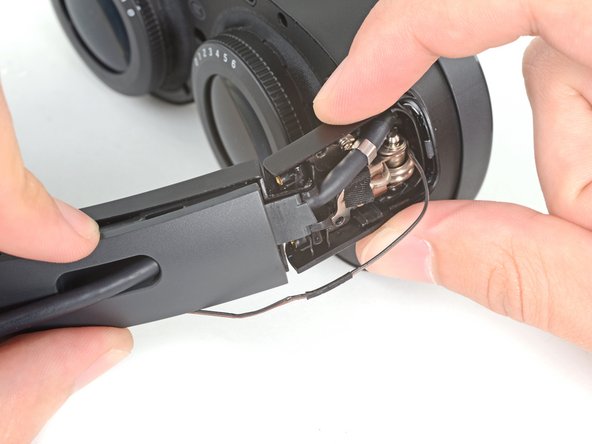
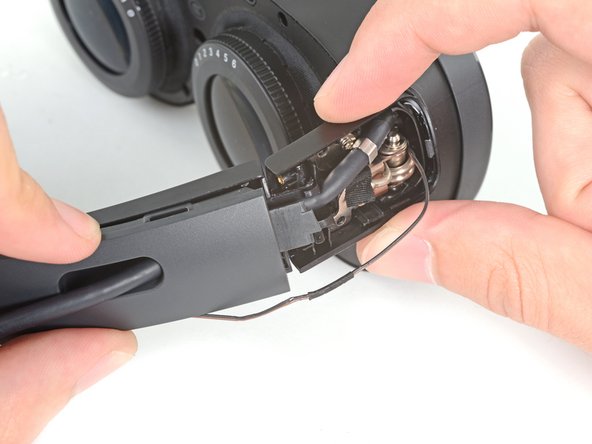
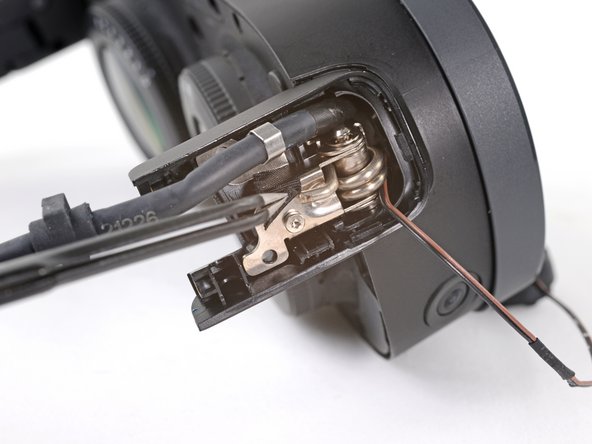
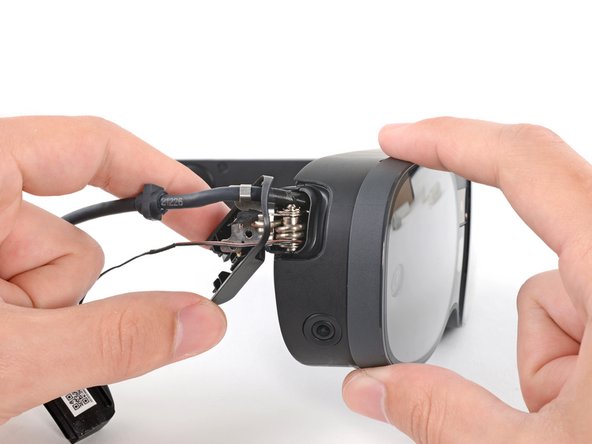
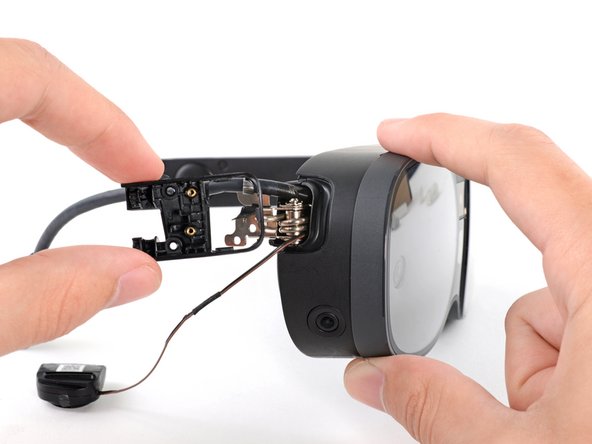
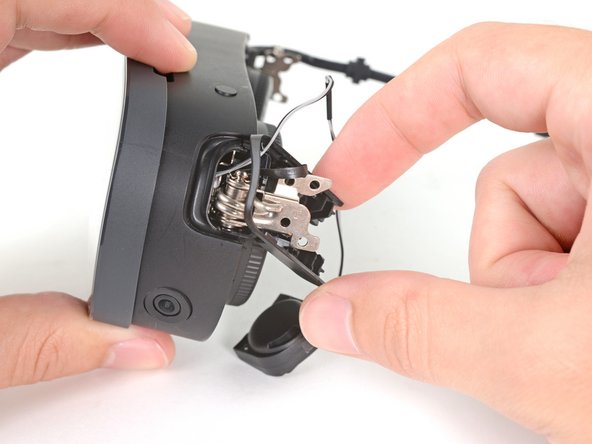
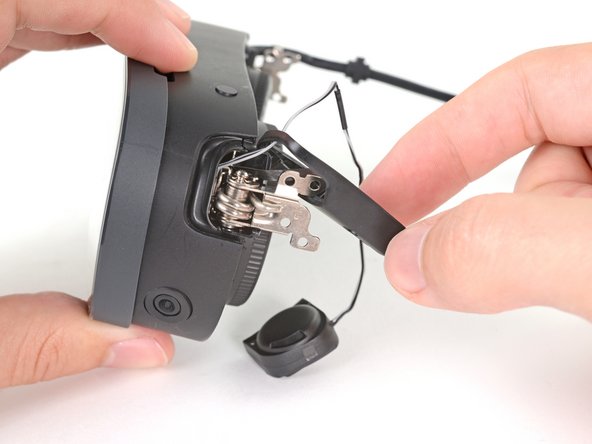
    • Rotate the inner hinge cover off its groove in the frame.

    • Thread the inner hinge cover off of the USB-C and speaker cables and remove it.

    Chiedi a FixBot

    Aggiungi Commento

  18. HTC Vive XR Elite Depth Sensor Replacement, Remove the screw covers: passo 18, immagine 1 di 2 HTC Vive XR Elite Depth Sensor Replacement, Remove the screw covers: passo 18, immagine 2 di 2
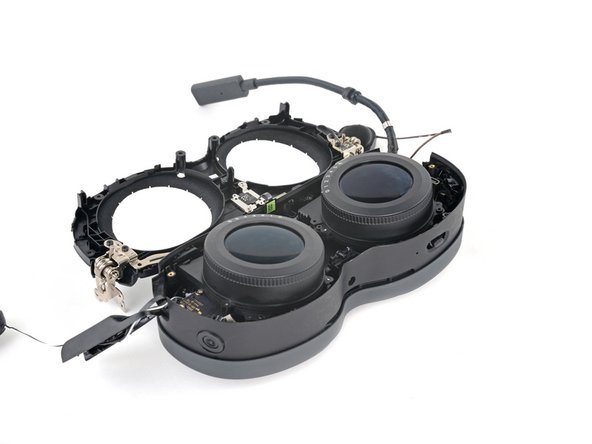
    Strumento utilizzato in questo passaggio:
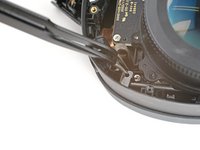
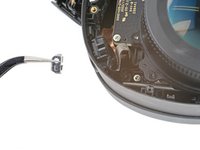
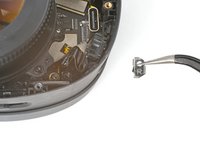
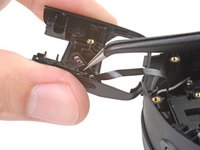
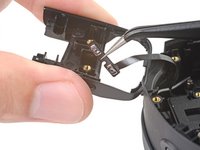
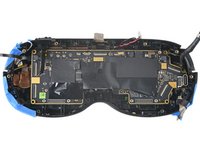
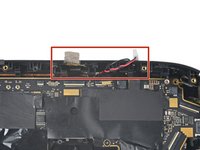
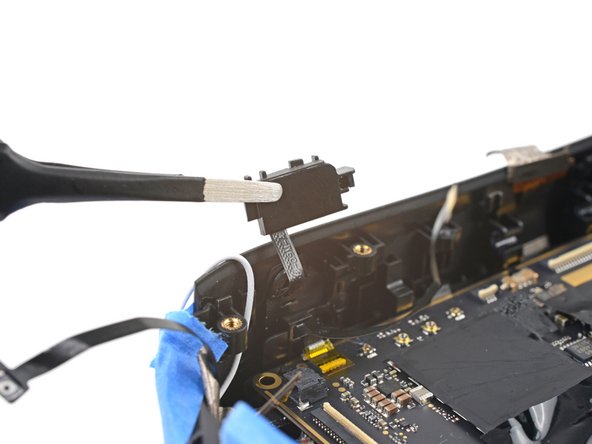
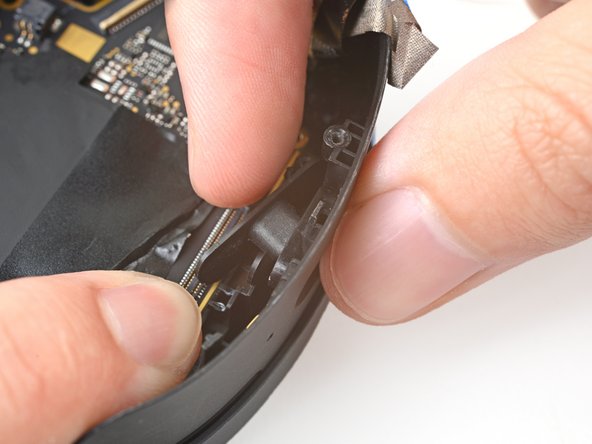
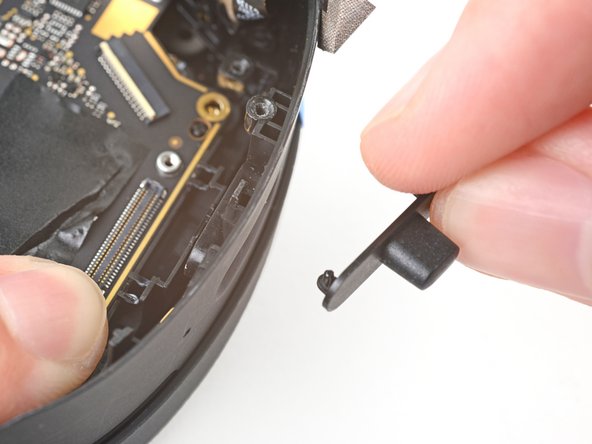
    Tweezers
    $4.99
    • Use tweezers to remove the six screw covers from the left temple.

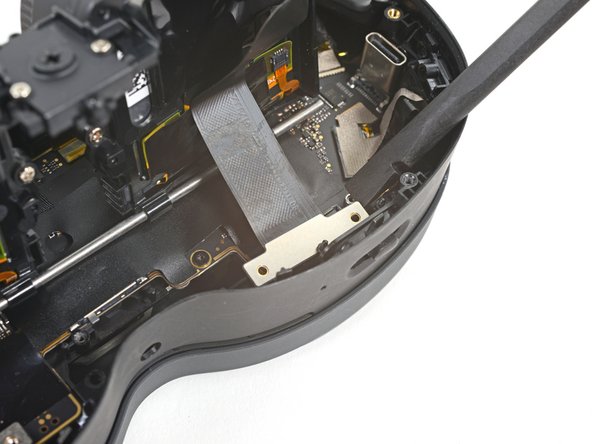
    Chiedi a FixBot

    Aggiungi Commento

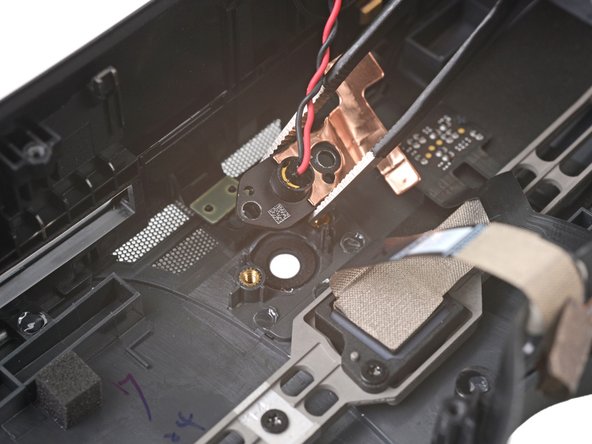
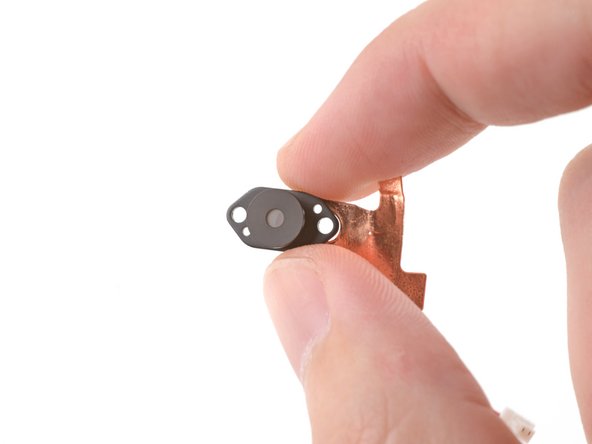
  19. HTC Vive XR Elite Depth Sensor Replacement, Unfasten the left temple: passo 19, immagine 1 di 2 HTC Vive XR Elite Depth Sensor Replacement, Unfasten the left temple: passo 19, immagine 2 di 2
    • Use a T5 Torx screwdriver to remove the six 4.9 mm‑long screws securing the two left temple halves.

    • Use a T5 Torx screwdriver to remove the two 3.5 mm‑long screws securing the left hinge cover.

    Chiedi a FixBot

    Aggiungi Commento

  20. HTC Vive XR Elite Depth Sensor Replacement, Remove the outer hinge cover: passo 20, immagine 1 di 3 HTC Vive XR Elite Depth Sensor Replacement, Remove the outer hinge cover: passo 20, immagine 2 di 3 HTC Vive XR Elite Depth Sensor Replacement, Remove the outer hinge cover: passo 20, immagine 3 di 3
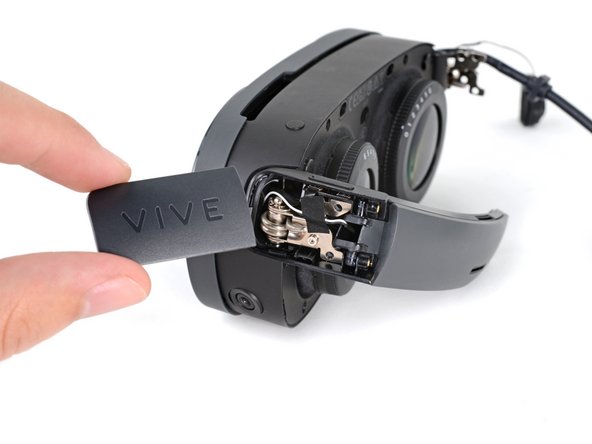
    • Insert the flat end of a spudger in the gap between the left outer and inner hinge covers.

    • Slide the spudger along the gap to separate the clips securing the outer hinge cover.

    • Remove the outer hinge cover.

    Chiedi a FixBot
    Aggiungi Commento

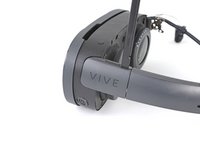
  21. HTC Vive XR Elite Depth Sensor Replacement, Remove the left temple: passo 21, immagine 1 di 2 HTC Vive XR Elite Depth Sensor Replacement, Remove the left temple: passo 21, immagine 2 di 2
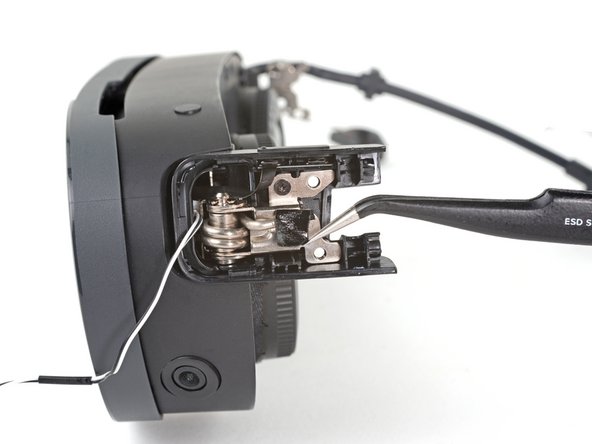
    • Pull the left temple out of its slot in the hinge.

    • Don't try to fully remove it yet, as it's still connected by a cable.

    Chiedi a FixBot
    Aggiungi Commento

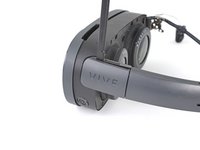
  22. HTC Vive XR Elite Depth Sensor Replacement: passo 22, immagine 1 di 2 HTC Vive XR Elite Depth Sensor Replacement: passo 22, immagine 2 di 2
    • Insert the flat end of a spudger in the gap between the outer and inner temple.

    • Slide the spudger along the gap to separate the plastic clips securing the outer temple.

    Chiedi a FixBot
    Aggiungi Commento

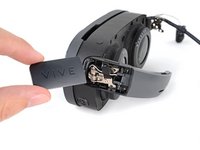
  23. HTC Vive XR Elite Depth Sensor Replacement: passo 23, immagine 1 di 2 HTC Vive XR Elite Depth Sensor Replacement: passo 23, immagine 2 di 2
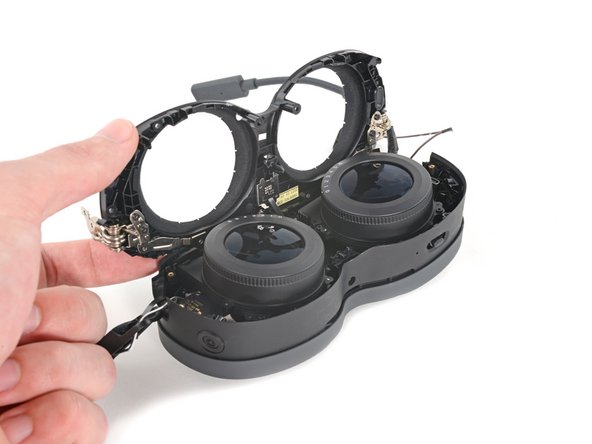
    • Pull the outer temple off of its inner half to completely release its plastic clips.

    Chiedi a FixBot
    Aggiungi Commento

  24. HTC Vive XR Elite Depth Sensor Replacement: passo 24, immagine 1 di 2 HTC Vive XR Elite Depth Sensor Replacement: passo 24, immagine 2 di 2
    Strumento utilizzato in questo passaggio:
    Tesa 61395 Tape
    $10.95
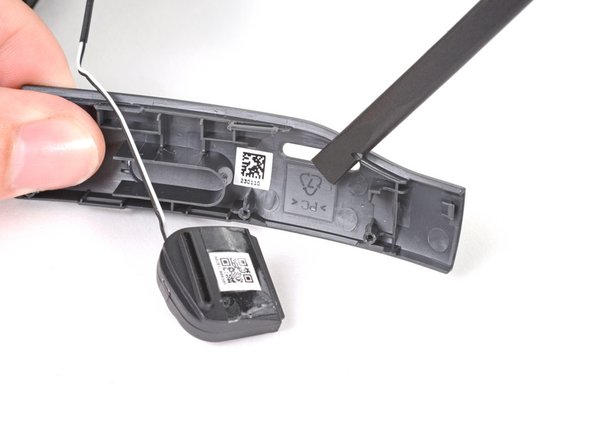
    • The speaker is lightly adhered to the outer temple.

    • Slide the flat end of a spudger under the speaker to separate its adhesive.

    • Let the speaker rest next to the headset before continuing.

    • During reassembly, if your speaker adhesive isn't sticky, use Tesa 61395 Tape to re-adhere the speaker to the outer temple.

    Chiedi a FixBot

    Aggiungi Commento

  25. HTC Vive XR Elite Depth Sensor Replacement, Peel the hinge tape: passo 25, immagine 1 di 2 HTC Vive XR Elite Depth Sensor Replacement, Peel the hinge tape: passo 25, immagine 2 di 2
    • Use tweezers to peel back the black tape covering one of the inner hinge cover screws.

    Chiedi a FixBot

    Aggiungi Commento

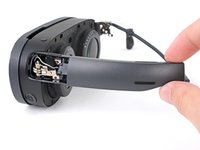
  26. HTC Vive XR Elite Depth Sensor Replacement, Unfasten the inner hinge cover: passo 26, immagine 1 di 1
    • Use a T5 Torx screwdriver to remove the two screws securing the inner hinge cover:

    • One 3.5 mm‑long screw

    • One 4.9 mm‑long screw

    Chiedi a FixBot
    Aggiungi Commento

  27. HTC Vive XR Elite Depth Sensor Replacement, Reposition the inner hinge cover: passo 27, immagine 1 di 3 HTC Vive XR Elite Depth Sensor Replacement, Reposition the inner hinge cover: passo 27, immagine 2 di 3 HTC Vive XR Elite Depth Sensor Replacement, Reposition the inner hinge cover: passo 27, immagine 3 di 3
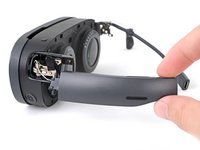
    • Don't fully remove the inner hinge cover, as it's connected by the volume button cable.

    • Rotate the inner hinge cover off its groove in the frame.

    • Let the cover hang off its volume button cable for now.

    Chiedi a FixBot
    Aggiungi Commento

  28. HTC Vive XR Elite Depth Sensor Replacement, Unfasten the face plate: passo 28, immagine 1 di 2 HTC Vive XR Elite Depth Sensor Replacement, Unfasten the face plate: passo 28, immagine 2 di 2
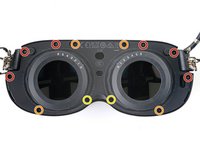
    • Use a T5 Torx screwdriver to remove the 12 screws securing the face plate:

    • Six 3.5 mm‑long screws

    • Four 4.9 mm‑long screws

    • Two 6.5 mm‑long screws

    • There are two magnets at the top corners of the face plate. As you remove nearby screws, they might stick to them.

    Chiedi a FixBot

    Aggiungi Commento

  29. HTC Vive XR Elite Depth Sensor Replacement, Unclip the face cover: passo 29, immagine 1 di 2 HTC Vive XR Elite Depth Sensor Replacement, Unclip the face cover: passo 29, immagine 2 di 2
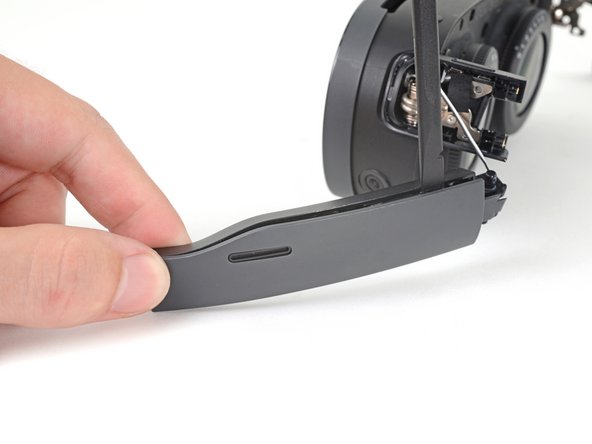
    • Insert the flat end of the spudger in the gap between the frame and the bottom right corner of the face cover.

    • Pry up with the spudger to release the clips securing the face cover.

    Chiedi a FixBot
    Aggiungi Commento

  30. HTC Vive XR Elite Depth Sensor Replacement: passo 30, immagine 1 di 2 HTC Vive XR Elite Depth Sensor Replacement: passo 30, immagine 2 di 2
    • Repeat the prying process for the middle and bottom left portions of the face cover.

    Chiedi a FixBot
    Aggiungi Commento

  31. HTC Vive XR Elite Depth Sensor Replacement, Reposition the face cover: passo 31, immagine 1 di 3 HTC Vive XR Elite Depth Sensor Replacement, Reposition the face cover: passo 31, immagine 2 di 3 HTC Vive XR Elite Depth Sensor Replacement, Reposition the face cover: passo 31, immagine 3 di 3
    • Don't fully remove the face cover completely, as it's connected by the proximity sensor cable.

    • Lift the face cover and rotate it over the top of the frame.

    • Lay the face cover face up before continuing.

    Chiedi a FixBot
    Aggiungi Commento

  32. HTC Vive XR Elite Depth Sensor Replacement, Unfasten the proximity sensor: passo 32, immagine 1 di 1
    • Use a T5 Torx screwdriver to remove the two 3.3 mm‑long screws securing the proximity sensor cable.

    Chiedi a FixBot

    Aggiungi Commento

  33. HTC Vive XR Elite Depth Sensor Replacement, Remove the face cover: passo 33, immagine 1 di 2 HTC Vive XR Elite Depth Sensor Replacement, Remove the face cover: passo 33, immagine 2 di 2
    • Remove the face cover.

    Chiedi a FixBot

    Aggiungi Commento

  34. HTC Vive XR Elite Depth Sensor Replacement, Reposition the lens assembly: passo 34, immagine 1 di 2 HTC Vive XR Elite Depth Sensor Replacement, Reposition the lens assembly: passo 34, immagine 2 di 2
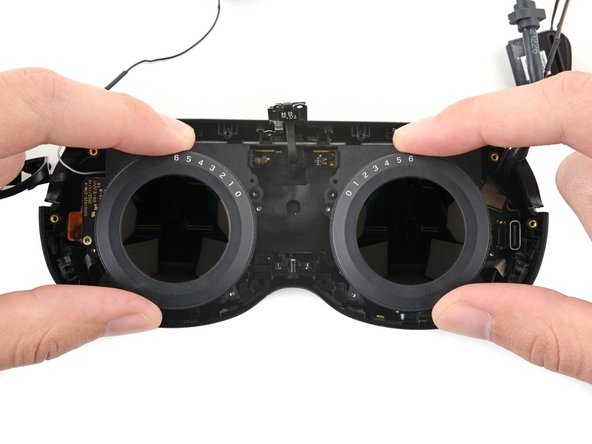
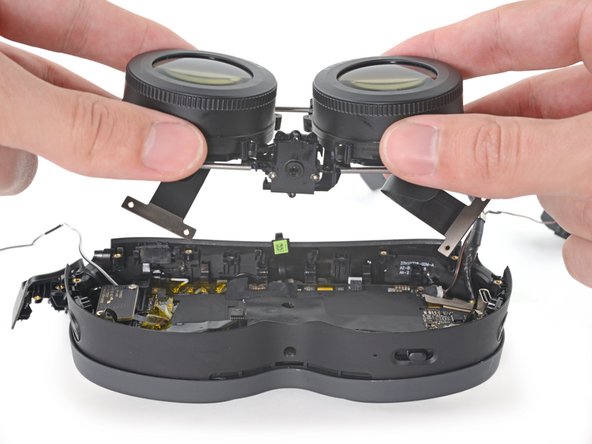
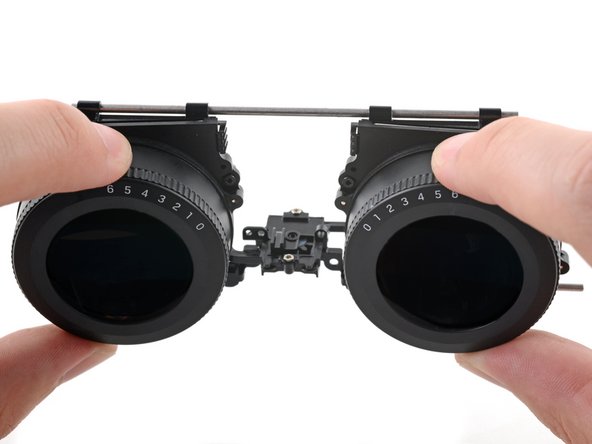
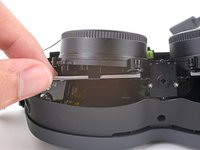
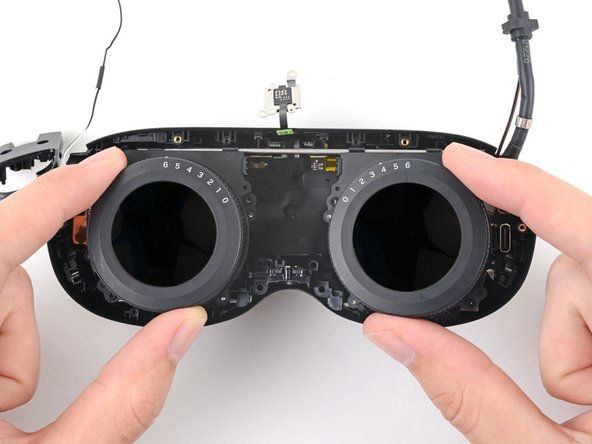
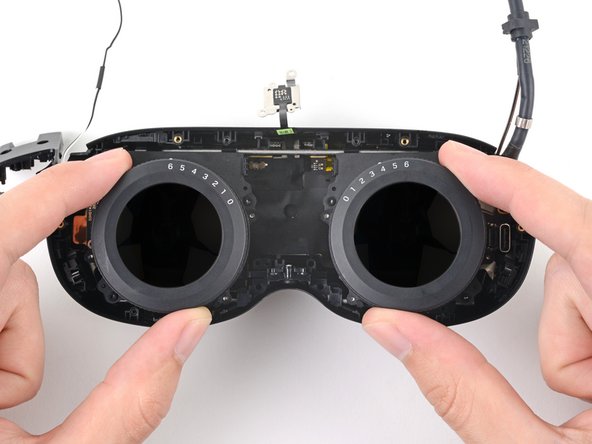
    • Pull the two lenses outward so they're as far apart as possible.

    Chiedi a FixBot

    Aggiungi Commento

  35. HTC Vive XR Elite Depth Sensor Replacement, Unfasten the lens assembly: passo 35, immagine 1 di 1
    • Use a T5 Torx screwdriver to remove the four screws securing the lens assembly:

    • Three 4.9 mm‑long screws

    • One 3.3 mm‑long screw

    Chiedi a FixBot

    Aggiungi Commento

  36. HTC Vive XR Elite Depth Sensor Replacement, Remove the brackets: passo 36, immagine 1 di 3 HTC Vive XR Elite Depth Sensor Replacement, Remove the brackets: passo 36, immagine 2 di 3 HTC Vive XR Elite Depth Sensor Replacement, Remove the brackets: passo 36, immagine 3 di 3
    Strumento utilizzato in questo passaggio:
    Tweezers
    $4.99
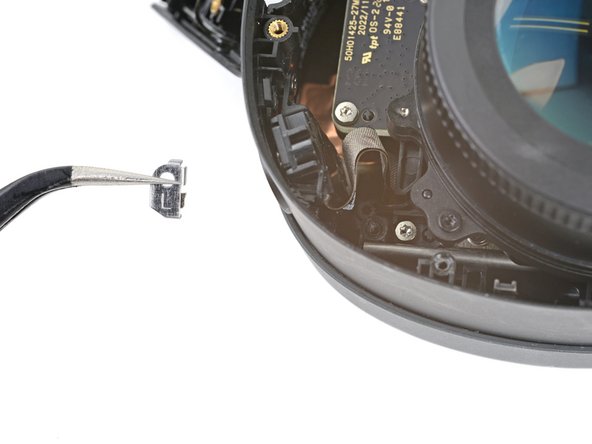
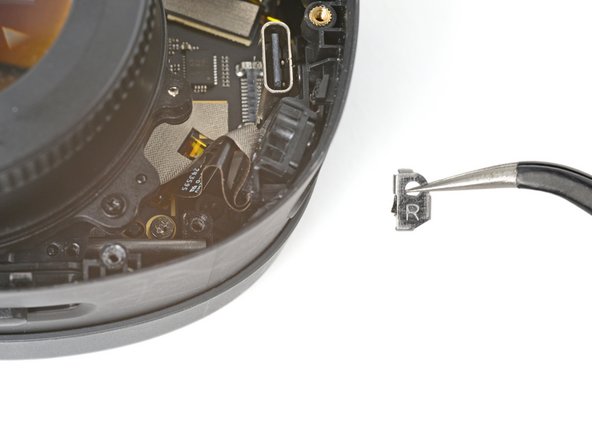
    • The screw brackets are secured with clips and adhesive.

    • Use tweezers to pull the left screw bracket of its post in the frame.

    • This may require some force. Be careful not to scratch any surrounding components.

    • Repeat this process for the right bracket.

    • During reassembly, use tweezers to align the brackets on their posts. Press down with the flat end of a spudger to engage and re-adhere the clips.

    Chiedi a FixBot

    Aggiungi Commento

  37. HTC Vive XR Elite Depth Sensor Replacement, Reposition the lens assembly: passo 37, immagine 1 di 2 HTC Vive XR Elite Depth Sensor Replacement, Reposition the lens assembly: passo 37, immagine 2 di 2
    • Lift the bottom of the lens assembly up to separate the bottom rails from their slots in the frame.

    Chiedi a FixBot

    Aggiungi Commento

  38. HTC Vive XR Elite Depth Sensor Replacement: passo 38, immagine 1 di 3 HTC Vive XR Elite Depth Sensor Replacement: passo 38, immagine 2 di 3 HTC Vive XR Elite Depth Sensor Replacement: passo 38, immagine 3 di 3
    • Pull the lens assembly upwards to separate the top rails from their slots in the frame.

    • Rotate the lens assembly towards the top of the frame so it sits upright with its cable connectors exposed.

    Chiedi a FixBot

    Aggiungi Commento

  39. HTC Vive XR Elite Depth Sensor Replacement, Unfasten the lens assembly cables: passo 39, immagine 1 di 1
    • Use a T5 Torx screwdriver to remove the four 3.4 mm‑long screws securing the lens assembly cables.

    Chiedi a FixBot

    Aggiungi Commento

  40. HTC Vive XR Elite Depth Sensor Replacement, Disconnect the lens assembly cables: passo 40, immagine 1 di 3 HTC Vive XR Elite Depth Sensor Replacement, Disconnect the lens assembly cables: passo 40, immagine 2 di 3 HTC Vive XR Elite Depth Sensor Replacement, Disconnect the lens assembly cables: passo 40, immagine 3 di 3
    • Use the flat end of a spudger to pry up and disconnect the lens assembly cable connector.

    • Repeat this procedure for the other connector.

    • To re-attach press connectors like this one, carefully align and press down on one side until it clicks into place, then repeat on the other side. Don't press down on the middle. If the connector is misaligned, the pins can bend, causing permanent damage.

    Chiedi a FixBot

    Aggiungi Commento

  41. HTC Vive XR Elite Depth Sensor Replacement, Remove the lens assembly: passo 41, immagine 1 di 2 HTC Vive XR Elite Depth Sensor Replacement, Remove the lens assembly: passo 41, immagine 2 di 2
    • Lift up and remove the lens assembly.

    Chiedi a FixBot

    Aggiungi Commento

  42. HTC Vive XR Elite Depth Sensor Replacement, Reassembly information: passo 42, immagine 1 di 3 HTC Vive XR Elite Depth Sensor Replacement, Reassembly information: passo 42, immagine 2 di 3 HTC Vive XR Elite Depth Sensor Replacement, Reassembly information: passo 42, immagine 3 di 3
    • The next four steps demonstrate how to secure the lens assembly to the frame during reassembly.

    • In order for the lens assembly to rest in the frame properly, it needs to align with a peg in the IPD (interpupillary distance) slider.

    • Before reinstalling the lens assembly, push the IPD slider to its right-most position.

    Chiedi a FixBot

    Aggiungi Commento

  43. HTC Vive XR Elite Depth Sensor Replacement: passo 43, immagine 1 di 3 HTC Vive XR Elite Depth Sensor Replacement: passo 43, immagine 2 di 3 HTC Vive XR Elite Depth Sensor Replacement: passo 43, immagine 3 di 3
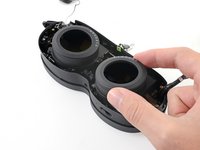
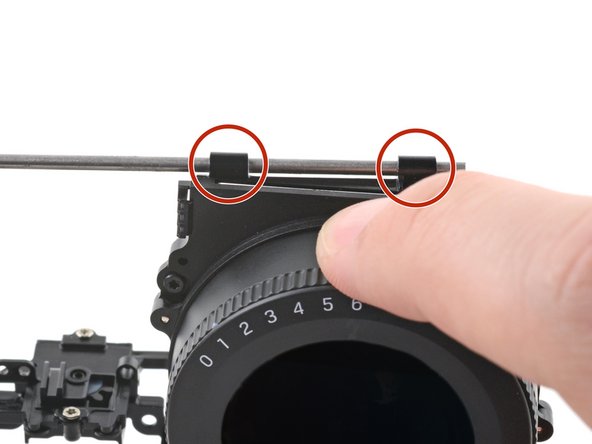
    • Pull the lens assembly outward until its plastic clips sit close to the end of the top rails.

    • You may need to push and pull the top rail so it sits evenly across the plastic clips.

    Chiedi a FixBot

    Aggiungi Commento

  44. HTC Vive XR Elite Depth Sensor Replacement: passo 44, immagine 1 di 3 HTC Vive XR Elite Depth Sensor Replacement: passo 44, immagine 2 di 3 HTC Vive XR Elite Depth Sensor Replacement: passo 44, immagine 3 di 3
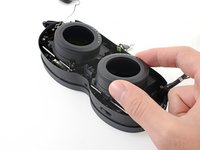
    • Push the bottom rails inwards as far as they will go.

    Chiedi a FixBot

    Aggiungi Commento

  45. HTC Vive XR Elite Depth Sensor Replacement: passo 45, immagine 1 di 3 HTC Vive XR Elite Depth Sensor Replacement: passo 45, immagine 2 di 3 HTC Vive XR Elite Depth Sensor Replacement: passo 45, immagine 3 di 3
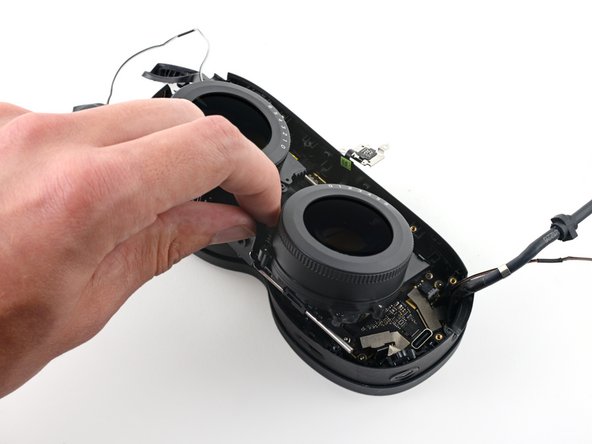
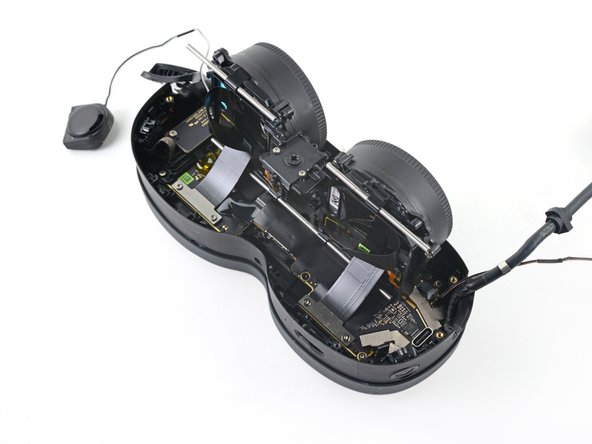
    • To secure the lens assembly into the frame:

    • Slide the top left rail into its slot.

    • Align the other rails.

    • Press the lens assembly into place, making sure to realign the center peg.

    Chiedi a FixBot

    Aggiungi Commento

  46. HTC Vive XR Elite Depth Sensor Replacement, Peel the tape: passo 46, immagine 1 di 3 HTC Vive XR Elite Depth Sensor Replacement, Peel the tape: passo 46, immagine 2 di 3 HTC Vive XR Elite Depth Sensor Replacement, Peel the tape: passo 46, immagine 3 di 3
    Strumento utilizzato in questo passaggio:
    Tweezers
    $4.99
    Chiedi a FixBot

    Aggiungi Commento

  47. HTC Vive XR Elite Depth Sensor Replacement: passo 47, immagine 1 di 1
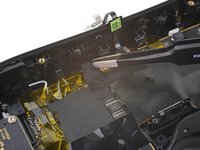
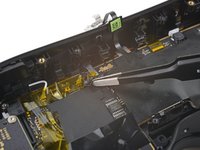
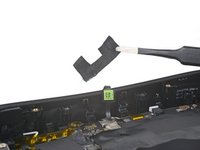
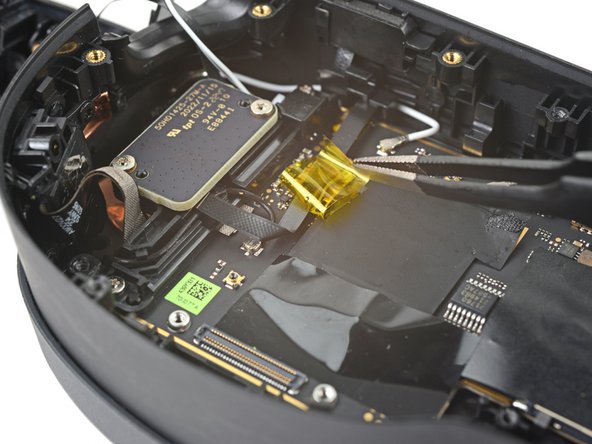
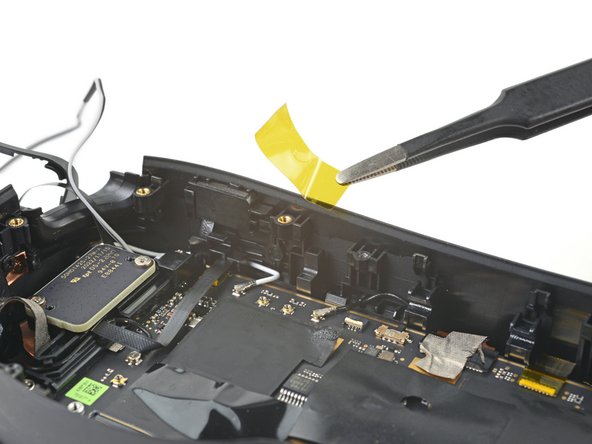
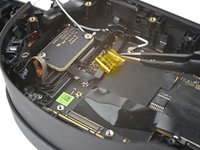
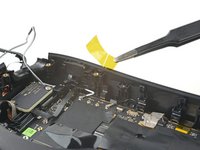
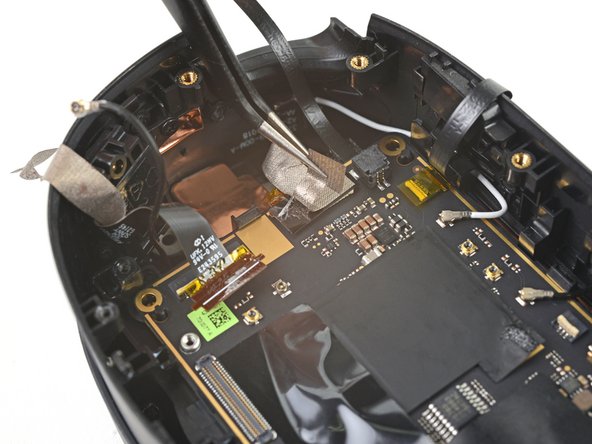
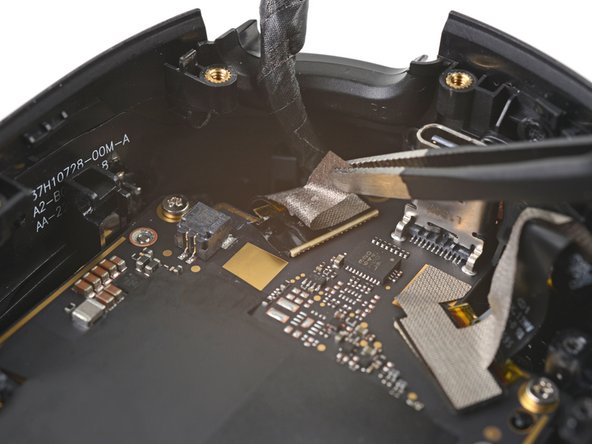
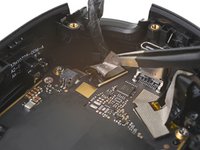
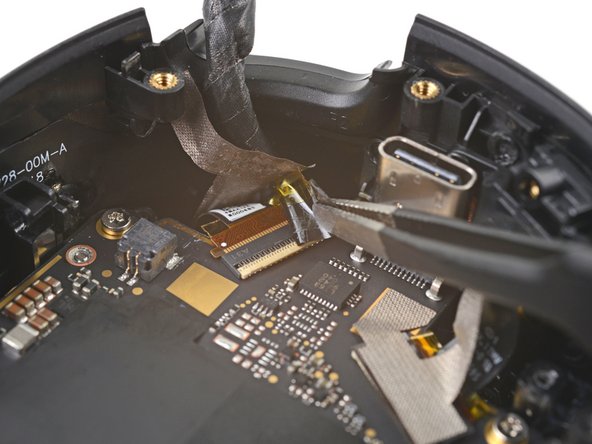
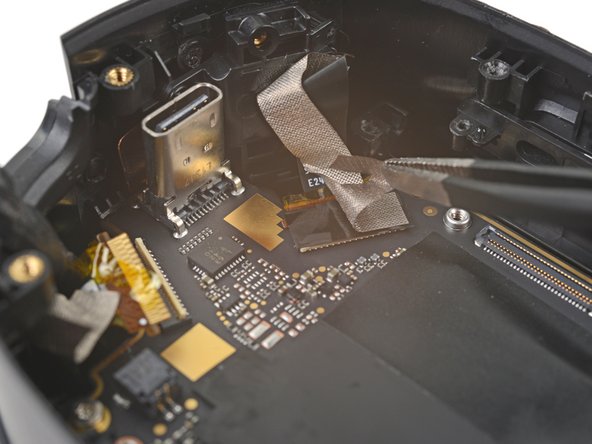
    • Peel off the yellow tape covering the proximity sensor connector.

    Chiedi a FixBot

    Aggiungi Commento

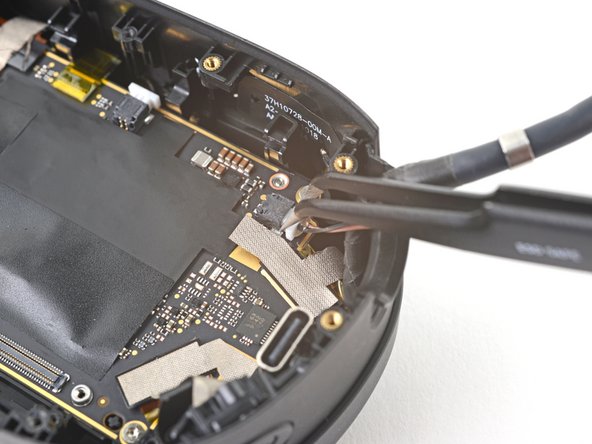
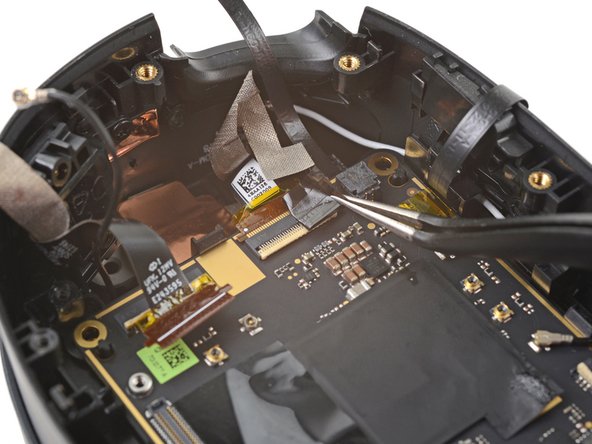
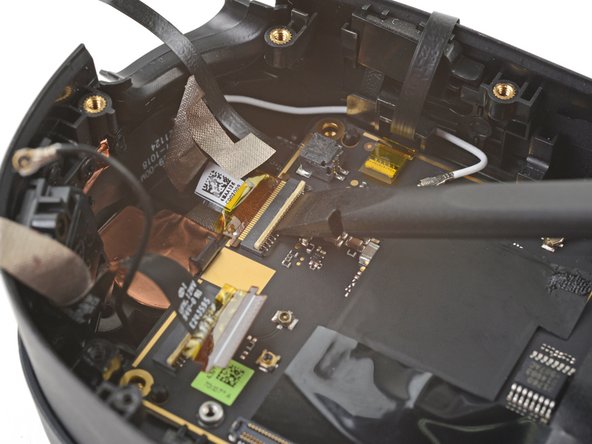
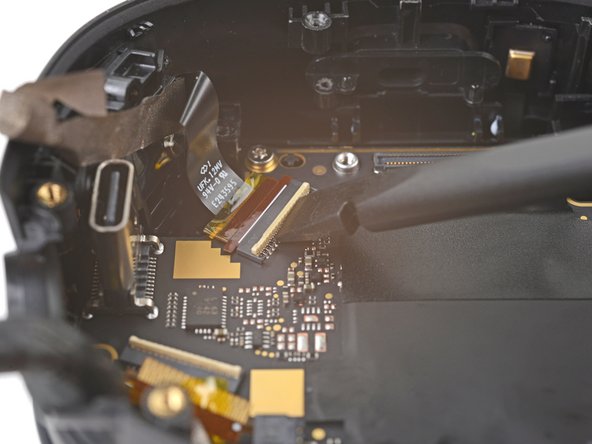
  48. HTC Vive XR Elite Depth Sensor Replacement, Disconnect the proximity sensor: passo 48, immagine 1 di 2 HTC Vive XR Elite Depth Sensor Replacement, Disconnect the proximity sensor: passo 48, immagine 2 di 2
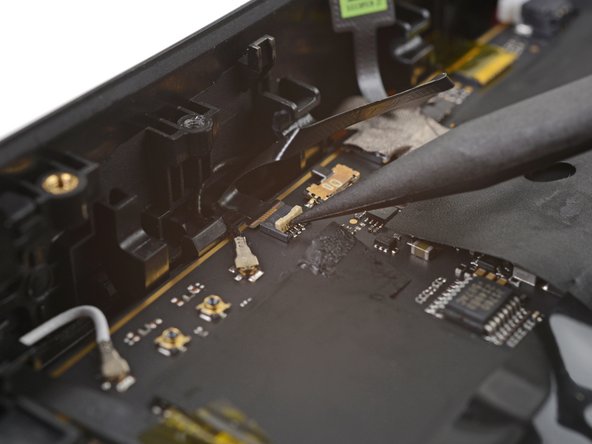
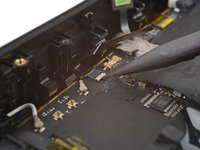
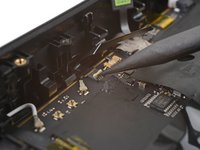
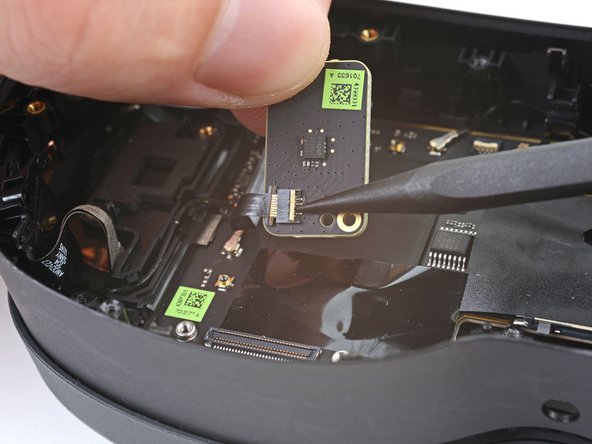
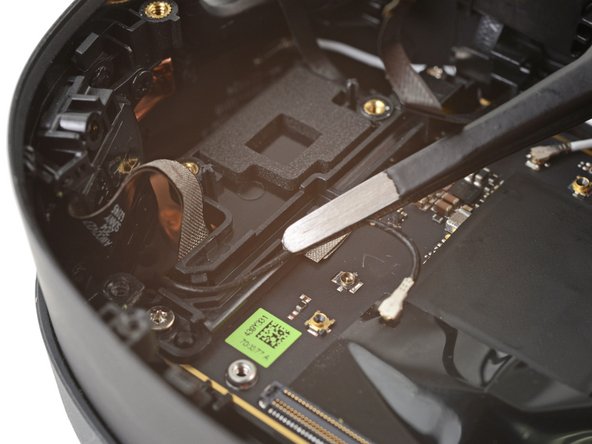
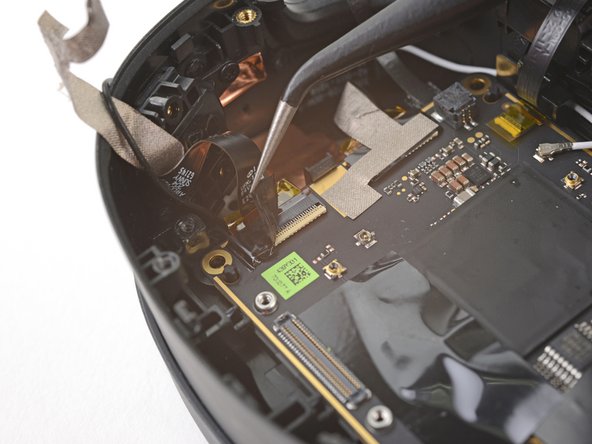
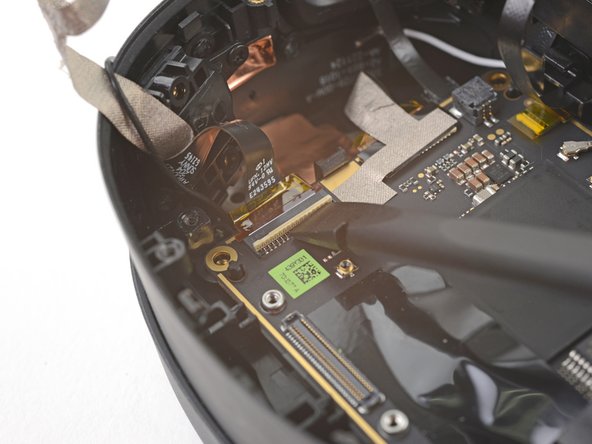
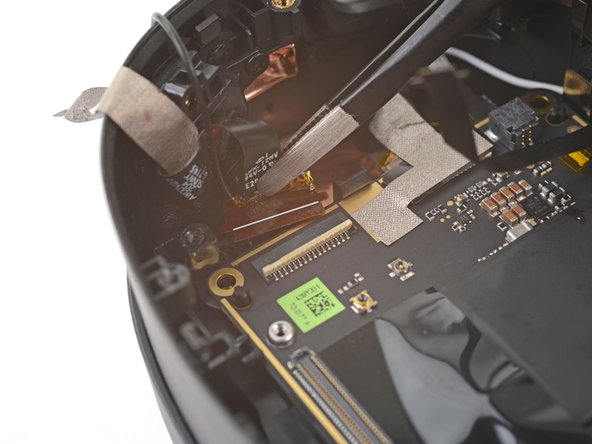
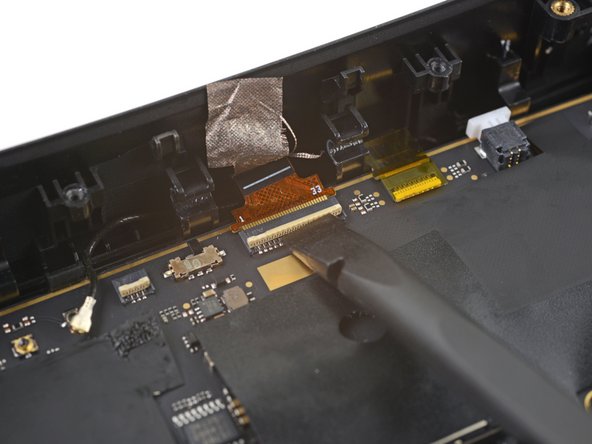
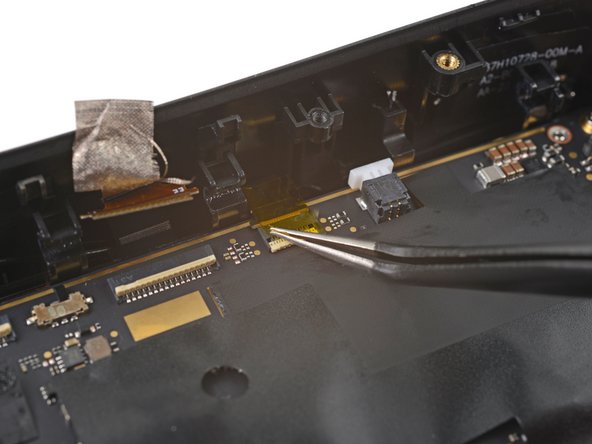
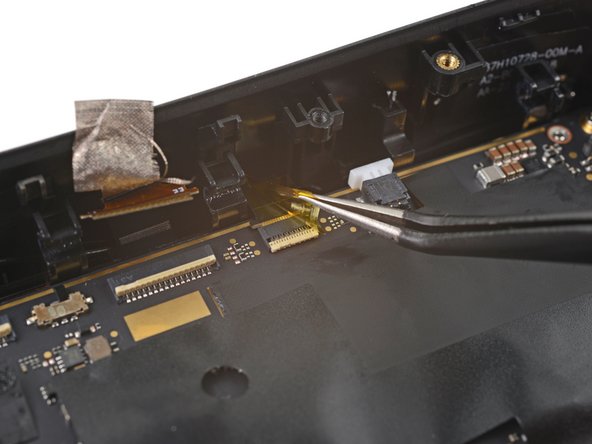
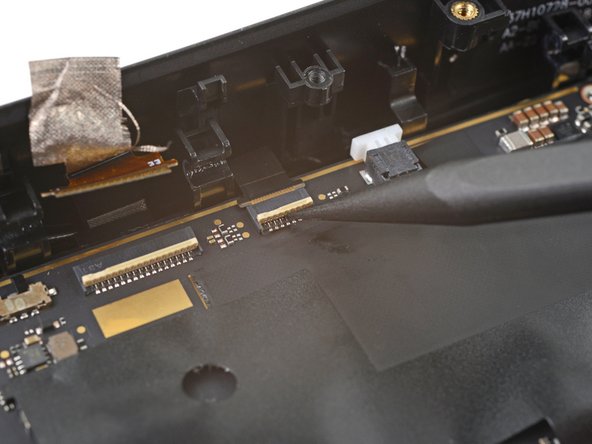
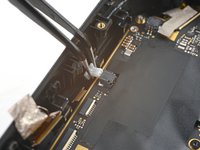
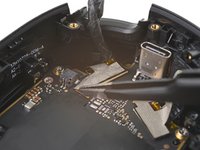
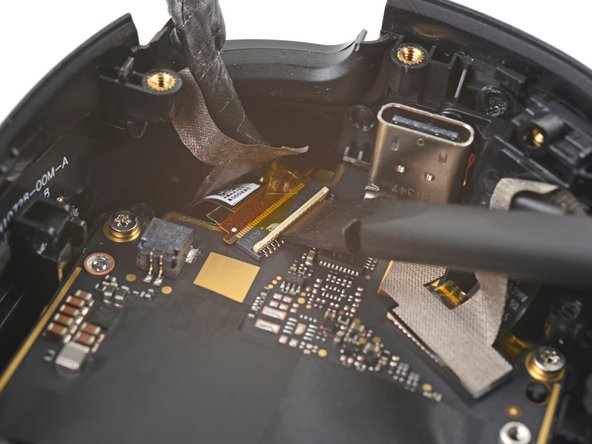
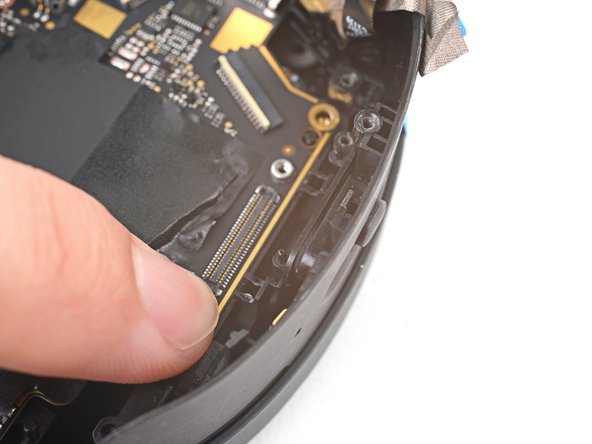
    • Use the point of a spudger to lift up the locking flap on the proximity sensor ZIF connector.

    Chiedi a FixBot

    Aggiungi Commento

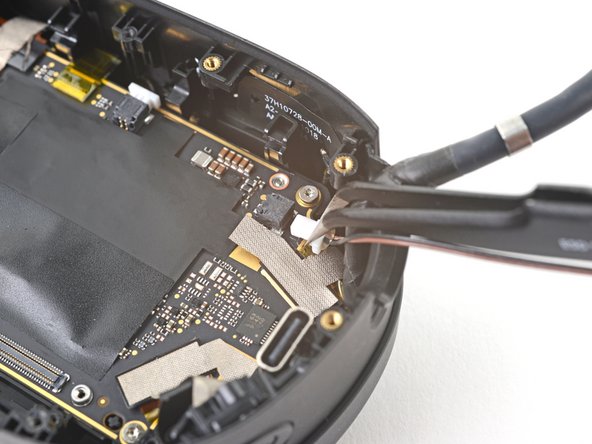
  49. HTC Vive XR Elite Depth Sensor Replacement: passo 49, immagine 1 di 2 HTC Vive XR Elite Depth Sensor Replacement: passo 49, immagine 2 di 2
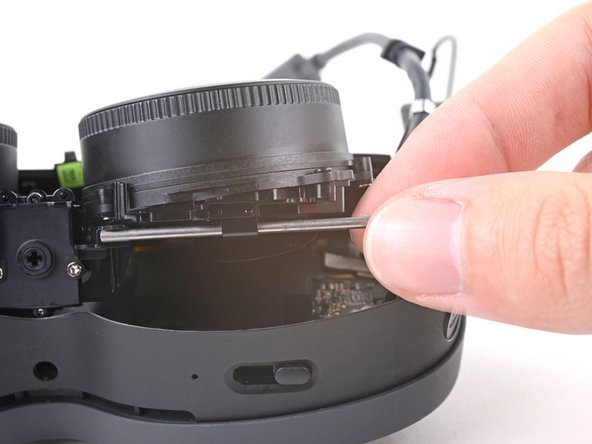
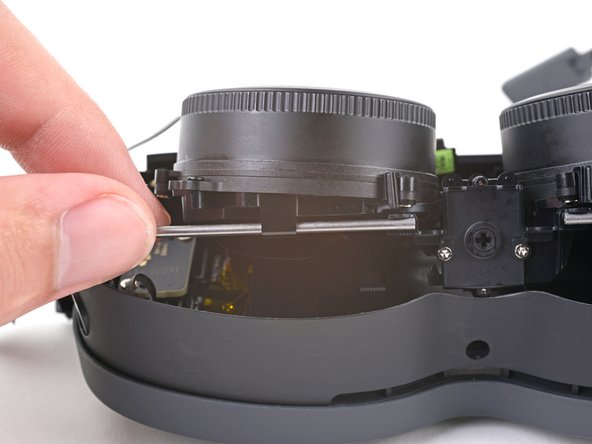
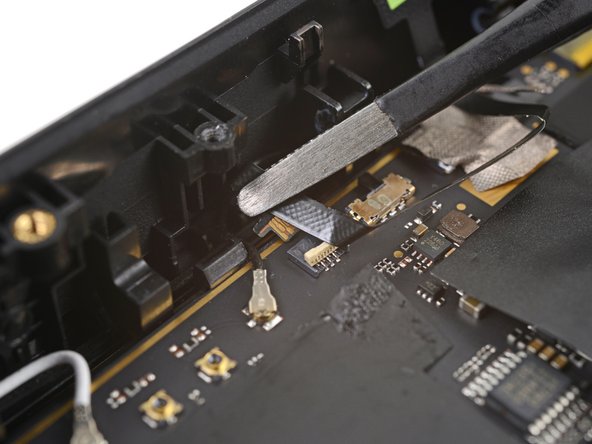
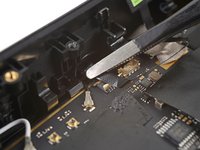
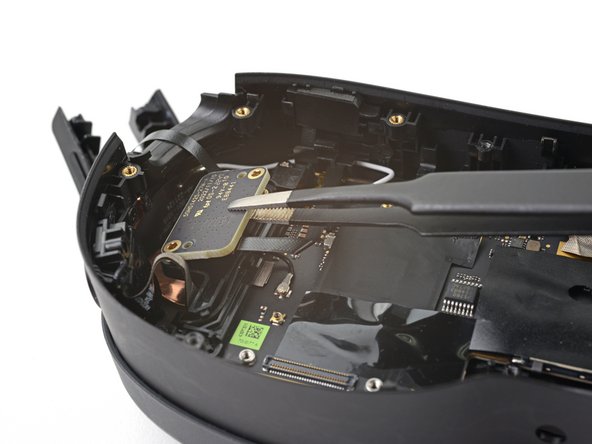
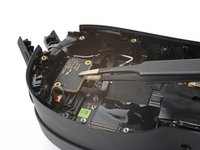
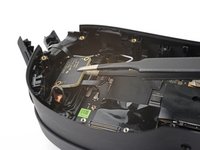
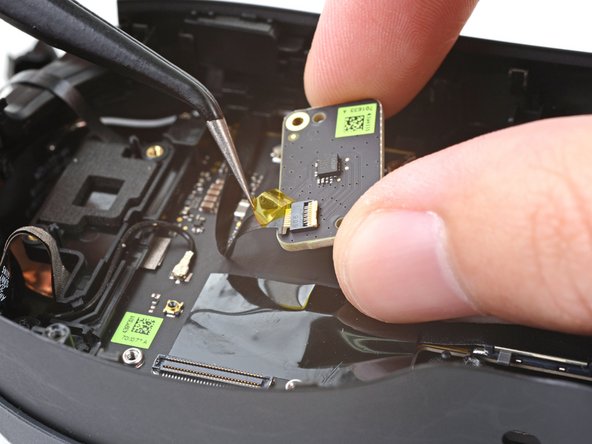
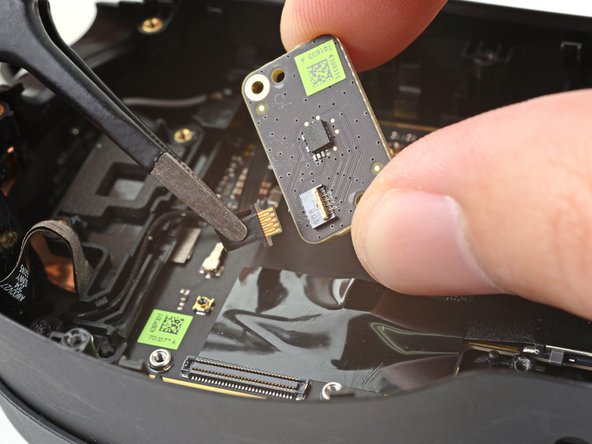
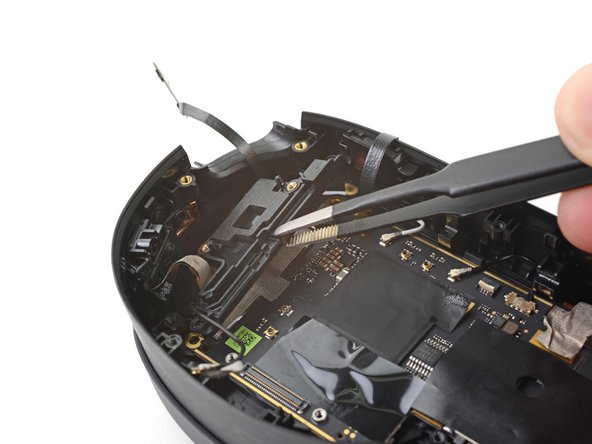
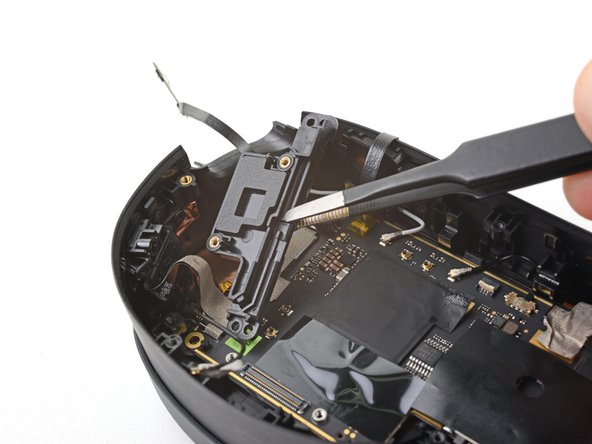
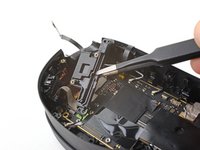
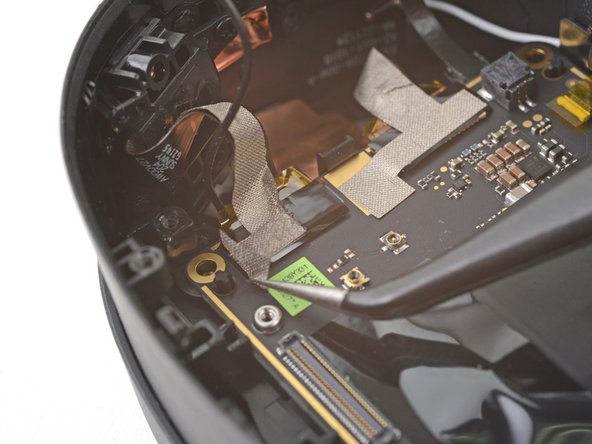
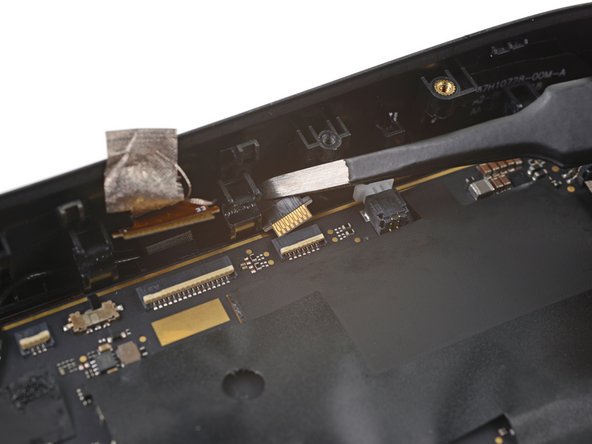
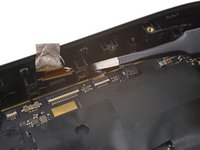
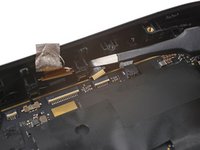
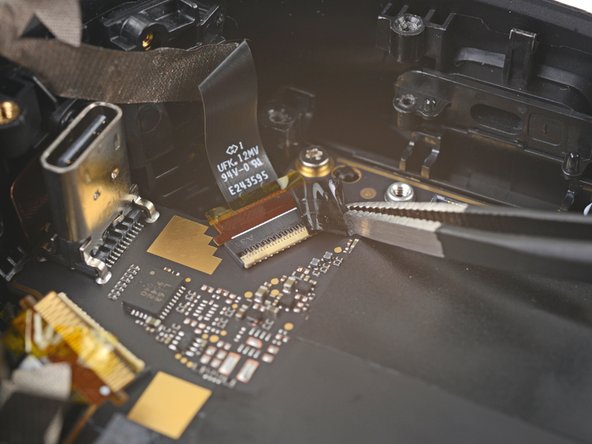
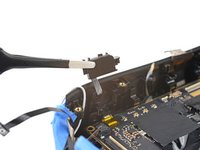
    • Use tweezers to pull the proximity sensor cable out of its slot in the motherboard.

    Chiedi a FixBot

    Aggiungi Commento

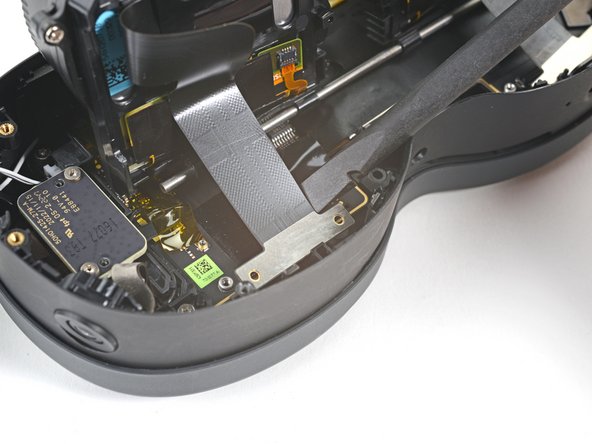
  50. HTC Vive XR Elite Depth Sensor Replacement, Remove the proximity sensor: passo 50, immagine 1 di 1
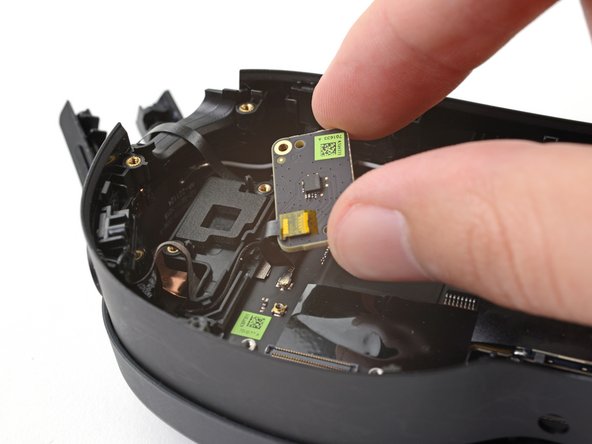
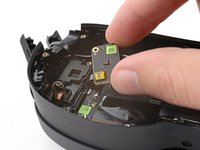
    • Remove the proximity sensor.

    Chiedi a FixBot

    Aggiungi Commento

  51. HTC Vive XR Elite Depth Sensor Replacement, Peel the tape: passo 51, immagine 1 di 3 HTC Vive XR Elite Depth Sensor Replacement, Peel the tape: passo 51, immagine 2 di 3 HTC Vive XR Elite Depth Sensor Replacement, Peel the tape: passo 51, immagine 3 di 3
    • Peel off the yellow tape covering the motion sensor cable.

    Chiedi a FixBot

    Aggiungi Commento

  52. HTC Vive XR Elite Depth Sensor Replacement, Unfasten the motion sensor: passo 52, immagine 1 di 1
    • Use a T5 Torx screwdriver to remove the two 3.4 mm‑long screws securing the motion sensor.

    Chiedi a FixBot

    Aggiungi Commento

  53. HTC Vive XR Elite Depth Sensor Replacement, Reposition the motion sensor: passo 53, immagine 1 di 3 HTC Vive XR Elite Depth Sensor Replacement, Reposition the motion sensor: passo 53, immagine 2 di 3 HTC Vive XR Elite Depth Sensor Replacement, Reposition the motion sensor: passo 53, immagine 3 di 3
    • Don't try to fully remove the motion sensor yet, as it's still connected by a cable.

    • Lift the motion sensor off its pegs in the frame.

    • Flip over the motion sensor and lay it on the frame before continuing.

    Chiedi a FixBot

    Aggiungi Commento

  54. HTC Vive XR Elite Depth Sensor Replacement, Peel the tape: passo 54, immagine 1 di 2 HTC Vive XR Elite Depth Sensor Replacement, Peel the tape: passo 54, immagine 2 di 2
    • Peel off the yellow tape covering the motion sensor cable connector.

    Chiedi a FixBot

    Aggiungi Commento

  55. HTC Vive XR Elite Depth Sensor Replacement, Disconnect the motion sensor: passo 55, immagine 1 di 2 HTC Vive XR Elite Depth Sensor Replacement, Disconnect the motion sensor: passo 55, immagine 2 di 2
    • Use the point of a spudger to lift up the locking flap on the motion sensor ZIF connector.

    Chiedi a FixBot

    Aggiungi Commento

  56. HTC Vive XR Elite Depth Sensor Replacement, Remove the motion sensor: passo 56, immagine 1 di 2 HTC Vive XR Elite Depth Sensor Replacement, Remove the motion sensor: passo 56, immagine 2 di 2
    Strumento utilizzato in questo passaggio:
    Tweezers
    $4.99
    • Use tweezers to pull the motion sensor cable connector out of its slot.

    • Remove the motion sensor.

    Chiedi a FixBot

    Aggiungi Commento

  57. HTC Vive XR Elite Depth Sensor Replacement, Disconnect the right speaker: passo 57, immagine 1 di 3 HTC Vive XR Elite Depth Sensor Replacement, Disconnect the right speaker: passo 57, immagine 2 di 3 HTC Vive XR Elite Depth Sensor Replacement, Disconnect the right speaker: passo 57, immagine 3 di 3
    Strumento utilizzato in questo passaggio:
    Tweezers
    $4.99
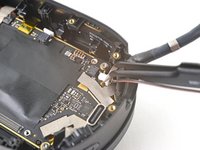
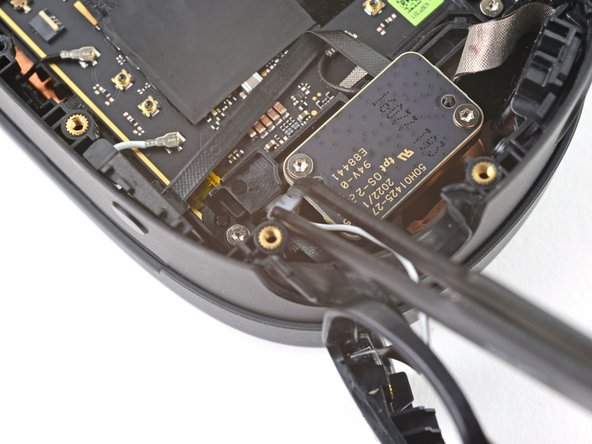
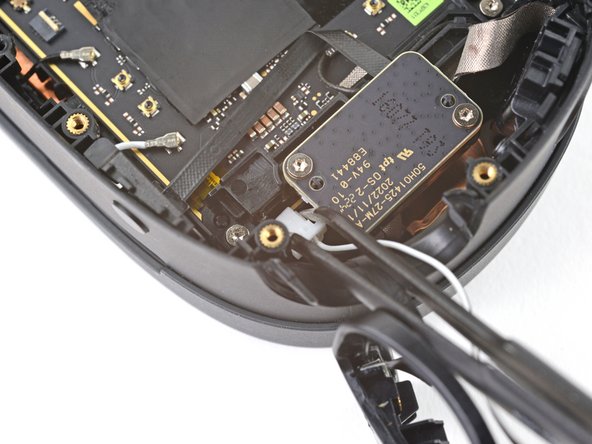
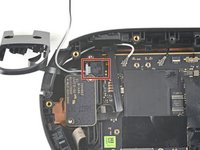
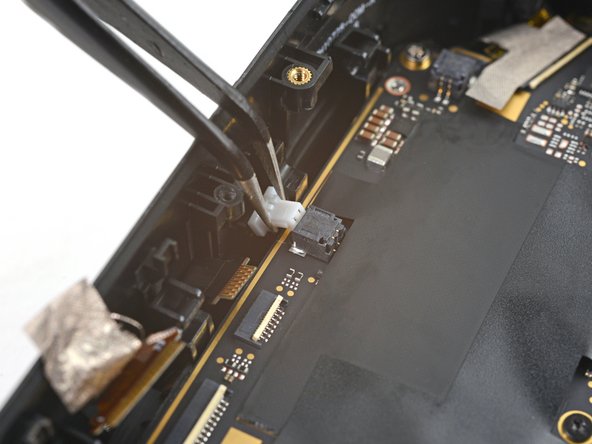
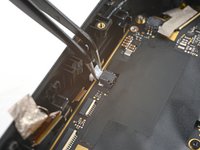
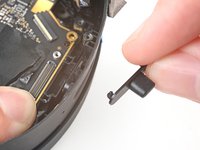
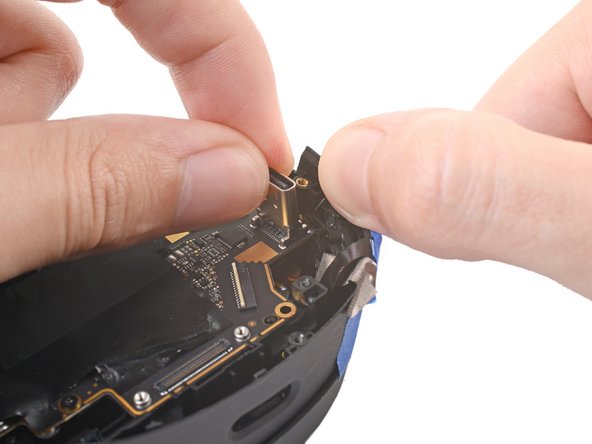
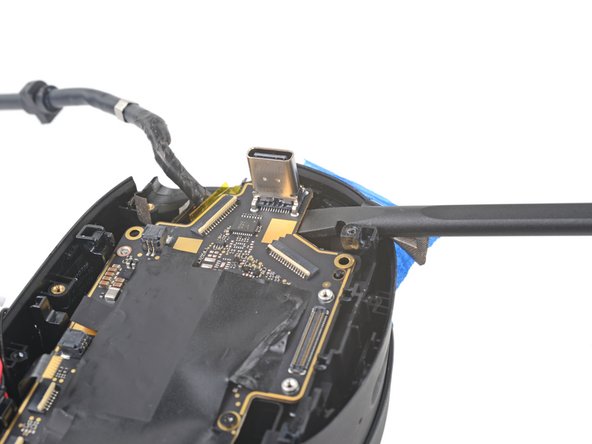
    • Use tweezers to pull the right speaker connector out of its socket.

    • If you're having trouble, try rocking the connector side-to-side to help loosen it.

    Chiedi a FixBot

    Aggiungi Commento

  58. HTC Vive XR Elite Depth Sensor Replacement, Remove the right speaker: passo 58, immagine 1 di 1
    • Remove the right speaker.

    Chiedi a FixBot

    Aggiungi Commento

  59. HTC Vive XR Elite Depth Sensor Replacement, Disconnect the left speaker: passo 59, immagine 1 di 3 HTC Vive XR Elite Depth Sensor Replacement, Disconnect the left speaker: passo 59, immagine 2 di 3 HTC Vive XR Elite Depth Sensor Replacement, Disconnect the left speaker: passo 59, immagine 3 di 3
    • Use tweezers to pull the left speaker connector out of its socket.

    • If you're having trouble, try rocking the connector side-to-side to help loosen it.

    Chiedi a FixBot

    Aggiungi Commento

  60. HTC Vive XR Elite Depth Sensor Replacement, Remove the left speaker: passo 60, immagine 1 di 1
    • Remove the left speaker.

    Chiedi a FixBot

    Aggiungi Commento

  61. HTC Vive XR Elite Depth Sensor Replacement, Separate the volume button cable: passo 61, immagine 1 di 2 HTC Vive XR Elite Depth Sensor Replacement, Separate the volume button cable: passo 61, immagine 2 di 2
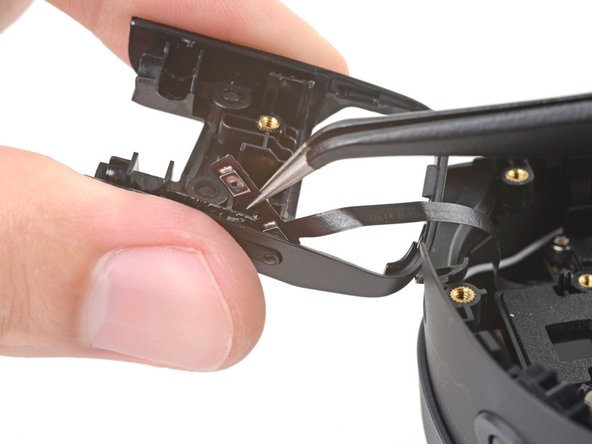
    • The volume button cable is lightly adhered to the left inner hinge cover.

    • Insert one arm of your tweezers between the volume button cable and the hinge cover.

    • Pry away from the hinge cover to separate the adhesive.

    Chiedi a FixBot

    Aggiungi Commento

  62. HTC Vive XR Elite Depth Sensor Replacement: passo 62, immagine 1 di 3 HTC Vive XR Elite Depth Sensor Replacement: passo 62, immagine 2 di 3 HTC Vive XR Elite Depth Sensor Replacement: passo 62, immagine 3 di 3
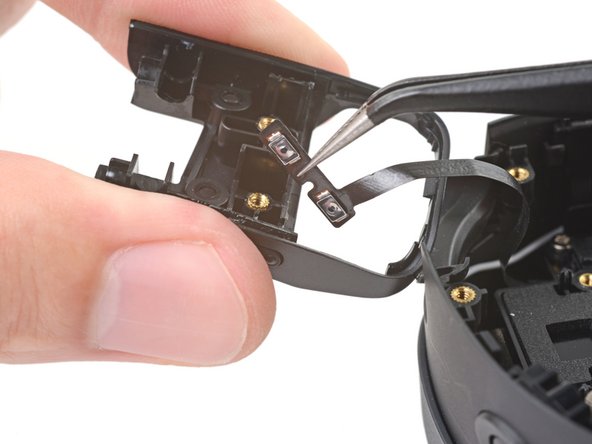
    • Use your tweezers to pull the volume button cable out of its slot in the hinge cover.

    Chiedi a FixBot

    Aggiungi Commento

  63. HTC Vive XR Elite Depth Sensor Replacement, Disconnect the bottom left antenna: passo 63, immagine 1 di 2 HTC Vive XR Elite Depth Sensor Replacement, Disconnect the bottom left antenna: passo 63, immagine 2 di 2
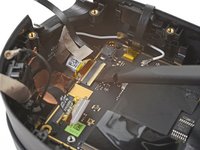
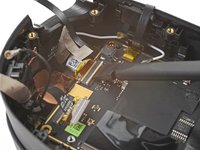
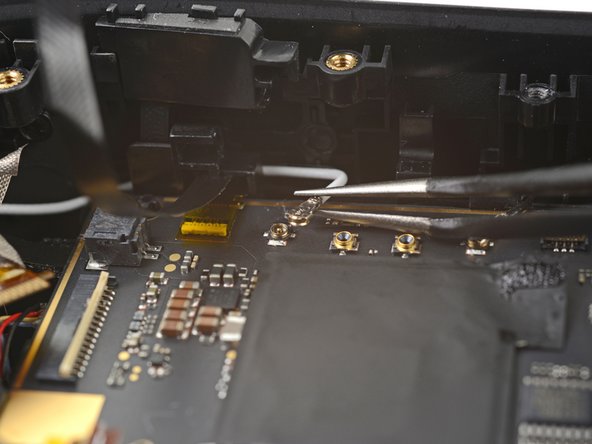
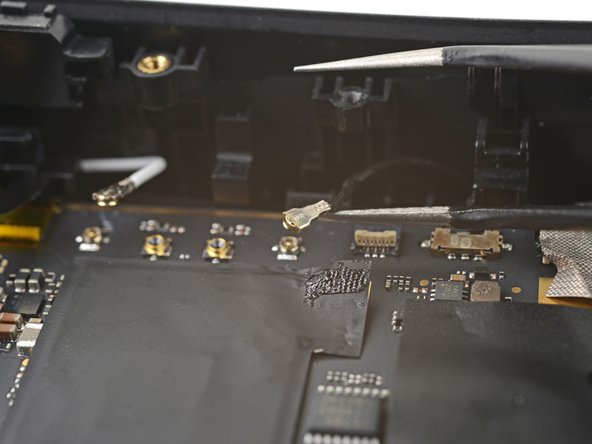
    • Use one arm of your tweezers to pry up and disconnect the bottom left antenna cable.

    • During reassembly, these can be tricky to reconnect. Hold the connector in place over its socket and press down with the flat end of a spudger. The connector should snap into place.

    Chiedi a FixBot

    Aggiungi Commento

  64. HTC Vive XR Elite Depth Sensor Replacement, Reposition the bottom left antenna cable: passo 64, immagine 1 di 2 HTC Vive XR Elite Depth Sensor Replacement, Reposition the bottom left antenna cable: passo 64, immagine 2 di 2
    Chiedi a FixBot

    Aggiungi Commento

  65. HTC Vive XR Elite Depth Sensor Replacement, Unfasten the motion sensor bracket: passo 65, immagine 1 di 1
    • Use a T5 Torx screwdriver to remove the two 4.9 mm‑long screws securing the motion sensor bracket.

    Chiedi a FixBot

    Aggiungi Commento

  66. HTC Vive XR Elite Depth Sensor Replacement, Remove the motion sensor bracket: passo 66, immagine 1 di 3 HTC Vive XR Elite Depth Sensor Replacement, Remove the motion sensor bracket: passo 66, immagine 2 di 3 HTC Vive XR Elite Depth Sensor Replacement, Remove the motion sensor bracket: passo 66, immagine 3 di 3
    • Lift the motion sensor off its pegs on the motherboard.

    • Remove the motion sensor bracket.

    Chiedi a FixBot

    Aggiungi Commento

  67. HTC Vive XR Elite Depth Sensor Replacement, Peel the tape: passo 67, immagine 1 di 2 HTC Vive XR Elite Depth Sensor Replacement, Peel the tape: passo 67, immagine 2 di 2
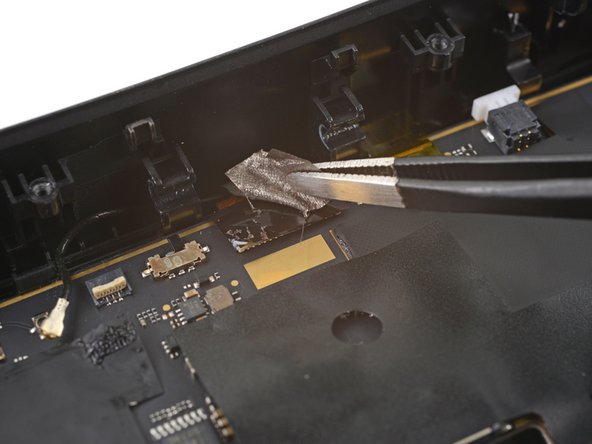
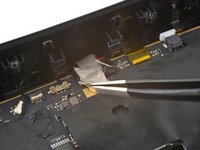
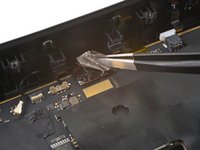
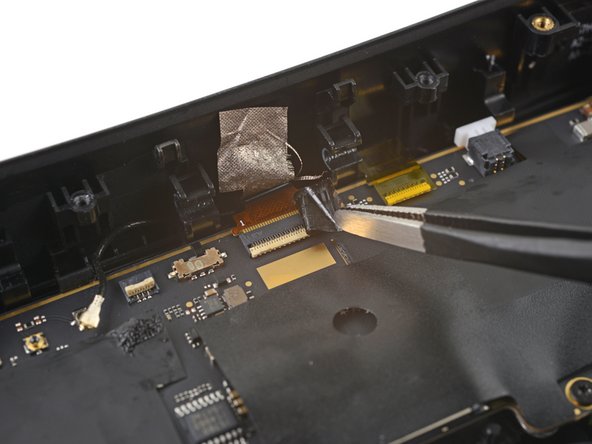
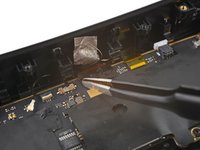
    • Use tweezers to peel back the gray conductive tape covering the left side‑camera ZIF connector.

    Chiedi a FixBot

    Aggiungi Commento

  68. HTC Vive XR Elite Depth Sensor Replacement: passo 68, immagine 1 di 2 HTC Vive XR Elite Depth Sensor Replacement: passo 68, immagine 2 di 2
    • Use tweezers to peel off the black tape covering the left side‑camera ZIF connector.

    Chiedi a FixBot

    Aggiungi Commento

  69. HTC Vive XR Elite Depth Sensor Replacement, Disconnect the left side camera: passo 69, immagine 1 di 2 HTC Vive XR Elite Depth Sensor Replacement, Disconnect the left side camera: passo 69, immagine 2 di 2
    • Use flat end of a spudger to lift up the locking flap on the left side‑camera ZIF connector.

    Chiedi a FixBot

    Aggiungi Commento

  70. HTC Vive XR Elite Depth Sensor Replacement: passo 70, immagine 1 di 2 HTC Vive XR Elite Depth Sensor Replacement: passo 70, immagine 2 di 2
    • Use tweezers to pull the left side‑camera cable connector out of its slot in the motherboard.

    Chiedi a FixBot

    Aggiungi Commento

  71. HTC Vive XR Elite Depth Sensor Replacement, Peel the tape: passo 71, immagine 1 di 2 HTC Vive XR Elite Depth Sensor Replacement, Peel the tape: passo 71, immagine 2 di 2
    • Use tweezers to peel back the gray conductive tape covering the left tracking camera ZIF connector.

    Chiedi a FixBot

    Aggiungi Commento

  72. HTC Vive XR Elite Depth Sensor Replacement: passo 72, immagine 1 di 2 HTC Vive XR Elite Depth Sensor Replacement: passo 72, immagine 2 di 2
    • Use tweezers to peel off the black tape covering the left tracking camera ZIF connector.

    Chiedi a FixBot

    Aggiungi Commento

  73. HTC Vive XR Elite Depth Sensor Replacement, Disconnect the left tracking camera: passo 73, immagine 1 di 2 HTC Vive XR Elite Depth Sensor Replacement, Disconnect the left tracking camera: passo 73, immagine 2 di 2
    • Use a spudger to lift up the locking flap on the left tracking camera ZIF connector.

    Chiedi a FixBot

    Aggiungi Commento

  74. HTC Vive XR Elite Depth Sensor Replacement: passo 74, immagine 1 di 1
    • Use tweezers to pull the left tracking camera cable connector out of its slot in the motherboard.

    Chiedi a FixBot

    Aggiungi Commento

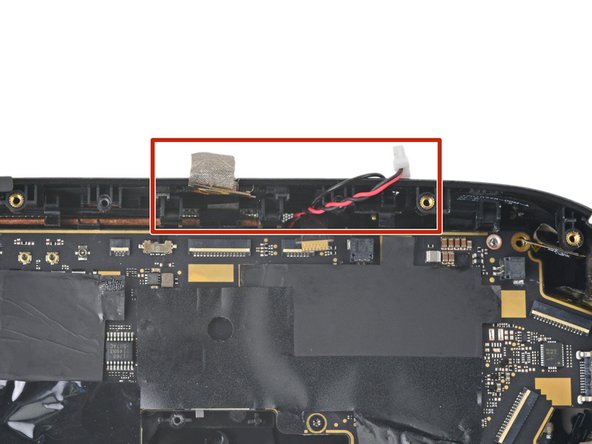
  75. HTC Vive XR Elite Depth Sensor Replacement, Disconnect the antennas: passo 75, immagine 1 di 3 HTC Vive XR Elite Depth Sensor Replacement, Disconnect the antennas: passo 75, immagine 2 di 3 HTC Vive XR Elite Depth Sensor Replacement, Disconnect the antennas: passo 75, immagine 3 di 3
    Chiedi a FixBot

    Aggiungi Commento

  76. HTC Vive XR Elite Depth Sensor Replacement, Peel the tape: passo 76, immagine 1 di 2 HTC Vive XR Elite Depth Sensor Replacement, Peel the tape: passo 76, immagine 2 di 2
    Chiedi a FixBot

    Aggiungi Commento

  77. HTC Vive XR Elite Depth Sensor Replacement: passo 77, immagine 1 di 2 HTC Vive XR Elite Depth Sensor Replacement: passo 77, immagine 2 di 2
    • Use tweezers to peel off the black tape covering the pass-through camera ZIF connector.

    Chiedi a FixBot

    Aggiungi Commento

  78. HTC Vive XR Elite Depth Sensor Replacement, Disconnect the pass-through camera: passo 78, immagine 1 di 2 HTC Vive XR Elite Depth Sensor Replacement, Disconnect the pass-through camera: passo 78, immagine 2 di 2
    • Use a spudger to lift up the locking flap on the pass-through camera ZIF connector.

    Chiedi a FixBot

    Aggiungi Commento

  79. HTC Vive XR Elite Depth Sensor Replacement: passo 79, immagine 1 di 1
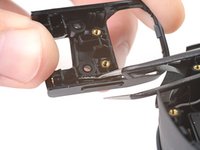
    • Use tweezers to pull the pass-through camera cable connector out of its slot in the motherboard.

    Chiedi a FixBot

    Aggiungi Commento

  80. HTC Vive XR Elite Depth Sensor Replacement, Peel the tape: passo 80, immagine 1 di 2 HTC Vive XR Elite Depth Sensor Replacement, Peel the tape: passo 80, immagine 2 di 2
    Chiedi a FixBot

    Aggiungi Commento

  81. HTC Vive XR Elite Depth Sensor Replacement, Disconnect the microphone: passo 81, immagine 1 di 2 HTC Vive XR Elite Depth Sensor Replacement, Disconnect the microphone: passo 81, immagine 2 di 2
    • Use the point of a spudger to lift up the locking flap on the microphone ZIF connector.

    Chiedi a FixBot

    Aggiungi Commento

  82. HTC Vive XR Elite Depth Sensor Replacement: passo 82, immagine 1 di 2 HTC Vive XR Elite Depth Sensor Replacement: passo 82, immagine 2 di 2
    • Use tweezers to pull the microphone cable connector out of its slot in the motherboard.

    Chiedi a FixBot

    Aggiungi Commento

  83. HTC Vive XR Elite Depth Sensor Replacement, Disconnect the depth sensor: passo 83, immagine 1 di 2 HTC Vive XR Elite Depth Sensor Replacement, Disconnect the depth sensor: passo 83, immagine 2 di 2
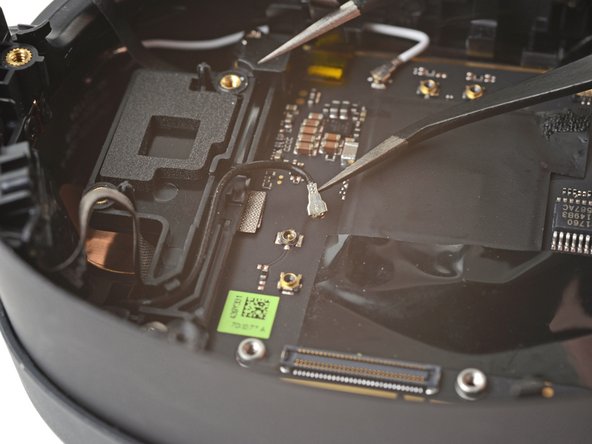
    • Use tweezers to pull the depth sensor cable connector out of its slot in the motherboard.

    Chiedi a FixBot

    Aggiungi Commento

  84. HTC Vive XR Elite Depth Sensor Replacement, Peel the tape: passo 84, immagine 1 di 2 HTC Vive XR Elite Depth Sensor Replacement, Peel the tape: passo 84, immagine 2 di 2
    • Use tweezers to peel back the gray conductive tape covering the right tracking camera ZIF connector.

    Chiedi a FixBot

    Aggiungi Commento

  85. HTC Vive XR Elite Depth Sensor Replacement: passo 85, immagine 1 di 2 HTC Vive XR Elite Depth Sensor Replacement: passo 85, immagine 2 di 2
    • Use tweezers to peel off the black tape covering the right tracking camera ZIF connector.

    Chiedi a FixBot

    Aggiungi Commento

  86. HTC Vive XR Elite Depth Sensor Replacement, Disconnect the right tracking camera: passo 86, immagine 1 di 2 HTC Vive XR Elite Depth Sensor Replacement, Disconnect the right tracking camera: passo 86, immagine 2 di 2
    • Use a spudger to lift up the locking flap on the right tracking camera ZIF connector.

    Chiedi a FixBot

    Aggiungi Commento

  87. HTC Vive XR Elite Depth Sensor Replacement: passo 87, immagine 1 di 1
    • Use tweezers to pull the right tracking camera cable connector out of its slot.

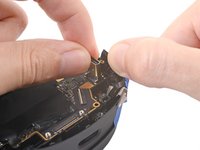
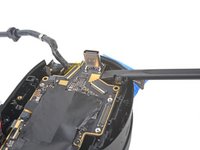
    Chiedi a FixBot

    Aggiungi Commento

  88. HTC Vive XR Elite Depth Sensor Replacement, Peel the tape: passo 88, immagine 1 di 2 HTC Vive XR Elite Depth Sensor Replacement, Peel the tape: passo 88, immagine 2 di 2
    • Use tweezers to peel back the gray conductive tape covering the right side‑camera ZIF connector.

    Chiedi a FixBot

    Aggiungi Commento

  89. HTC Vive XR Elite Depth Sensor Replacement: passo 89, immagine 1 di 2 HTC Vive XR Elite Depth Sensor Replacement: passo 89, immagine 2 di 2
    • Use tweezers to peel off the black tape covering the right side‑camera ZIF connector.

    Chiedi a FixBot

    Aggiungi Commento

  90. HTC Vive XR Elite Depth Sensor Replacement, Disconnect the right side camera: passo 90, immagine 1 di 2 HTC Vive XR Elite Depth Sensor Replacement, Disconnect the right side camera: passo 90, immagine 2 di 2
    • Use a spudger to lift up the locking flap on the right side-camera ZIF connector.

    Chiedi a FixBot

    Aggiungi Commento

  91. HTC Vive XR Elite Depth Sensor Replacement: passo 91, immagine 1 di 1
    • Use tweezers to pull the right side‑camera cable connector out of its slot.

    Chiedi a FixBot

    Aggiungi Commento

  92. HTC Vive XR Elite Depth Sensor Replacement, Unfasten the motherboard frame: passo 92, immagine 1 di 1
    • Use a T5 Torx screwdriver to remove the two 4.9 mm‑long screws securing the motherboard frame.

    Chiedi a FixBot

    Aggiungi Commento

  93. HTC Vive XR Elite Depth Sensor Replacement, Tape the cables: passo 93, immagine 1 di 2 HTC Vive XR Elite Depth Sensor Replacement, Tape the cables: passo 93, immagine 2 di 2
    • Use tape with light adhesive, such as painter's tape, to keep the left and right side cables away from the motherboard.

    • The cables near the top edge need slack for the motherboard to rest properly in the frame. Avoid taping them tightly—or avoid taping them altogether.

    Chiedi a FixBot

    Aggiungi Commento

  94. HTC Vive XR Elite Depth Sensor Replacement, Disconnect the power button: passo 94, immagine 1 di 2 HTC Vive XR Elite Depth Sensor Replacement, Disconnect the power button: passo 94, immagine 2 di 2
    • Lift the power button out of its slot in the frame.

    • Don't remove the button completely, as it's still attached by a cable.

    Chiedi a FixBot

    Aggiungi Commento

  95. HTC Vive XR Elite Depth Sensor Replacement, Remove the IPD slider: passo 95, immagine 1 di 2 HTC Vive XR Elite Depth Sensor Replacement, Remove the IPD slider: passo 95, immagine 2 di 2
    • Press down the bottom right corner of the motherboard so its edge rests under the IPD slider.

    Chiedi a FixBot

    Aggiungi Commento

  96. HTC Vive XR Elite Depth Sensor Replacement: passo 96, immagine 1 di 3 HTC Vive XR Elite Depth Sensor Replacement: passo 96, immagine 2 di 3 HTC Vive XR Elite Depth Sensor Replacement: passo 96, immagine 3 di 3
    • While pressing down on the motherboard, push the IPD slider out of its slot in the frame.

    • Remove the IPD slider.

    Chiedi a FixBot

    Aggiungi Commento

  97. HTC Vive XR Elite Depth Sensor Replacement, Remove the motherboard assembly: passo 97, immagine 1 di 3 HTC Vive XR Elite Depth Sensor Replacement, Remove the motherboard assembly: passo 97, immagine 2 di 3 HTC Vive XR Elite Depth Sensor Replacement, Remove the motherboard assembly: passo 97, immagine 3 di 3
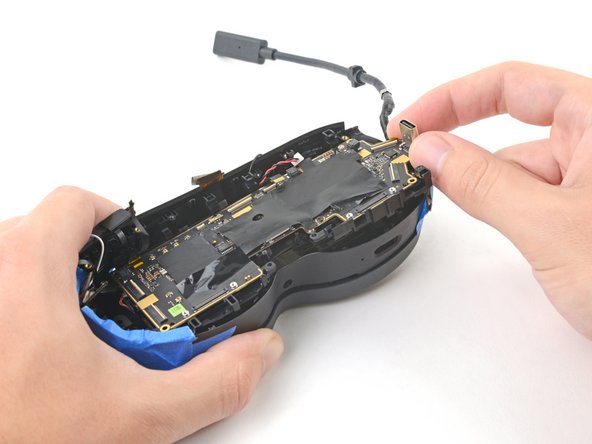
    • Grip the USB-C port with one hand and the right side of the frame with the other.

    • Pull the frame outward while lifting the motherboard assembly until it clears its slot next to the right side‑camera.

    • Use a spudger to pry up the motherboard assembly until its right side completely clears the frame.

    Chiedi a FixBot

    Aggiungi Commento

  98. HTC Vive XR Elite Depth Sensor Replacement: passo 98, immagine 1 di 3 HTC Vive XR Elite Depth Sensor Replacement: passo 98, immagine 2 di 3 HTC Vive XR Elite Depth Sensor Replacement: passo 98, immagine 3 di 3
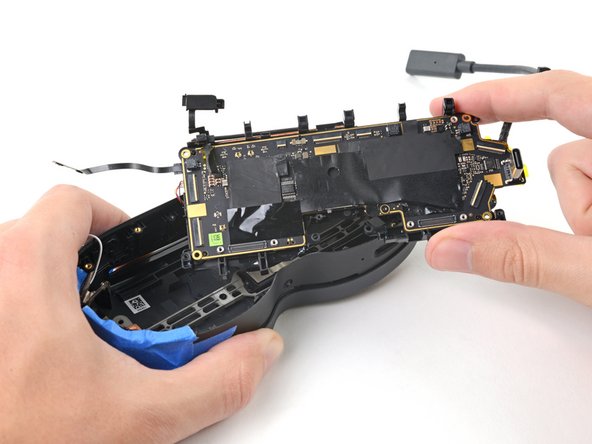
    • Pull the right side of the motherboard assembly toward the bottom edge of the device to separate it from the frame.

    • Remove the motherboard assembly.

    • During reassembly, make sure the cables stay above the motherboard assembly as you reinstall it.

    Chiedi a FixBot

    Aggiungi Commento

  99. HTC Vive XR Elite Depth Sensor Replacement, Unfasten the depth sensor: passo 99, immagine 1 di 1
    • Use a T5 Torx screwdriver to remove the two 3.5 mm‑long screws securing the depth sensor.

    Chiedi a FixBot

    Aggiungi Commento

  100. HTC Vive XR Elite Depth Sensor Replacement, Remove the depth sensor: passo 100, immagine 1 di 3 HTC Vive XR Elite Depth Sensor Replacement, Remove the depth sensor: passo 100, immagine 2 di 3 HTC Vive XR Elite Depth Sensor Replacement, Remove the depth sensor: passo 100, immagine 3 di 3
    Strumento utilizzato in questo passaggio:
    Tweezers
    $4.99
    Chiedi a FixBot

    Aggiungi Commento

Conclusione

Compare your new replacement part to the original part—you may need to transfer remaining components or remove adhesive backings from the new part before installing.

To reassemble your device, follow these instructions in reverse order.

Take your e-waste to an R2 or e-Stewards certified recycler.

Repair didn’t go as planned? Try some basic troubleshooting, or ask our Answers Community for help.


Annulla: non ho completato questa guida.

Alex Diaz-Kokaisl

Membro da: 01/16/22

239.234 Reputazione

1.171 guide realizzate

Team

iFixit Membro di iFixit

Staff

122 Membri

25.946 guide realizzate

0Commenti sulla guida

Aggiungi Commento

Visualizza statistiche:

Ultime 24 ore: 1

Ultimi 7 giorni: 4

Ultimi 30 giorni: 19

Tutti i Tempi: 336