Questa traduzione è stata generata automaticamente e non è stata ancora revisionata da una persona. Parli questa lingua? Dai un’occhiata.
Introduzione
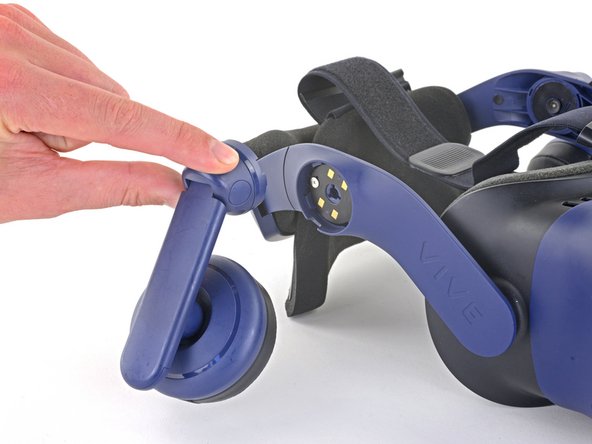
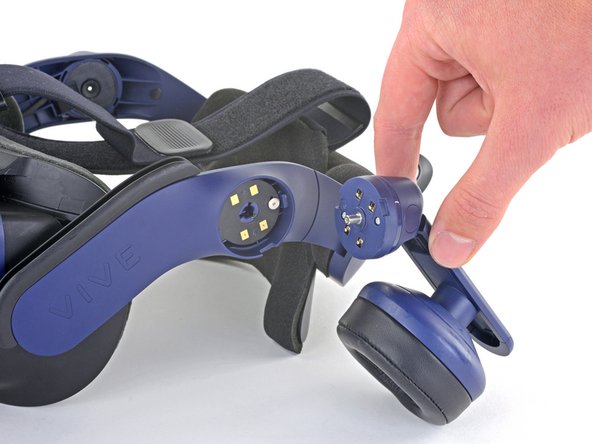
Segui questa guida per sostituire una o entrambe le cuffie del tuo HTC Vive Pro.
Spegni e scollega il visore prima di iniziare la riparazione.
Cosa ti serve
-
-
-
Stacca il sottile pezzo di imbottitura che funge da copertura per la vite delle cuffie per ogni cuffia che stai sostituendo.
 Chiedi a FixBot
-
-
-
Usa il tuo cacciavite a croce Phillips per rimuovere la vite a croce Phillips da 6,4 mm che fissa ogni cuffia che stai sostituendo.
-
-
-
-
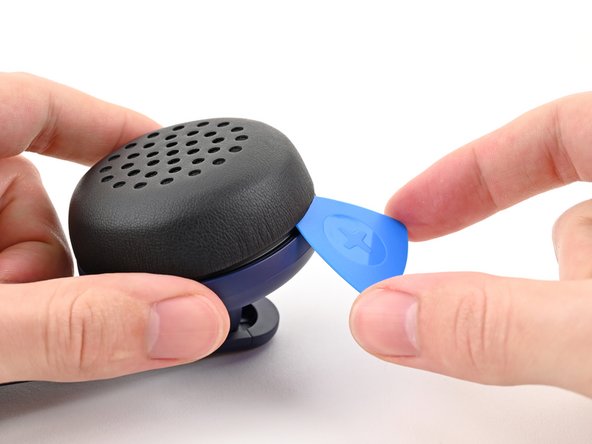
Inserisci un plettro di apertura sotto il cuscinetto delle cuffie e fai leva per sganciarlo dalle cuffie.
-
-
-
Tira il cuscinetto delle cuffie dritto verso l'esterno per rimuoverlo.
-
-






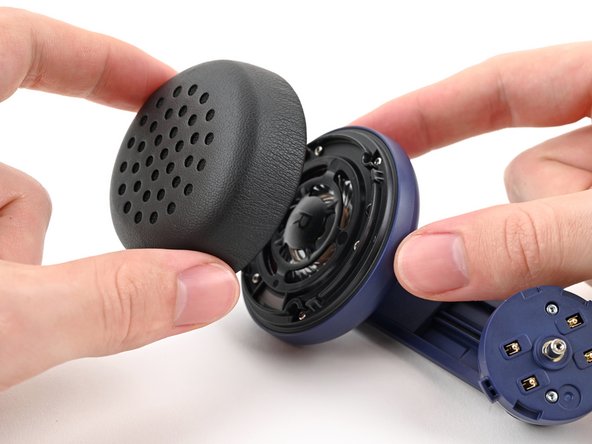


Confronta il nuovo pezzo di ricambio con quello originale; potresti dover trasferire componenti rimanenti o rimuovere pellicole protettive dal nuovo pezzo prima dell'installazione.
Per riassemblare il dispositivo, segui i passaggi precedenti in ordine inverso.
Porta i tuoi rifiuti elettronici presso un riciclatore certificato R2 o e-Stewards.
La riparazione non è andata come previsto? Prova delle soluzioni di base ai problemi, oppure rivolgiti alla nostra comunità Risposte per trovare aiuto.
Annulla: non ho completato questa guida.
Un'altra persona ha completato questa guida.

