Salta al contenuto principale
Unisciti alla Community delle riparazioni - Crea un account

iRobot Roomba S9 Plus Battery Module Replacement

Cosa ti serve

    1. iRobot Roomba S9 Plus Battery Module Replacement, Battery Module: passo 1, immagine 1 di 1
      • Using a Phillips #2 screwdriver, loosen the four screws in the bottom cover of the vacuum.

      • The screws cannot be removed and should be loosened.

      Chiedi a FixBot

      Aggiungi Commento

    2. iRobot Roomba S9 Plus Battery Module Replacement: passo 2, immagine 1 di 2 iRobot Roomba S9 Plus Battery Module Replacement: passo 2, immagine 2 di 2
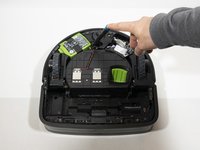
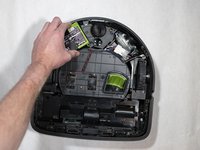
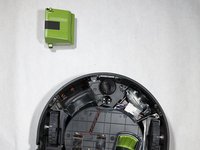
      • Lift up the bottom cover to reveal the battery module.

      Chiedi a FixBot

      Aggiungi Commento

    3. iRobot Roomba S9 Plus Battery Module Replacement: passo 3, immagine 1 di 2 iRobot Roomba S9 Plus Battery Module Replacement: passo 3, immagine 2 di 2
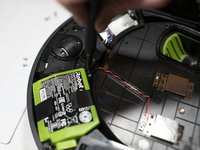
      • Remove the 11mm Phillips #2 screw next to the battery module.

      Chiedi a FixBot

      Aggiungi Commento

    4. iRobot Roomba S9 Plus Battery Module Replacement: passo 4, immagine 1 di 3 iRobot Roomba S9 Plus Battery Module Replacement: passo 4, immagine 2 di 3 iRobot Roomba S9 Plus Battery Module Replacement: passo 4, immagine 3 di 3
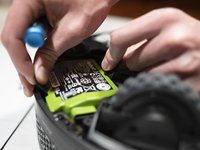
      • Pull the pull tabs to release the battery.

      • If the battery isn't releasing, make sure to check the screw next to the battery.

      Chiedi a FixBot

      Aggiungi Commento

Conclusione

To reassemble your device, follow these instructions in reverse order.

Annulla: non ho completato questa guida.

Altre 6 persone hanno completato questa guida.

Jason Chu

Membro da: 01/23/20

288 Reputazione

Una guida realizzata

Team

Cal Poly, Team S18-G3, White Winter 2020 Membro di Cal Poly, Team S18-G3, White Winter 2020

CPSU-WHITE-W20S18G3

4 Membri

17 guide realizzate

0Commenti sulla guida

Aggiungi Commento

Visualizza statistiche:

Ultime 24 ore: 0

Ultimi 7 giorni: 13

Ultimi 30 giorni: 58

Tutti i Tempi: 8,107