Salta al contenuto principale
Unisciti alla Community delle riparazioni - Crea un account

ZTE Lever Volume Buttons Replacement

Cosa ti serve

  1. ZTE Lever Volume Buttons Replacement, Battery: passo 1, immagine 1 di 1
    • Remove the SD card and the Sim card from the device.

    • The Sim and SD cards are not shown here as our device did not come with them.

    Chiedi a FixBot
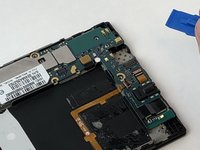
  2. ZTE Lever Volume Buttons Replacement: passo 2, immagine 1 di 2 ZTE Lever Volume Buttons Replacement: passo 2, immagine 2 di 2
    • Use an iFixit opening tool to separate the back from the device.

    Chiedi a FixBot
  3. ZTE Lever Volume Buttons Replacement: passo 3, immagine 1 di 2 ZTE Lever Volume Buttons Replacement: passo 3, immagine 2 di 2
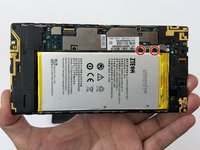
    • Remove the two 1.6mm Phillips #0 screws from the battery plug cover.

    • Remove the cover.

    Chiedi a FixBot
  4. ZTE Lever Volume Buttons Replacement: passo 4, immagine 1 di 2 ZTE Lever Volume Buttons Replacement: passo 4, immagine 2 di 2
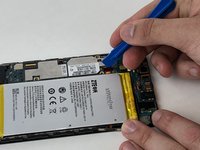
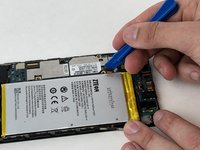
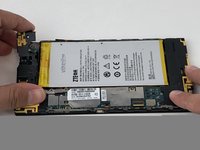
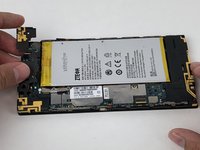
    • Disconnect the battery cable from the motherboard with a plastic opening tool.

    Chiedi a FixBot
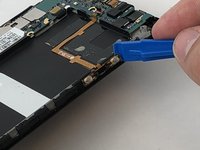
  5. ZTE Lever Volume Buttons Replacement: passo 5, immagine 1 di 1
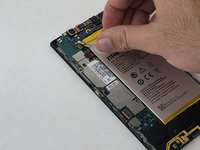
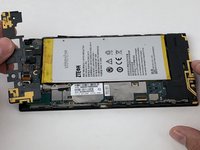
    • Use your hands, or a plastic opening tool, to pry the battery from the phone.

    Chiedi a FixBot
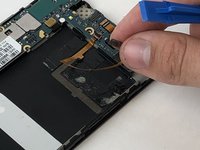
  6. ZTE Lever Volume Buttons Replacement, Volume Buttons: passo 6, immagine 1 di 1
    • Remove the three 1.6mm Phillips #0 screws from the plastic cover on the motherboard.

    Chiedi a FixBot
  7. ZTE Lever Volume Buttons Replacement: passo 7, immagine 1 di 3 ZTE Lever Volume Buttons Replacement: passo 7, immagine 2 di 3 ZTE Lever Volume Buttons Replacement: passo 7, immagine 3 di 3
    • Remove the top plastic motherboard cover using a plastic opening tool.

    Chiedi a FixBot
  8. ZTE Lever Volume Buttons Replacement: passo 8, immagine 1 di 2 ZTE Lever Volume Buttons Replacement: passo 8, immagine 2 di 2
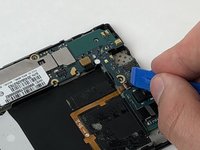
    • Use a plastic opening tool to flip up the retaining flap on the volume ribbon cable ZIF socket.

    Chiedi a FixBot
  9. ZTE Lever Volume Buttons Replacement: passo 9, immagine 1 di 2 ZTE Lever Volume Buttons Replacement: passo 9, immagine 2 di 2
    • Peel up the volume button cable from the phone with hands, or plastic opening tool.

    Chiedi a FixBot
Conclusione

To reassemble your device, follow these instructions in reverse order.

Team

USF Tampa, Team S5-G2, Passmore Spring 2018 Membro di USF Tampa, Team S5-G2, Passmore Spring 2018

USFT-PASSMORE-S18S5G2

3 Membri

12 guide realizzate

0Commenti sulla guida

Aggiungi Commento

Visualizza statistiche:

Ultime 24 ore: 1

Ultimi 7 giorni: 6

Ultimi 30 giorni: 64

Tutti i Tempi: 365