Introduzione
If your Sony DSC-RX10M3 is not displaying accurate pictures, this guide will help you replace the viewfinder, which is the component that you look through when trying to capture a shot. You will need to completely remove the back panel of the camera before proceeding to replace the viewfinder. It is important that you are wary of the ribbon cable in the last step and make sure that you don’t apply too much pressure or it might cause damage. There are a lot of screws in this device, and it’s recommended that you use iFixit’s magnetic project mat to place your screws in.
For this guide, you are not required to remove the side panel in step 6.
Cosa ti serve
-
-
-
Remove the twelve 0.7mm Phillips #000 screws from the bottom case.
 Chiedi a FixBot
-
-
-
Remove the two 0.7mm screws that secure the right side of the camera.
-
Remove the two 0.7mm screws that secure the left side of the camera, near the Wi-Fi logo and charging port.
-
-
-
-
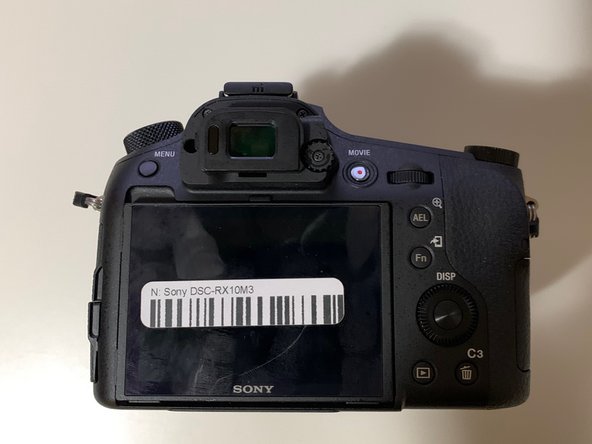
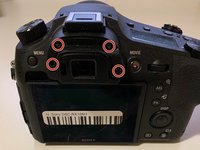
Use a Phillips #000 screwdriver to remove the four 0.4mm screws located under the rubber eye guard.
-
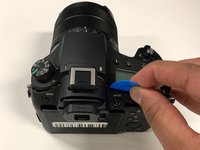
Use a plastic opening tool to detach the back panel of the camera.
-
-
Strumento utilizzato in questo passaggio:Tweezers$4.99
-
Using tweezers, disconnect the ribbon cable connecting the LCD to the circuit board.
-
-
-
-
-
Using a Phillips #000 screwdriver, remove the silver 0.5mm screw.
-
-
Strumento utilizzato in questo passaggio:Tweezers$4.99
-
Use tweezers to detach the ribbon cable from the motherboard.
-
-






To reassemble your device, follow these instructions in reverse order.
Annulla: non ho completato questa guida.
Altre 2 persone hanno completato questa guida.

Team

York University, Team S4-G4, Woodhouse Winter 2020 Membro di York University, Team S4-G4, Woodhouse Winter 2020
YORK-WOODHOUSE-W20S4G4
3 Membri
6 guide realizzate
