Salta al contenuto principale
Unisciti alla Community delle riparazioni - Crea un account

Sony DSC-RX10M3 Back and Right Panel Replacement

Cosa ti serve

  1. Sony DSC-RX10M3 Back and Right Panel Replacement, Battery Replacement: passo 1, immagine 1 di 1
    • Turn off the Device by scrolling the tab to "OFF" indicated by the arrow.

    Chiedi a FixBot
  2. Sony DSC-RX10M3 Back and Right Panel Replacement: passo 2, immagine 1 di 3 Sony DSC-RX10M3 Back and Right Panel Replacement: passo 2, immagine 2 di 3 Sony DSC-RX10M3 Back and Right Panel Replacement: passo 2, immagine 3 di 3
    • Remove the battery located at the bottom of the device.

    Chiedi a FixBot
  3. Sony DSC-RX10M3 Back and Right Panel Replacement, Back and Right Panel: passo 3, immagine 1 di 1
    • Remove the twelve 0.7mm Phillips #000 screws from the bottom case.

    Chiedi a FixBot
  4. Sony DSC-RX10M3 Back and Right Panel Replacement: passo 4, immagine 1 di 2 Sony DSC-RX10M3 Back and Right Panel Replacement: passo 4, immagine 2 di 2
    • Remove the two 0.7mm screws that secure the right side of the camera.

    • Remove the two 0.7mm screws that secure the left side of the camera, near the Wi-Fi logo and charging port.

    Chiedi a FixBot
  5. Sony DSC-RX10M3 Back and Right Panel Replacement: passo 5, immagine 1 di 2 Sony DSC-RX10M3 Back and Right Panel Replacement: passo 5, immagine 2 di 2
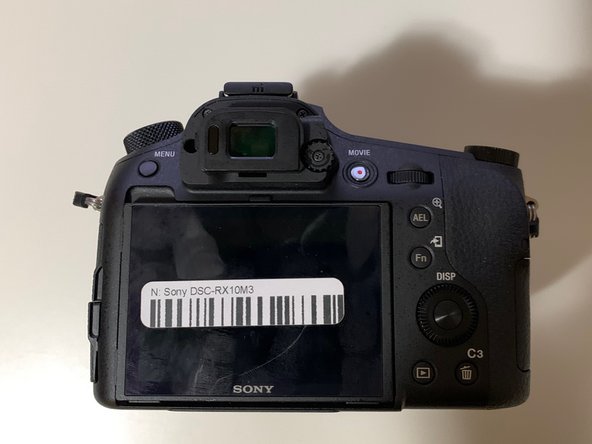
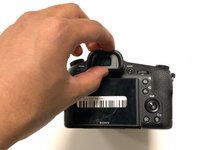
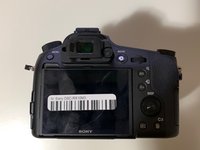
    • Gently pull off the plastic eye guard.

    Chiedi a FixBot
  6. Sony DSC-RX10M3 Back and Right Panel Replacement: passo 6, immagine 1 di 2 Sony DSC-RX10M3 Back and Right Panel Replacement: passo 6, immagine 2 di 2
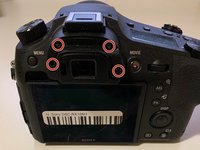
    • Use a Phillips #000 screwdriver to remove the four 0.4mm screws located under the rubber eye guard.

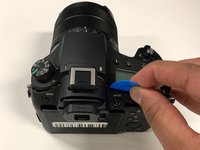
    • Use a plastic opening tool to detach the back panel of the camera.

    Chiedi a FixBot
  7. Sony DSC-RX10M3 Back and Right Panel Replacement: passo 7, immagine 1 di 1
    Strumento utilizzato in questo passaggio:
    Tweezers
    $4.99
    • This is a tight spot; make sure you use minimal force when removing the cover.

    • Using tweezers, disconnect the ribbon cable connecting the LCD to the circuit board.

    Chiedi a FixBot
  8. Sony DSC-RX10M3 Back and Right Panel Replacement: passo 8, immagine 1 di 1
    • This step is only needed if you wish to remove the right side panel.

    • Use a plastic openeing tool to gently detach the right panel.

    Chiedi a FixBot
Conclusione

To reassemble your device, follow these instructions in reverse order.

Altre 3 persone hanno completato questa guida.

0Commenti sulla guida

Aggiungi Commento

Visualizza statistiche:

Ultime 24 ore: 4

Ultimi 7 giorni: 16

Ultimi 30 giorni: 82

Tutti i Tempi: 1,822