Salta al contenuto principale
Unisciti alla Community delle riparazioni - Crea un account

Nvidia Shield Tablet Motherboard Replacement

Cosa ti serve

    1. Nvidia Shield Tablet Motherboard Replacement, Rear Case: passo 1, immagine 1 di 2 Nvidia Shield Tablet Motherboard Replacement, Rear Case: passo 1, immagine 2 di 2
      • First, remove the stylus from your tablet.

      Chiedi a FixBot
      Aggiungi Commento

    2. Nvidia Shield Tablet Motherboard Replacement: passo 2, immagine 1 di 3 Nvidia Shield Tablet Motherboard Replacement: passo 2, immagine 2 di 3 Nvidia Shield Tablet Motherboard Replacement: passo 2, immagine 3 di 3
      Strumento utilizzato in questo passaggio:
      Anti-Static Wrist Strap
      $7.95
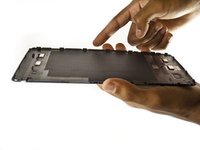
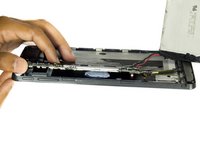
      • Set the tablet so the buttons, microSD, and stylus port are facing you.

      • Open the microSD slot.

      • Using the flat end of the spudger tool, carefully pry open the case starting from the microSD slot, slowly sliding the spudger along the inside edge of the case.

      • You may want to put on your anti-static wrist strap at this point as the motherboard will be vulnerable to physical touch and electrostatic shock after the casing is removed.

      Chiedi a FixBot

      Aggiungi Commento

    3. Nvidia Shield Tablet Motherboard Replacement: passo 3, immagine 1 di 2 Nvidia Shield Tablet Motherboard Replacement: passo 3, immagine 2 di 2
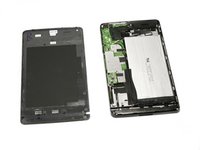
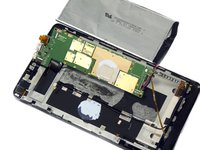
      • As you remove your case, be aware of small clips along the edges.

      • Finally, set the old casing aside.

      Chiedi a FixBot
      Aggiungi Commento

    1. Nvidia Shield Tablet Motherboard Replacement, Motherboard: passo 4, immagine 1 di 1
      Strumento utilizzato in questo passaggio:
      Anti-Static Wrist Strap
      $7.95
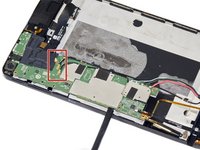
      • Carefully use the precision tweezers to unplug the ribbon cable.

      • Be sure to have your anti-static wrist strap on for this procedure.

      Chiedi a FixBot
      Aggiungi Commento

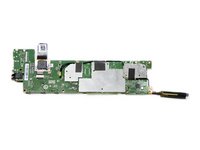
    2. Nvidia Shield Tablet Motherboard Replacement: passo 5, immagine 1 di 3 Nvidia Shield Tablet Motherboard Replacement: passo 5, immagine 2 di 3 Nvidia Shield Tablet Motherboard Replacement: passo 5, immagine 3 di 3
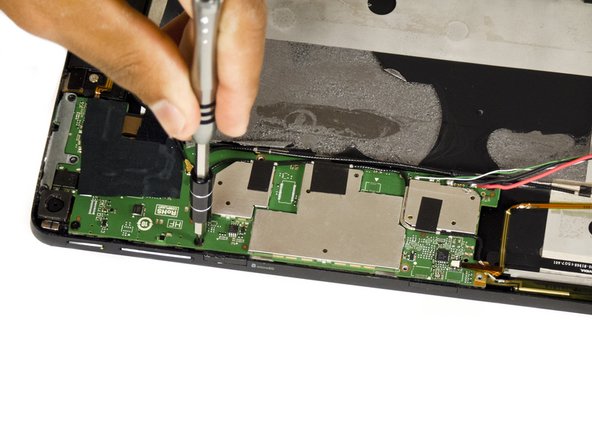
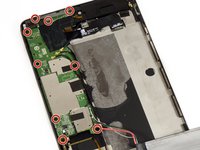
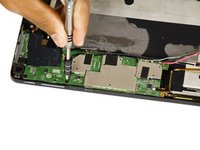
      • Remove the two 6.5 mm Phillips #00 screws and seven 3.0 mm Phillips #00 screws.

      Chiedi a FixBot
      Aggiungi Commento

    3. Nvidia Shield Tablet Motherboard Replacement: passo 6, immagine 1 di 3 Nvidia Shield Tablet Motherboard Replacement: passo 6, immagine 2 di 3 Nvidia Shield Tablet Motherboard Replacement: passo 6, immagine 3 di 3
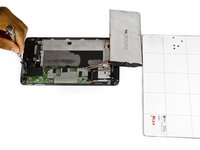
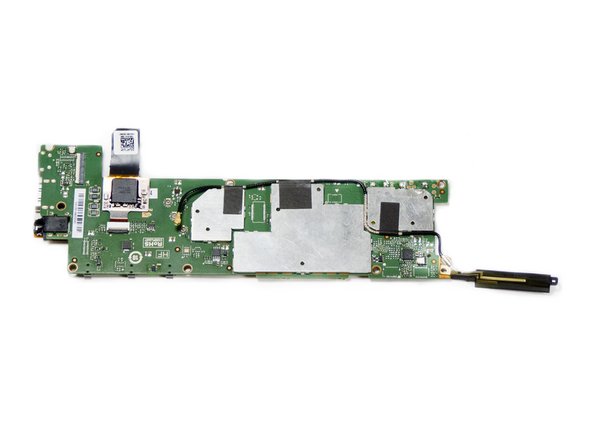
      • Use a pair of tweezers to disconnect the three black antenna cables from the motherboard.

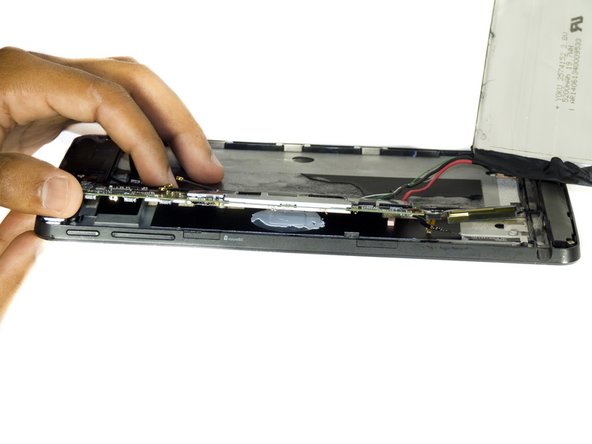
      • Use the flat end of the spudger tool to carefully pry up the motherboard.

      • In the first Shield, the stylus ribbon cable is located under the right side of board. While there are 2 additional cables for the cameras underneath the left end of the board. Be sure to loosen the cameras before lifting the board.

      Chiedi a FixBot

      Aggiungi Commento

    4. Nvidia Shield Tablet Motherboard Replacement: passo 7, immagine 1 di 2 Nvidia Shield Tablet Motherboard Replacement: passo 7, immagine 2 di 2
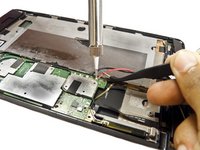
      • Desolder the positive and negative battery cables from the motherboard.

      • Make sure to note which wire goes where, you don't want to re-solder the wires backwards!

      • The motherboard should now come free.

      Chiedi a FixBot

      Aggiungi Commento

Conclusione

To reassemble your device, follow these instructions in reverse order.

Annulla: non ho completato questa guida.

Altre 6 persone hanno completato questa guida.

Molly Bauer

Membro da: 08/27/15

1.478 Reputazione

6 guide realizzate

Team

USF Tampa, Team 2-2, Blackwell Fall 2015 Membro di USF Tampa, Team 2-2, Blackwell Fall 2015

USFT-BLACKWELL-F15S2G2

3 Membri

11 guide realizzate

9Commenti sulla guida

Where do you obtain a new motherboard?

imprintcave - Rispondi Condividi

The real question is more about how to find a new shield tablet motherboard ??

willixlive - Rispondi Condividi

where can i buy the motherboard

Gurjot Dhaliwal - Rispondi Condividi

waar kan ik een nieuw shield moederbord kopen?

tom1vangestel - Rispondi Condividi

Hello, I'm looking for a description of the various ribbon connectors on the motherboard.

I'm also looking for a hint to solve a problem I have after replacing the screen+digitizer: the right side (half) of the touch screen does'n work.

Laurent Zanoni - Rispondi Condividi

Aggiungi Commento

Visualizza statistiche:

Ultime 24 ore: 2

Ultimi 7 giorni: 14

Ultimi 30 giorni: 67

Tutti i Tempi: 10,346