Questa traduzione è stata generata automaticamente e non è stata ancora revisionata da una persona. Parli questa lingua? Dai un’occhiata.
Introduzione
Questa guida ti fornirà le istruzioni per sostituire il lettore disco nel tuo Nintendo Wii mini affinché i dischi di gioco possano essere inseriti. Oltre all'incapacità del lettore disco di accogliere un disco, altre cause possono essere sporcizia sul disco e graffi che possono finire per rendere il gioco a scatti o poco chiaro. Potrebbe essere necessario sostituire il disco. La pagina di soluzione problemi ti darà maggiori approfondimenti su ulteriori problemi.
È consigliato utilizzare delle pinzette per maneggiare piccoli oggetti come le viti, per evitare di perdere componenti. Per prevenire ulteriori problemi relativi all'hardware, non manomettere i connettori o i cavi mentre scolleghi la ventola, poiché ciò potrebbe causare l'allentamento del connettore.
Cosa ti serve
-
-
-
Rimuovi i due piedini in gomma sul retro della console per rivelare le viti nascoste.
-
Rimuovi le quattro viti a croce Phillips da 6 mm.
 Chiedi a FixBot
-
-
-
Gira la Wii mini verso il lato dritto. Quindi, fai passare uno strumento di apertura in plastica lungo il bordo centrale della console per allentare la parte superiore.
-
Solleva delicatamente il coperchio superiore della console e mettilo da parte.
-
-
-
-
Strumento utilizzato in questo passaggio:Tweezers$4.99
-
Ruota la Wii mini in modo che il retro del dispositivo sia rivolto verso di te.
-
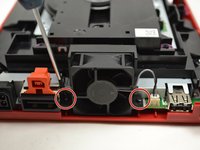
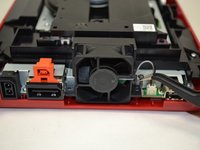
Utilizzando un cacciavite a croce Phillips #0, svita le due viti da 6 mm su entrambi i lati del gruppo ventola.
-
-
-
-
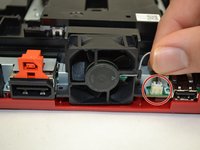
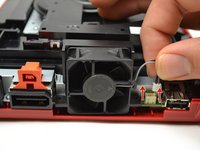
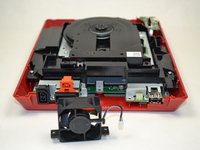
Usa le dita per tirare delicatamente verso l'alto la parte superiore del connettore a pin per staccare la ventola dalla console.
-
Rimuovi la ventola e mettila da parte.
-
-
-
-
-
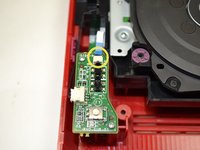
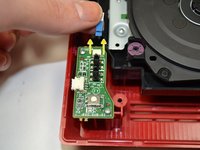
Usando le dita, sfila il cavo a nastro blu dalla parte superiore della scheda di alimentazione.
-
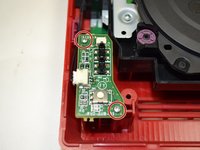
Usando un cacciavite a croce Phillips #0, svita le due viti da 4 mm nella parte superiore e inferiore della scheda di alimentazione.
-
-
-
Usando le dita, tira delicatamente il connettore a perno per scollegare la scheda di alimentazione dall'unità disco.
-
-
-
Solleva la scheda di alimentazione dalla console e mettila da parte.
-
-
-
-
-
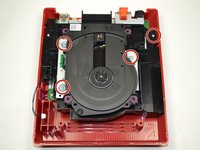
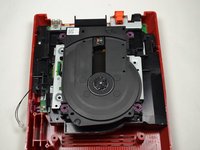
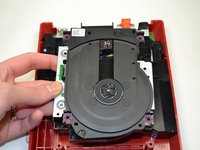
Utilizzando un cacciavite a croce Phillips #0, svita le quattro viti da 6 mm.
-
-








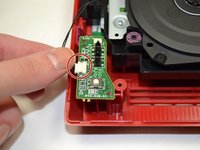
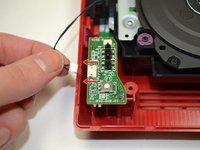


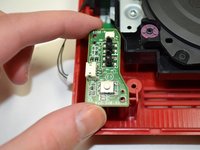
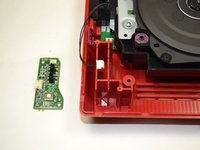




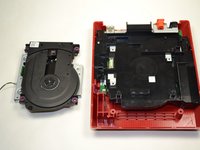
Per rimontare il dispositivo, segui queste istruzioni in ordine inverso.
Annulla: non ho completato questa guida.
Altre 4 persone hanno completato questa guida.

Team

1Commento della guida
i even took apart the disk drive. turns out it wasn't working because the lid was missing one of the plastic parts that pushes the sensor in the disk drive that indicates that the lid is closed
