Salta al contenuto principale
Unisciti alla Community delle riparazioni - Crea un account

Netgear WGR614v9 Capacitor Replacement

Cosa ti serve

    1. Netgear WGR614v9 Capacitor Replacement, Lower Case: passo 1, immagine 1 di 1
      • Rotate the device so that the bottom is facing up.

      Chiedi a FixBot

      Aggiungi Commento

    2. Netgear WGR614v9 Capacitor Replacement: passo 2, immagine 1 di 2 Netgear WGR614v9 Capacitor Replacement: passo 2, immagine 2 di 2
      • Lift up all four rubber pads on the bottom of the router with the plastic opening tool.

      • Be careful not to pull the rubber pads all the way out when lifting as they are difficult to reinsert.

      Chiedi a FixBot
      Aggiungi Commento

    3. Netgear WGR614v9 Capacitor Replacement: passo 3, immagine 1 di 2 Netgear WGR614v9 Capacitor Replacement: passo 3, immagine 2 di 2
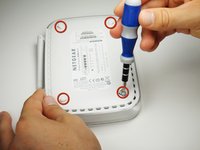
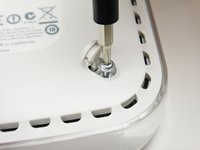
      • Unscrew the four 11.8 mm T-8 torx screws from the bottom of the router.

      Chiedi a FixBot
      Aggiungi Commento

    4. Netgear WGR614v9 Capacitor Replacement: passo 4, immagine 1 di 1
      • Lift the bottom casing straight up from the router.

      Chiedi a FixBot

      Aggiungi Commento

    1. Netgear WGR614v9 Capacitor Replacement, Motherboard: passo 5, immagine 1 di 1
      • Remove the clear plastic casing by lifting it straight up from the router.

      Chiedi a FixBot

      Aggiungi Commento

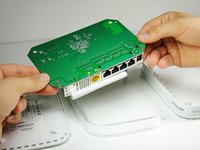
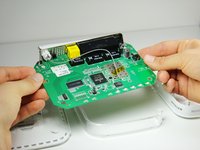
    2. Netgear WGR614v9 Capacitor Replacement: passo 6, immagine 1 di 2 Netgear WGR614v9 Capacitor Replacement: passo 6, immagine 2 di 2
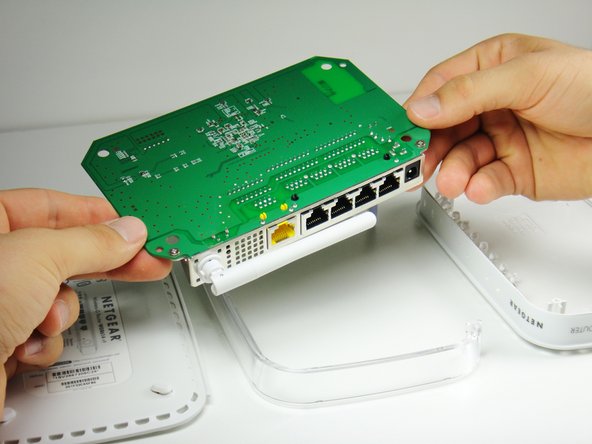
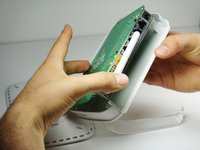
      • Separate the motherboard from the top shell by lifting it straight up from the router.

      Chiedi a FixBot

      Aggiungi Commento

    1. Netgear WGR614v9 Capacitor Replacement, Capacitor: passo 7, immagine 1 di 2 Netgear WGR614v9 Capacitor Replacement, Capacitor: passo 7, immagine 2 di 2
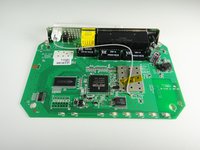
      • Rotate the motherboard so that the top is facing up.

      • Set the motherboard on a flat clean surface.

      Chiedi a FixBot
      Aggiungi Commento

    2. Netgear WGR614v9 Capacitor Replacement: passo 8, immagine 1 di 2 Netgear WGR614v9 Capacitor Replacement: passo 8, immagine 2 di 2
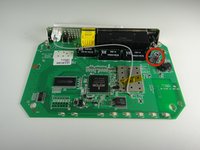
      • The capacitor can be found at the location shown.

      Chiedi a FixBot
      Aggiungi Commento

    3. Netgear WGR614v9 Capacitor Replacement: passo 9, immagine 1 di 2 Netgear WGR614v9 Capacitor Replacement: passo 9, immagine 2 di 2
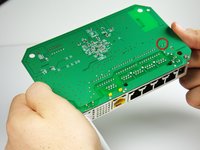
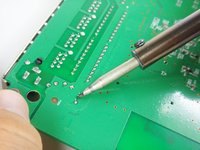
      • Rotate the motherboard so that the bottom is facing up.

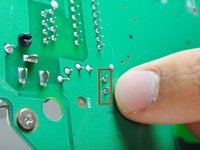
      • Locate the two soldered contacts of the capacitor.

      Chiedi a FixBot
      Aggiungi Commento

    4. Netgear WGR614v9 Capacitor Replacement: passo 10, immagine 1 di 3 Netgear WGR614v9 Capacitor Replacement: passo 10, immagine 2 di 3 Netgear WGR614v9 Capacitor Replacement: passo 10, immagine 3 di 3
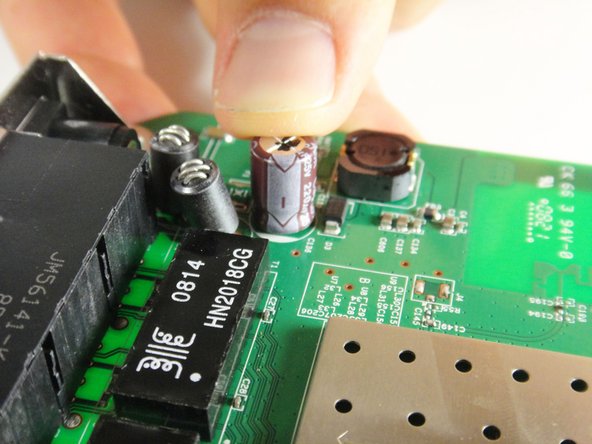
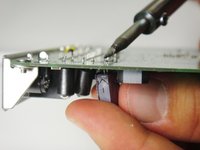
      • Rotate the motherboard 180 degrees.

      • Do not refer to the pictures in this step for proper de-soldering and soldering techniques. They are for illustration purposes only.

      • Refer to this link for proper de-soldering and soldering techniques.

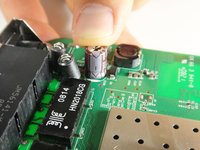
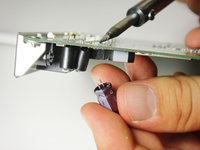
      • Pull the capacitor from the other side of the circuit board once the solder is liquified.

      • To replace the capacitor, orient the negative side of the capacitor (indicated by a white stripe and a negative sign) so that it aligns with the shaded white region of the circle indicating the capacitor's position on the motherboard.

      Chiedi a FixBot

      Aggiungi Commento

Conclusione

To reassemble your device, follow these instructions in reverse order.

Annulla: non ho completato questa guida.

Un'altra persona ha completato questa guida.

Kyle Moore

Membro da: 10/03/11

95 Reputazione

Una guida realizzata

Team

Cal Poly, Team 21-24, Maness Fall 2011 Membro di Cal Poly, Team 21-24, Maness Fall 2011

CPSU-MANESS-F11S21G24

4 Membri

11 guide realizzate

1Commento della guida

looks like that's a 220microF at 25V right ?

probably better to replace it with a similar 220microF, but with higher voltage rating.

email_etran - Rispondi Condividi

Aggiungi Commento

Visualizza statistiche:

Ultime 24 ore: 1

Ultimi 7 giorni: 12

Ultimi 30 giorni: 43

Tutti i Tempi: 3,802