Questa traduzione è stata generata automaticamente e non è stata ancora revisionata da una persona. Parli questa lingua? Dai un’occhiata.
Introduzione
Segui questa guida per rimuovere e sostituire il cavo USB della tua Logitech Webcam Pro 9000. Se la tua webcam non viene rilevata dal dispositivo o se è presente un danno fisico al cavo USB, è il momento di sostituirlo. È necessario avere conoscenze pregresse di saldatura (un metallo d'apporto utilizzato per unire due pezzi di metallo) per poter installare un nuovo cavo. Se non sai come saldare, ecco una guida. Questo cavo è necessario per collegare la webcam al computer per trasmettere dati audio e video per attività come conferenze web, registrazioni video e foto.
Cosa ti serve
-
-
-
Rimuovi le due viti a croce Phillips da 8 mm sulla cover posteriore.
 Chiedi a FixBot
-
-
-
Rimuovi le quattro viti a croce Phillips da 6 mm che collegano la scheda madre e la copertura anteriore.
-
-
-
-
-
Strumento utilizzato in questo passaggio:Tweezers$4.99
-
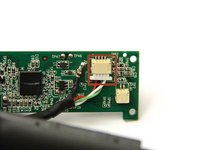
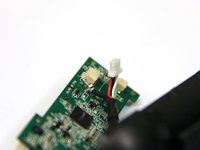
Usa le pinzette per afferrare il connettore del cablaggio bianco sul retro della scheda madre.
-
Muovi il connettore avanti e indietro per rimuoverlo dalla presa.
-
-
-
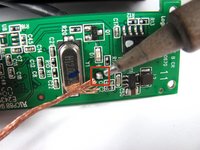
Dissalda il giunto sulla parte anteriore della scheda madre per staccare completamente il cavo USB.
-
-
-
-
-
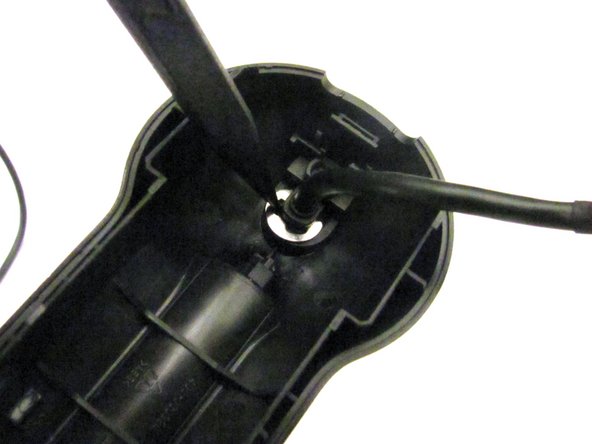
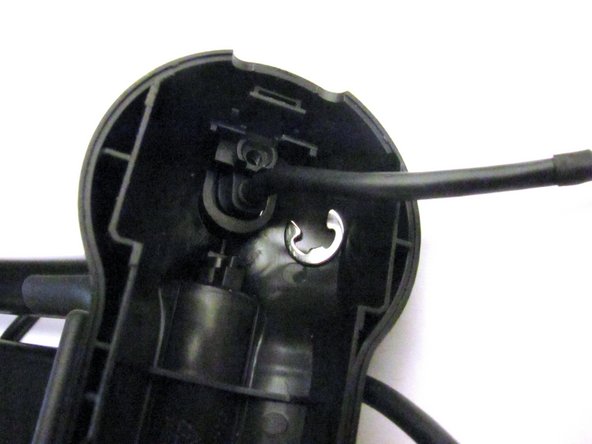
Infila l'estremità appuntita dello spudger tra l'anello elastico sottile e la base di attacco USB per estrarre l'anello elastico e liberare il cavo USB.
-
-
-
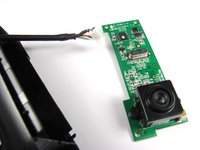
Fai passare l'estremità del cavo USB scollegato attraverso la cover posteriore.
-
-





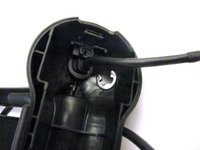


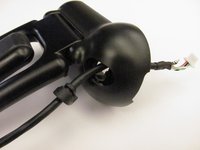
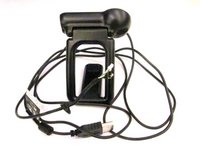
Per rimontare il dispositivo, segui queste istruzioni in ordine inverso.
Annulla: non ho completato questa guida.
Altre 3 persone hanno completato questa guida.

Team

Cal Poly, Team 12-34, Amido Spring 2013 Membro di Cal Poly, Team 12-34, Amido Spring 2013
CPSU-AMIDO-S13S12G34
4 Membri
96 guide realizzate
4Commenti sulla guida
Ich habe auch. ich braucht neu Kabel für C910 aber wo finden?
where i baught pro 9000 Cable
In hindsight, I wish I had just ordered a new camera. It is more difficult than these instructions make it look. I found a replacement cable on Amazon. Disassembly and removal of the old cable was easy. Soldering of the single wire on the new cable was difficult. I'm not as steady as I used to be, and the tiny cable and small board made it a difficult task. Once I finished the soldering, reassembly was easy except for the cable clip. Once done and I plugged it in, the camera would not work--USB device not recognized. I don't know whether the cable was incorrect or if I messed something up during the soldering. I finally trashed the old camera and ordered a new Logitech c920s. Wasted $10 on the failed cable and spent $70 on the new camera.
If you are unsure, it might be worth spending the money to upgrade instead of wasting time and money on a failed replacement cable like I did.
As an update to the above-- My repair failed because I had ordered the wrong cable.
