Salta al contenuto principale
Unisciti alla Community delle riparazioni - Crea un account

Logitech M185 Wireless Mouse Motherboard Replacement

Cosa ti serve

  1. Logitech M185 Wireless Mouse Motherboard Replacement, Motherboard: passo 1, immagine 1 di 3 Logitech M185 Wireless Mouse Motherboard Replacement, Motherboard: passo 1, immagine 2 di 3 Logitech M185 Wireless Mouse Motherboard Replacement, Motherboard: passo 1, immagine 3 di 3
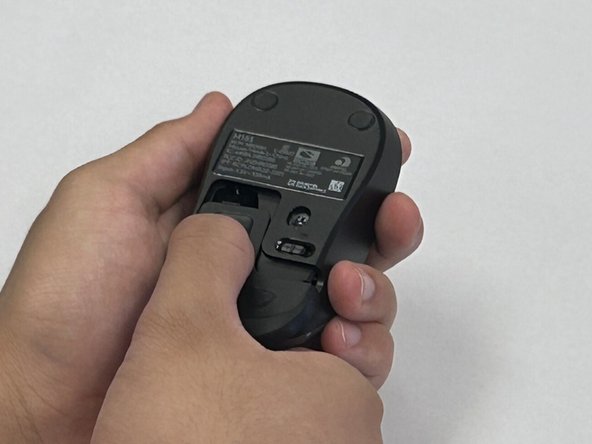
    • Flip the mouse over so the bottom is facing up and you can see the power switch.

    • Before you begin, flip the power switch on the bottom to the "Off" position.

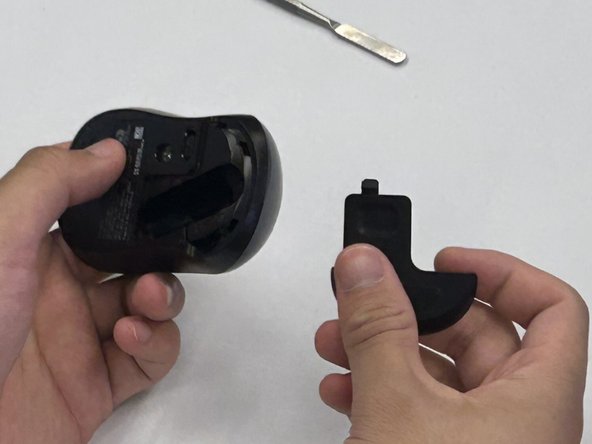
    • Press down on the battery cover.

    • Slide the battery cover off.

    Chiedi a FixBot

    Aggiungi Commento

  2. Logitech M185 Wireless Mouse Motherboard Replacement: passo 2, immagine 1 di 2 Logitech M185 Wireless Mouse Motherboard Replacement: passo 2, immagine 2 di 2
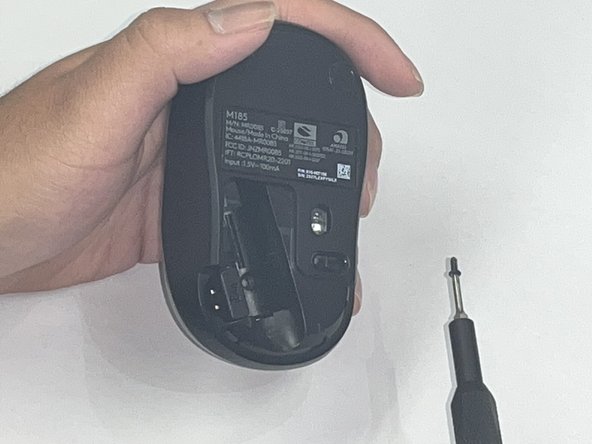
    • There is not a battery in our mouse. However, it is necessary to remove the battery to access the screw beneath.

    • Use a Phillips #00 screwdriver and remove the single screw from the battery compartment.

    Chiedi a FixBot

    Aggiungi Commento

  3. Logitech M185 Wireless Mouse Motherboard Replacement: passo 3, immagine 1 di 1
    • Use a black nylon spudger to pry off the shell.

    • Work your way along the seam to release the tabs connecting the top and bottom of the mouse.

    • Do not use a metal spudger for prying, as it may damage internal components, such as the main circuit board, that are not visible.

    • Gently squeeze the sides of the mouse while using the spudger to pry the top case away from the bottom. The pressure will cause the mouse to open.

    Chiedi a FixBot

    Aggiungi Commento

  4. Logitech M185 Wireless Mouse Motherboard Replacement: passo 4, immagine 1 di 1
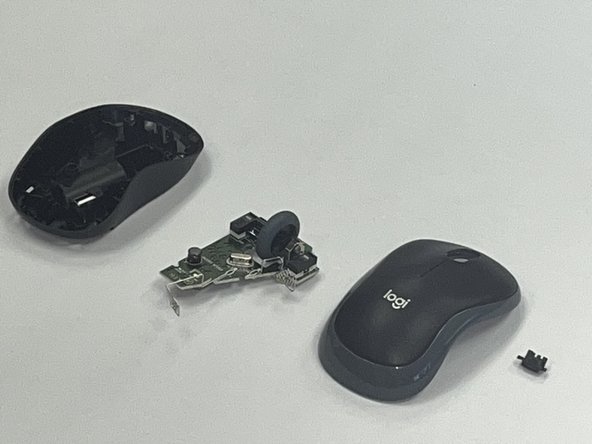
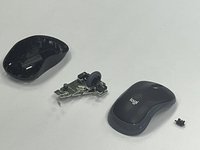
    • Use a black nylon spudger to pry out the motherboard and remove it from the bottom case.

    • Don't use a metal spudger on the internals of your device as displayed in the photo, it can cause damage.

    • Be careful when handling the motherboard. If you don't have any gloves, do not touch the motherboard with your hands. Only hold it by the edges.

    Chiedi a FixBot

    Aggiungi Commento

  5. Logitech M185 Wireless Mouse Motherboard Replacement: passo 5, immagine 1 di 2 Logitech M185 Wireless Mouse Motherboard Replacement: passo 5, immagine 2 di 2
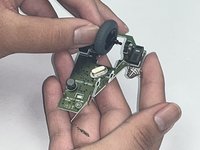
    • Remove the scroll wheel from the motherboard.

    • Before you insert your new motherboard, remember to attach the scroll wheel to it.

    Chiedi a FixBot

    Aggiungi Commento

Conclusione

To reassemble your device, follow these instructions in reverse order. Take your e-waste to an R2 or e-Stewards certified recycler.

Annulla: non ho completato questa guida.

Altre 2 persone hanno completato questa guida.

Robert

Membro da: 09/09/24

201 Reputazione

Una guida realizzata

Team

0Commenti sulla guida

Aggiungi Commento

Visualizza statistiche:

Ultime 24 ore: 1

Ultimi 7 giorni: 24

Ultimi 30 giorni: 73

Tutti i Tempi: 1,416