Salta al contenuto principale
Unisciti alla Community delle riparazioni - Crea un account

LG Spectrum Motherboard Replacement

Cosa ti serve

  1. LG Spectrum Motherboard Replacement, Battery: passo 1, immagine 1 di 2 LG Spectrum Motherboard Replacement, Battery: passo 1, immagine 2 di 2
    • Using your thumbnail, lift up on the notch in the middle of the bottom side of the phone.

    Chiedi a FixBot

    Aggiungi Commento

  2. LG Spectrum Motherboard Replacement: passo 2, immagine 1 di 1
    • Using either your thumbnail or a plastic opening tool, lift up on the battery using the notch in the bottom left hand corner of the battery and remove it from the phone.

    Chiedi a FixBot

    Aggiungi Commento

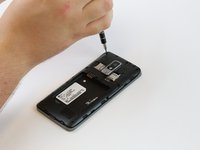
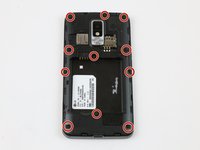
  3. LG Spectrum Motherboard Replacement, Sim/SD Port: passo 3, immagine 1 di 2 LG Spectrum Motherboard Replacement, Sim/SD Port: passo 3, immagine 2 di 2
    • Remove eleven 4mm Phillips #000 screws with a PH000 screwdriver.

    • Use the magnetic mat to keep the screws in one place.

    Chiedi a FixBot

    Aggiungi Commento

  4. LG Spectrum Motherboard Replacement: passo 4, immagine 1 di 1
    • Use the plastic opening tool to firmly pry up the plastic backing around the perimeter of the phone.

    Chiedi a FixBot

    Aggiungi Commento

  5. LG Spectrum Motherboard Replacement: passo 5, immagine 1 di 1
    • Detach the black rectangular film attached to the SIM/SD card plate with a plastic opening tool.

    Chiedi a FixBot

    Aggiungi Commento

  6. LG Spectrum Motherboard Replacement: passo 6, immagine 1 di 1
    • Hook the plastic opening tool underneath the plate and gently lift it up.

    Chiedi a FixBot

    Aggiungi Commento

  7. LG Spectrum Motherboard Replacement: passo 7, immagine 1 di 1
    • Gently wiggle the plate side-to-side while pulling up to release it from the metal clamps holding it in.

    Chiedi a FixBot

    Aggiungi Commento

  8. LG Spectrum Motherboard Replacement, Motherboard: passo 8, immagine 1 di 2 LG Spectrum Motherboard Replacement, Motherboard: passo 8, immagine 2 di 2
    • Use the plastic opening tool to lift up the connector that holds the camera to the board.

    Chiedi a FixBot

    Aggiungi Commento

  9. LG Spectrum Motherboard Replacement: passo 9, immagine 1 di 1
    • Pull the camera gently out of its housing in the motherboard with your fingers.

    Chiedi a FixBot

    Aggiungi Commento

  10. LG Spectrum Motherboard Replacement: passo 10, immagine 1 di 2 LG Spectrum Motherboard Replacement: passo 10, immagine 2 di 2
    • Using the plastic opening tool, gently pry up the audio port connector.

    Chiedi a FixBot

    Aggiungi Commento

  11. LG Spectrum Motherboard Replacement: passo 11, immagine 1 di 1
    • Remove the audio port from the motherboard with either your hand or the plastic opening tool.

    Chiedi a FixBot

    Aggiungi Commento

  12. LG Spectrum Motherboard Replacement: passo 12, immagine 1 di 2 LG Spectrum Motherboard Replacement: passo 12, immagine 2 di 2
    • Detach the two cable connector wires from the motherboard with the plastic opening tool.

    • Detach the remaining five connectors from the phone with the plastic opening tool.

    Chiedi a FixBot

    Aggiungi Commento

  13. LG Spectrum Motherboard Replacement: passo 13, immagine 1 di 2 LG Spectrum Motherboard Replacement: passo 13, immagine 2 di 2
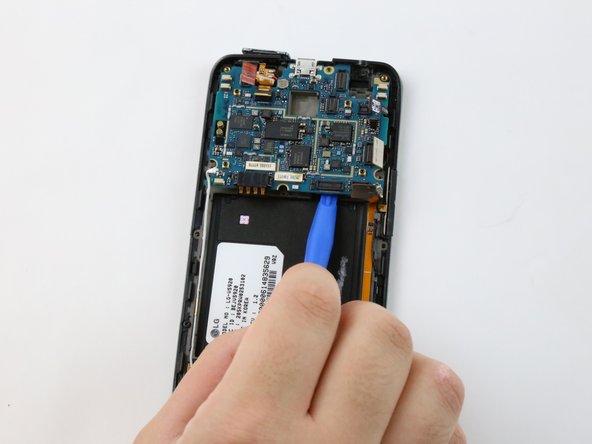
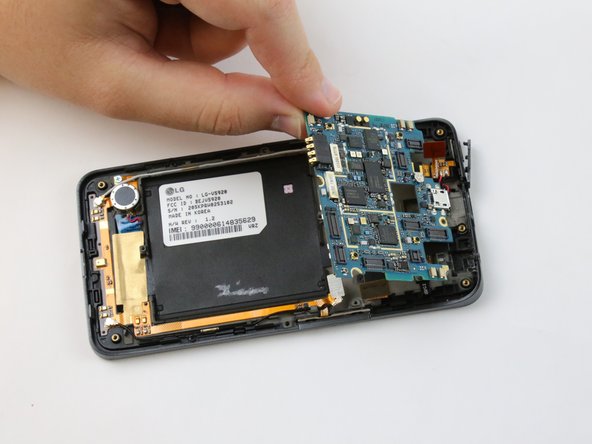
    • Hook the plastic opening tool underneath the motherboard and firmly lift it out of the phone casing.

    Chiedi a FixBot

    Aggiungi Commento

Conclusione

To reassemble your device, follow these instructions in reverse order.

Annulla: non ho completato questa guida.

Team

USF Tampa, Team 1-4, Sullivan Spring 2016 Membro di USF Tampa, Team 1-4, Sullivan Spring 2016

USFT-SULLIVAN-S16S1G4

3 Membri

10 guide realizzate

0Commenti sulla guida

Aggiungi Commento

Visualizza statistiche:

Ultime 24 ore: 0

Ultimi 7 giorni: 7

Ultimi 30 giorni: 33

Tutti i Tempi: 914