Salta al contenuto principale
Unisciti alla Community delle riparazioni - Crea un account

HTC Vive Pro 2 All-In-One Cable Replacement

Cosa ti serve

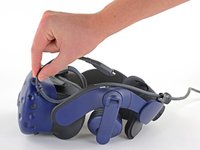
    1. HTC Vive Pro 2 All-In-One Cable Replacement, Reposition the head strap: passo 1, immagine 1 di 2 HTC Vive Pro 2 All-In-One Cable Replacement, Reposition the head strap: passo 1, immagine 2 di 2
      • Rotate the head strap forward as far as it will go.

      Chiedi a FixBot

      Aggiungi Commento

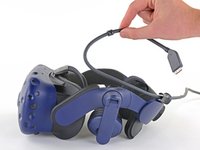
    2. HTC Vive Pro 2 All-In-One Cable Replacement, Unplug the All-In-One Cable: passo 2, immagine 1 di 2 HTC Vive Pro 2 All-In-One Cable Replacement, Unplug the All-In-One Cable: passo 2, immagine 2 di 2
      • Unplug the All-In-One Cable from your headset.

      Chiedi a FixBot

      Aggiungi Commento

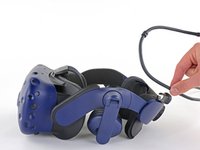
    3. HTC Vive Pro 2 All-In-One Cable Replacement, Remove the All-In-One Cable: passo 3, immagine 1 di 3 HTC Vive Pro 2 All-In-One Cable Replacement, Remove the All-In-One Cable: passo 3, immagine 2 di 3 HTC Vive Pro 2 All-In-One Cable Replacement, Remove the All-In-One Cable: passo 3, immagine 3 di 3
      • Remove the All-In-One Cable from the cable guides along the left side of the head strap.

      • During reassembly, connect the All-In-One Cable to the headset before routing it through the cable guides. This will ensure it has the right amount of slack.

      Chiedi a FixBot

      Aggiungi Commento

Conclusione

To reassemble your device, follow the above steps in reverse order.

Repair didn’t go as planned? Try some basic troubleshooting, or ask our Answers community for help.


Annulla: non ho completato questa guida.

Alex Diaz-Kokaisl

Membro da: 01/16/22

245.485 Reputazione

1.203 guide realizzate

Team

iFixit Membro di iFixit

Staff

123 Membri

32.283 guide realizzate

0Commenti sulla guida

Aggiungi Commento

Visualizza statistiche:

Ultime 24 ore: 3

Ultimi 7 giorni: 17

Ultimi 30 giorni: 45

Tutti i Tempi: 822