Salta al contenuto principale
Unisciti alla Community delle riparazioni - Crea un account

HP Stream 7 Screen Replacement

Cosa ti serve

  1. HP Stream 7  Screen Replacement, Battery: passo 1, immagine 1 di 2 HP Stream 7  Screen Replacement, Battery: passo 1, immagine 2 di 2
    • Make sure the tablet is powered off before beginning.

    • Gently run the plastic opening tool or your fingernails around the tablet to pry the Back Cover from the tablet.

    Chiedi a FixBot

    Aggiungi Commento

  2. HP Stream 7  Screen Replacement: passo 2, immagine 1 di 2 HP Stream 7  Screen Replacement: passo 2, immagine 2 di 2
    • Remove the eight 5 mm Phillips 000 screws.

    • Gently run the plastic opening tool around the seam to pry the mid back cover from the tablet.

    Chiedi a FixBot

    Aggiungi Commento

  3. HP Stream 7  Screen Replacement: passo 3, immagine 1 di 2 HP Stream 7  Screen Replacement: passo 3, immagine 2 di 2
    Strumento utilizzato in questo passaggio:
    Tweezers
    $4.99
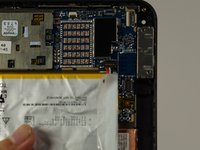
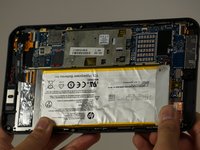
    • Using tweezers, gently pull the battery connector towards the battery to remove it from the System Board.

    • Pull the blue tabs (Not Shown) out from the tablet at an angle to remove the tape underneath the Battery.

    • If you broke both tabs, scrape the tape and Battery off.

    • Scraping off the Battery will damage it. If you are replacing another part, leave the Battery on the display panel.

    Chiedi a FixBot

    Aggiungi Commento

  4. HP Stream 7  Screen Replacement, Motherboard Replacement: passo 4, immagine 1 di 1
    • Disconnect the battery from the motherboard, but leave the battery on the display panel (unless you have already taken it off).

    • Disconnect the motherboard from the rear-facing camera, the front-facing camera, the antenna, the power button board, the screen, and the display panel using your spudger.

    • The cable connected to the display is adhered to the panel, so be careful when removing the cable (like most things here).

    • If you are inexperienced with disconnecting everything, "Recognizing and Disconnecting Cable Connectors" is a helpful ifixit guide.

    Chiedi a FixBot

    Aggiungi Commento

  5. HP Stream 7  Screen Replacement: passo 5, immagine 1 di 2 HP Stream 7  Screen Replacement: passo 5, immagine 2 di 2
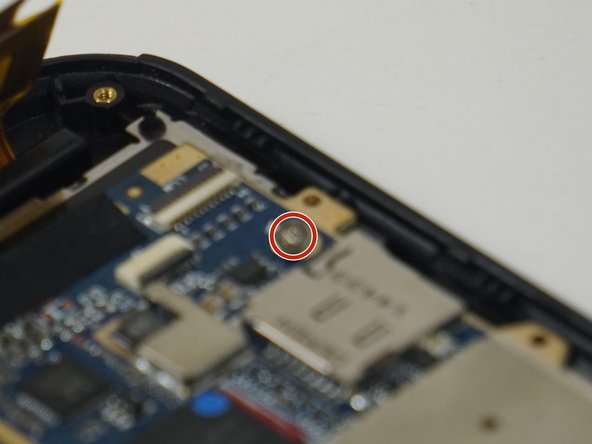
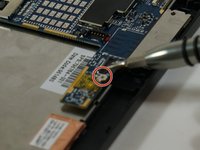
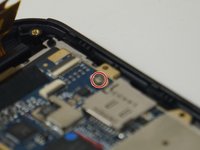
    • Remove the two 2 mm Phillips 000 screws from the motherboard.

    Chiedi a FixBot

    Aggiungi Commento

  6. HP Stream 7  Screen Replacement: passo 6, immagine 1 di 2 HP Stream 7  Screen Replacement: passo 6, immagine 2 di 2
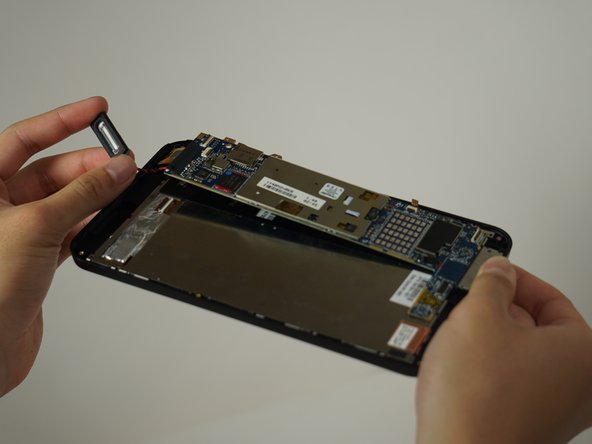
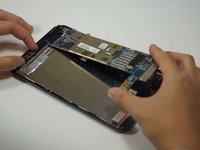
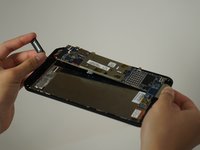
    • Once unscrewed, the motherboard separates from the rest of the device.

    • The speaker is soldered to the motherboard, but it comes off easily.

    • Forced separation may result in a damaged motherboard and/or personal injury.

    Chiedi a FixBot

    Aggiungi Commento

  7. HP Stream 7  Screen Replacement, Screen Replacement: passo 7, immagine 1 di 1
    • After removing the motherboard, unscrew the four 2.5 mm Phillips 000 screws from the display panel.

    Chiedi a FixBot

    Aggiungi Commento

  8. HP Stream 7  Screen Replacement: passo 8, immagine 1 di 1
    • Using your spudger, pry the display panel off the front.

    Chiedi a FixBot

    Aggiungi Commento

  9. HP Stream 7  Screen Replacement: passo 9, immagine 1 di 1
    • The screen should now just come right off. Be sure to catch any broken bits if the screen is damaged.

    Chiedi a FixBot

    Aggiungi Commento

Conclusione

To reassemble your device, follow these instructions in reverse order.

Annulla: non ho completato questa guida.

Altre 6 persone hanno completato questa guida.

Team

Cal Poly, Team 18-5, Forte Fall 2016 Membro di Cal Poly, Team 18-5, Forte Fall 2016

CPSU-FORTE-F16S18G5

4 Membri

6 guide realizzate

6Commenti sulla guida

where can i buy new screen????

eibrims - Rispondi Condividi

Yeah, I want to know where I can buy a screen for my hp stream 7.

Rider Sd - Rispondi Condividi

Where can i buy a new screen for the stream 7 please??

migueajr - Rispondi Condividi

Same question but no answer !

Where can anyone find replacement screen online ??

Ahmed Saleh - Rispondi Condividi

We're I can buy the replacement screen?

Raymond Borrero - Rispondi Condividi

Aggiungi Commento

Visualizza statistiche:

Ultime 24 ore: 2

Ultimi 7 giorni: 13

Ultimi 30 giorni: 38

Tutti i Tempi: 4,680