Salta al contenuto principale
Unisciti alla Community delle riparazioni - Crea un account

Garmin inReach Explorer Plus LCD Screen Replacement

Cosa ti serve

    1. Garmin inReach Explorer Plus LCD Screen Replacement, Battery: passo 1, immagine 1 di 1
      • Using the TR6 Torx Security screwdriver, remove six 10 mm screws from the back cover of the device.

      Chiedi a FixBot

      Aggiungi Commento

    2. Garmin inReach Explorer Plus LCD Screen Replacement: passo 2, immagine 1 di 1
      • Remove the back cover.

      Chiedi a FixBot

      Aggiungi Commento

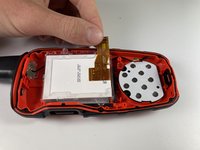
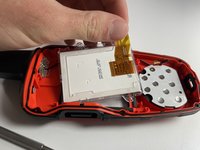
    3. Garmin inReach Explorer Plus LCD Screen Replacement: passo 3, immagine 1 di 2 Garmin inReach Explorer Plus LCD Screen Replacement: passo 3, immagine 2 di 2
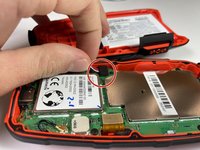
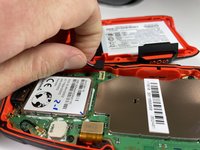
      • Gently grasp the battery wire and disconnect it from the device.

      • Remove the battery from the device.

      Chiedi a FixBot

      Aggiungi Commento

    1. Garmin inReach Explorer Plus LCD Screen Replacement, Motherboard: passo 4, immagine 1 di 2 Garmin inReach Explorer Plus LCD Screen Replacement, Motherboard: passo 4, immagine 2 di 2
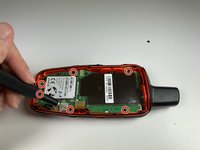
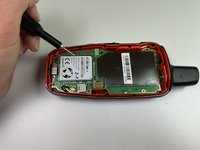
      • Using the T5 Torx screwdriver, remove the six 6 mm screws from the motherboard.

      Chiedi a FixBot

      Aggiungi Commento

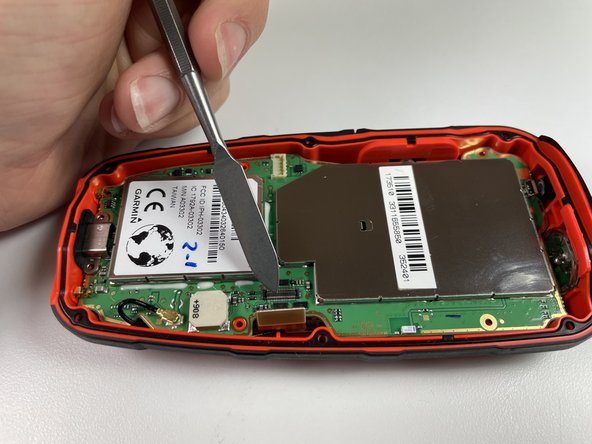
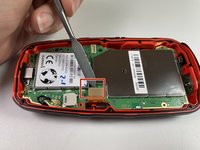
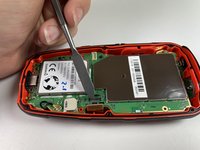
    2. Garmin inReach Explorer Plus LCD Screen Replacement: passo 5, immagine 1 di 2 Garmin inReach Explorer Plus LCD Screen Replacement: passo 5, immagine 2 di 2
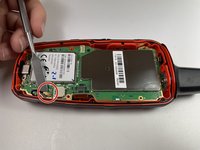
      • Disconnect the LCD screen from the motherboard by lifting on the flap with the nylon spudger.

      • The metal spudger should only be used for serious prying power. If used incorrectly, the metal spudger may damage the components of a device.

      Chiedi a FixBot

      Aggiungi Commento

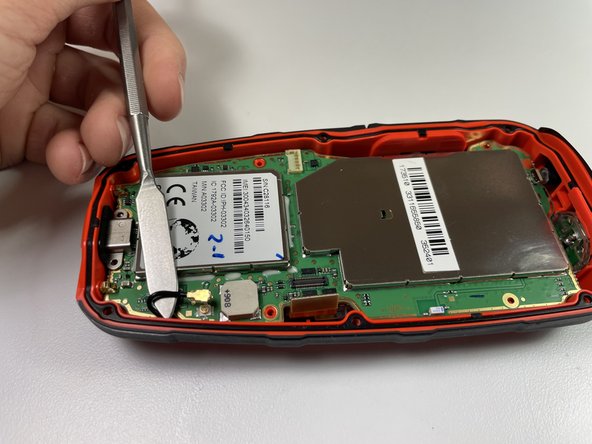
    3. Garmin inReach Explorer Plus LCD Screen Replacement: passo 6, immagine 1 di 2 Garmin inReach Explorer Plus LCD Screen Replacement: passo 6, immagine 2 di 2
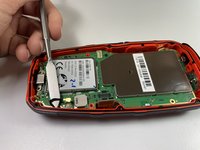
      • Disconnect the antenna from the motherboard by lifting the wire with a nylon spudger.

      Chiedi a FixBot

      Aggiungi Commento

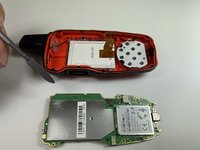
    4. Garmin inReach Explorer Plus LCD Screen Replacement: passo 7, immagine 1 di 3 Garmin inReach Explorer Plus LCD Screen Replacement: passo 7, immagine 2 di 3 Garmin inReach Explorer Plus LCD Screen Replacement: passo 7, immagine 3 di 3
      • Gently lift the motherboard up and out of the device.

      Chiedi a FixBot

      Aggiungi Commento

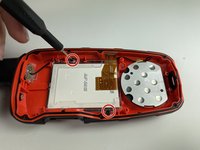
    1. Garmin inReach Explorer Plus LCD Screen Replacement, LCD Screen: passo 8, immagine 1 di 2 Garmin inReach Explorer Plus LCD Screen Replacement, LCD Screen: passo 8, immagine 2 di 2
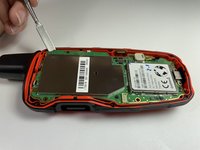
      • Using the T5 Torx screwdriver, remove the two 6 mm screws from the LCD screen.

      Chiedi a FixBot

      Aggiungi Commento

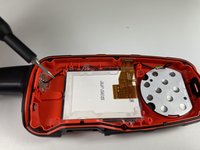
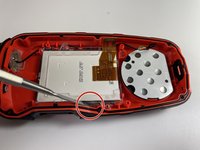
    2. Garmin inReach Explorer Plus LCD Screen Replacement: passo 9, immagine 1 di 3 Garmin inReach Explorer Plus LCD Screen Replacement: passo 9, immagine 2 di 3 Garmin inReach Explorer Plus LCD Screen Replacement: passo 9, immagine 3 di 3
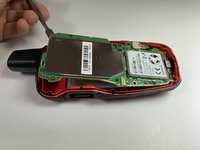
      • Use a nylon spudger to separate the LCD screen from the main body and remove the LCD screen.

      • The metal spudger should only be used for serious prying power. If used incorrectly, the metal spudger may damage the components of a device.

      Chiedi a FixBot

      Aggiungi Commento

Conclusione

To reassemble your device, follow these instructions in reverse order.

Annulla: non ho completato questa guida.

Sean Kelley

Membro da: 09/28/21

387 Reputazione

4 guide realizzate

Team

Clemson, Team 5-4, Hunter Fall 2021 Membro di Clemson, Team 5-4, Hunter Fall 2021

CLEM-HUNTER-F21S5G4

4 Membri

10 guide realizzate

3Commenti sulla guida

Where do I purchase the replacement LCD screen?

Tyler Lawrence - Rispondi Condividi

Ditto - where can we get a screen??

Ben Wallbank - Rispondi Condividi

Yes where can LCD SCREEN BE BOUGHT

Roy Shields - Rispondi Condividi

Aggiungi Commento

Visualizza statistiche:

Ultime 24 ore: 1

Ultimi 7 giorni: 8

Ultimi 30 giorni: 37

Tutti i Tempi: 1,743