Introduzione
This aim of this guide is to outline in an explicit way the steps to changing the battery of this device, safely and risk free. If your device fails to start this guide will be helpful for you.
Cosa ti serve
-
-
-
Use a Phillips 00 bit to remove two 3mm screws from the bottom of the tablet.
 Chiedi a FixBot
-
-
-
Insert the nylon spudger into the bottom of the tablet, and gently slide it up the side.
-
Pull apart the two sides of the tablet, exposing the circuit board, battery, and other components of the tablet.
-
-
-
-
-
Strumento utilizzato in questo passaggio:Tweezers$4.99
-
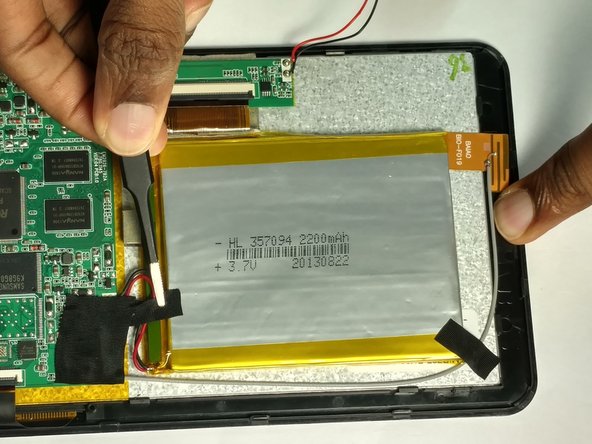
Use the tweezers to remove the tapes.
-
-
-
Desolder the positive (red) wire to the positive (+) lead, followed by desoldering the negative (black) wire to the negative lead.
-
Refer to the soldering technique guide.
-
-





To reassemble your device, follow these instructions in reverse order.

Team

USF Tampa, Team 2-5, Blackwell Fall 2016 Membro di USF Tampa, Team 2-5, Blackwell Fall 2016
USFT-BLACKWELL-F16S2G5
4 Membri
12 guide realizzate
