Introduzione
This guide provides detailed steps for replacing the internal battery of the DigiLand DL8006. Required items are listed in the "What You Need" section, followed by step-by-step instructions for replacing the battery as you scroll down.
Cosa ti serve
-
-
Place the device down on its front with the back facing upward.
-
Split the two faces of the device with a plastic opening tool to pry the back cover off.
-
Remove the silver/metallic tape covering the bottom end of the tablet.
 Chiedi a FixBot
-
-
-
-
Remove the red & black wire that connects the motherboard to the bottom end of the tablet.
-
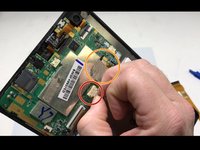
Remove the ribbon cable over the battery by flipping up the plastic tab on the ZIF connector on either side of the cable and pulling it out.
-
-
-
Remove the red & blue cord connecting the battery to the motherboard.
-
Remove the tape connecting the motherboard to the back of the LED screen.
-
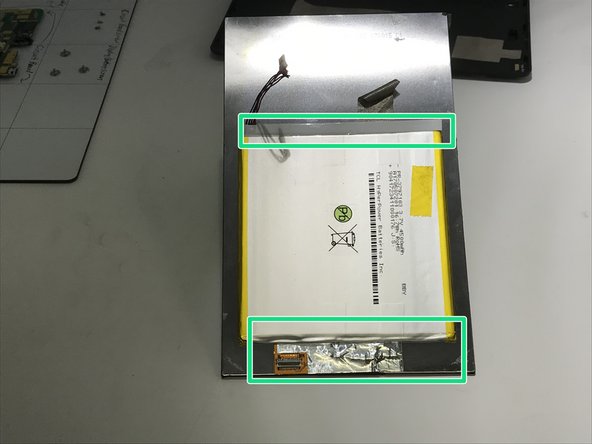
Pry open with a plastic opening tool along the top and bottom edges until the battery is free from the device.
-
Remove all the remaining tape from the battery.
-


To reassemble your device, follow these instructions in reverse order.
Documenti allegati

Team

University of Memphis, Team S2-G5, Kim Fall 2019 Membro di University of Memphis, Team S2-G5, Kim Fall 2019
UM-KIM-F19S2G5
3 Membri
5 guide realizzate
