Questa traduzione è stata generata automaticamente e non è stata ancora revisionata da una persona. Parli questa lingua? Dai un’occhiata.
Cosa ti serve
-
-
-
apri Anaconda Navigator
-
avvia Spyder
-
fai clic su "Open File" e seleziona "node_builder.py" in "\Documents\anvil"
-
fai clic sul pulsante "Run"
-
visita questo link per iniziare: Node Builder
 Chiedi a FixBot
-
-
-
Procurati un pannello solare con la piastra metallica appropriata.
-
Procurati la piastra metallica correttamente piegata.
-
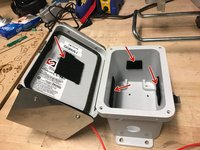
Procurati l'involucro con i fori preforati.
-
-
-
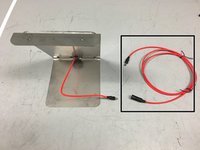
Procurati il cavo di prolunga per il pannello solare
-
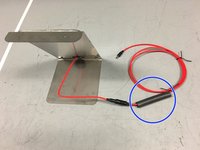
Procurati la guaina termorestringente e posizionala attorno al cavo
-
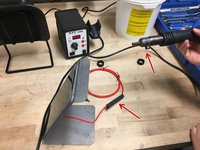
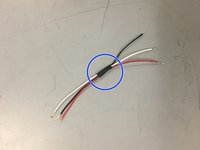
Copri la connessione tra il cavo del pannello solare e il cavo di prolunga con la guaina termorestringente. Quindi, utilizza una pistola termica per restringere la guaina, creando una tenuta stagna attorno alla connessione
-
-
-
Taglia il cavo di prolunga del pannello solare in modo che ci siano circa 50 cm di cavo dal punto di connessione
-
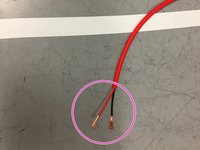
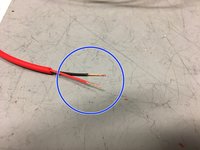
Spela i cavi come mostrato nell'immagine
-
Attorciglia le estremità dei cavi
-
-
-
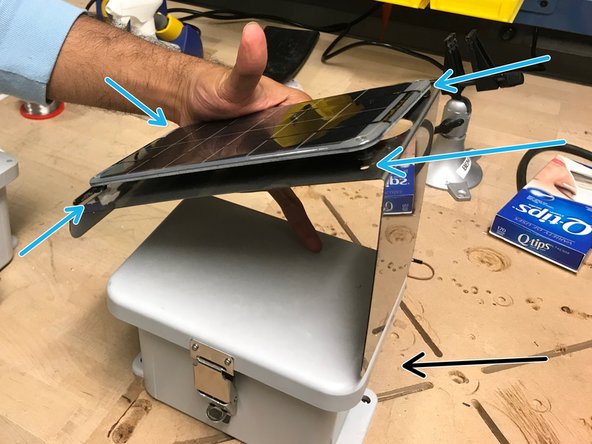
Fissa il pannello solare sulla piastra metallica.
-
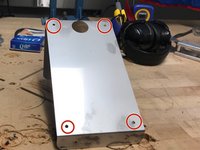
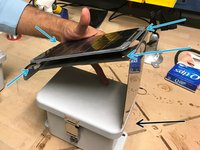
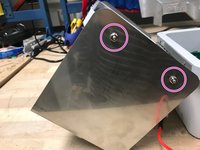
Utilizzando le viti e un cacciavite, avvita il pannello solare in questi fori. Ora che il pannello solare è fissato alla piastra metallica, fissa la piastra metallica sul coperchio dell'involucro.
-
Nota: il lato lungo della piastra metallica deve trovarsi sullo stesso lato dell'involucro in cui sono presenti i fori per il sensore a ultrasuoni e i passacavi.
-
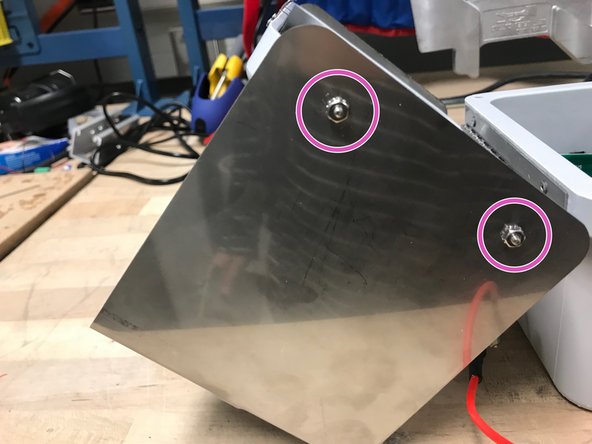
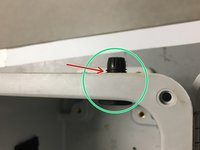
Le viti e i dadi devono essere avvitati in questo modo nei fori sui lati del coperchio della scatola (ovvero, il dado deve trovarsi all'esterno)
-
-
-
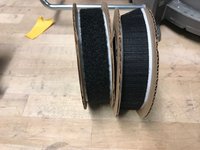
Prendi il velcro
-
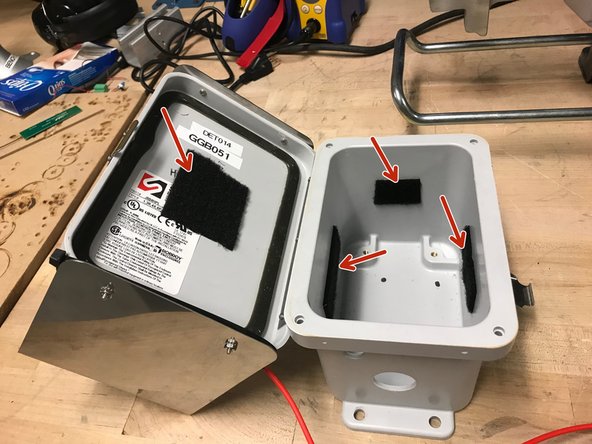
Applica il velcro con il lato morbido all'interno dell'alloggiamento nei seguenti punti
-
-
-
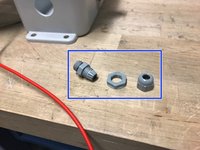
Prendi un passacavo
-
Avvita il passacavo nella parete della scatola, attraverso il piccolo foro, come mostrato
-
Posiziona una guarnizione torica tra il passacavo e la parete esterna della scatola
-
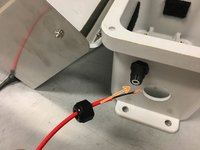
Inserisci il cavo di prolunga del pannello solare nel passacavo come mostrato, lasciando circa 20 cm di cavo all'interno della scatola
-
-
-
Procurati un connettore a morsetto e assicurati che le estremità dei fili siano intrecciate
-
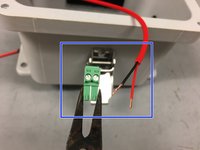
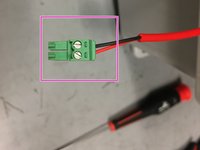
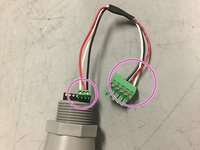
Avvita i fili nel connettore a morsetto come mostrato nell'immagine
-
-
-
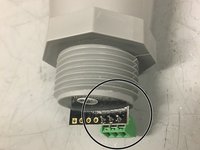
Salda una morsettiera a 3 poli ai fori passanti di massa, alimentazione e dati (#5) sul sensore di profondità
-
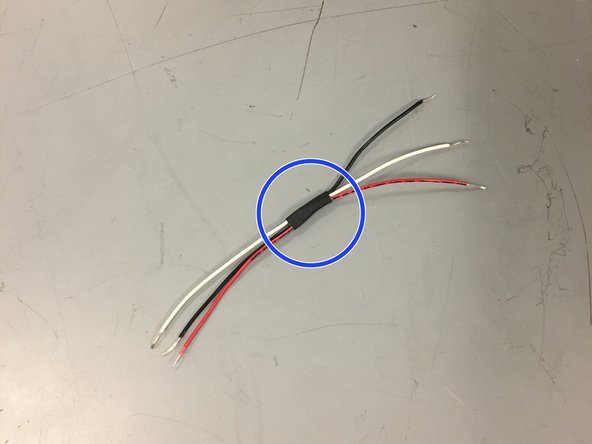
Per organizzazione, raggruppa tre fili (rosso, bianco e nero) con un piccolo pezzo di guaina termorestringente
-
Collega i fili come mostrato nell'immagine (nero a massa, rosso ad alimentazione, bianco per i dati)
-
-
-
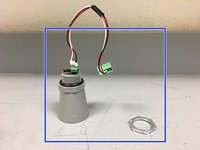
Assembla il sensore di profondità aggiungendo le guarnizioni toriche (O-ring) e il cablaggio nell'ordine mostrato nell'immagine, mettendo da parte l'anello di fissaggio
-
Nota che il cablaggio collega il sensore di profondità alla scheda del nodo del sensore. Ricorda che il filo rosso serve per l'alimentazione, quello nero per la massa e quello bianco per i dati
-
Inserisci il sensore di profondità attraverso il foro più grande e fissalo saldamente stringendo l'anello di fissaggio
-
-
-
-
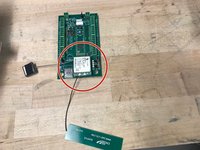
Procurati il modulo cellulare (modem), il GPS e l'antenna
-
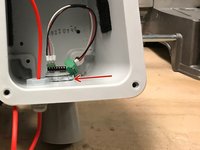
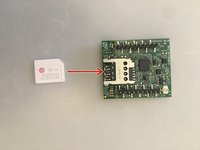
Inserisci la scheda Super SIM nel modulo cellulare
-
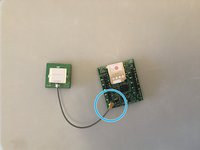
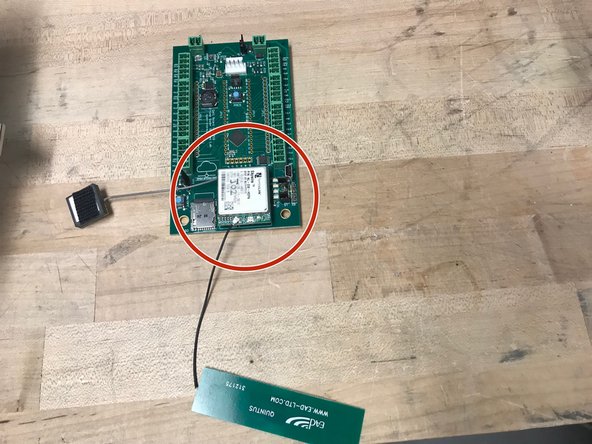
Collega il GPS alla connessione indicata (cavo dell’antenna grigio)
-
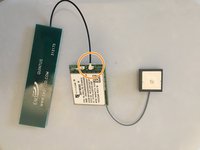
Collega l'antenna alla connessione indicata (cavo dell’antenna nero)
-
-
-
Attacca il lato ruvido del velcro sull'antenna e sul GPS come mostrato nell'immagine.
-
-
-
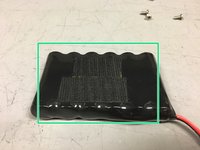
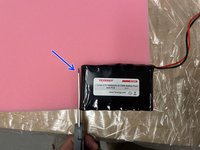
Procurati del velcro e una batteria agli ioni di litio da 3,7 V. Attacca il lato ruvido del velcro sulla batteria.
-
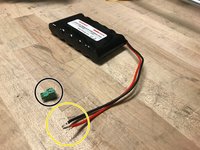
Procurati un connettore a blocchetto.
-
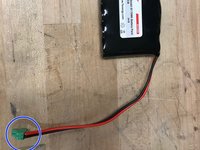
Attorciglia i fili della batteria in modo che si inseriscano correttamente nel connettore a blocchetto.
-
Avvita i fili nel connettore a blocchetto.
-
-
-
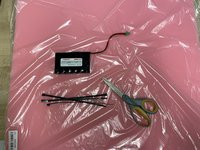
Procurati una batteria, 4 fascette, del materiale espanso e un paio di forbici
-
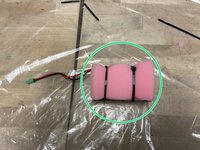
Ritaglia due pezzi di materiale espanso delle dimensioni della batteria
-
Posiziona la batteria tra i due pezzi di materiale espanso e fissala usando le fascette. Collega le fascette tra loro per creare due fascette extra lunghe
-
-
-
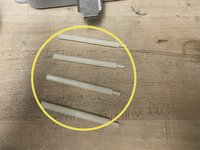
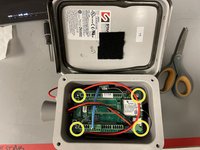
Prendi otto distanziali a vite da 3,8 cm. Avvita i distanziali a vite tra loro come mostrato, per creare quattro distanziali a vite da 7,6 cm
-
Avvita i distanziali a vite nell'alloggiamento
-
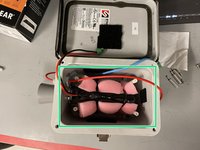
Inserisci la batteria nell'alloggiamento. Assicurati che il cablaggio si trovi sul lato del sensore dell'alloggiamento
-
-
-
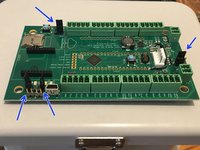
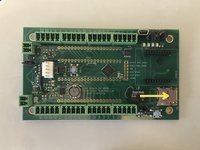
Prendi la scheda Open-Storm e posiziona 4 jumper nei punti indicati
-
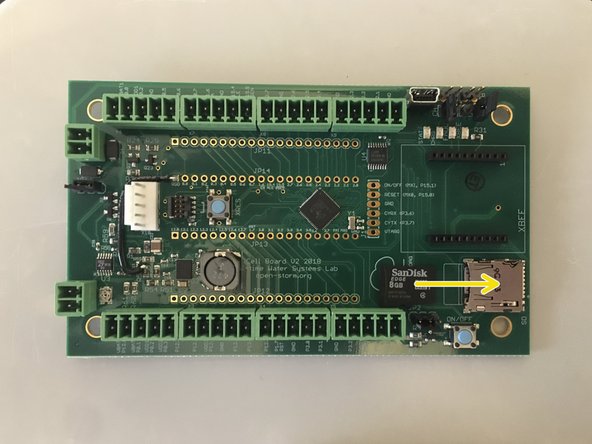
Inserisci la scheda microSD nella scheda
-
Collega il modulo cellulare alla scheda del nodo sensore nell'alloggiamento appropriato
-
-
-
Posiziona la scheda sopra i distanziali a vite nell'involucro e fissala utilizzando un cacciavite
-
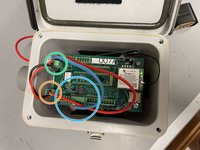
Collega il cavo del sensore di profondità come mostrato
-
Collega il cavo del pannello solare alla scheda come mostrato
-
Collega il cavo della batteria alla scheda come mostrato
-
-
-
Attacca l'antenna e il GPS sul velcro alla parete più vicina all'interno del telaio
-
-
-
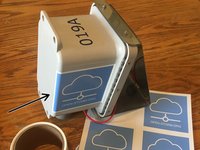
applica l'adesivo Open-Storm sul lato del contenitore come mostrato
-
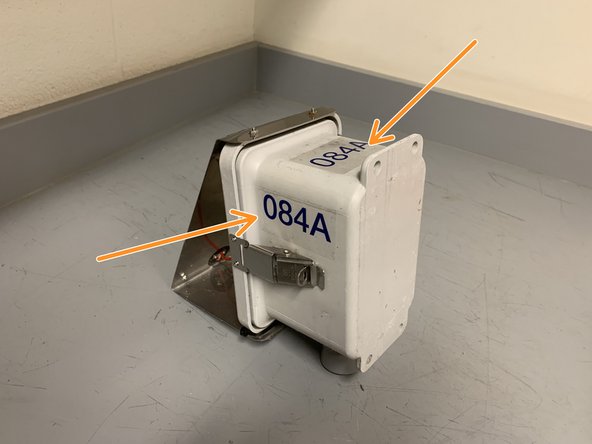
applica l'adesivo unico ID nodo nei due punti mostrati
-
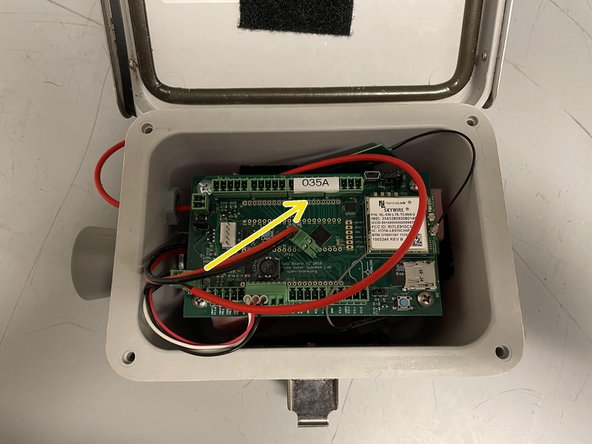
stampa un'etichetta con l'ID nodo univoco presente sull'adesivo usando l'etichettatrice
-
applica l'etichetta sulla scheda come mostrato
-
-
-
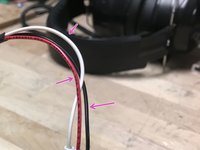
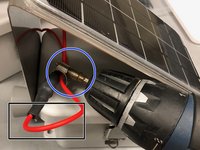
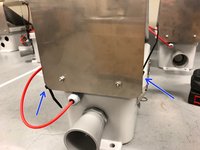
Ripiega il cavo su se stesso in modo che la parte sopra la fascetta stringitubo non sia allentata quando la sezione del cavo nero viene premuta contro l'interno del pannello
-
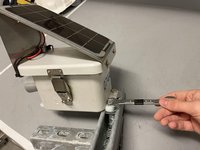
Prendi una fascetta stringitubo e fissa la parte rossa del cavo alla sezione nera usando un trapano dotato di punta
-
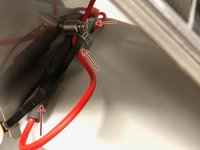
Avvolgi una fascetta serracavo attorno al cavo come mostrato.
-
Usa una seconda fascetta serracavo per collegare le estremità della prima
-
-
-
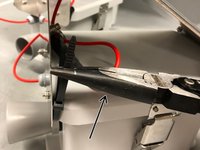
Usa una pinza per stringere la fascetta
-
Posiziona la testa di ogni fascetta come mostrato durante il serraggio
-
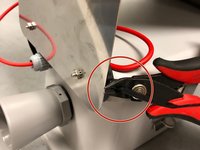
Taglia la parte eccedente della fascetta il più vicino possibile
-
-
-
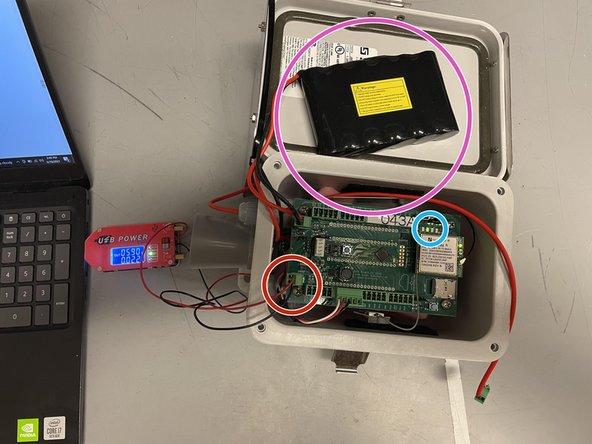
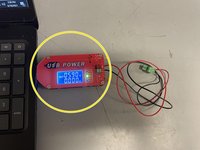
Procurati un alimentatore USB, collegalo a un computer portatile e imposta l'uscita a 5,9 V.
-
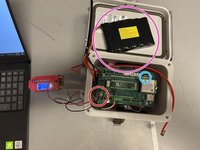
Collega il terminale batteria verde dell'alimentatore alla porta solare della scheda Open-Storm.
-
Conferma che il LED di carica solare sia spento.
-
Collega una batteria scarica alla porta della batteria. Questo passaggio non funzionerà con una batteria carica.
-
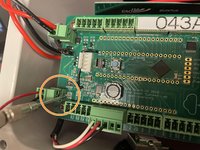
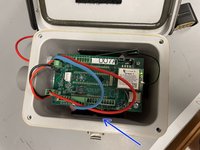
CON ATTENZIONE, gira il potenziometro argentato accanto al circuito integrato (IC) del controller di carica con un piccolo cacciavite a taglio finché la spia di carica non si accende.
-
-
-
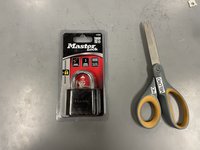
Procurati un lucchetto master e un paio di forbici
-
Taglia la confezione per estrarre il lucchetto e la chiave
-
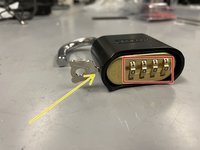
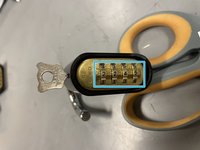
Imposta il lucchetto sulla combinazione predefinita 0-0-0-0 e aprilo
-
Inserisci la chiave nel lucchetto e ruotala di 90 gradi in senso orario
-
Mentre la chiave è ancora ruotata, imposta la combinazione su 2-2-4-5
-
Rimuovi la chiave: il lucchetto è pronto per l'uso
-
-
-
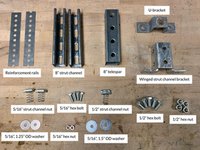
procurati i materiali nelle quantità indicate
-
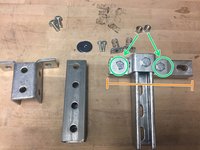
avvita la staffa a U su uno dei canali a C da 8", utilizzando uno dei bulloni esagonali da 1/2" e il dado per canale a C da 1/2"
-
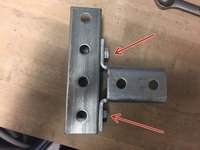
fissa il pezzo di canale a C da 8" rimanente alla staffa a U, utilizzando due bulloni esagonali da 1/2" e due dadi esagonali da 1/2"
-
assicurati di non centrare il canale a C che stai fissando alla staffa a U; al contrario, fai in modo che un lato della staffa a U sia a filo con l'estremità del canale a C (come mostrato)
-
-
-
inserisci i due dadi per canale di supporto da 5/16" nel retro del canale di supporto orizzontale come mostrato
-
-
-
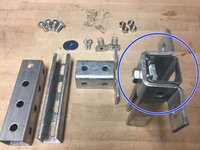
fissa la staffa del canale del montante alato al telespar da 8" utilizzando i due bulloni esagonali e i dadi esagonali rimanenti
-
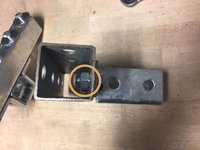
quando stringi i dadi esagonali, assicurati che il bordo del dado sia rivolto direttamente verso l'esterno (come mostrato), altrimenti il pezzo del canale del montante non scorrerà all'interno
-
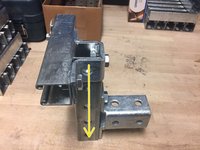
conferma che il pezzo del canale del montante a forma di T scorra nel telespar e che la maniglia sia ora completata
-
-
-
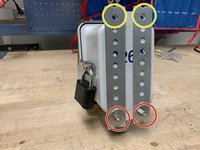
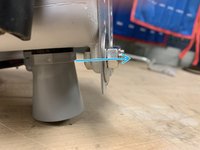
Fissa le guide di rinforzo sul retro del nodo utilizzando due bulloni esagonali da 5/16", due bulloni esagonali da 5/16" e due rondelle da 5/16" con diametro esterno di 1,25". Inserisci i bulloni nei due fori inferiori dell'alloggiamento del nodo, utilizzando i fori inferiori delle guide come mostrato nell'immagine.
-
Allinea i fori superiori delle guide con i fori superiori dell'alloggiamento del nodo e poi stringi i bulloni inferiori.
-
-
-
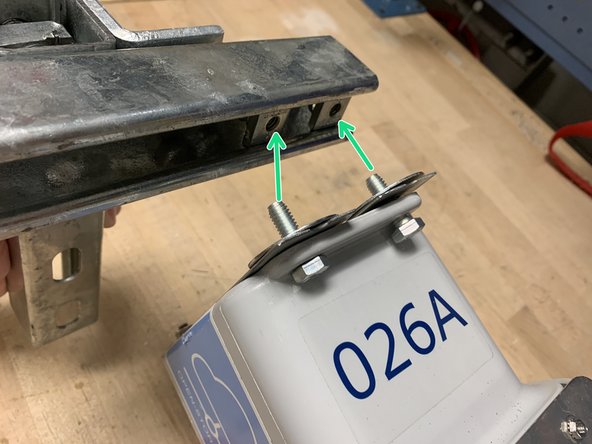
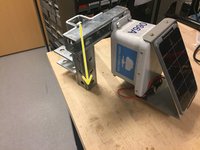
Avvita l'involucro del nodo sul canale del montante utilizzando i due bulloni esagonali da 5/16" e le due rondelle da 5/16" con diametro esterno di 1,5". Assicurati di inserire i bulloni attraverso le guide di rinforzo.
-
Fai scorrere di nuovo il pezzo a forma di T nel Telespar.
-
-
-
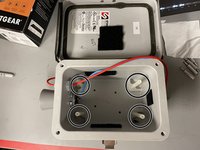
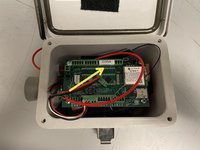
ecco come dovrebbe apparire il nodo all'interno
-
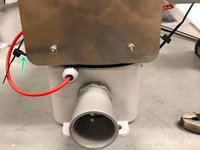
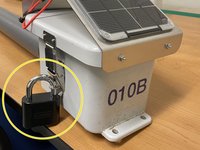
attacca la serratura all'esterno del contenitore
-
torna su Node Builder per le istruzioni su come consegnare il nodo presso lo scaffale di test
-
-













































Annulla: non ho completato questa guida.
Altre 3 persone hanno completato questa guida.


