Introduzione
If you want to replace the buttons on the Anker Soundcore Life Q20 headphones, follow this guide to remove and replace them. The buttons sit within the base of the headphones and allow you to control the volume, power, and noise cancellation. They are located on both sides of the headphones.
The buttons are crucial to the use of the headphones and allow you to control the many functions available. They may need to be replaced if they are not working properly or are broken.
Cosa ti serve
-
-
-
Choose the desired ear cushion to replace.
-
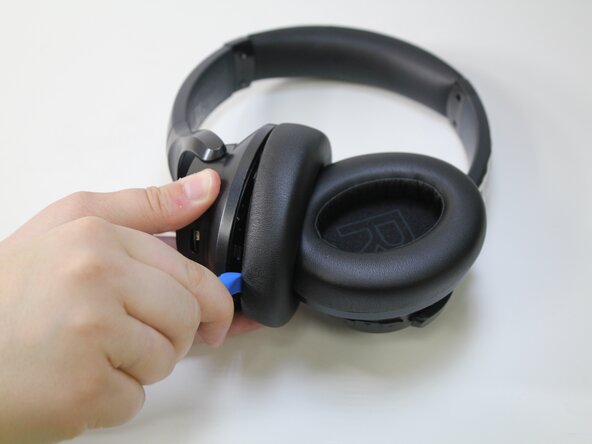
Orient the headphones so that the side of the ear cushion is accessible.
 Chiedi a FixBot
-
-
-
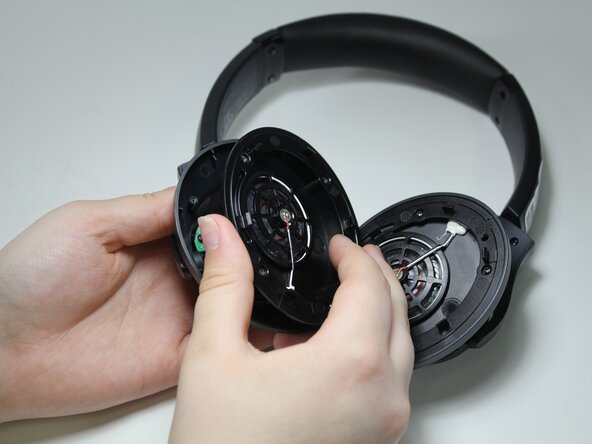
Wedge the iFixit opening tool into the groove where the ear cushion meets the base of the headphones.
-
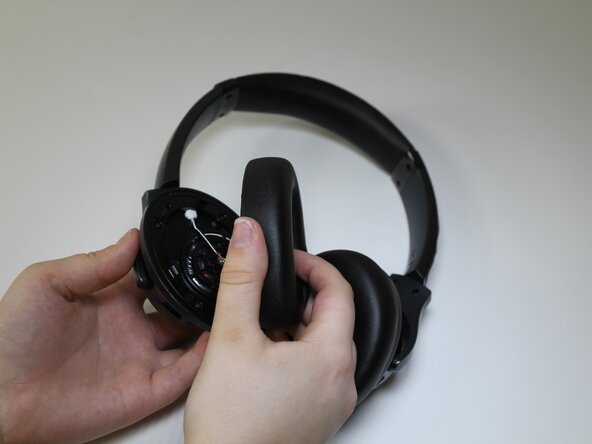
Pry the ear cushion apart from the base.
-
-
-
Repeat step 2 in a rotation around the ear cushion until it is fully detached from the base.
-
-
-
-
-
-
Use a Phillips #00 screwdriver to remove the four 10 mm screws from the cover.
-
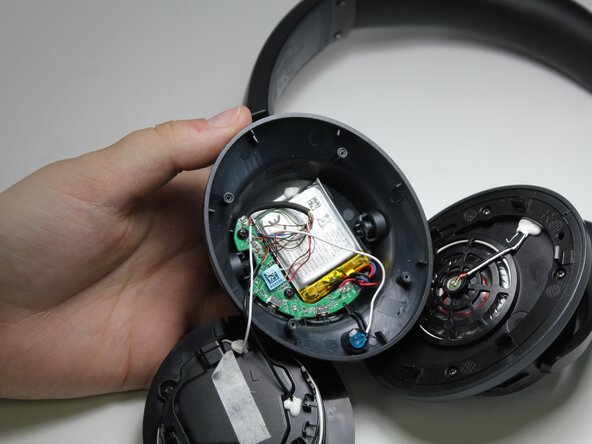
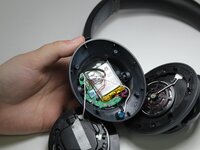
Remove the cover to expose the battery.
-
-
-
Use your index finger to lift the battery and remove it from the base.
-
Desolder the battery from the board, following the instructions from the iFixit soldering guide: Come saldare e dissaldare componenti elettrici
-
-
-
-
-
Using the Phillips #00 screwdriver, remove the two 7 mm screws from the green board.
-
-
-
Press the buttons as usual to pop them out of the base.
-
Gently pull the remaining tabs inside the base to disconnect the buttons.
-
-







To reassemble your device, follow these instructions in reverse order.
Annulla: non ho completato questa guida.
Un'altra persona ha completato questa guida.

Team

Carson-Newman University, Team 1-2, Sobiech Spring 2025 Membro di Carson-Newman University, Team 1-2, Sobiech Spring 2025
CNU-SOBIECH-S25S1G2
3 Membri
22 guide realizzate
