Wiki con Collaborazione Studenti
Un fantastico team di studenti del nostro programma educativo ha realizzato questo wiki.
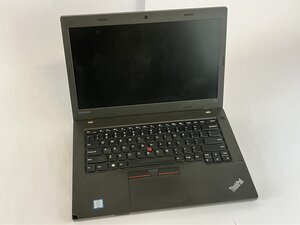
Se il tuo Lenovo Thinkpad L460 si spegne improvvisamente anche con una percentuale di batteria alta o si blocca casualmente, questa guida potrebbe esserti utile.
Celle della batteria degradate o esaurite
- Controlla lo stato della batteria in Lenovo Vantage
- Vai su Lenovo Vantage > Alimentazione > Stato batteria.
- Se viene indicato come "Scarso" o "Sostituire", allora sostituisci la batteria all'interno del Lenovo Thinkpad L460.
Carica residua che impedisce il ciclo di ricarica
- Esegui un ripristino della batteria
- Spegni il Lenovo ThinkPad L460, scollega l'alimentatore e rimuovi la batteria.
- Premi e tieni premuto il pulsante di accensione per 30 secondi, ricollega tutto e riavvia.
BIOS o driver di alimentazione obsoleti
- Esegui un aggiornamento firmware
- Scarica il BIOS più recente e il driver di gestione dell'alimentazione dal sito di supporto Lenovo.
Guasto hardware della batteria
- Sostituisci la batteria
- Rimuovi la cover posteriore dal Lenovo ThinkPad L460.
- Scollega il connettore della batteria dalla scheda madre e sostituiscila con una batteria Lenovo originale. Segui questa guida per sostituire la batteria.

Team

UMass Dartmouth, Team 2-4, Bowman Fall 2025 Membro di UMass Dartmouth, Team 2-4, Bowman Fall 2025
UMASSD-BOWMAN-F25S2G4
4 Membri
72 guide realizzate

0 Commenti