Wiki con Collaborazione Studenti
Un fantastico team di studenti del nostro programma educativo ha realizzato questo wiki.
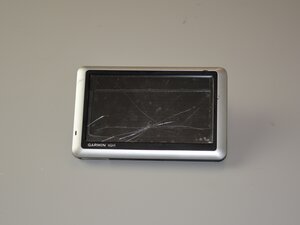
Is your Garmin Nuvi 1450 not turning on? Use this troubleshooting guide to help diagnose why.
Charge Port Damage
The device may not have been charged or connected through the USB port. First, inspect the charging port for debris or damage. Try a different known-good USB cable and port. A faulty internal battery or damaged USB port can cause these symptoms. If still unpowered, the internal charging circuit or battery may need replacement to restore functionality.
Battery Damage
Another reason the device could be failing to power on is a dead or failing battery. Similar to the procedure for testing the charge port, try using a different USB cable and charger to rule out power source issues. If the device powers off quickly or won’t hold a charge, the battery likely needs replacement. Garmin says to avoid DIY replacements unless experienced, as improper handling may damage the device.
Motherboard Damage
Any motherboard damage can result in the device becoming non-functional. Recommended to check the cables connecting to the board and try the power button again to ensure that is not the issue. If the device has visible damage to the board, you may have to get a new motherboard as a replacement.

Team

Texas Tech, Team 45-48, Weston Fall 2025 Membro di Texas Tech, Team 45-48, Weston Fall 2025
TTU-WESTON-F25S45G48
4 Membri
20 guide realizzate

0 Commenti