

Il Mio Problema
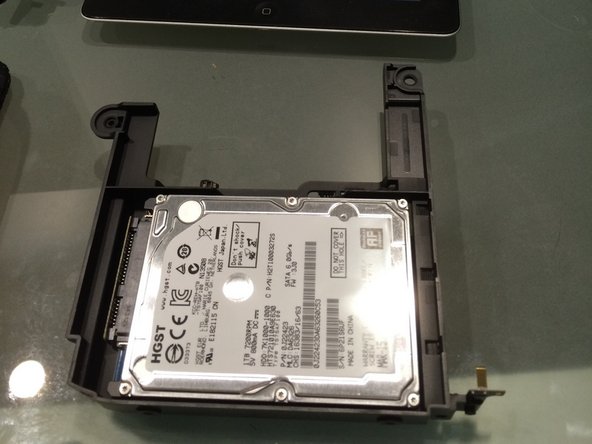
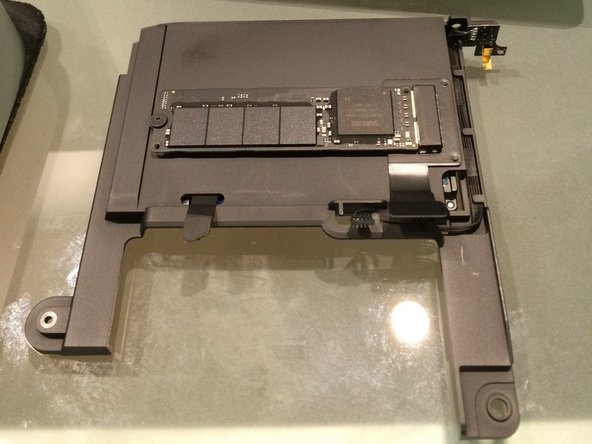
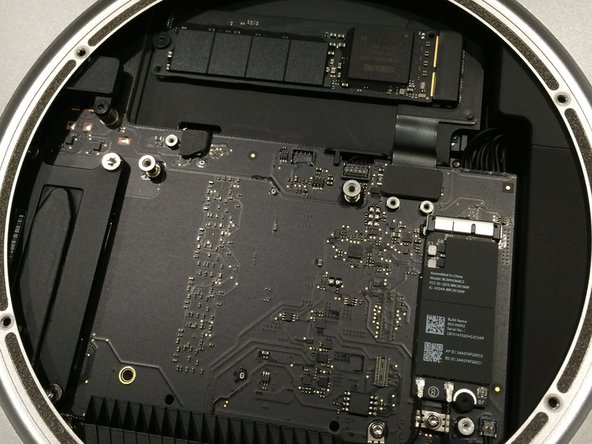
I wanted both a speedy SSD and a large hard drive in my new 2014 Mac Mini. The stock Apple fusion drive only uses a 128GB SSD and a slow 5400RPM hard drive, so I thought I could do better. I purchased my mini with a 512GB PCIe SSD and decided to add my own 1TB 7200RPM hard drive with the iFixIt dual drive kit.
La Mia Riparazione
The teardown is very simple. I believe the bottom plate on the new mini is even easier to take off with the right tools since there is no funky WiFi cover wedged in at just the right angle. That was always the most difficult part. Now it's all one large piece. Thanks Apple! The hard drive and cable from the dual drive kit fit perfectly and the whole job took about 10 minutes.
Il Mio Consiglio
The tool list is short and sweet. I used the plastic opening tool to remove the bottom cover and the iFixIt TR6 Torx security screwdriver fits all the screws for this job.


0 Commenti