Salta al contenuto principale
Unisciti alla Community delle riparazioni - Crea un account

Cosa ti serve

Questo smontaggio non è una guida di riparazione. Per riparare il tuo Picstart Plus Development Programmer, usa il nostro manuale di assistenza.

    1. Picstart Plus Development Programmer Teardown, Picstart Plus Development Programmer Teardown: passo 1, immagine 1 di 3 Picstart Plus Development Programmer Teardown, Picstart Plus Development Programmer Teardown: passo 1, immagine 2 di 3 Picstart Plus Development Programmer Teardown, Picstart Plus Development Programmer Teardown: passo 1, immagine 3 di 3
      • Remove 4 Phillips screws located on the back side of the holding plate.

      • After the screws are removed, remove the case of the development programmer.

      • Carefully take out the circuit board with component side facing up. Put the case aside.

      Chiedi a FixBot

      Aggiungi Commento

    2. Picstart Plus Development Programmer Teardown: passo 2, immagine 1 di 2 Picstart Plus Development Programmer Teardown: passo 2, immagine 2 di 2
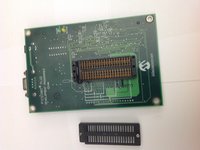
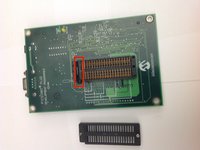
      • Disconnect the microcontroller module from the main board using a spudger or a similar tool.

      • Set the microcontroller module aside.

      Chiedi a FixBot

      Aggiungi Commento

    3. Picstart Plus Development Programmer Teardown: passo 3, immagine 1 di 2 Picstart Plus Development Programmer Teardown: passo 3, immagine 2 di 2
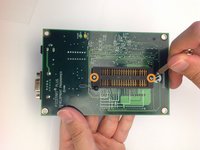
      • Flip over the mainboard so that the component side is facing down and remove the small Pan head screws that holds the cover of the IC holder

      • Remove the cover of the IC holder.

      Chiedi a FixBot

      Aggiungi Commento

    4. Picstart Plus Development Programmer Teardown: passo 4, immagine 1 di 2 Picstart Plus Development Programmer Teardown: passo 4, immagine 2 di 2
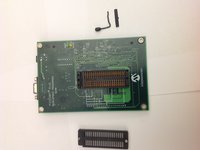
      • Remove the IC holder lever along with the small metal plate that covers the lever.

      • Set the lever and the lever cover aside.

      Chiedi a FixBot

      Aggiungi Commento

    5. Picstart Plus Development Programmer Teardown: passo 5, immagine 1 di 1
      • Congratulations! You have completely dismantled the PICSTART Plus Development Programmer!

      • All the extracted components are shown in the picture.

      Chiedi a FixBot

      Aggiungi Commento

Brad

Membro da: 11/17/13

656 Reputazione

2 guide realizzate

0Commenti sulla guida

Aggiungi Commento

Visualizza statistiche:

Ultime 24 ore: 2

Ultimi 7 giorni: 12

Ultimi 30 giorni: 44

Tutti i Tempi: 3,124