
Salta al contenuto principale
Unisciti alla Community delle riparazioni - Crea un account

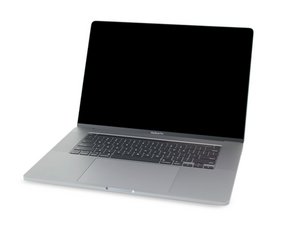
Guide di riparazione e informazione sullo smontaggio del MacBook Pro 16" rilasciato nel novembre 2019. Modello A2141, EMC 3347.

USB-C Board Replacement?

Hello, has anybody replaced the USB-C Board on either of these MacBook Pros?

MacBook Pro, 15" Touch Bar, 4-port
(2019, Model A1990, EMC 3359, 15,3)

MacBook Pro, 16" Touch Bar, 4-port
(2019, Model A2141, EMC 3347, 16,1)

There isn't a repair guide available for either model that covers a USB-C Board replacement.

Thank you...

Risposto! Visualizza la risposta Anch'io ho questo problema

Questa è una buona domanda?

Punteggio 0
Aggiungi un commento

2 Risposte

Soluzione Prescelta

Hi

If you follow this video here it will show you how to remove the logicboard

Here’s one for the 15" MacBook Pro A1990 2019 Logicboard Removal

Here’s one for the 16" Inch MacBook Pro A2141 Logicboard Removal - Liquid Damage

If you want to replace your USB-C ports you just need to remove the screws ether side of the port then they should just slide out

Hopefully this helps

Any questions please ask

Thanks:-)

Questa risposta è stata utile?

Punteggio 3
Aggiungi un commento
Risposta Più Utile

All USB C boards on these Pro models, from 2016 on, regardless of size, are similar in process.

Follow the 16" Guide for Battery Replacement, up to step 66. This gets the logic board out. Disregard anything after. Unless you also want to replace the battery while you've got it gutted.

After that, use T5 drivers to remove the screws holding in the USB C boards. Two screws per board.

Block Image

After the screws are removed, you just have to pull them out of the top case. Et voila. Reverse process with new ones. Or clean the existing ones and reinstall.

Questa risposta è stata utile?

Punteggio 4
Aggiungi un commento

Aggiungi la tua risposta

bobjohnston sarà eternamente grato.
Visualizza Statistiche:

Ultime 24 Ore: 2

Ultimi 7 Giorni: 11

Ultimi 30 Giorni: 58

Tutti i Tempi: 1,674