Salta al contenuto principale

Repair and disassembly guides for Brother printers.

How to remove paper jam

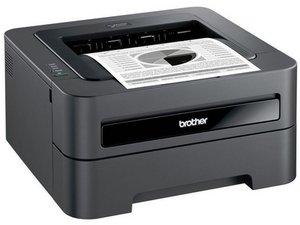
printer indicates paper jam, but there is no paper that is jammed except a 3”x4” size that I tore when trying to pull it out. does that small piece of paper belong there?

Risposto! Visualizza la risposta Anch'io ho questo problema

Questa è una buona domanda?

Punteggio 1
Aggiungi un commento

2 Risposte

Soluzione Prescelta

From what I know there shouldn’t be any paper in there other than what you have in the tray at any given time.


To remove a jam, all printers are a bit different, remove the toner, and open any and all side or back compartments. You should be able to see if there are any more visible pieces still in it. Most will be removed from a back panel. If it has a drum pull that straight out as well and inspect it for paper.


Anything you remove should be installed in reverse order when done, to ensure that they go back in properly. Any jam message should go away once the jam is gone and the printer is put back together.

Hope this helps.

Questa risposta è stata utile?

Punteggio 1
Aggiungi un commento

Totally agree with @warrenwiggins every printer is different but the same too. Open the drum after removing compartments you can easily see the paper and remove it from the printer.

Questa risposta è stata utile?

Punteggio 0
Aggiungi un commento

Aggiungi la tua risposta

emananon sarà eternamente grato.
Visualizza Statistiche:

Ultime 24 Ore: 1

Ultimi 7 Giorni: 10

Ultimi 30 Giorni: 26

Tutti i Tempi: 1,880
