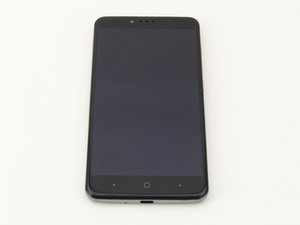

How to Remove & Replace Broken Screen?
How to repair remove a broken screen on a ZTE phone?
Questa è una buona domanda?
Punteggio
3
Reputazione: 37
 2
2
 1
1
How to repair remove a broken screen on a ZTE phone?
Questa è una buona domanda?
Reputazione: 81
4
2
All you need is some pry tools and the and a #00 Phillips screwdriver.
iFixit Opening Picks (Set of 6)
First take off the back of the cover using the pry tools
Then remove the Kapton tape ( it should be a yellow translucent tape )covering the fingerprint scanner flex cover
Unscrew the fingerprint scanner (mentioned above)
And finally, use the pry tool between the screen and the phone and go down the sides while simultaneously prying the screen away .
When you have the screen out, you can replace it by doing these steps in a reverse order
Questa risposta è stata utile?
How to remove an replace broken screen face
Ultime 24 ore: 2
Ultimi 7 giorni: 8
Ultimi 30 giorni: 24
Tutti i Tempi: 1,737




1 Commento
Can You Please To Remove My Broken Screen On My ZTE Phone Please...
da MMBBoy MB