
Salta al contenuto principale

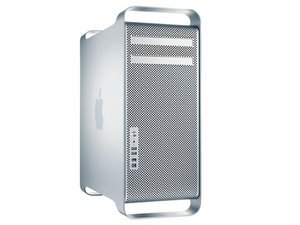
The Mac Pro First Generation is an Intel Xeon-based workstation computer manufactured by Apple Inc. The first generation model includes the machines from 2006 through 2008.

Keyboard does not work at all in El Capitan!

Mac Pro 2009

I did a clean install of El Capitan. So far so good. I have Snow Leopard on another Partition.

Because I have a tremor I went to the keyboard preference to change the delay until repeat. My keyboard then no longer worked.

My mouse, which is connected to the keyboard DOES still work.

There is no return to default option

Risposto! Visualizza la risposta Anch'io ho questo problema

Questa è una buona domanda?

Punteggio -1
2 Commenti

The keyboard does work in Snow Leopard

da

Who's keyboard are you using? Is it Apple or something else.

da

Aggiungi un commento

1 Risposta

Soluzione Prescelta

Undo what you did in keyboard preferences and see if it then works.

UPDATE

Here's how to reset your PRAM:

Shut down your machine. Yes, all the way down, not sleep or logging out.

Press the power button and then press command-option-p-r. ...

Hold those keys down until your Mac reboots again and you here the startup chime.

Let go of the keys and let your Mac reboot normally.

Questa risposta è stata utile?

Punteggio 3

3 Commenti:

It did not work. I have tried many combinations and no luck.

I took a photo of the keyboard setup in Snow Leopard and made sure it was the same but again, no luck

da

Did you check the systems firmware? Follow this Apple T/N: About EFI and SMC firmware updates for Intel-based Mac computers

da

We still need to know what keyboard you are using as there are also keyboard firmware updates.

da

Aggiungi un commento

Aggiungi la tua risposta

Ken sarà eternamente grato.
Visualizza Statistiche:

Ultime 24 Ore: 0

Ultimi 7 Giorni: 1

Ultimi 30 Giorni: 13

Tutti i Tempi: 2,386