
 1
1  1
1 Why will my computer not boot and show video?
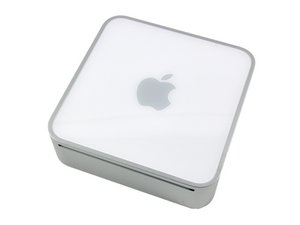
My mac mini simply will not boot.
When I hit the power button it comes on "fans spin slowly and solid white LED" but nothing comes on the display plus there is no chime.
First step, I tried another display. Fail - Same result.
I then tried pressing and holding the power button, I then get about 3 seconds of a fast blinking led then it stays solid but still no video or sound.
I then took it apart and removed everything but the CPU. "CD drive, HD, Memory" The LED blinks twice fast but then just on/off, on/off. After I insert the memory it goes back to solid white.
I tried different known working memory. First filling up both slots, then just each individually. Still the same result.
I reset the PMU/SMC. Also by hitting the small button on the logicboard only once. Still the same result.
I tired burning the Firmware Restore CD 1.3 and using it. However the instructions call for 1 fast blink 3 slow blinks then fast blinks when holding down the power button. However, as stated previously, it only blinks very fast for about 3 seconds. Needless to say the disc didnt boot.
When I had it apart, I check the logicboard for popped caps, but didn't see any. Could it be the GPU?
I really need to get the computer working as I cant afford a new logic board "I'm afraid this might be the issue" nor a new computer...
Why are the logic boards so dang expensive!
attached is a youtube video showing what its doing...
Questa è una buona domanda?

 2,6k
2,6k 

1 Commento
Ok I have a few questions so I can understand the POST process better.
When the computer is powered on and I hear a chime then that means the computer passed POST, right?
If the mac doesn't make post error sounds then the light should flicker +1 to accommodate the missing sound?
Is it normal when ...
I have everything removed "including cpu" I have a solid white light.
If I insert the CPU, but still have no RAM then I get a steady blinking light/
If I have both ram and cpu installed im back to a solid white light.
if everything is connected and I hold down the power button while booting up I get about 3 seconds of a fast blinking LED.
It never makes a "speaker" sound despite what I do.
da Shane Maynard