Questa traduzione è stata generata automaticamente e non è stata ancora revisionata da una persona. Parli questa lingua? Dai un’occhiata.
Introduzione
Questa guida ti permetterà di sostituire il filtro del tuo iRobot Roomba 860; è una procedura semplice e veloce. Per questa riparazione non sono necessari strumenti o conoscenze pregresse. Ti consiglio di lavorare su una superficie piana e pulita. Tieni presente che potresti sporcarti durante l'esecuzione di questa riparazione.
Cosa ti serve
-
-
-
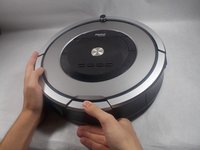
Orienta il Roomba in modo che il dispositivo sia sulle sue ruote e le parole possano essere lette da sinistra a destra.
-
Premere il grande pulsante sul Roomba che si trova più vicino a te.
-
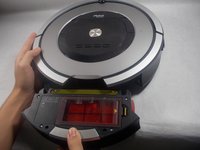
Tira verso di te per rimuovere il contenitore della polvere.
-
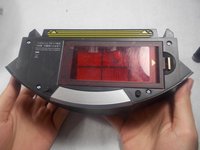
Ora posiziona il contenitore della polvere in piano con il grande pulsante rivolto verso di te.
 Chiedi a FixBot
-
-
-
-
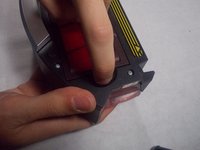
Con il contenitore della polvere completamente rimosso dal Roomba, premi la linguetta che si trova alla tua destra.
-
Ora solleva la copertura in plastica rossa per iniziare a rimuovere il filtro.
-
-
-
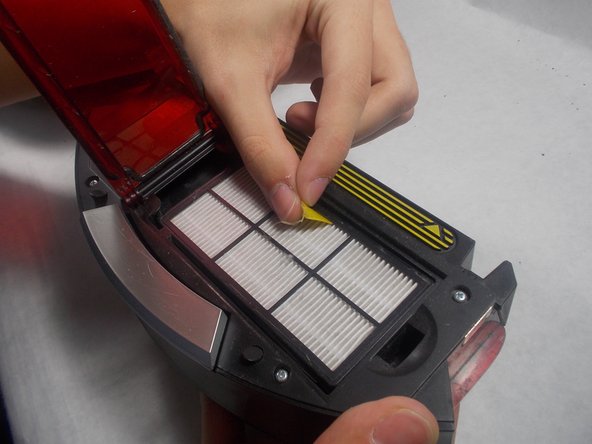
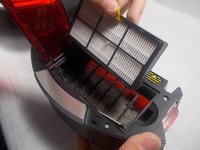
Usando la linguetta gialla che si trova sulla parte superiore del filtro, tirala verso di te.
-
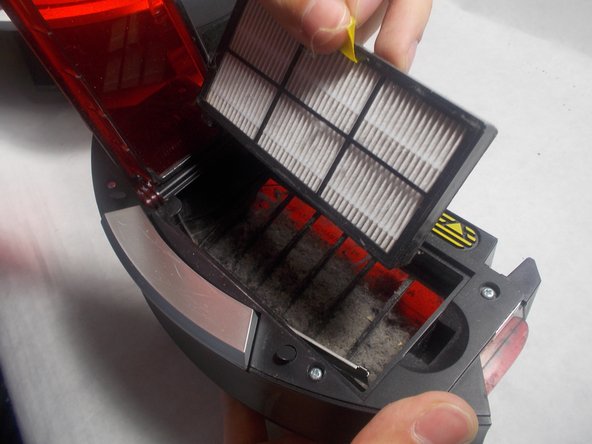
Rimuovi con attenzione il filtro usato.
-
-




Per rimontare il dispositivo, segui queste istruzioni in ordine inverso.

Team

UMass Dartmouth, Team S5-G5, Gulbrandsen Fall 2018 Membro di UMass Dartmouth, Team S5-G5, Gulbrandsen Fall 2018
UMASSD-GULBRANDSEN-F18S5G5
3 Membri
36 guide realizzate
