Salta al contenuto principale
Unisciti alla Community delle riparazioni - Crea un account

iPad Air 3 Screen Replacement

Cosa ti serve

    1. iPad Air 3 Screen Replacement, Screen: passo 1, immagine 1 di 2 iPad Air 3 Screen Replacement, Screen: passo 1, immagine 2 di 2
      • Cracked near home button its important to not break home button flex cable

      • Apply heat to the screen! Do NOT SKIP THIS STEP

      • Make sure to turn it off if you can to prevent breaking the backlight filter

      Chiedi a FixBot

      Aggiungi Commento

      • Pry with splicer around the edges

      • Display cables are on the bottom of screen opening up like an upside-down note pad

      Chiedi a FixBot

      Aggiungi Commento

    2. iPad Air 3 Screen Replacement: passo 3, immagine 1 di 1
      • Lift from the top like so

      • Display Cables

      Chiedi a FixBot

      Aggiungi Commento

    3. iPad Air 3 Screen Replacement: passo 4, immagine 1 di 3 iPad Air 3 Screen Replacement: passo 4, immagine 2 di 3 iPad Air 3 Screen Replacement: passo 4, immagine 3 di 3
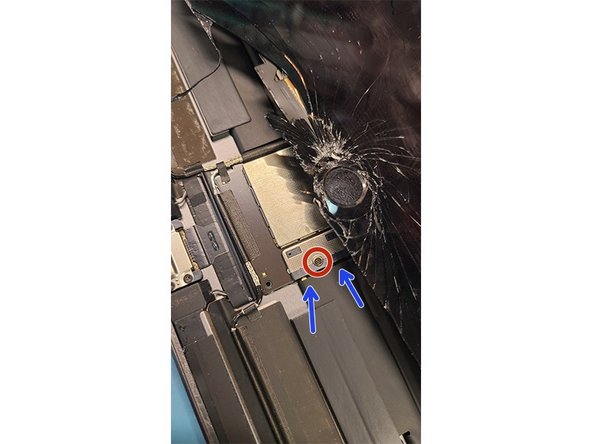
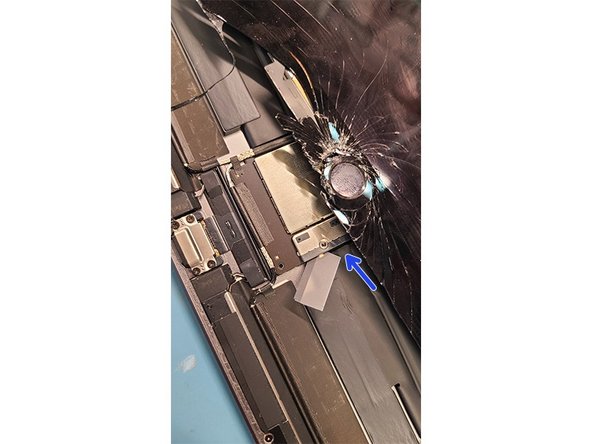
      • Set screen up a little bit to get to power connection

      • Power connection has PH000 screw holding it together

      • Slide a card under connection

      • Its very important to disconnect battery try turning it on make sure it is off to avoid further damage to ipad

      Chiedi a FixBot

      Aggiungi Commento

    4. iPad Air 3 Screen Replacement: passo 5, immagine 1 di 2 iPad Air 3 Screen Replacement: passo 5, immagine 2 di 2
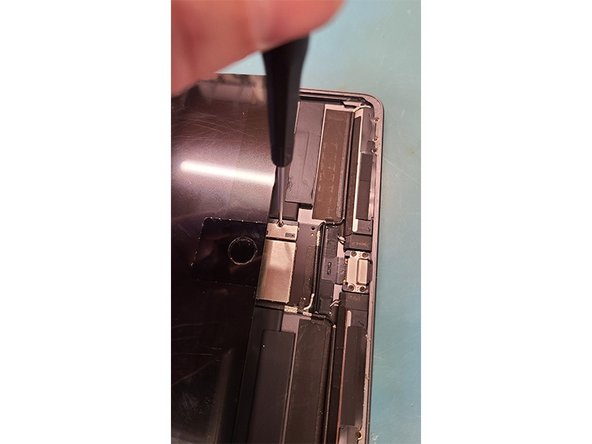
      • Lift display back up to get to the display cables

      • Unscrew 2 PH000 Screws from display cable bracket

      • Use the flat end of plastic spudger to lift off connections

      • There is 4 flex cables that need disconnecting

      Chiedi a FixBot

      Aggiungi Commento

    5. iPad Air 3 Screen Replacement: passo 6, immagine 1 di 3 iPad Air 3 Screen Replacement: passo 6, immagine 2 di 3 iPad Air 3 Screen Replacement: passo 6, immagine 3 di 3
      • Whoohoo we got it off now clean the edges for any broken glass

      • Keep track of rubbers covering proximity light sensor on the top

      • Light covers place on top of proxmity sensors

      Chiedi a FixBot

      Aggiungi Commento

    6. iPad Air 3 Screen Replacement: passo 7, immagine 1 di 3 iPad Air 3 Screen Replacement: passo 7, immagine 2 di 3 iPad Air 3 Screen Replacement: passo 7, immagine 3 di 3
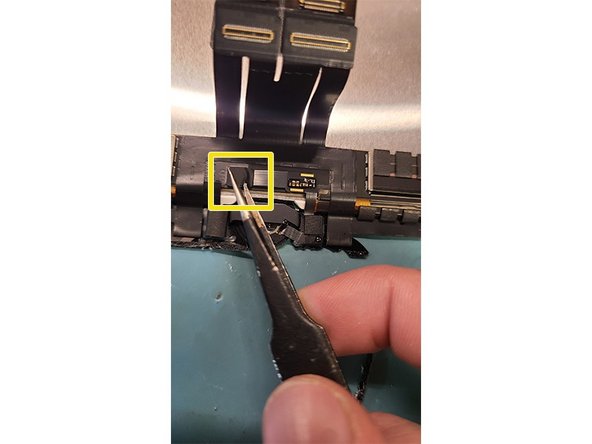
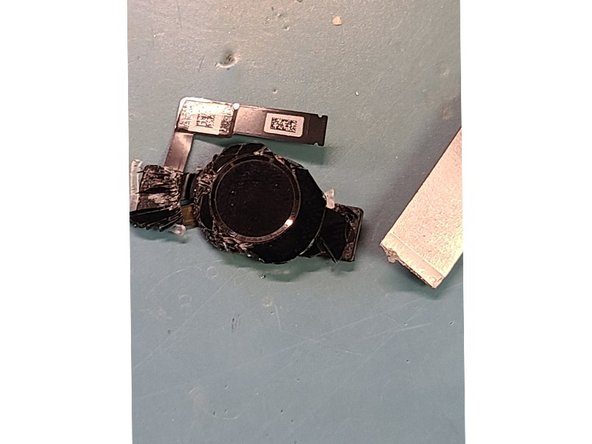
      • APPLY HEAT TO HOME BUTTON 15-20 Seconds should do the trick

      • If heat is not applied you might break the home button along with the touch ID. If you replace the home button touch ID will not work anymore

      • Take of home button flex cover

      • Use flat end of spudger to pry up home button flex connector

      Chiedi a FixBot

      Aggiungi Commento

    7. iPad Air 3 Screen Replacement: passo 8, immagine 1 di 3 iPad Air 3 Screen Replacement: passo 8, immagine 2 di 3 iPad Air 3 Screen Replacement: passo 8, immagine 3 di 3
      • Reapply heat if you spent to much time getting flex unhooked

      • Pry with splicer under the home button bracket car

      • Clean glass around gasket

      Chiedi a FixBot

      Aggiungi Commento

    8. iPad Air 3 Screen Replacement: passo 9, immagine 1 di 2 iPad Air 3 Screen Replacement: passo 9, immagine 2 di 2
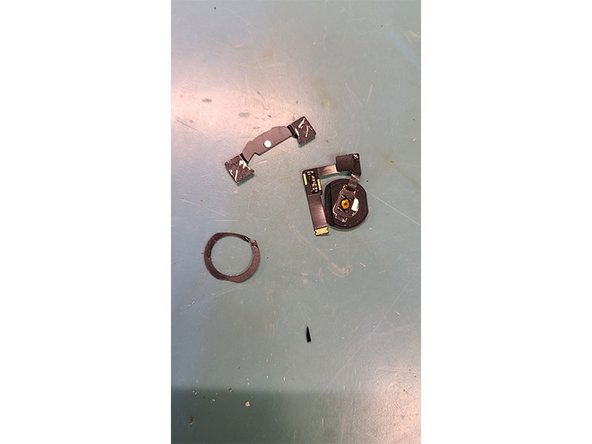
      • Install home button on new screen I recommend using liquid adhesive for this!

      • Push the home button a couple of times to make sure it stills on and make sure it is clicking!

      Chiedi a FixBot

      Aggiungi Commento

    9. iPad Air 3 Screen Replacement: passo 10, immagine 1 di 2 iPad Air 3 Screen Replacement: passo 10, immagine 2 di 2
      • Connect all 4 Flex cables to the logic board!

      • Now at the bottom of the new screen screw in the battery connection to test the new screen!

      Chiedi a FixBot
      Aggiungi Commento

    10. iPad Air 3 Screen Replacement: passo 11, immagine 1 di 1
      • Test screen drawing on the notes make sure it works!

      • Adhere new screen with preinstalled adhesive and clap it!

      Chiedi a FixBot
      Aggiungi Commento

Linea Traguardo

Annulla: non ho completato questa guida.

Altre 4 persone hanno completato questa guida.

0Commenti sulla guida

Aggiungi Commento

Visualizza statistiche:

Ultime 24 ore: 2

Ultimi 7 giorni: 56

Ultimi 30 giorni: 195

Tutti i Tempi: 5,049