Salta al contenuto principale
Unisciti alla Community delle riparazioni - Crea un account

iRobot Roomba 4100 Filter Replacement

    1. iRobot Roomba 4100 Filter Replacement, Filter: passo 1, immagine 1 di 1
      • Lay the Roomba on a flat surface with the red side up.

      Chiedi a FixBot

      Aggiungi Commento

    2. iRobot Roomba 4100 Filter Replacement: passo 2, immagine 1 di 2 iRobot Roomba 4100 Filter Replacement: passo 2, immagine 2 di 2
      • Push in the red, gumdrop-shaped button with your thumb.

      • While holding in the button, slide the back piece away from the main body of the Roomba.

      Chiedi a FixBot

      Aggiungi Commento

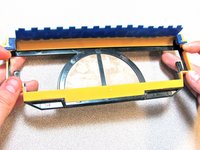
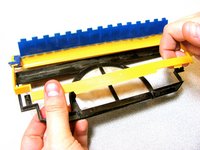
    3. iRobot Roomba 4100 Filter Replacement: passo 3, immagine 1 di 3 iRobot Roomba 4100 Filter Replacement: passo 3, immagine 2 di 3 iRobot Roomba 4100 Filter Replacement: passo 3, immagine 3 di 3
      • Flip the back piece over in your hand.

      • Using your other hand, grab the yellow tab and pull it away from the back piece.

      Chiedi a FixBot

      Aggiungi Commento

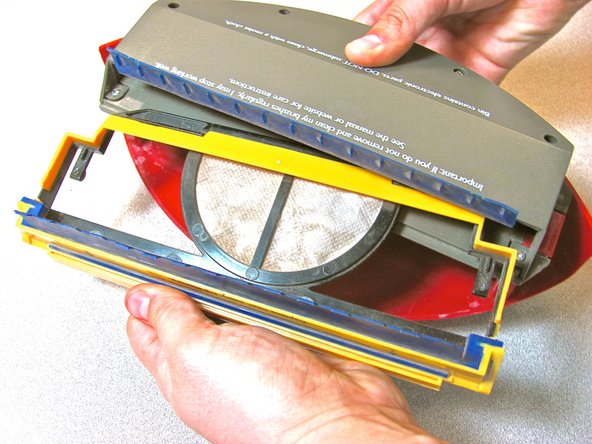
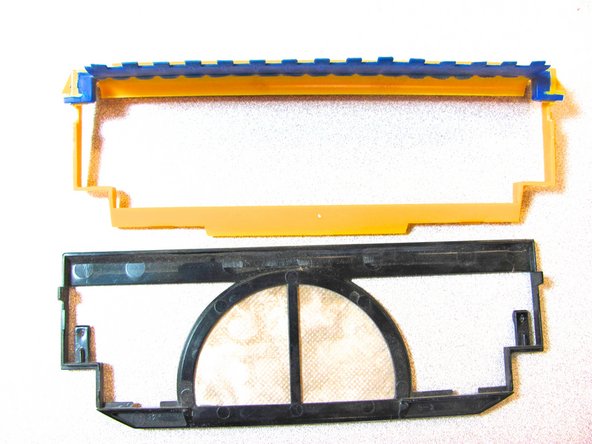
    4. iRobot Roomba 4100 Filter Replacement: passo 4, immagine 1 di 3 iRobot Roomba 4100 Filter Replacement: passo 4, immagine 2 di 3 iRobot Roomba 4100 Filter Replacement: passo 4, immagine 3 di 3
      • Pinch the black plastic of the filter and pull it away from the yellow filter holder.

      Chiedi a FixBot

      Aggiungi Commento

Conclusione

To reassemble your device, follow these instructions in reverse order.

Annulla: non ho completato questa guida.

Team

Cal Poly, Team 17-5, Forte Winter 2014 Membro di Cal Poly, Team 17-5, Forte Winter 2014

CPSU-FORTE-W14S17G5

5 Membri

28 guide realizzate

0Commenti sulla guida

Aggiungi Commento

Visualizza statistiche:

Ultime 24 ore: 1

Ultimi 7 giorni: 22

Ultimi 30 giorni: 52

Tutti i Tempi: 1,403